

Purchase Backdate | Purchase Order Backdate | Back Date In Purchase
Key Features of Backdate Functionality for Purchase:
- With this app, you can confirm Purchase Orders using a selected backdate.
- It allows you to define a custom backdate and add remarks to Purchase Orders.
- You can assign backdates in bulk with a single click.
- During mass backdate assignment, the system prompts you to enter remarks through a dedicated wizard.
- The chosen backdate and remarks are automatically reflected across receipts, stock moves, product moves, bills, and journal entries.
Purchase Backdate | Purchase Order Backdate | Back Date In Purchase
1. Enable the 'Purchase Backdate' and 'Purchase Remarks' features in
the settings. You can also choose to apply the backdate to associated Invoices and Delivery Orders
automatically.
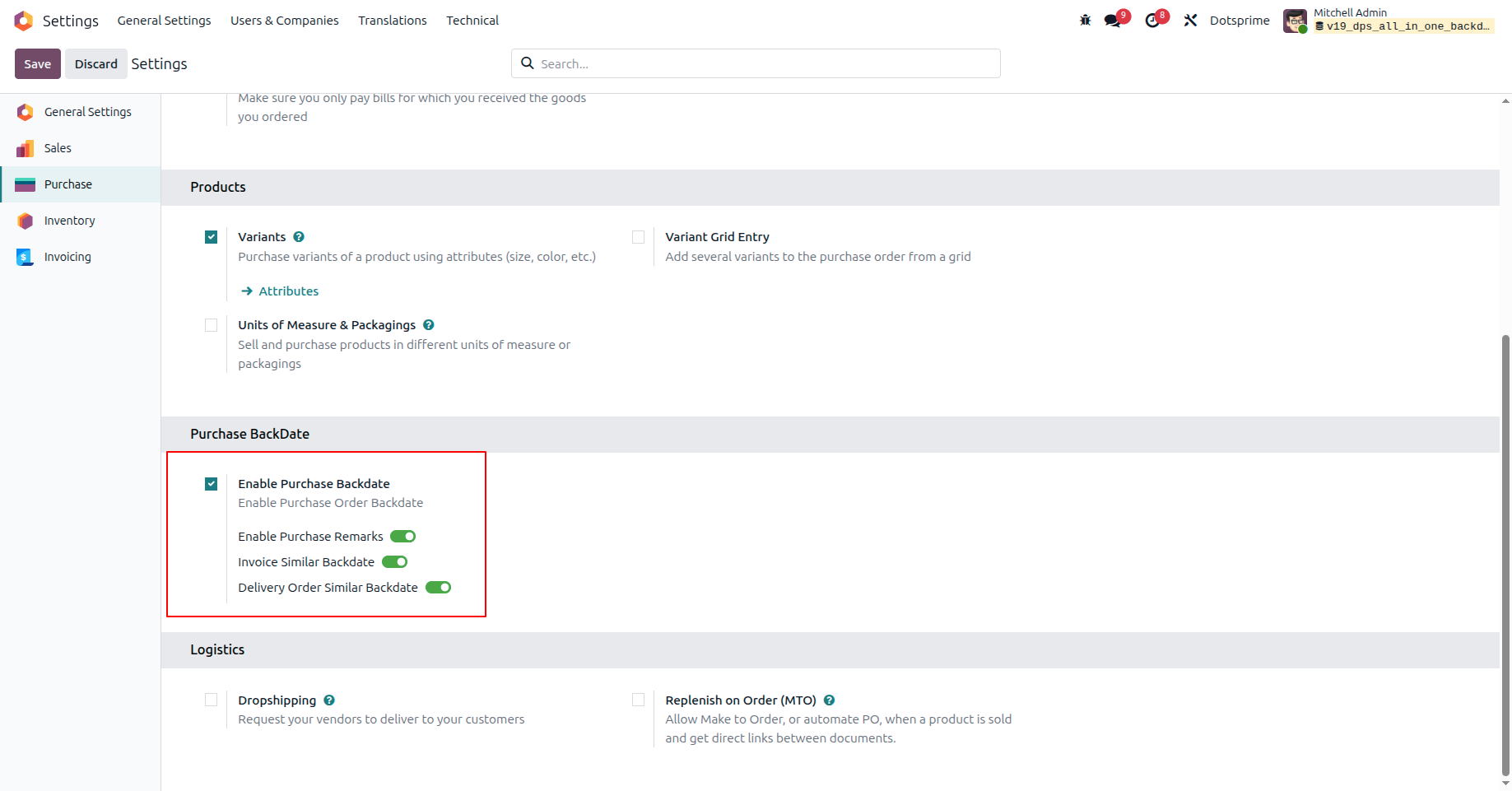
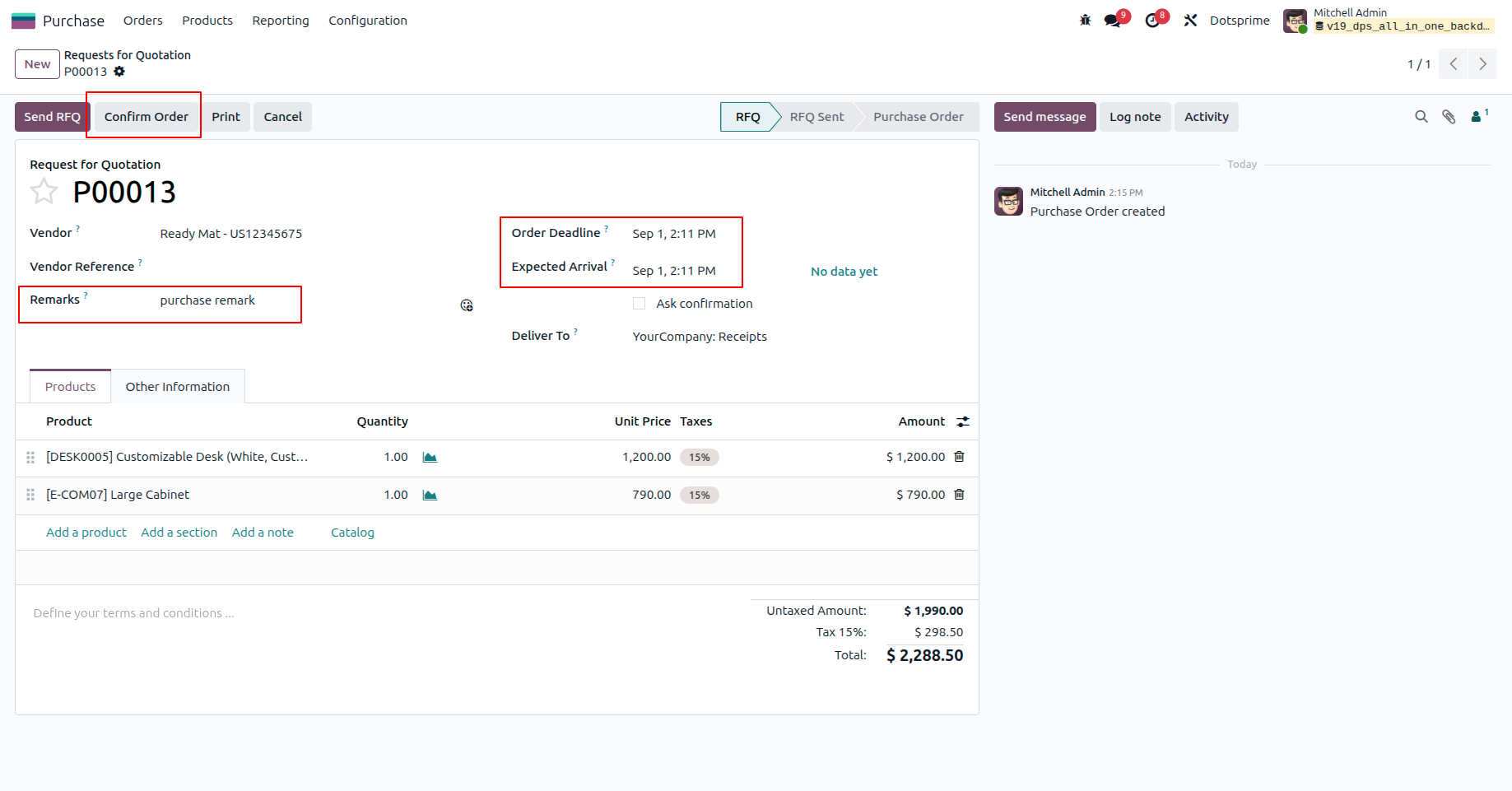
2. Set a custom backdate and add specific remarks directly on the
Purchase Order form before confirming it.
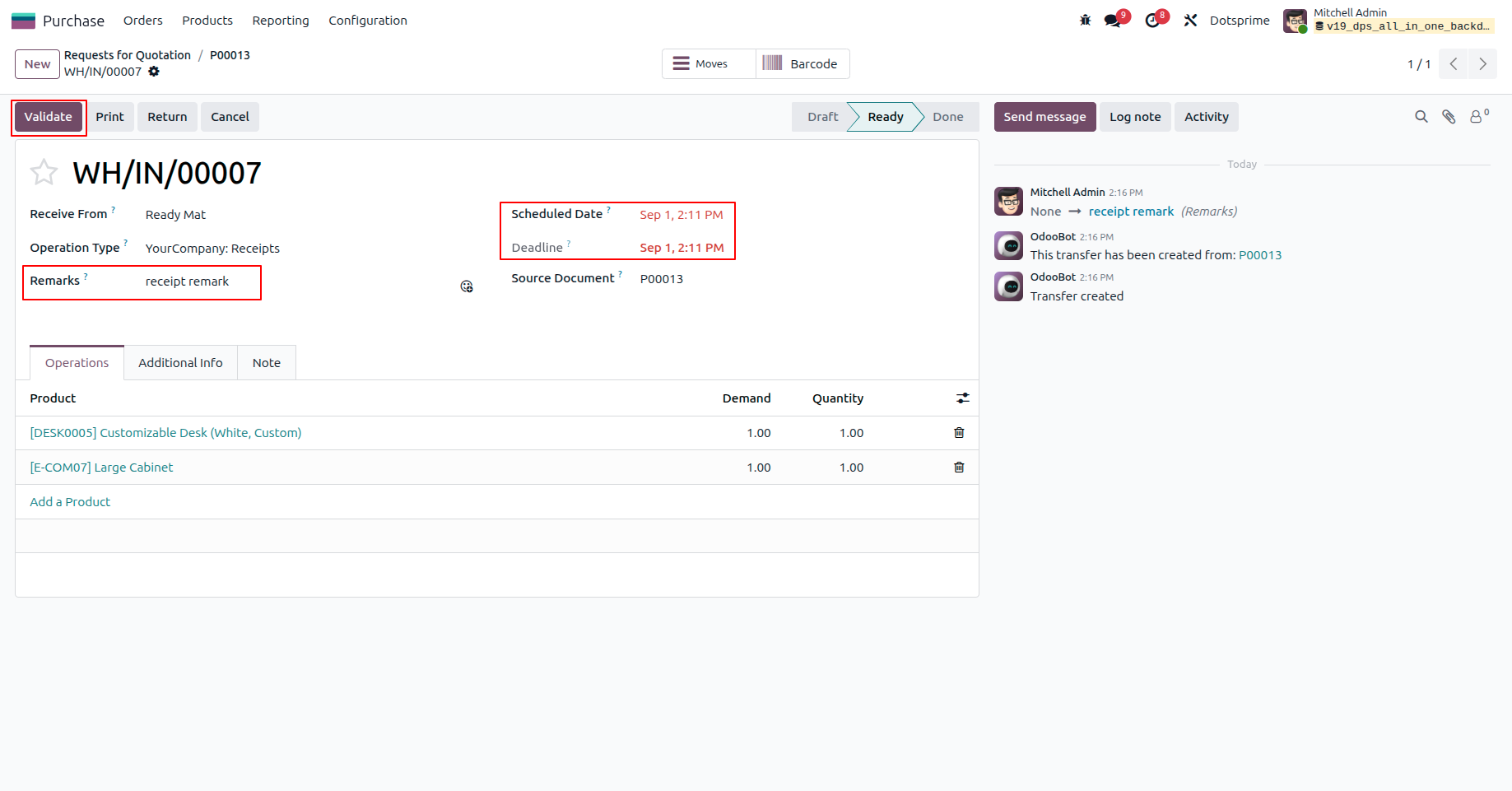
3. The system automatically applies the backdate and remarks to the
generated Receipt.
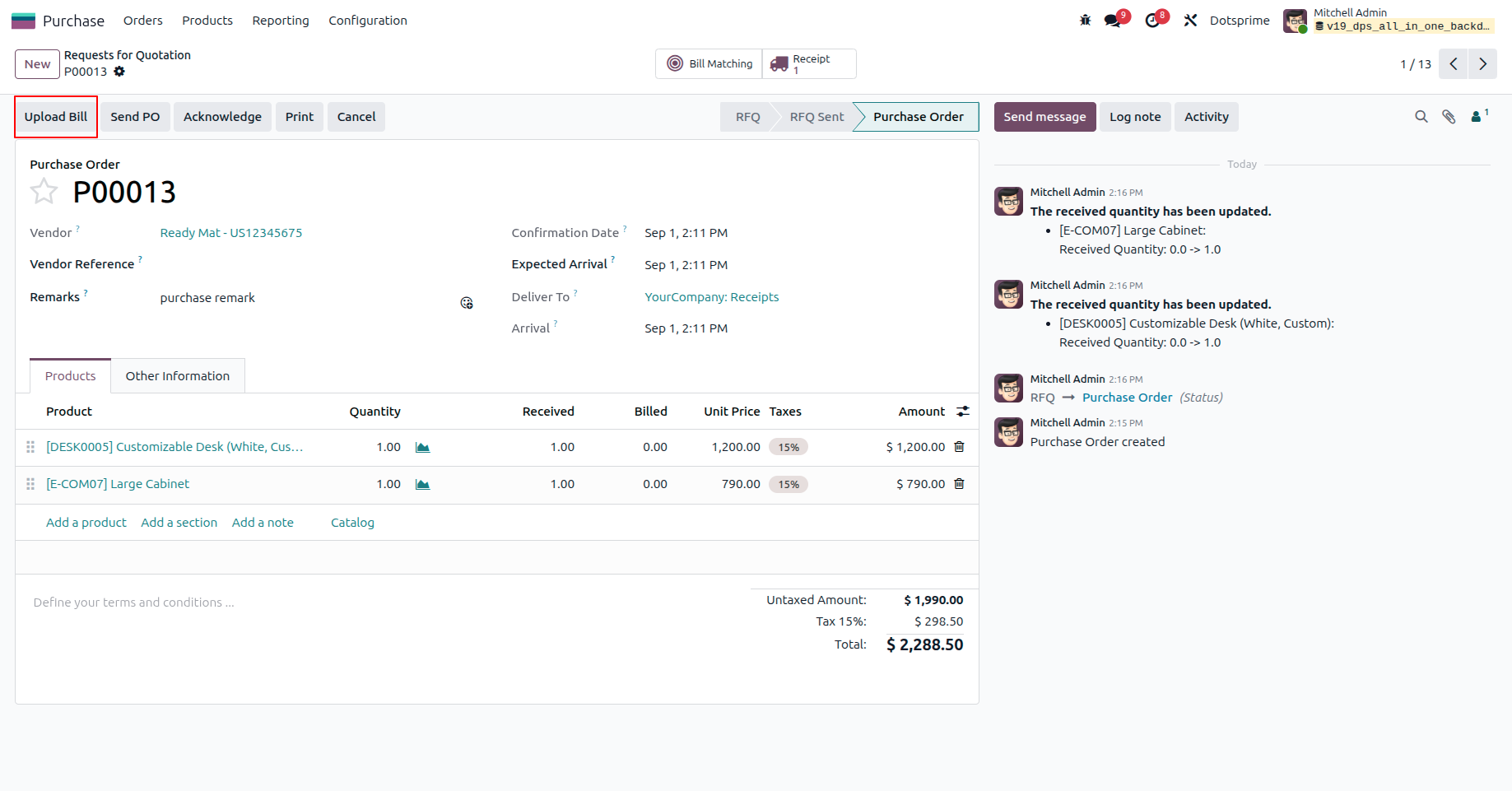
4. Create a Bill.
5. The "Bill Date","Remark" and "Accounting Date" have been applied as the same
date on the purchase order.
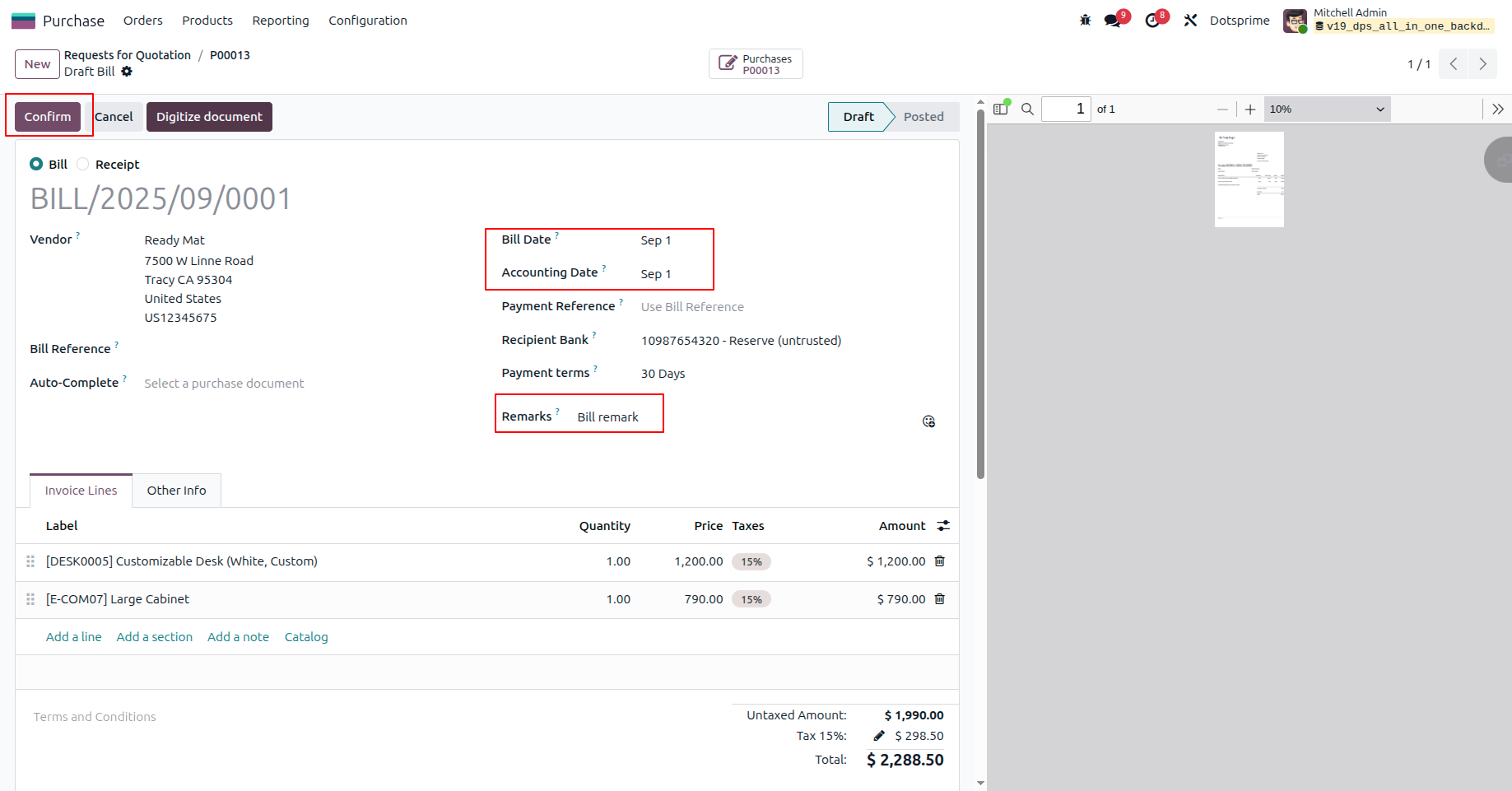
6. The posted Vendor Bill correctly reflects the applied backdate and remarks.
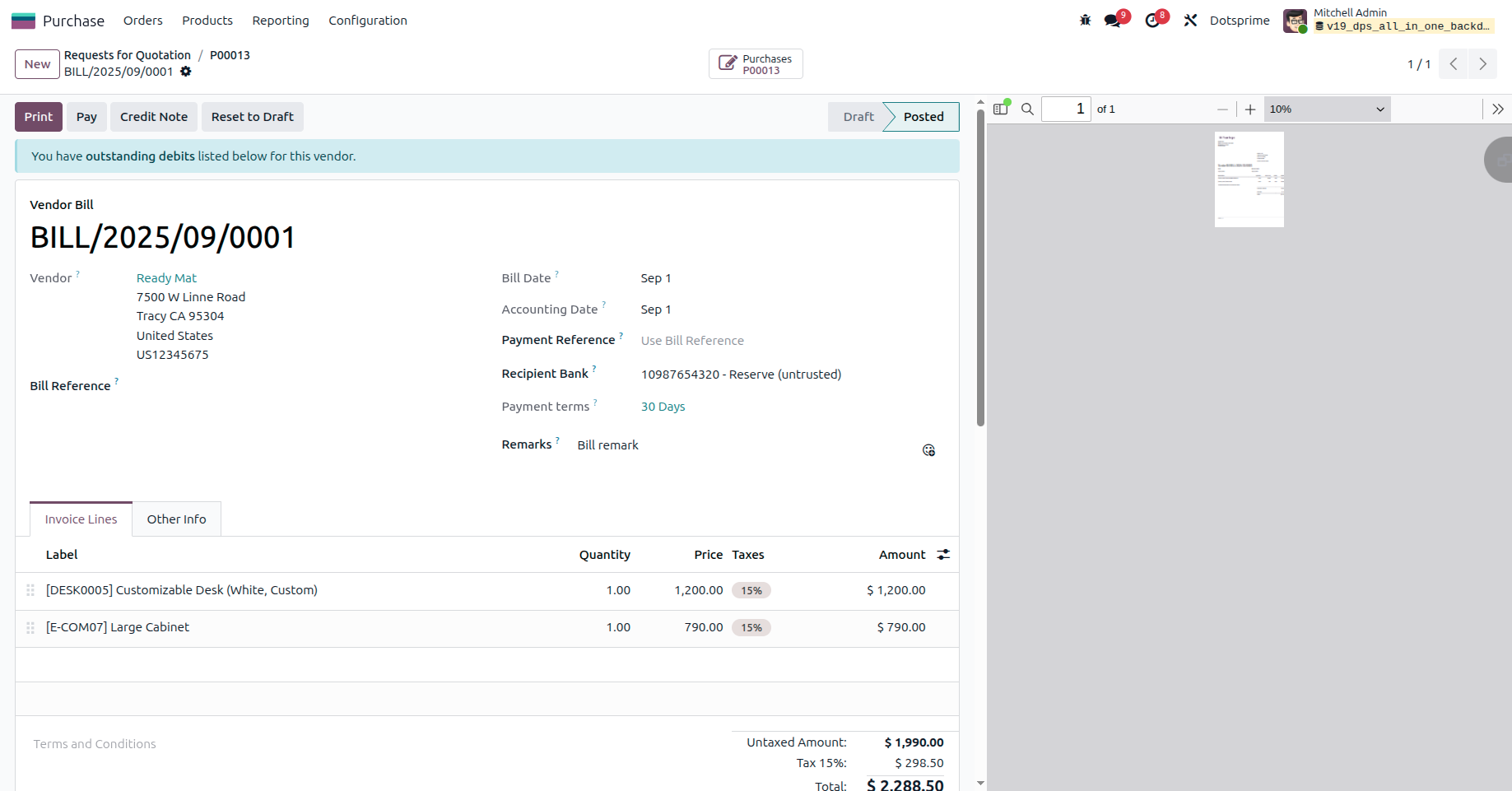
NOTE: If you have any question regarding this apps you can ask us. If you need to resolve error with any another apps it will take an extra changes for bug fixing and make compatible.
Our Service







If you are looking for any Customsation, Support, Implementation, Migration, Odoo Training (Technical-Functional), Odoo Version Migration, Odoo Database Migration, Odoo Support, Odoo Fixing, Odoo Bug fixing, Any query plz Contact us We are ready to help you.
Contact us for support


| Availability | Odoo Online Odoo.sh On Premise |
| Odoo Apps Dependencies | purchase stock account |
| Technical Name | dps_purchase_backdate |
| License | OPL-1 |
| Website | https://dotsprime.com/ |