



Sale Backdate | Sale Order Backdate | Back Date In Sales
$ 11.13
$ 11.13
-
Odoo Version
-
App Category

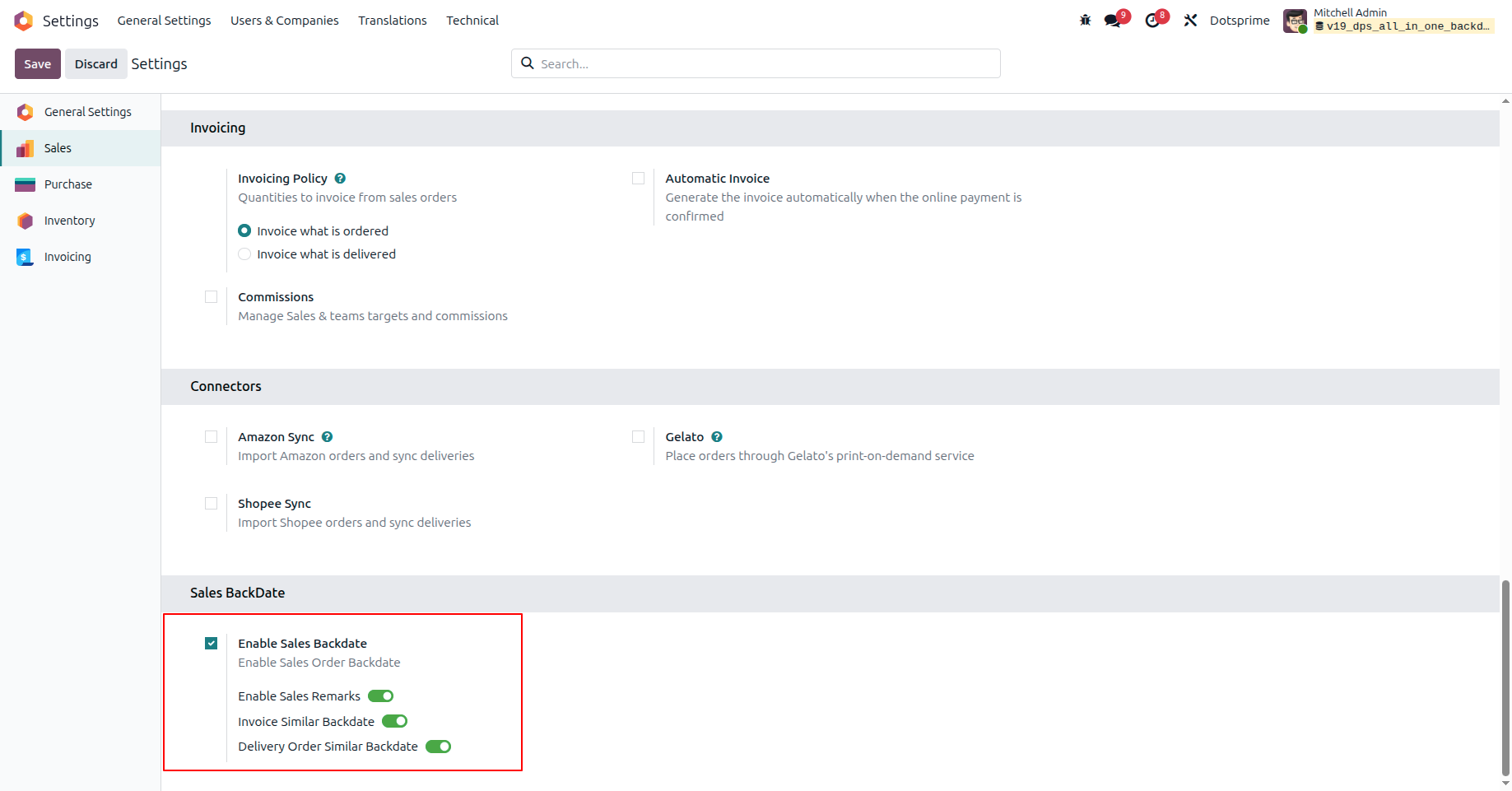
1. Enable the Sales Backdate option from the Sales Configuration settings.
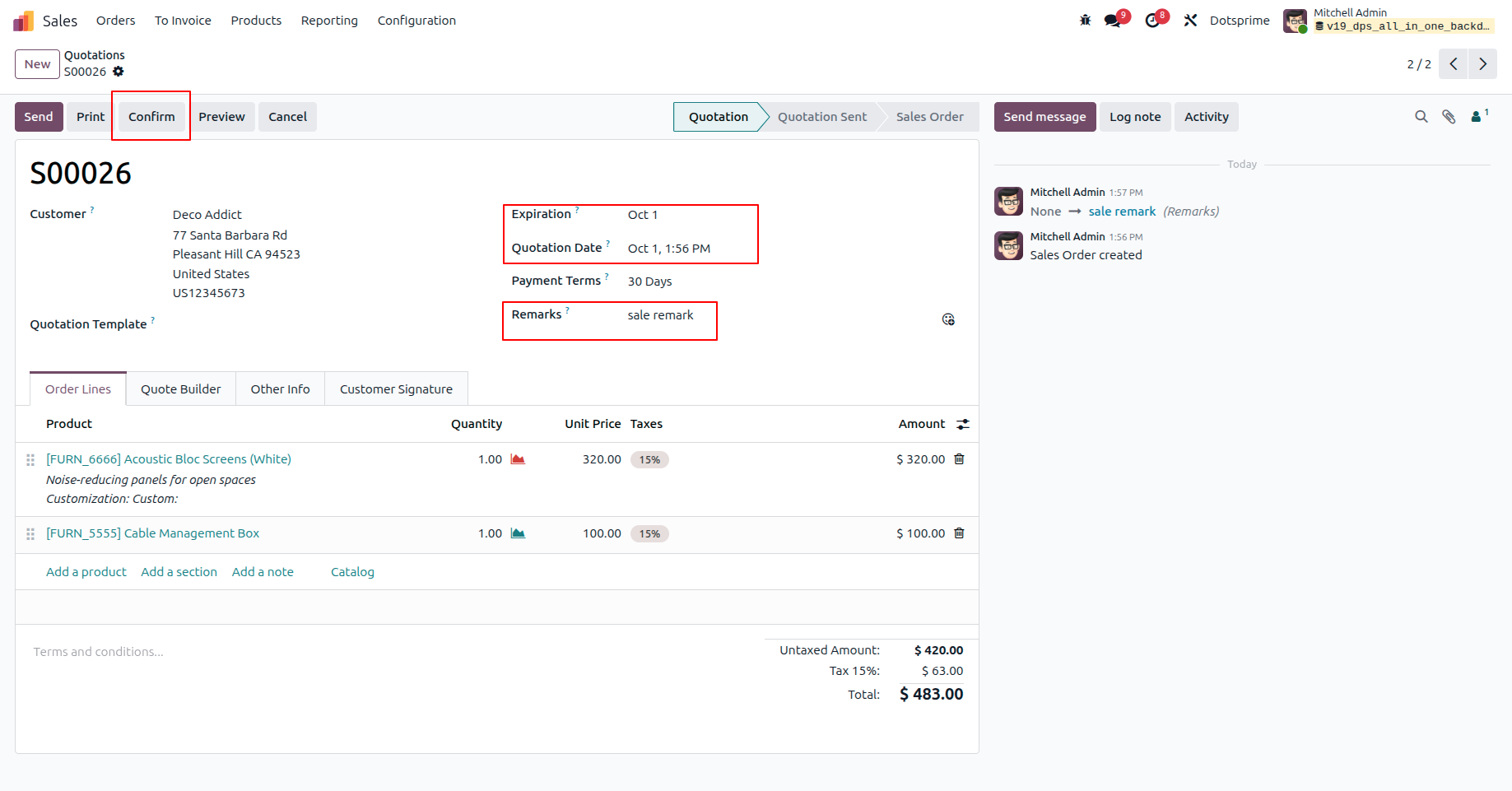
2. Specify a custom backdate and enter remarks for the Sales Order.
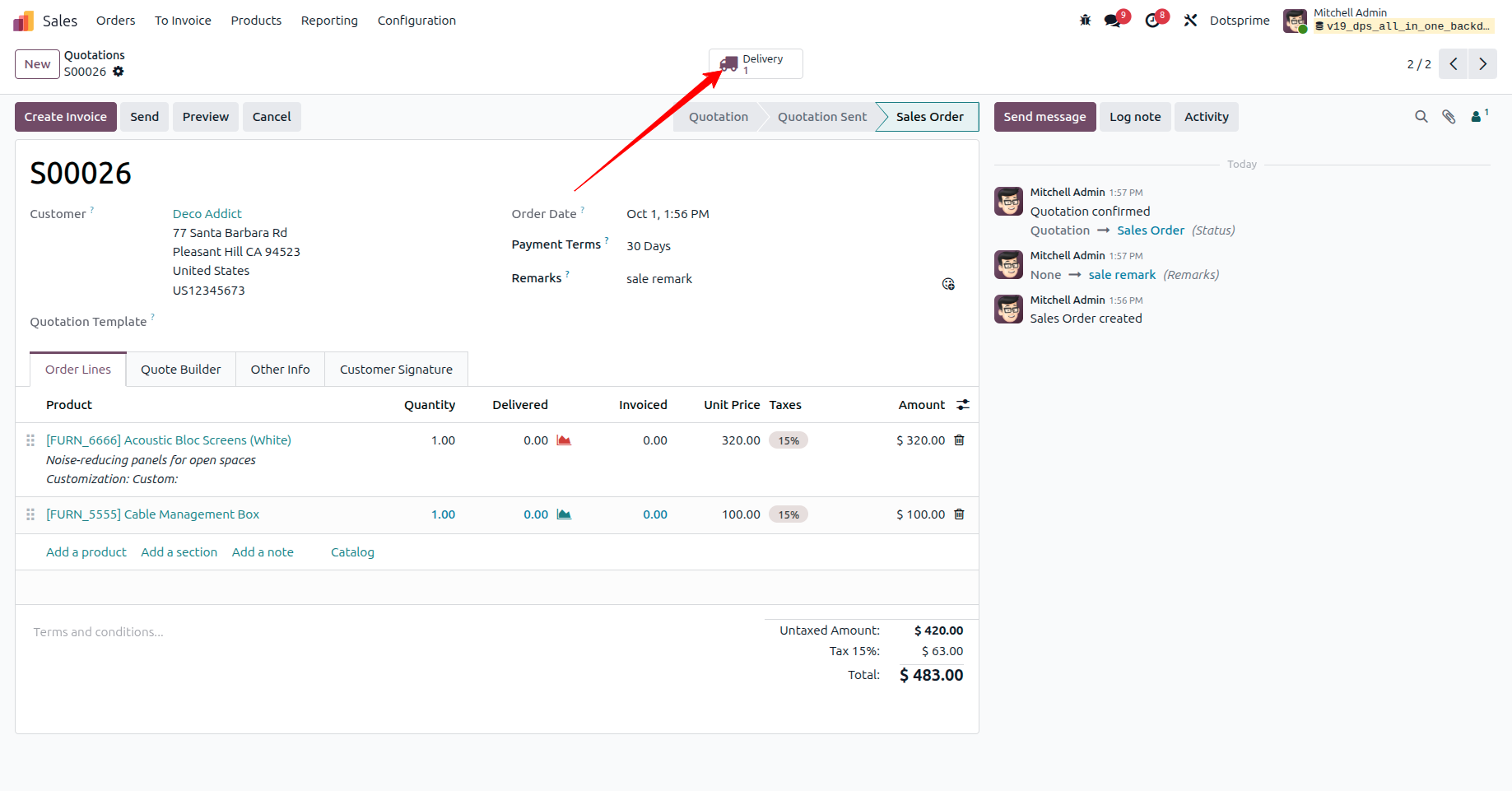
3. Click the Delivery button to proceed.
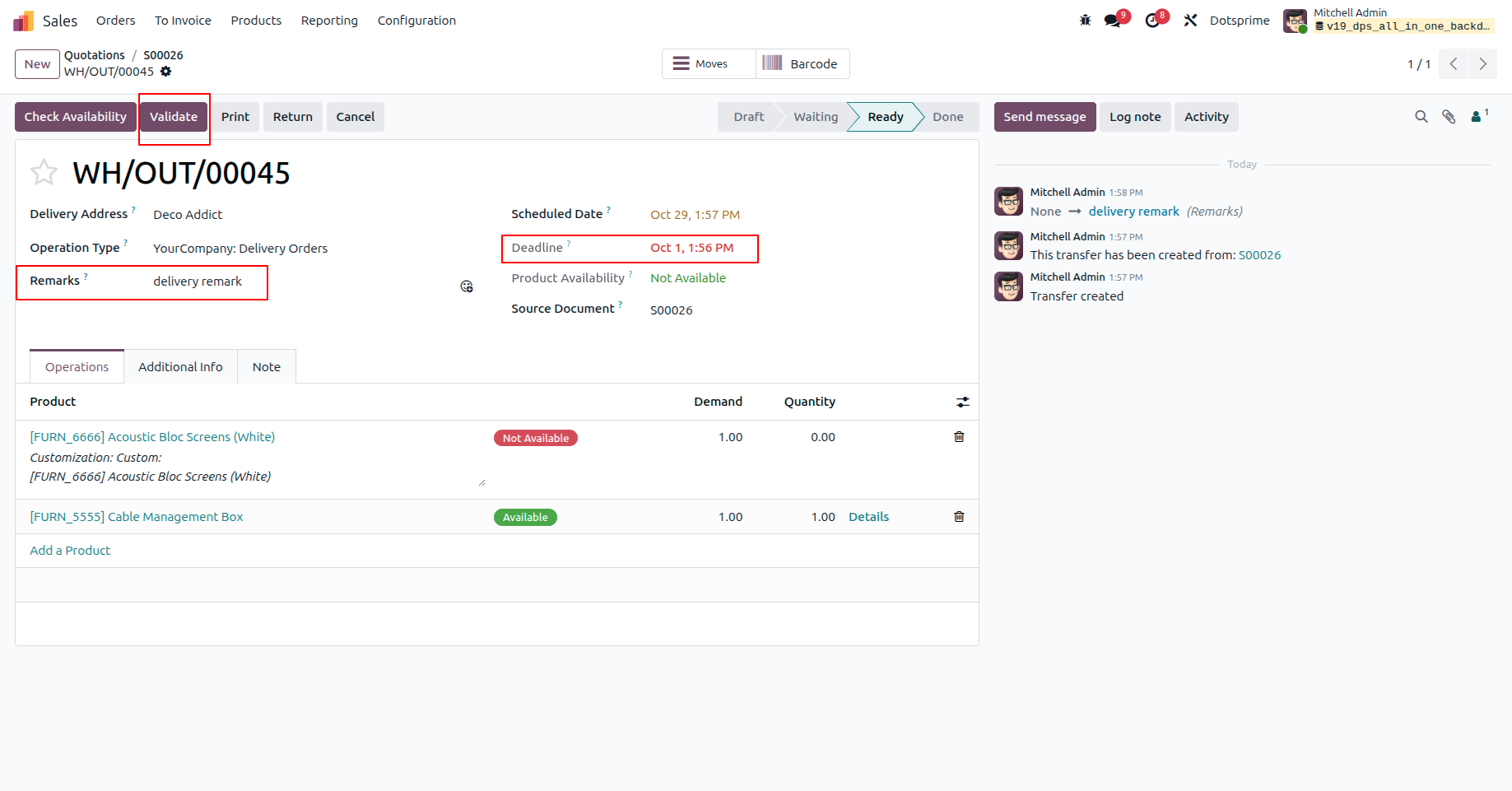
4. The selected backdate and remarks are automatically applied to the Delivery Order.
5. Click the Create Invoice button from the Sales Order.
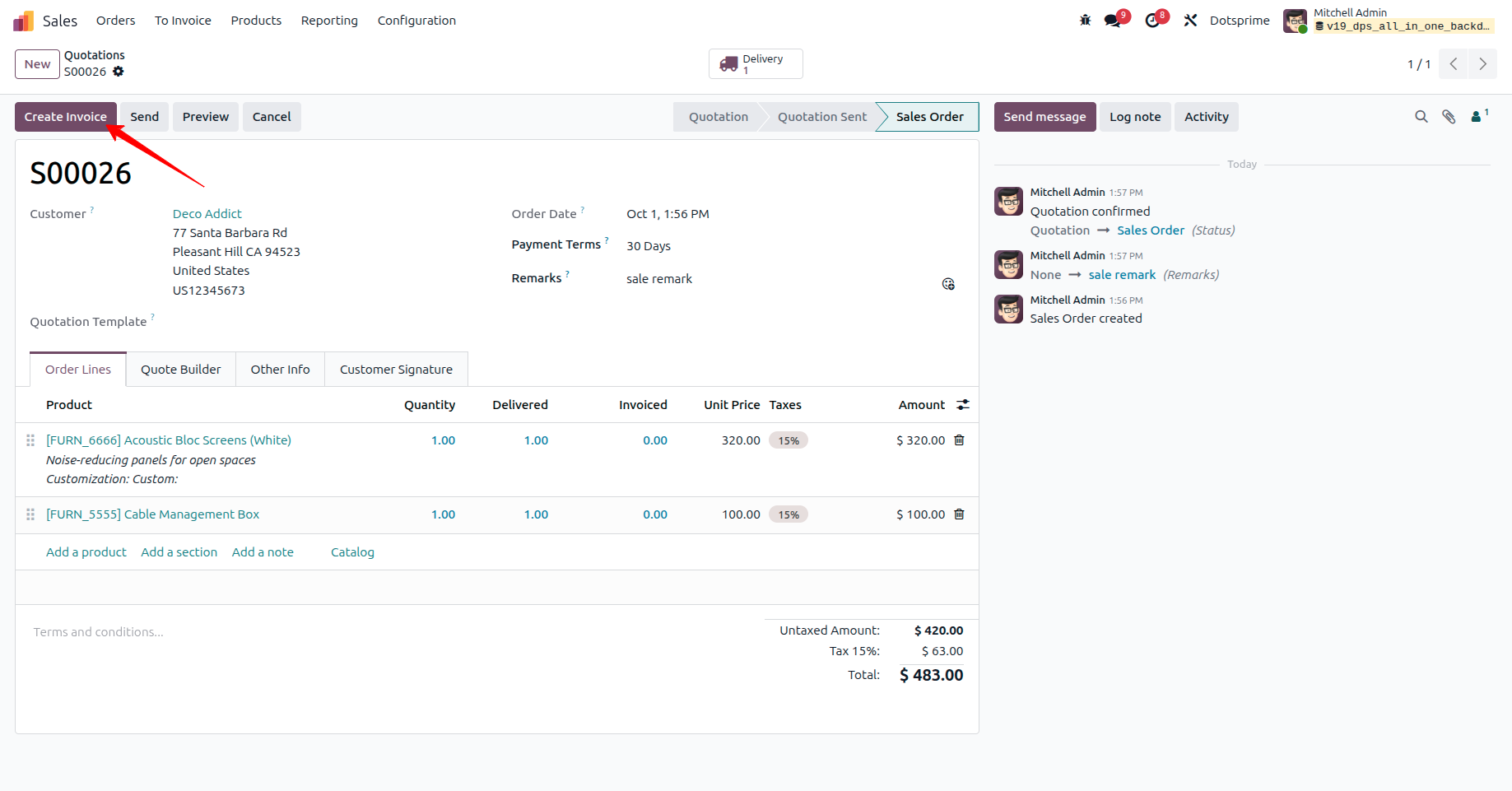
6. The same backdate and remarks are automatically applied to the Customer Invoice.
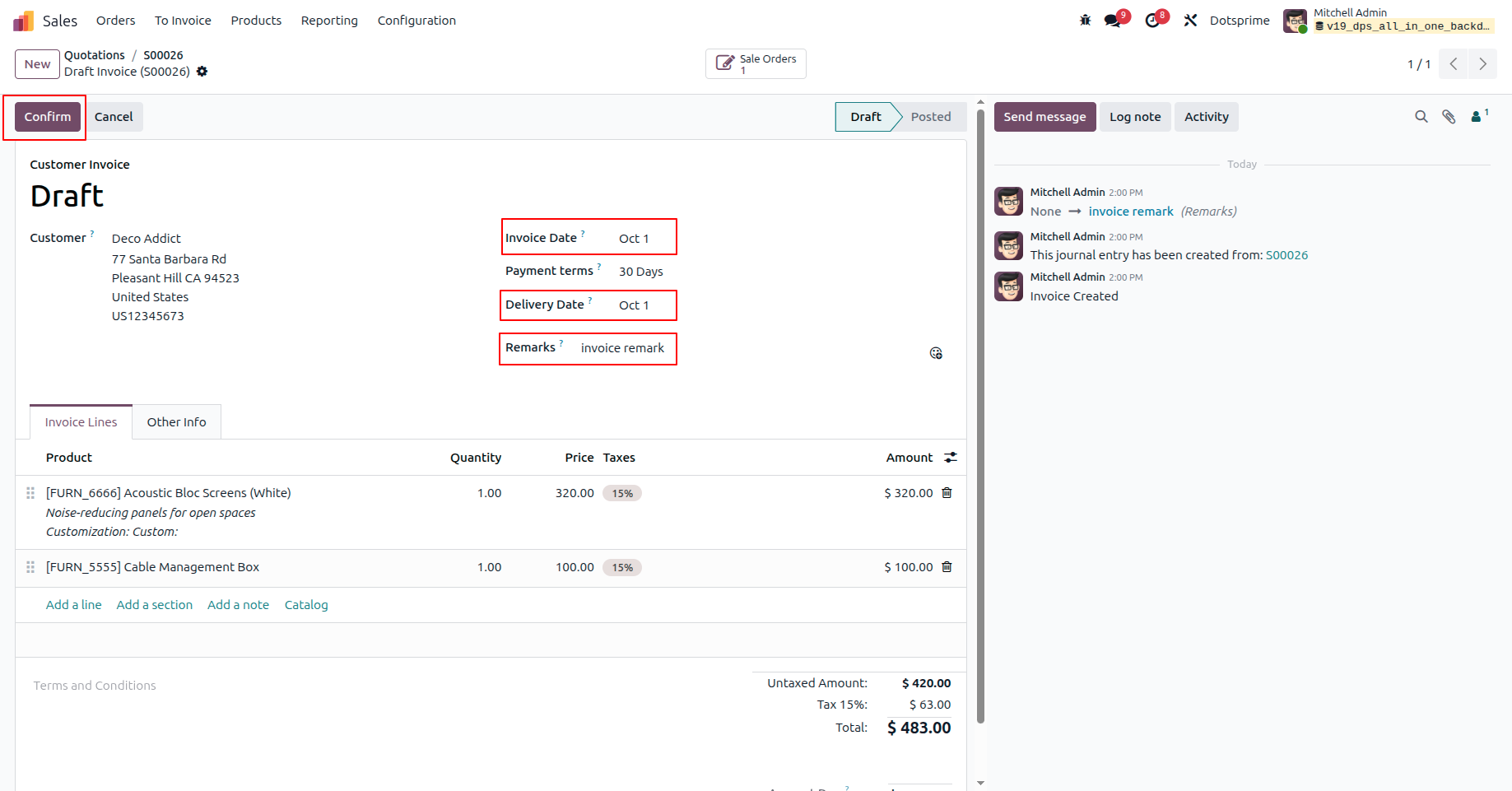
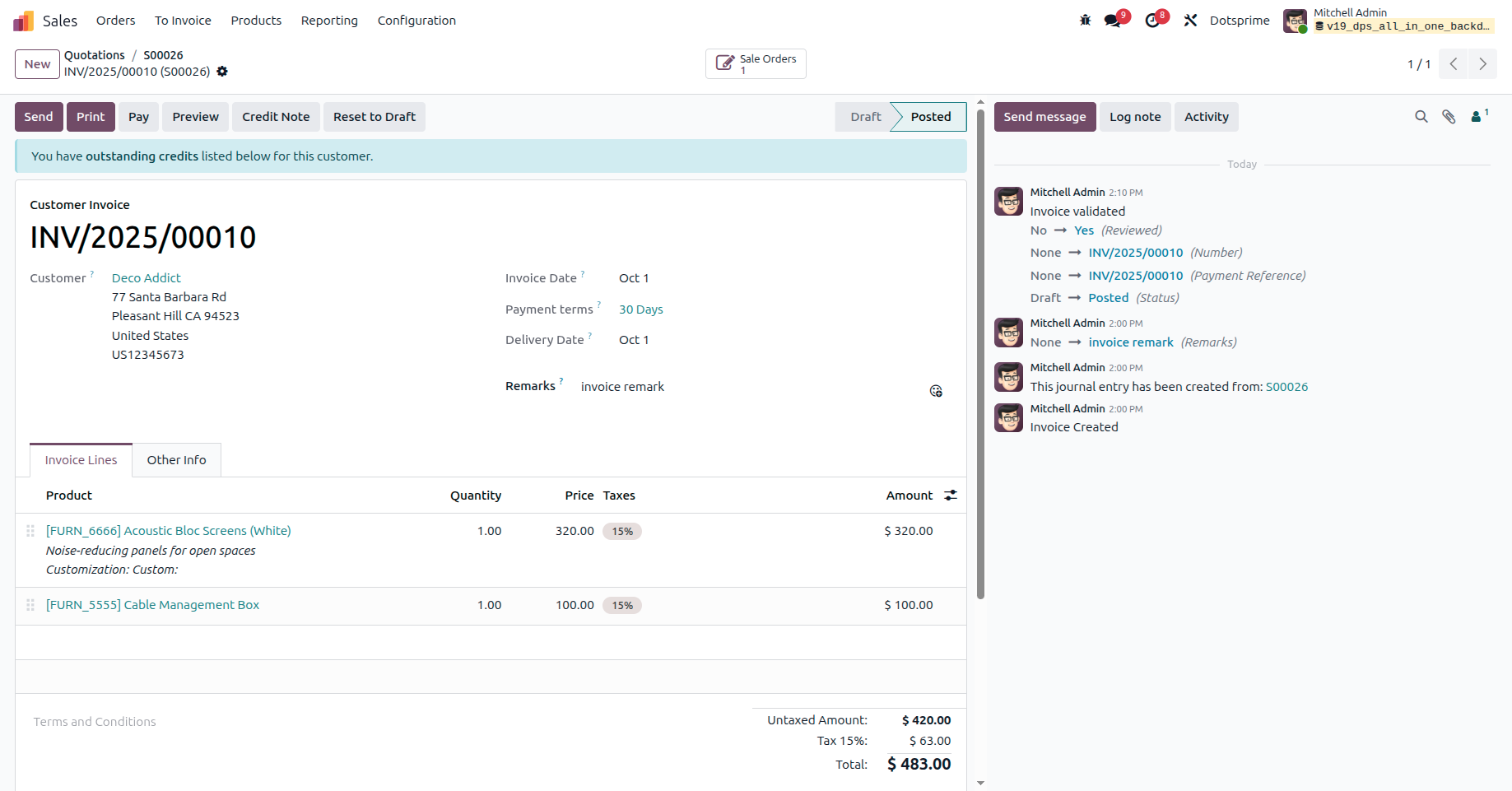
7. Once the invoice is posted, the selected backdate and remarks are retained.







| Availability | Odoo Online Odoo.sh On Premise |
| Odoo Apps Dependencies | sale_management stock account |
| Technical Name | dps_sale_backdate |
| License | OPL-1 |
| Website | https://dotsprime.com/ |
| Odoo Version | 16.0, 17.0, 18.0, 19.0, 20.0 |
| App Category | Tools |