
All in one Cancel / Reset / Draft Apps | Sale / Purchase / Invoice / Payment / Vendor Bill / POS / Stock Picking / Scrap / Manufacturing / Repair / HR expenses / Landed Cost Cancel, Reset to Draft and Delete apps
$ 30.00
You bought this module and need support?
Click here!
All in one Cancel / Reset / Draft Apps | Sale / Purchase / Invoice / Payment / Vendor Bill / POS / Stock Picking / Scrap / Manufacturing / Repair / HR expenses / Landed Cost Cancel, Reset to Draft and Delete apps
APPLICATION SCREENSHORT Overview
Overview
WRITE HERE COMPLATE DESCRIPTION OF MODULE
Sales Order Cancel / Reset to Draft / Delete
01
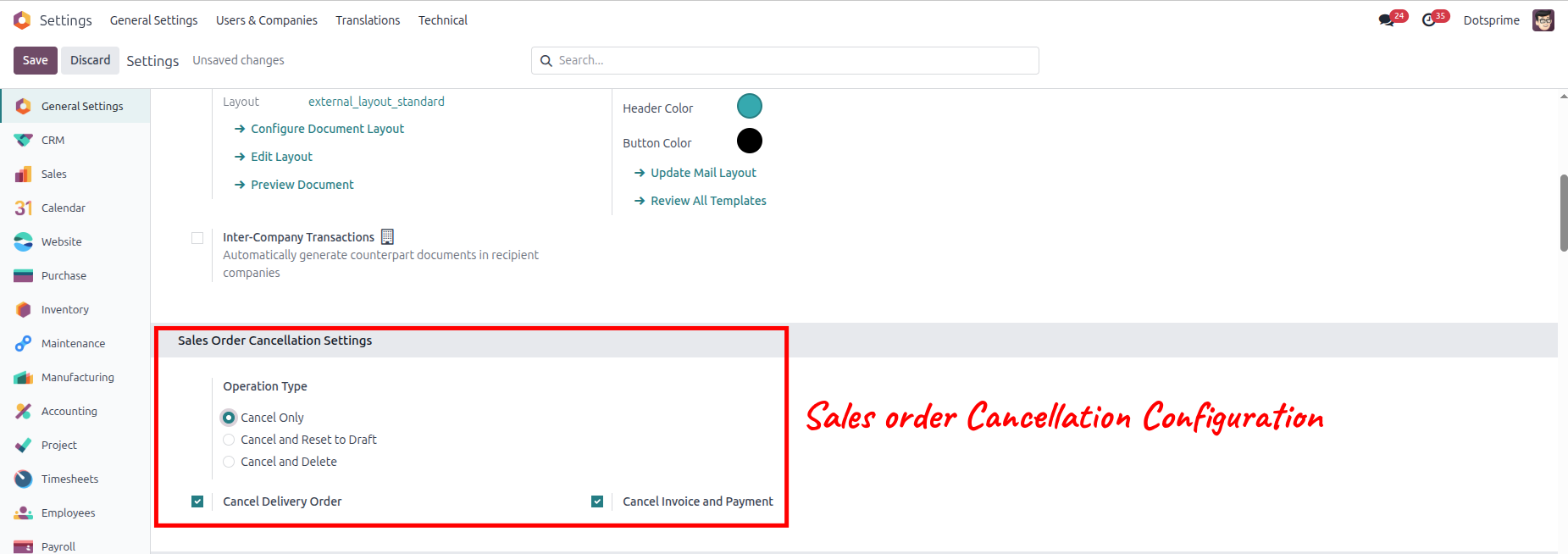
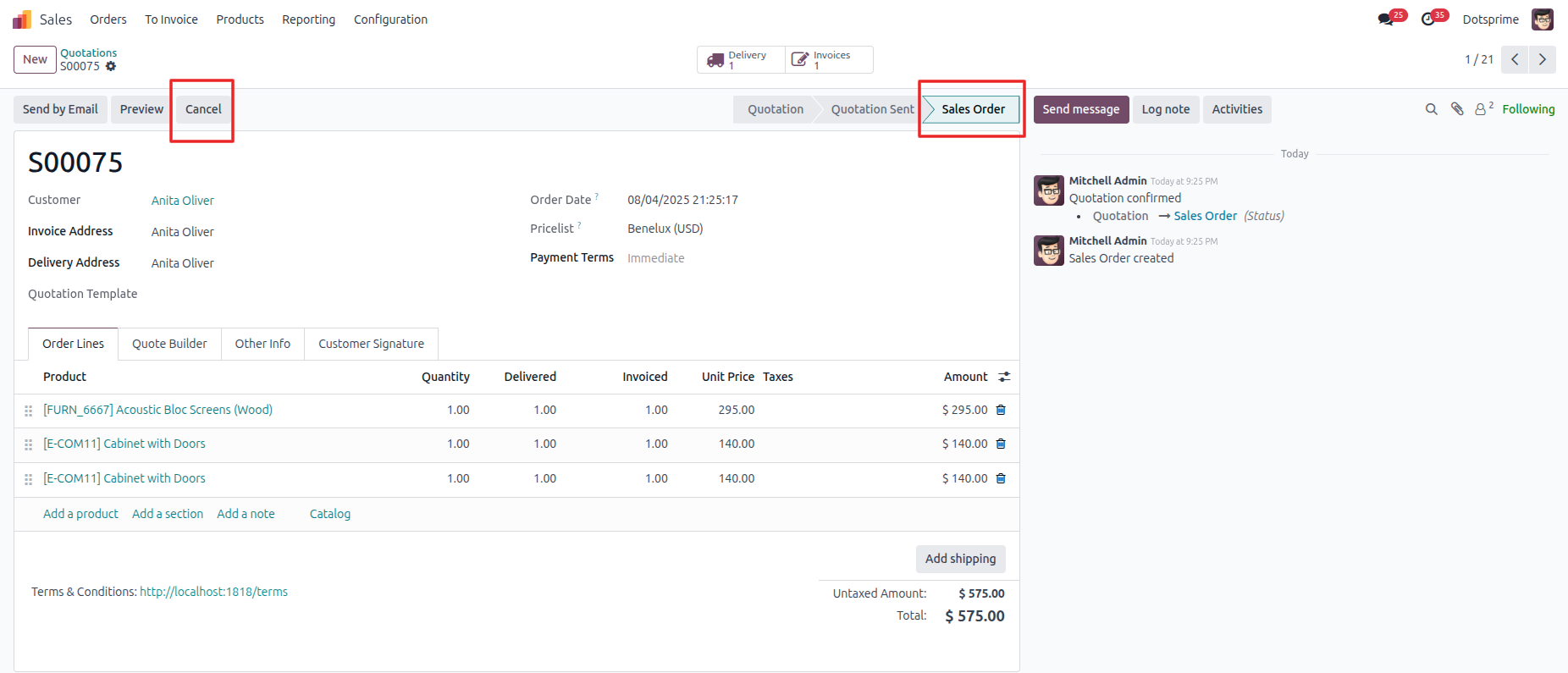
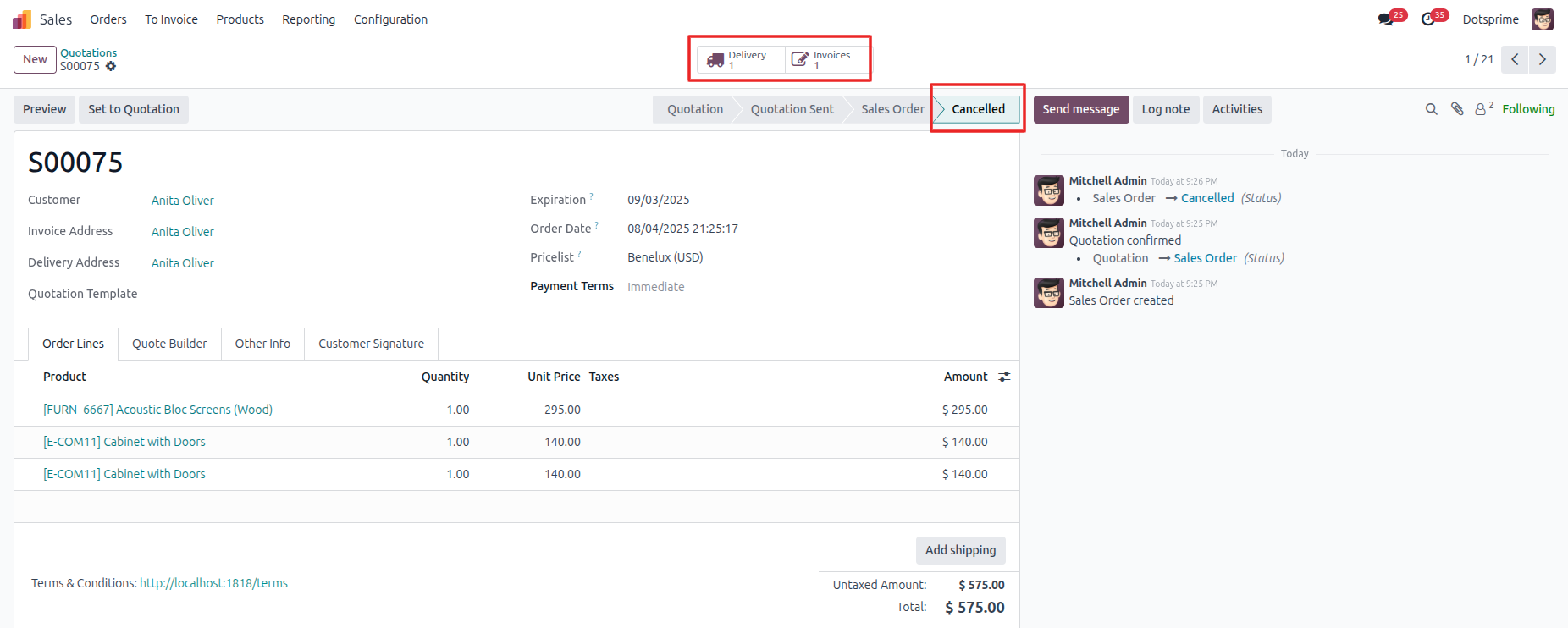
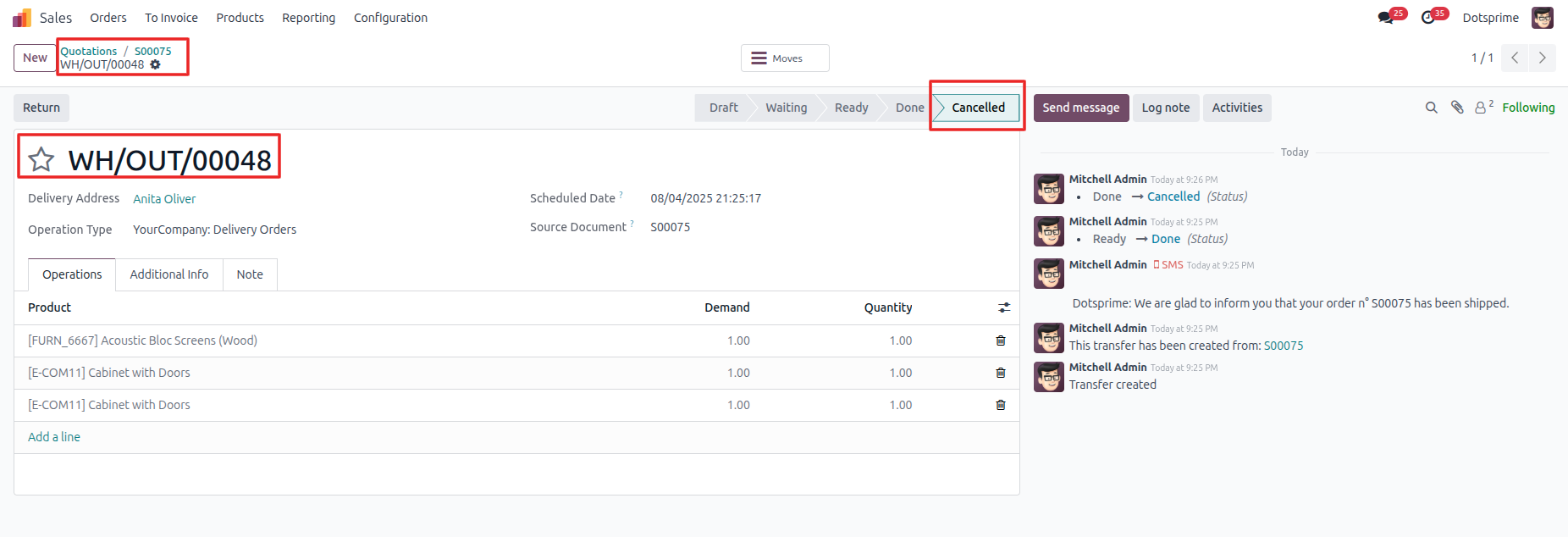
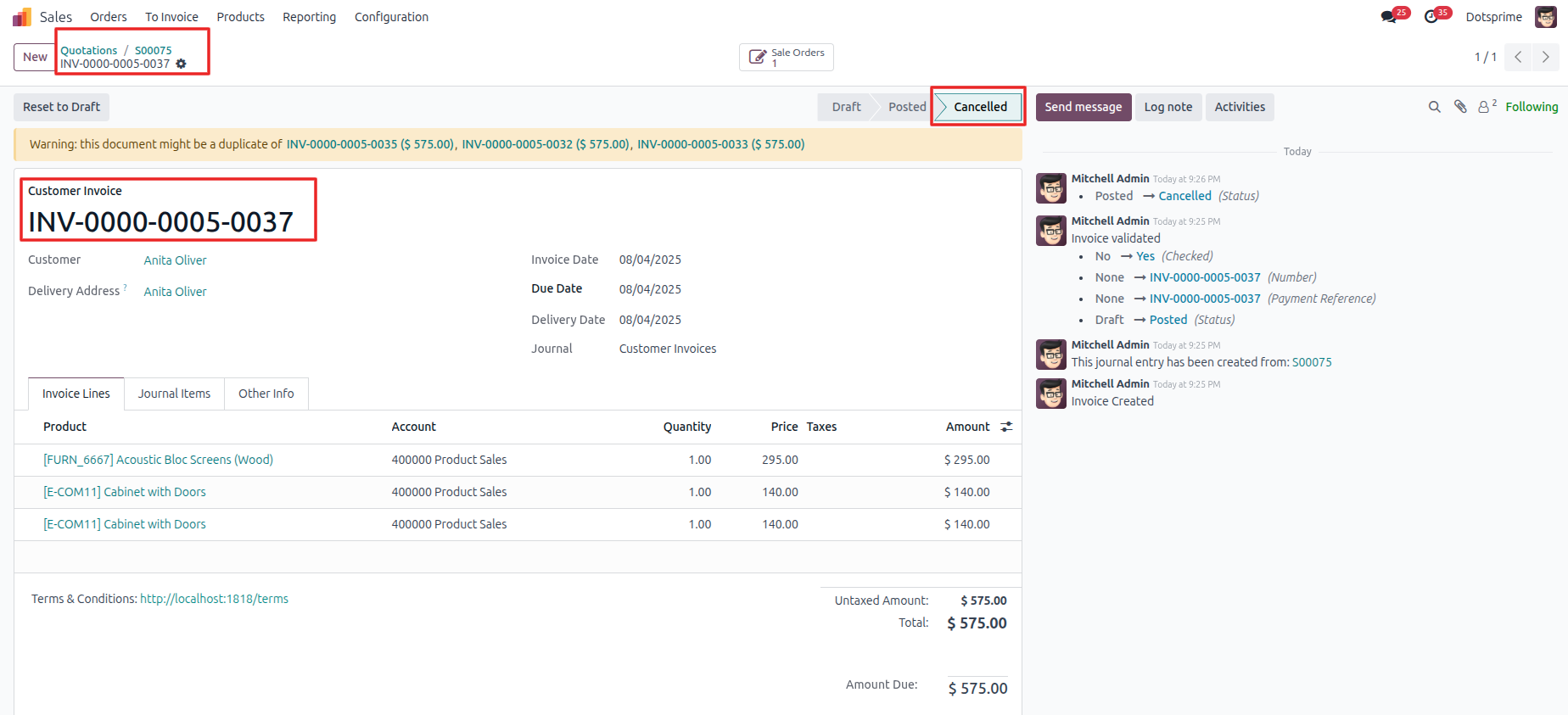
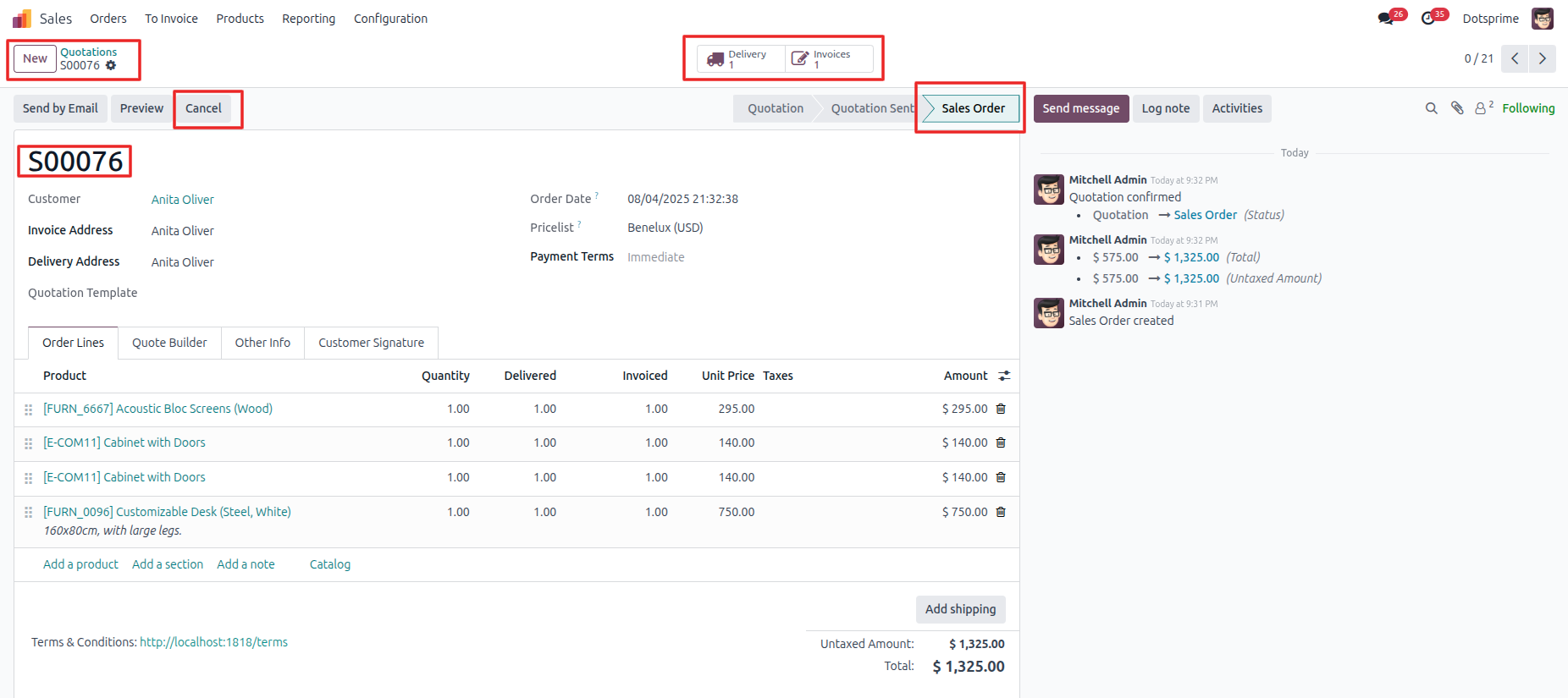
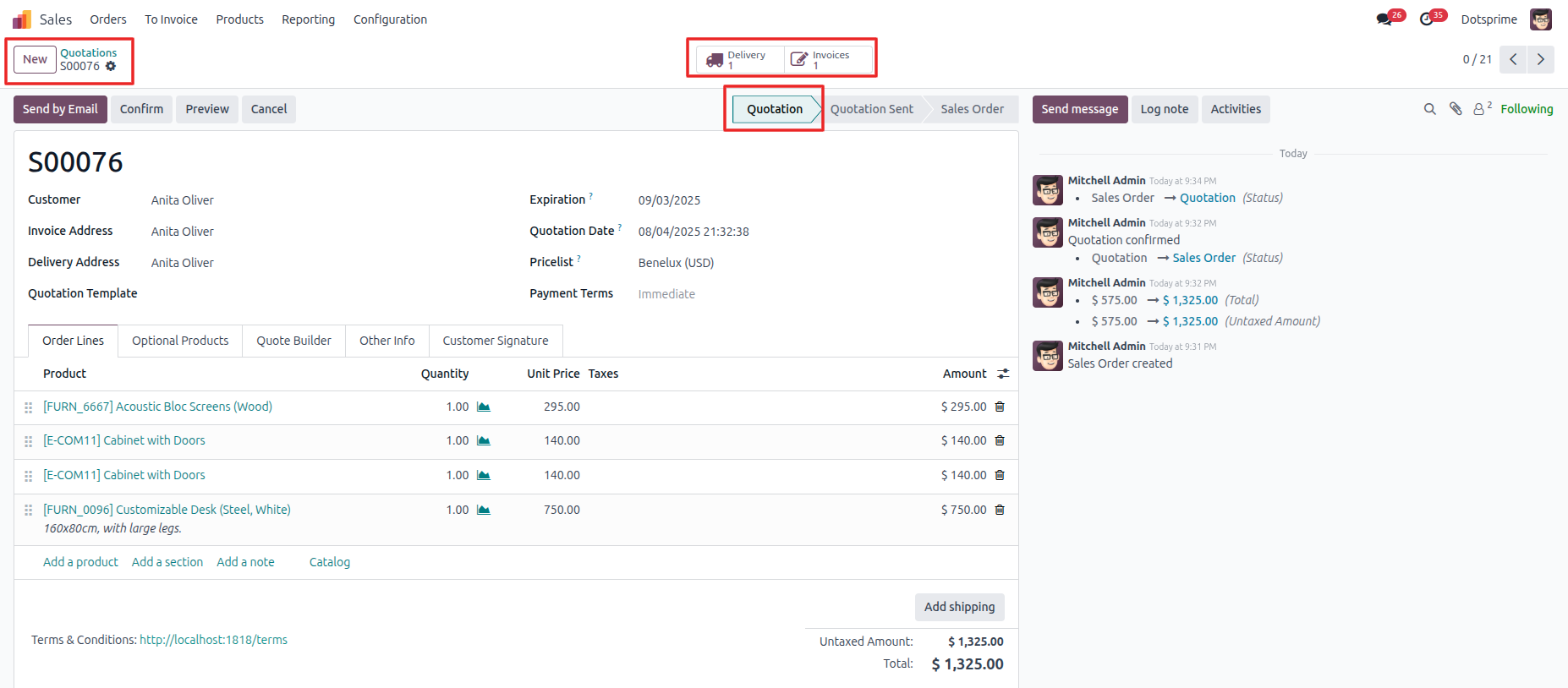
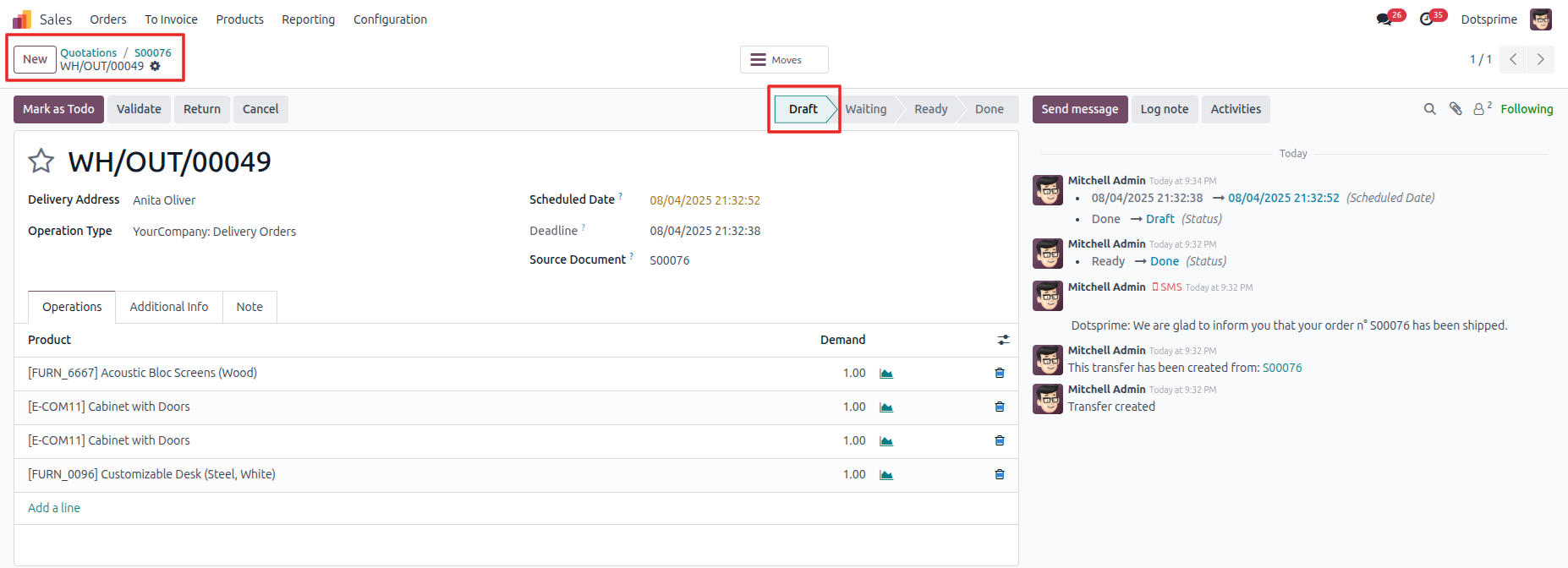
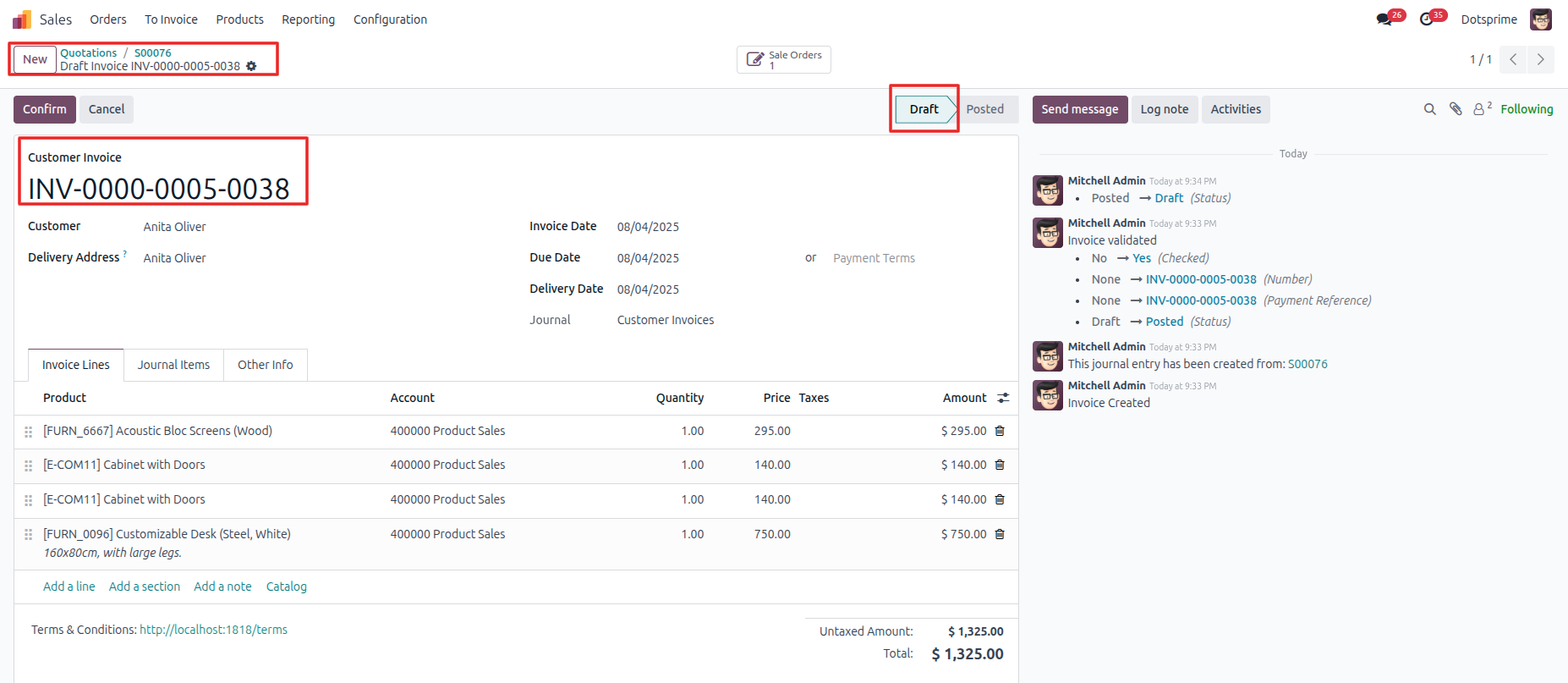
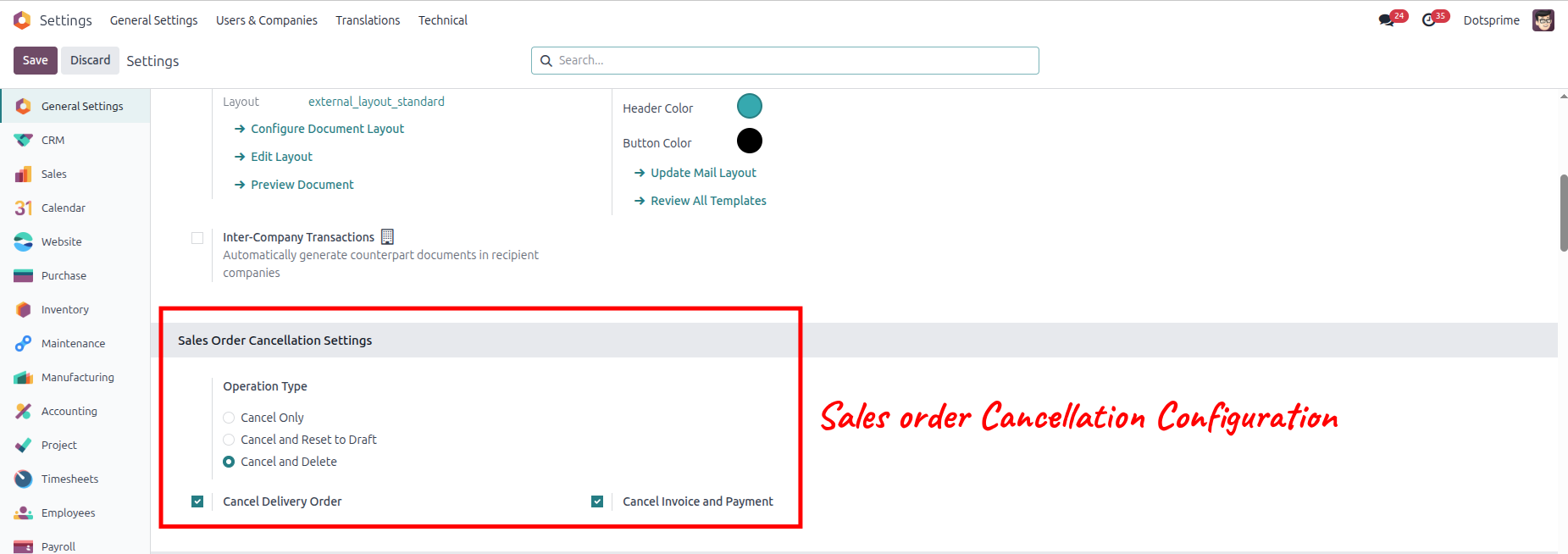
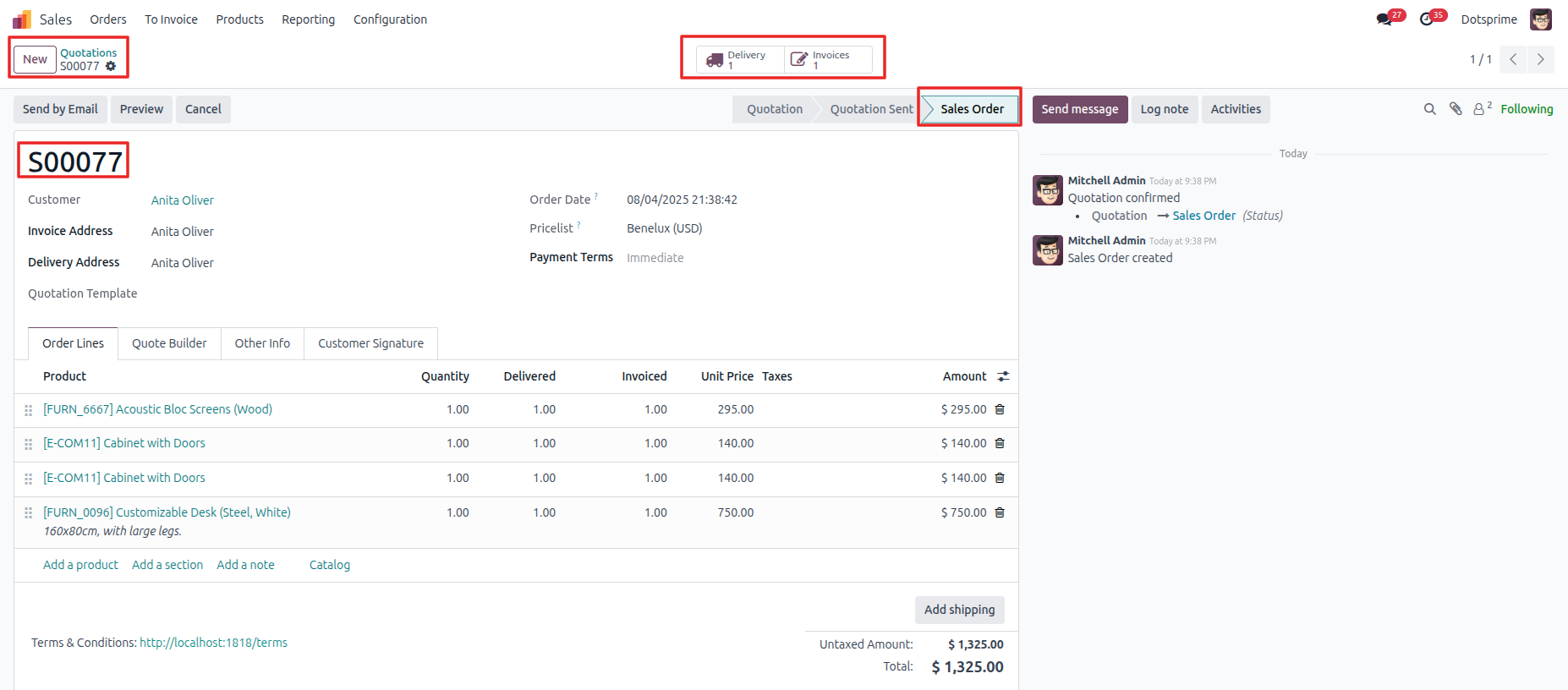
Sales Order Cancellation Configuration is based on the Cancel Sale order with the Cancel Delivery order and the Cancel Invoice and Payment. View the created sale order, and once you cancel the sale order, the related delivery order and invoice order will be cancelled.
02
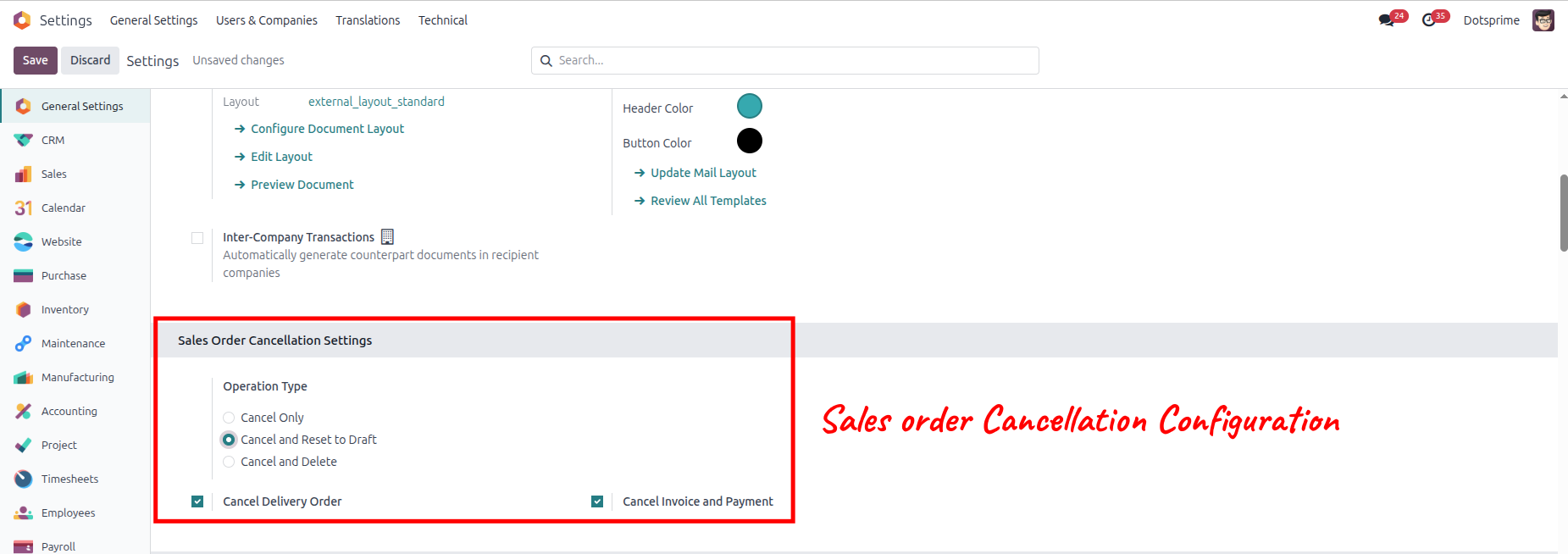
Sales Order Cancellation Configuration is based on the "Cancel and Reset to Draft" sale order with the "Cancel Delivery Order" and the "Cancel Invoice and Payment." View the created sale order, and once you click on Cancel Sale Order, the option to "reset to draft" the sale order will come up, and the related delivery order and invoice order will be in draft state.
03
Sales Order Cancellation Configuration is based on the "Cancel and Delete" sale order with the "Cancel Delivery Order" and the "Cancel Invoice and Payment." View the created sale order, and once you click on Cancel and Delete, the sale order will be deleted, . And the related delivery order and invoice order will be deleted.
04
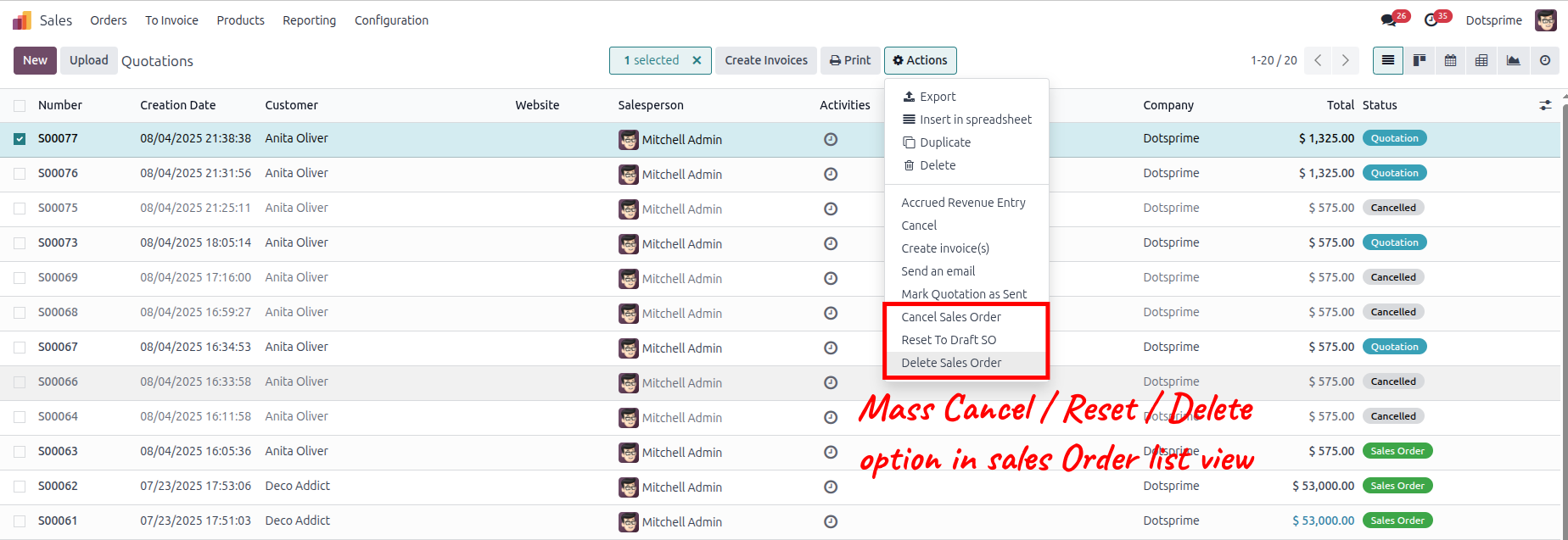
Mass delete sales order, Reset to draft the sale order and delete the sale order from the action menu for multiple records.
05
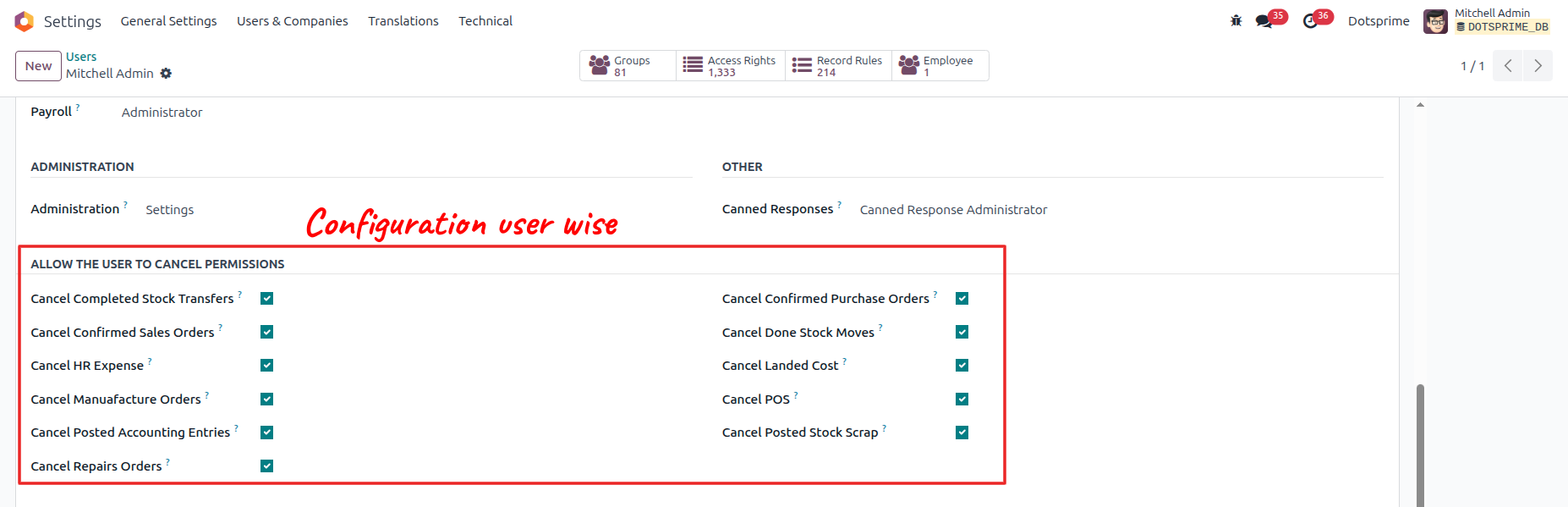
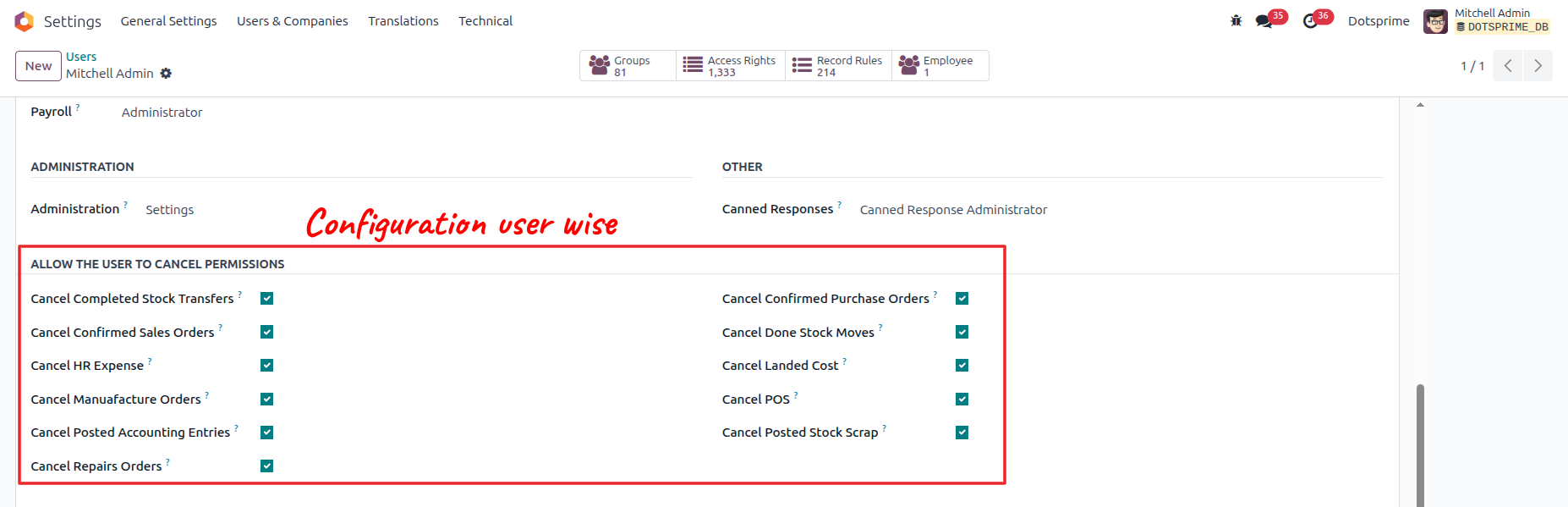
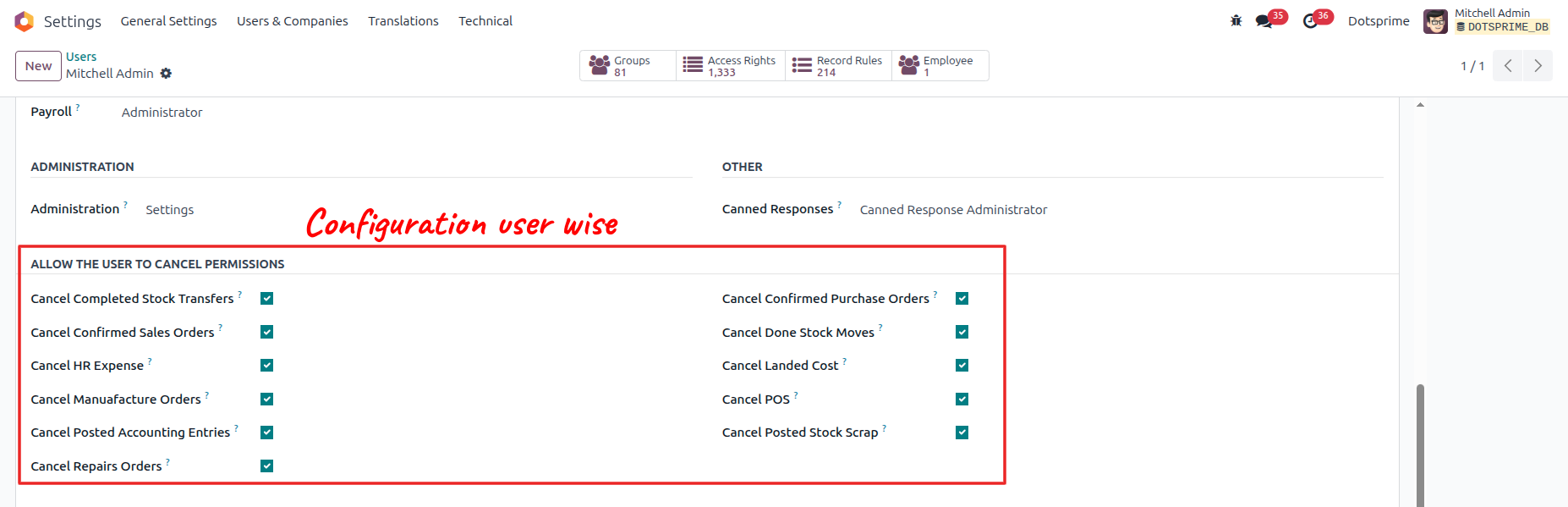
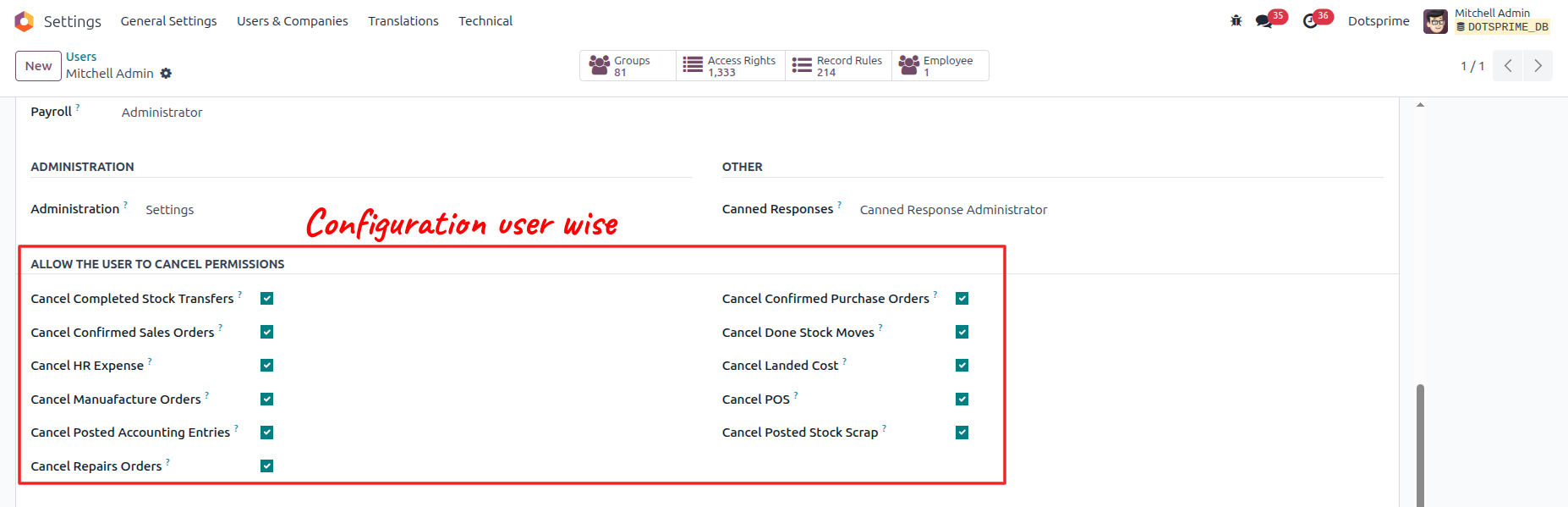
Configuration is user-wise to allow access.
Purchase Order Cancel / Reset to Draft / Delete
01
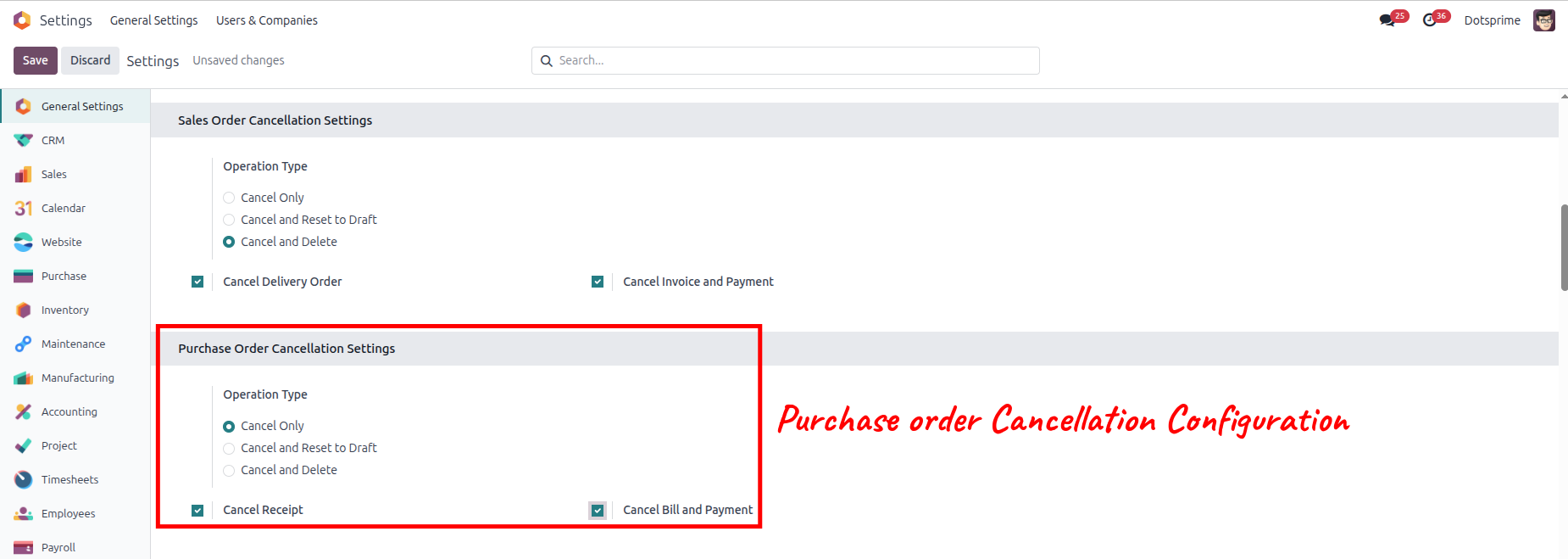
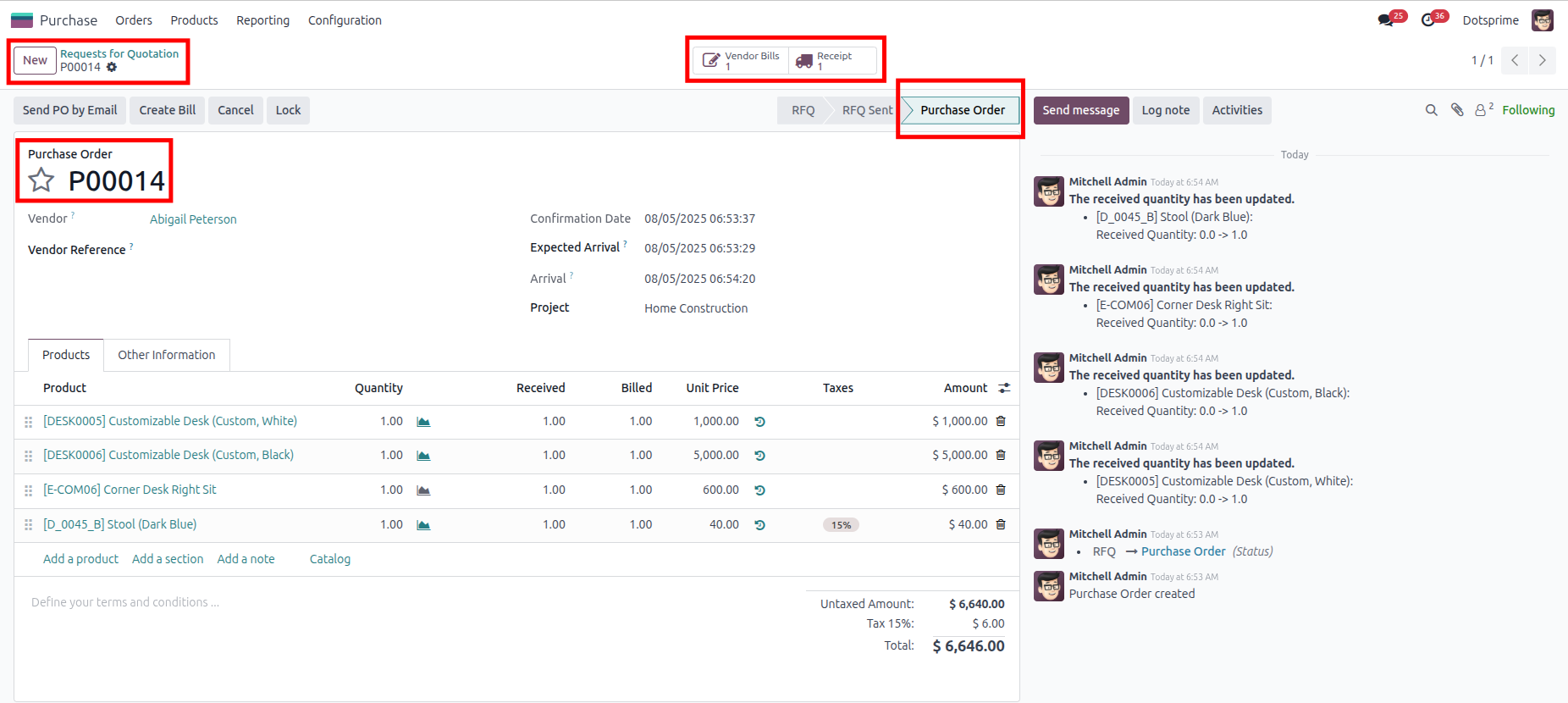
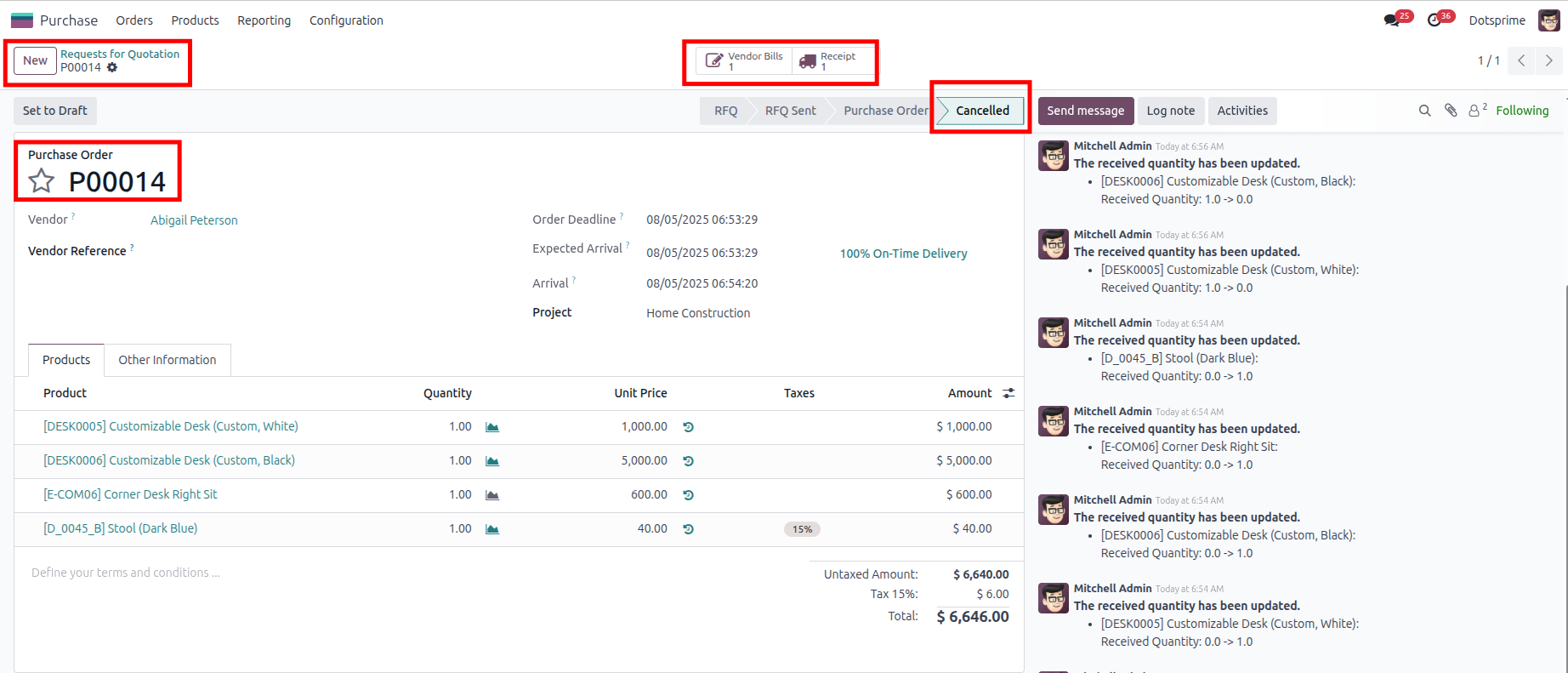
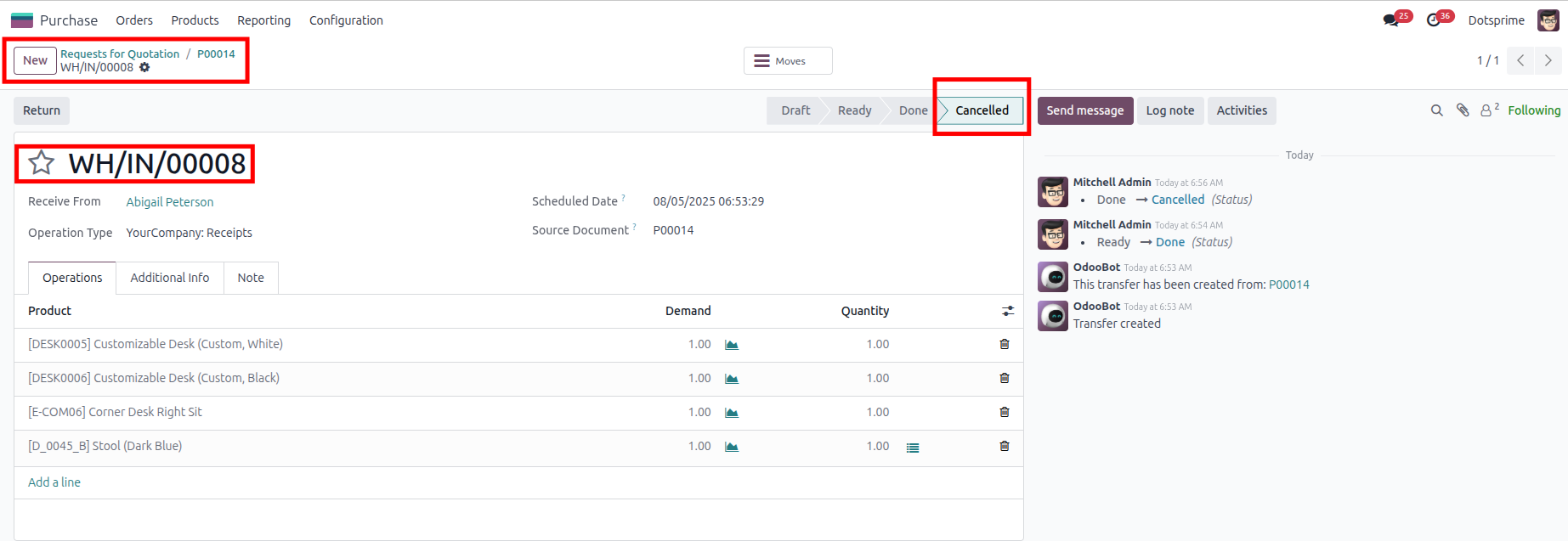
Purchase Order Cancellation Configuration is based on the "Cancel" Purchase order with the "Cancel Receipt" and the "Cancel Bill and Payment". View the created Purchase order, and once you cancel the Purchase order, the related Stock picking IN and Vendor Bill will be cancelled.
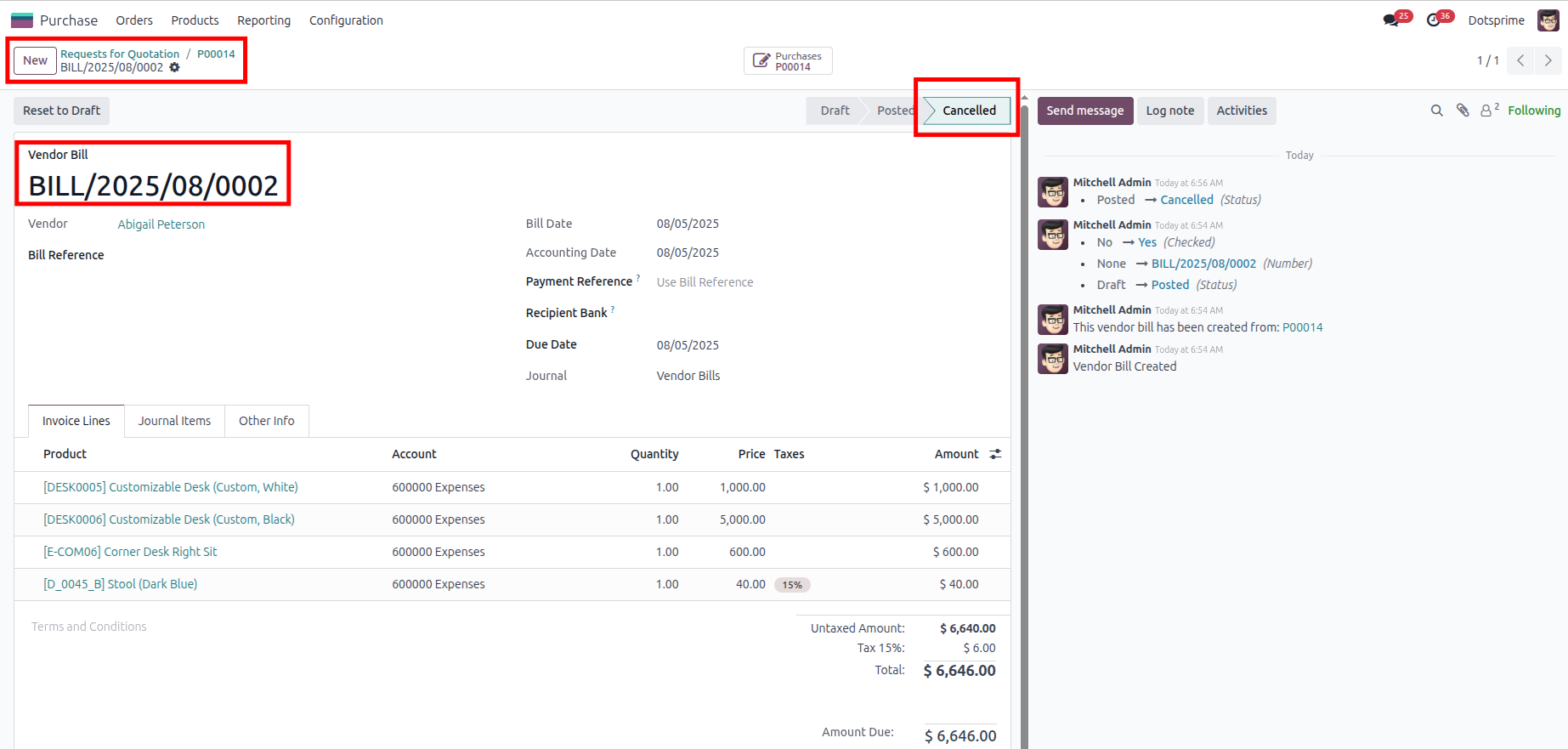
02
Purchase Order Cancellation Configuration is based on the "Cancel and Reset to Draft" purchase order with the "Cancel Receipt" and the "Cancel Bill and Payment"." View the created purchase order, and once you click on Cancel Purchase Order, the option to "reset to draft" the purchase order will come up, and the related Stock picking IN and Vendor Bill will be in draft state.
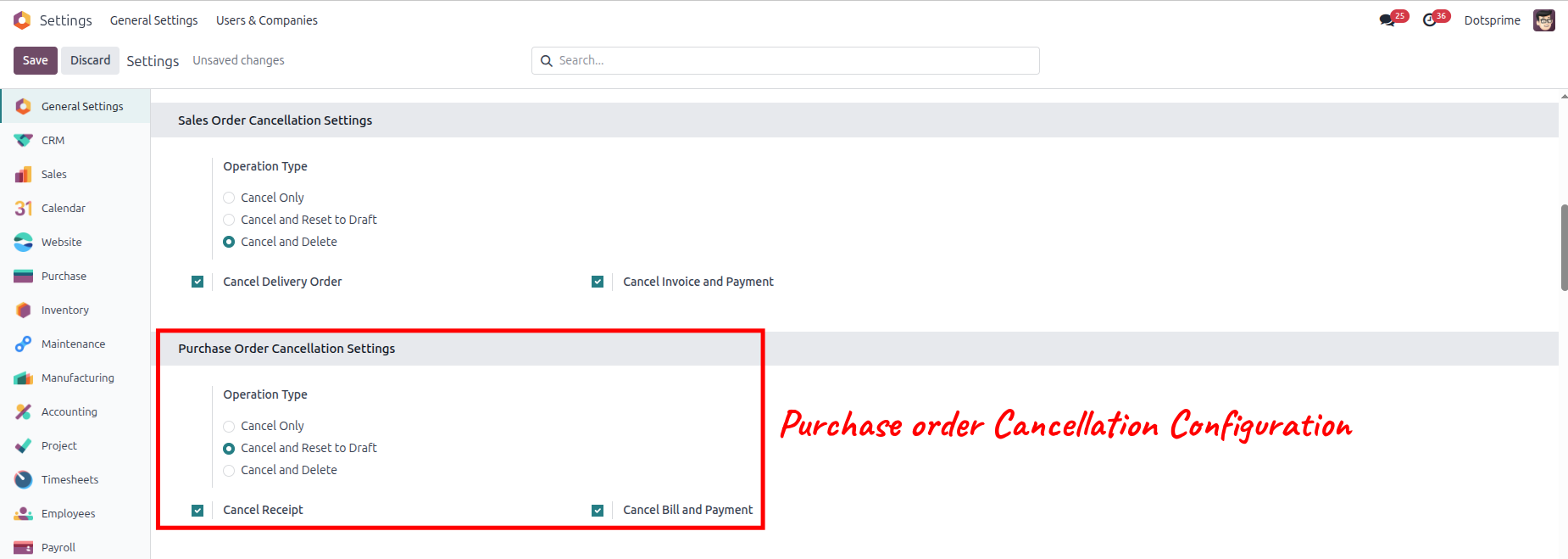
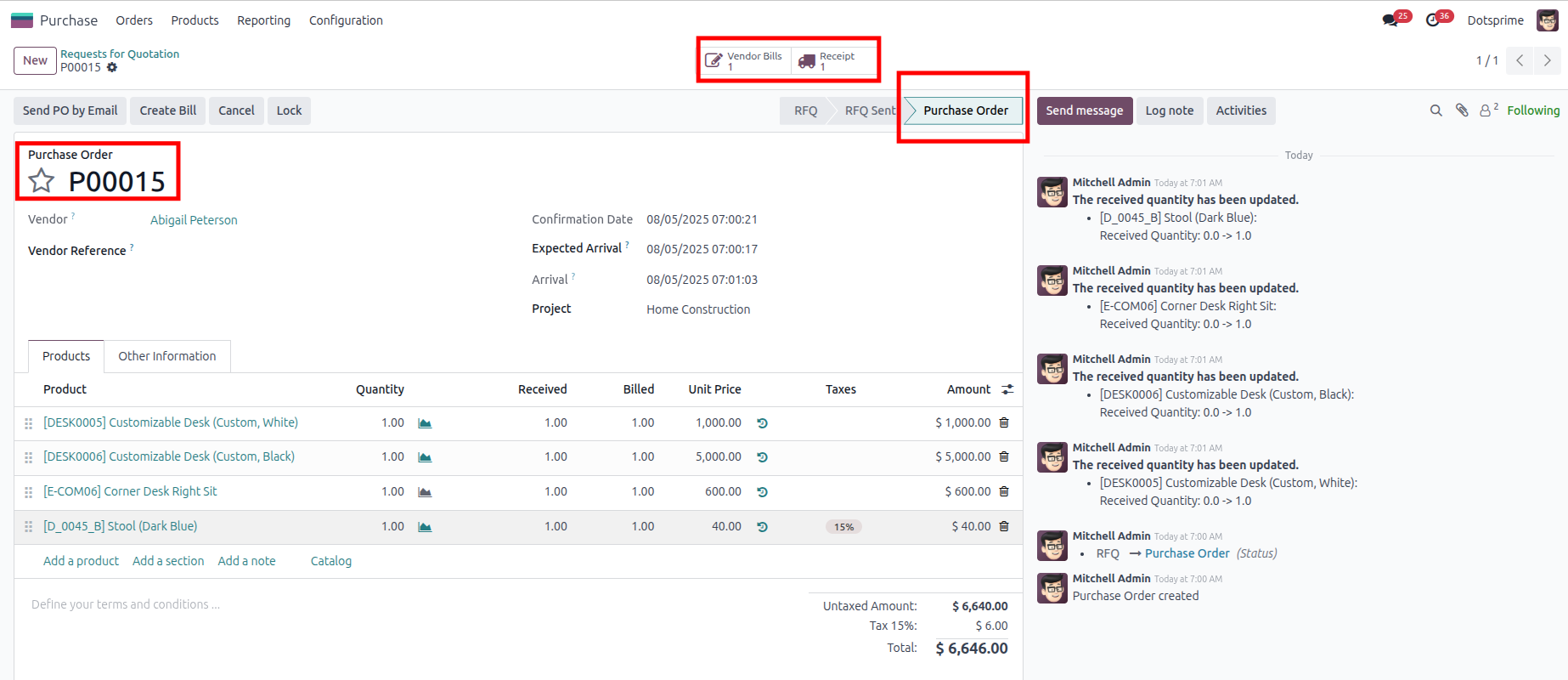
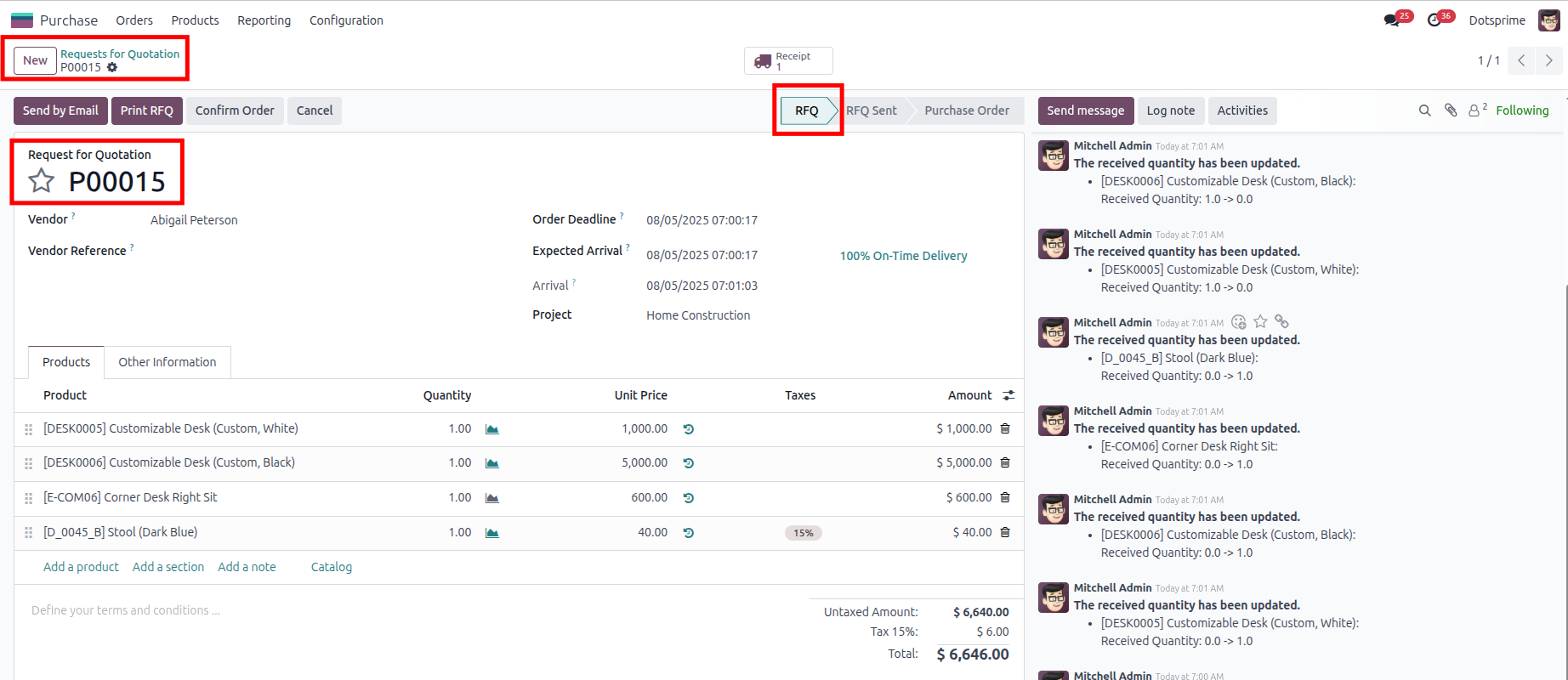
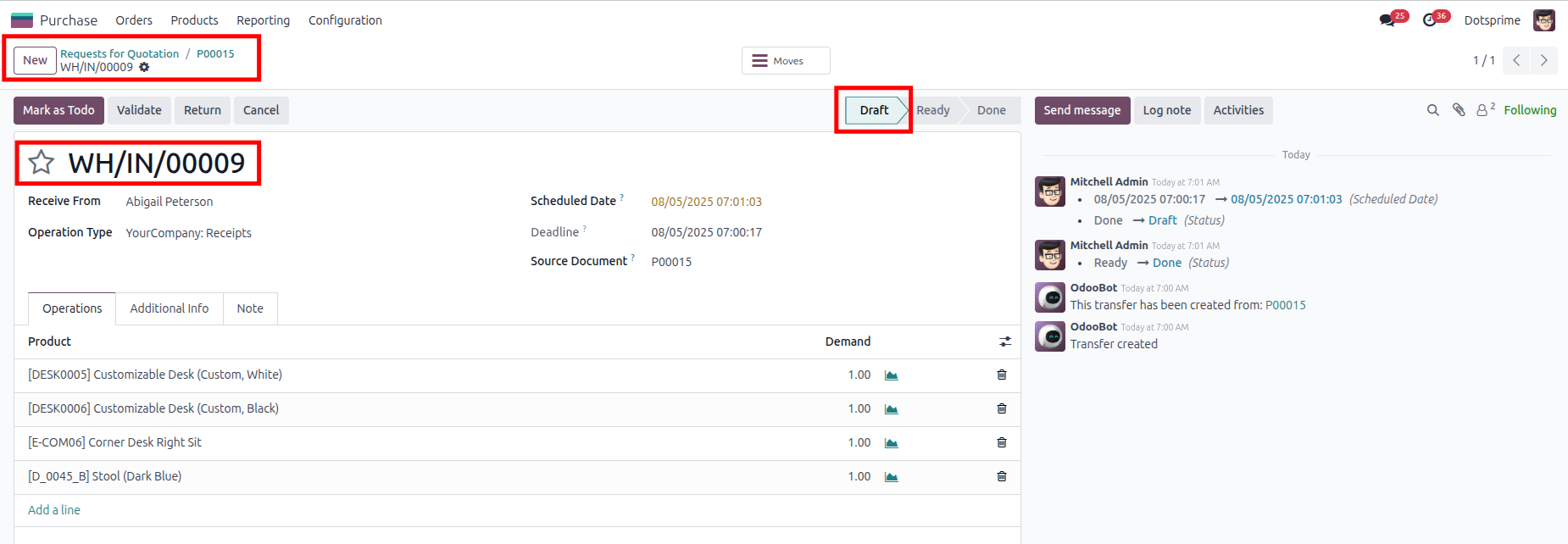
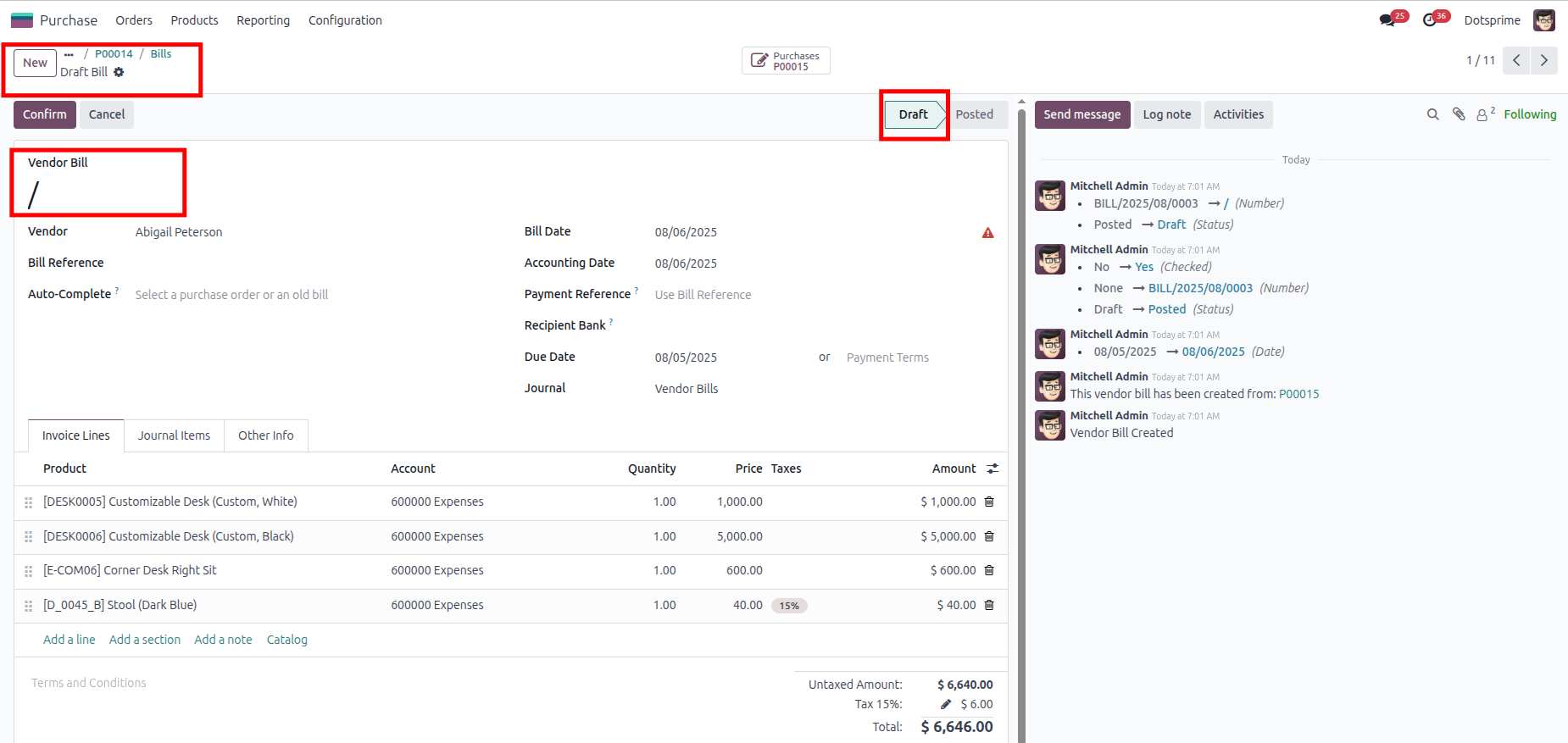
03
Purchase Order Cancellation Configuration is based on the "Cancel and Delete" purchase order with the "Cancel Stock picking" and the "Vendor Bill." View the created Purchase order, and once you click on Cancel and Delete, the Purchase order will be deleted, . And the related Stock picking IN and Vendor Bill will be deleted.
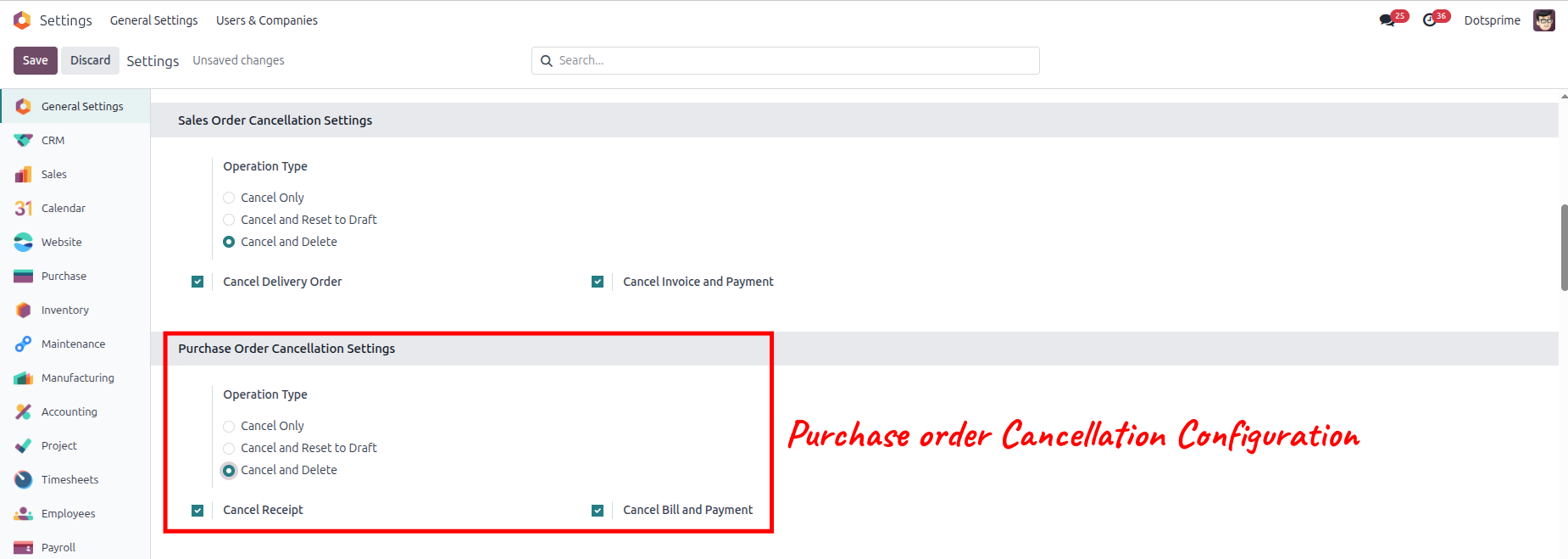
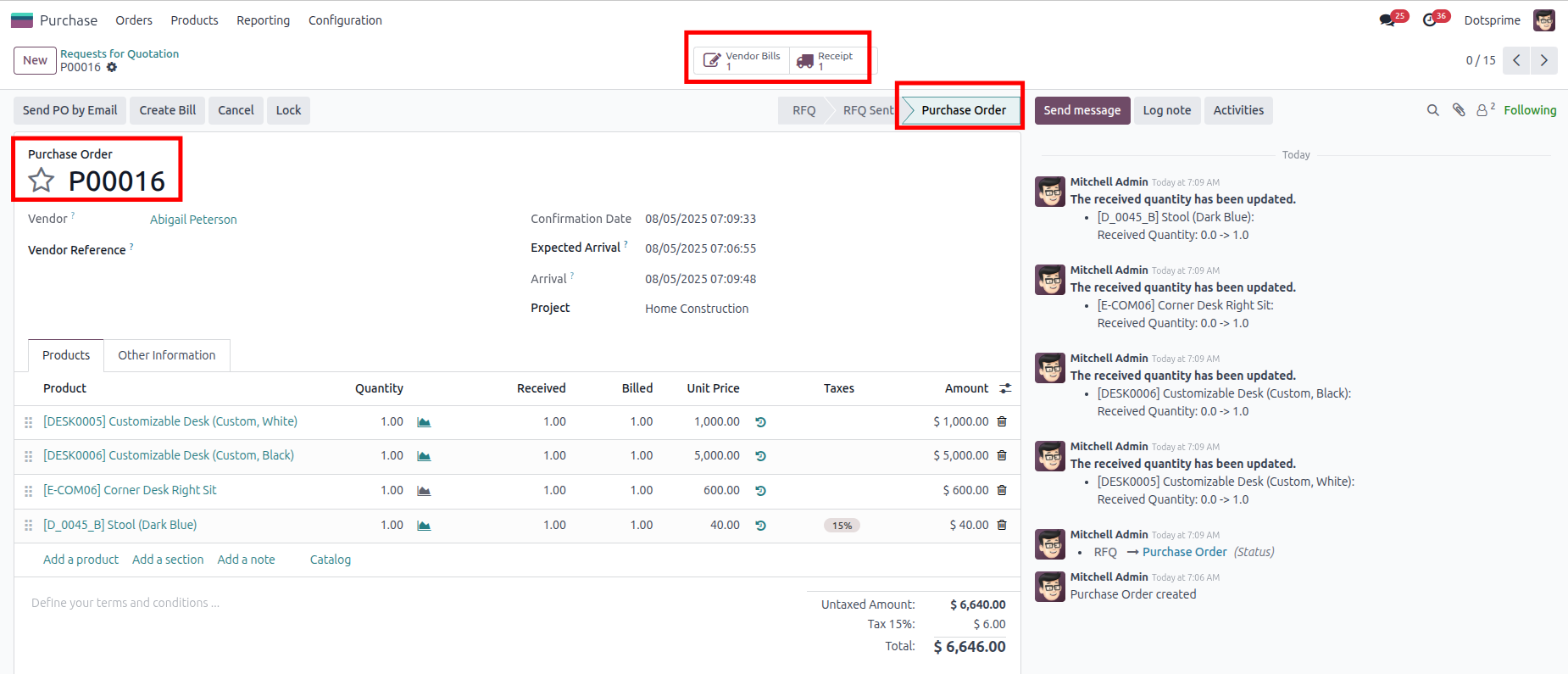
04
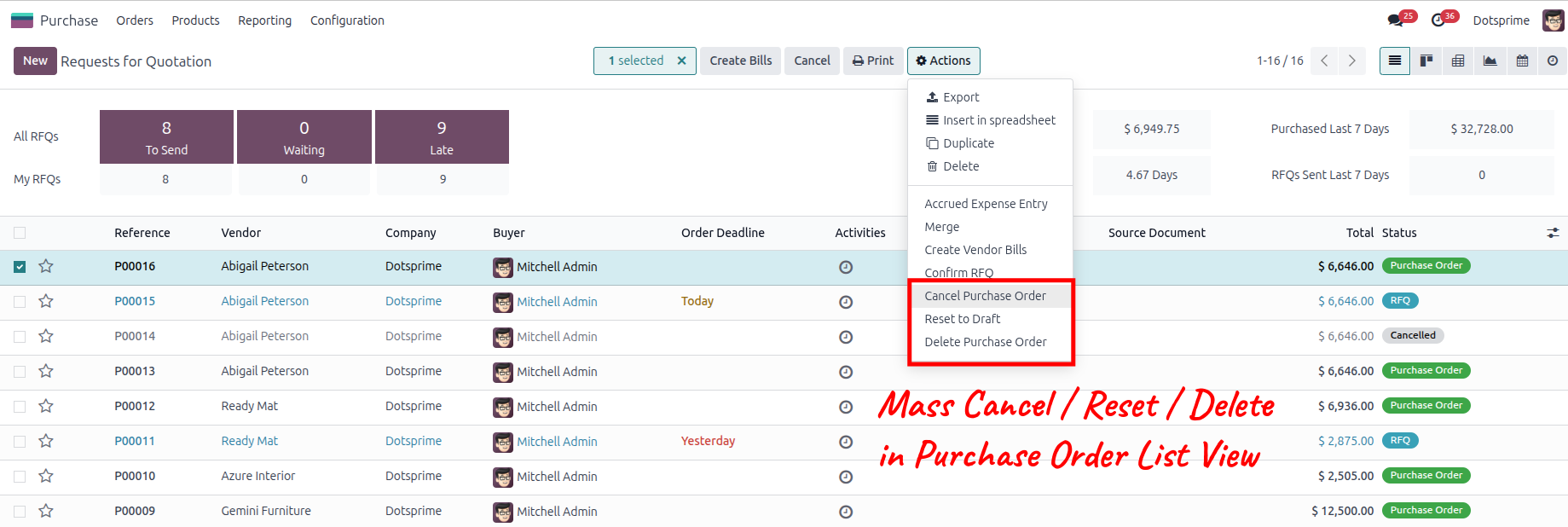
Mass delete Purchase order, Reset to draft the purchase order and delete the purchase order from the action menu for multiple records.
05
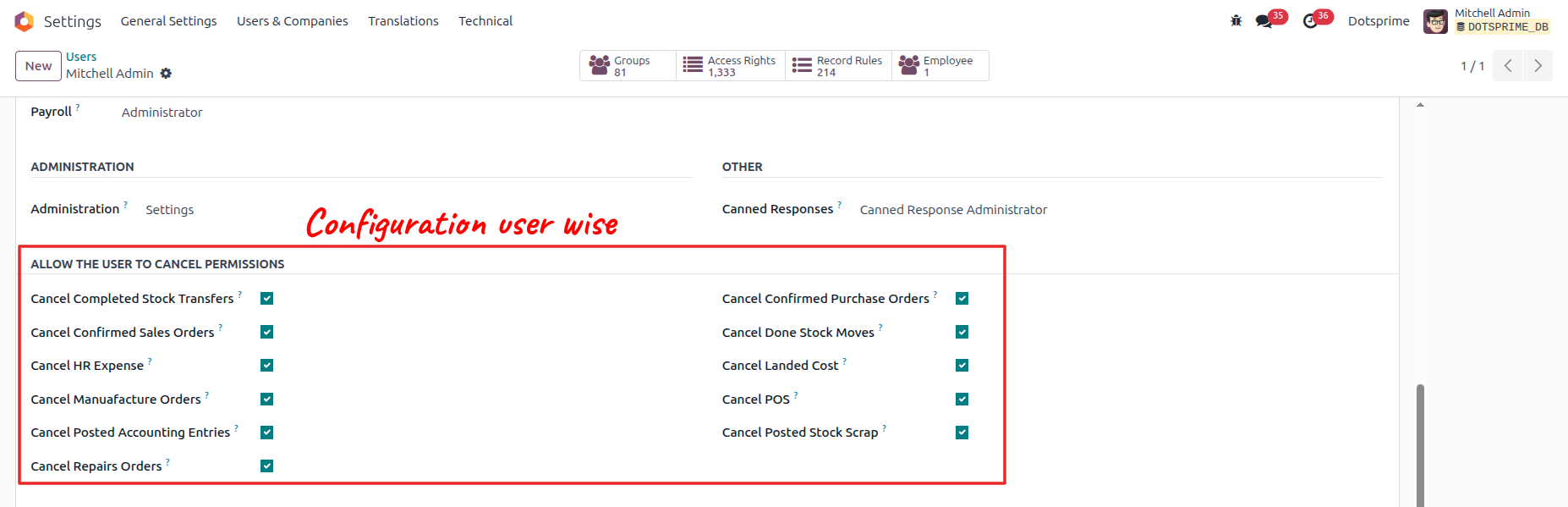
Configuration is user-wise to allow access.
Invoice and Payment Order Cancel / Reset to Draft / Delete
01
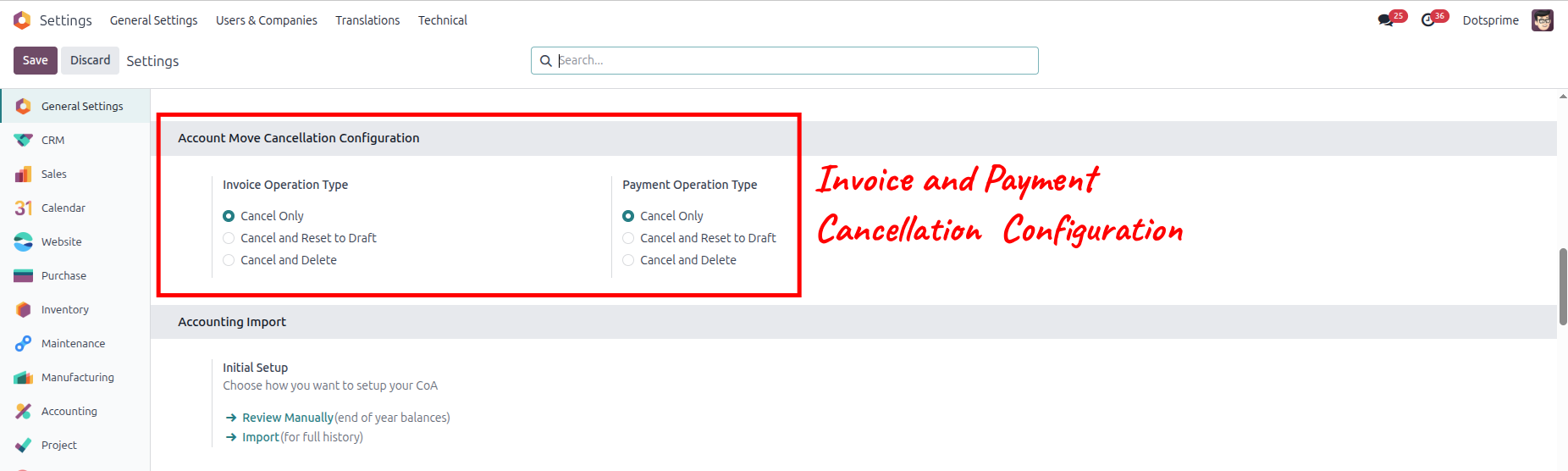
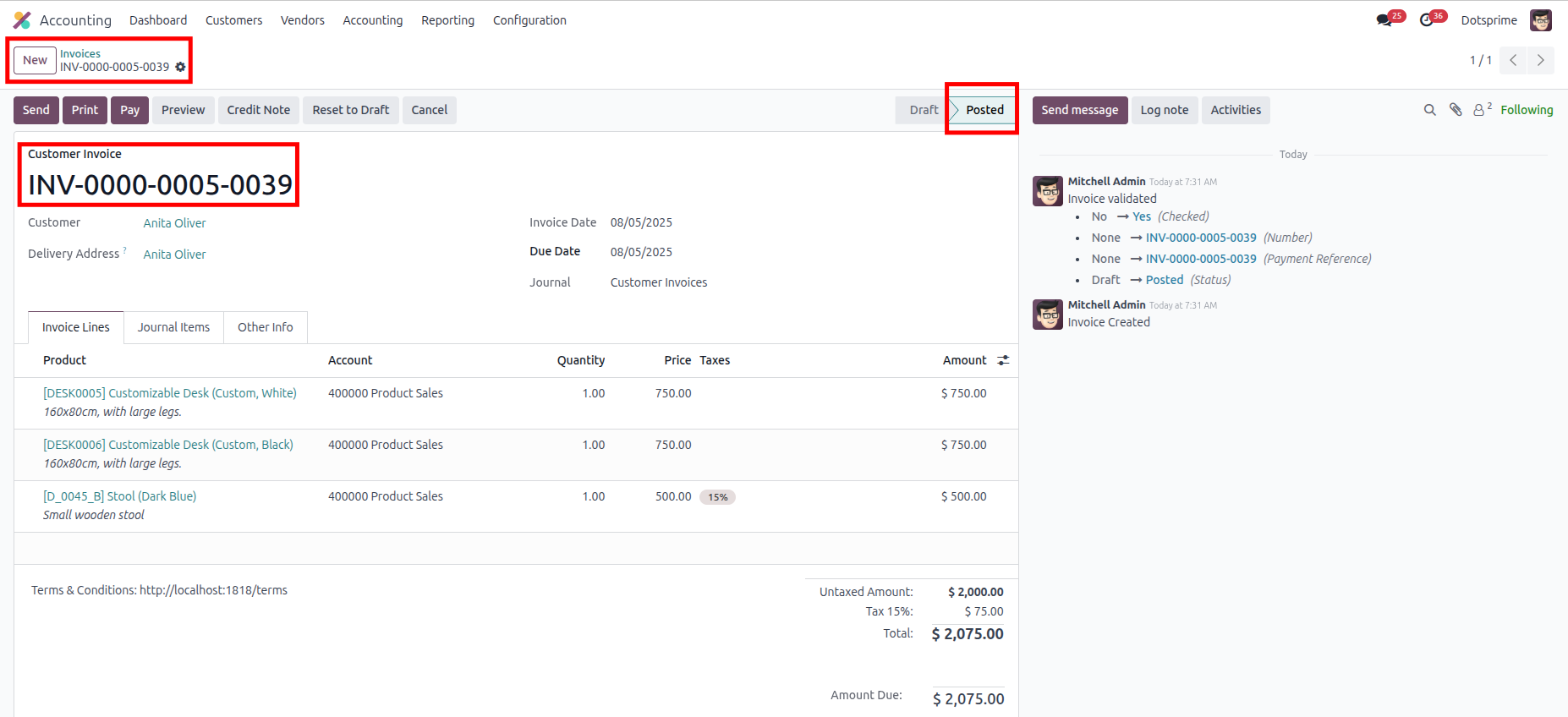
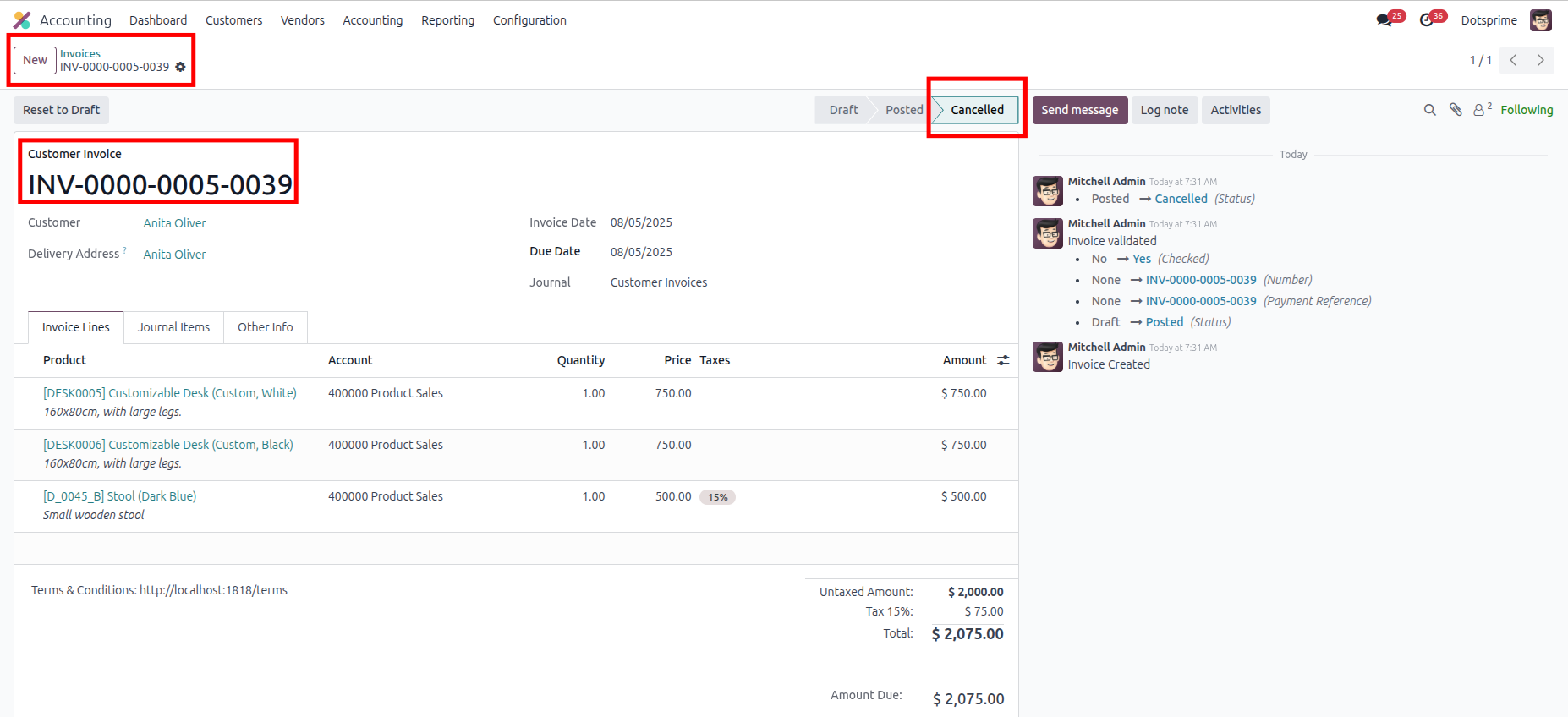
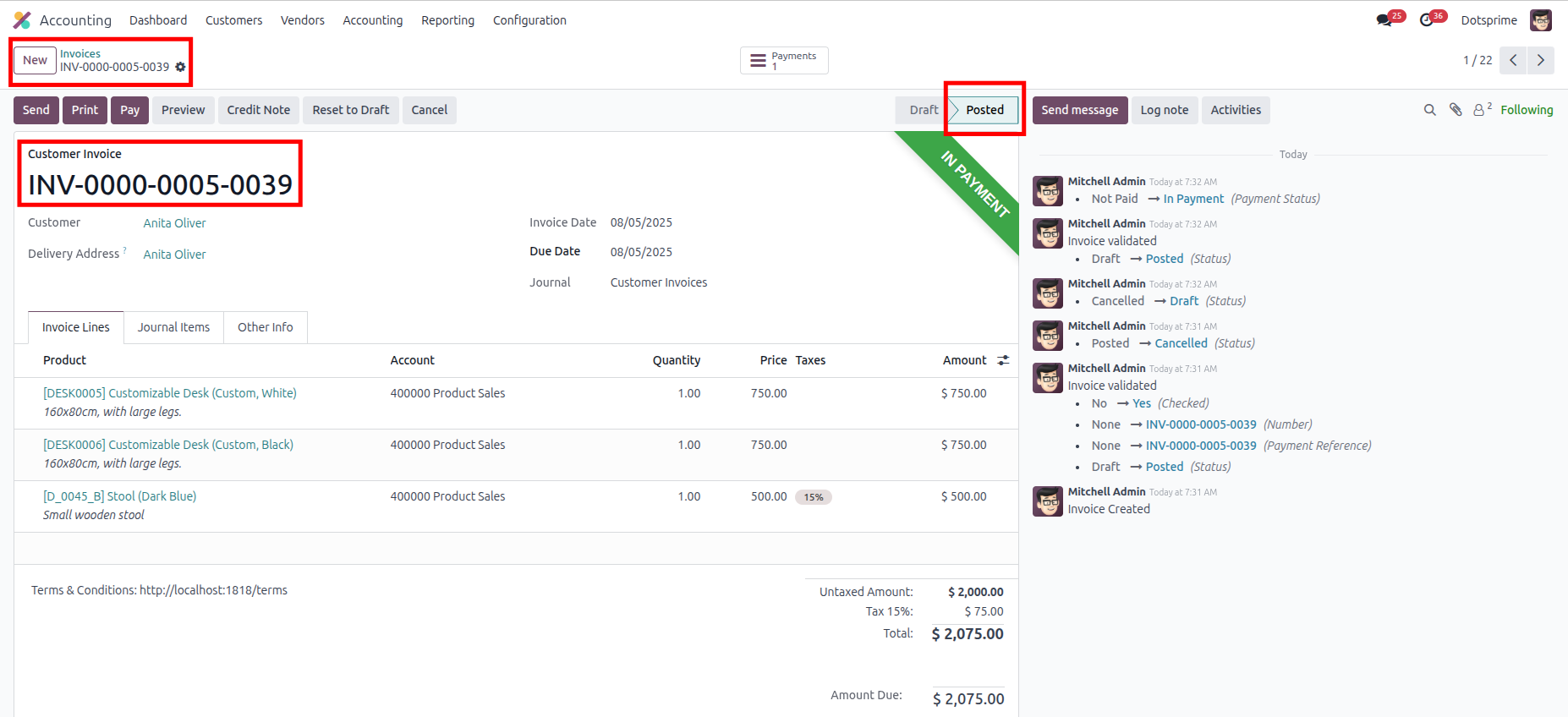
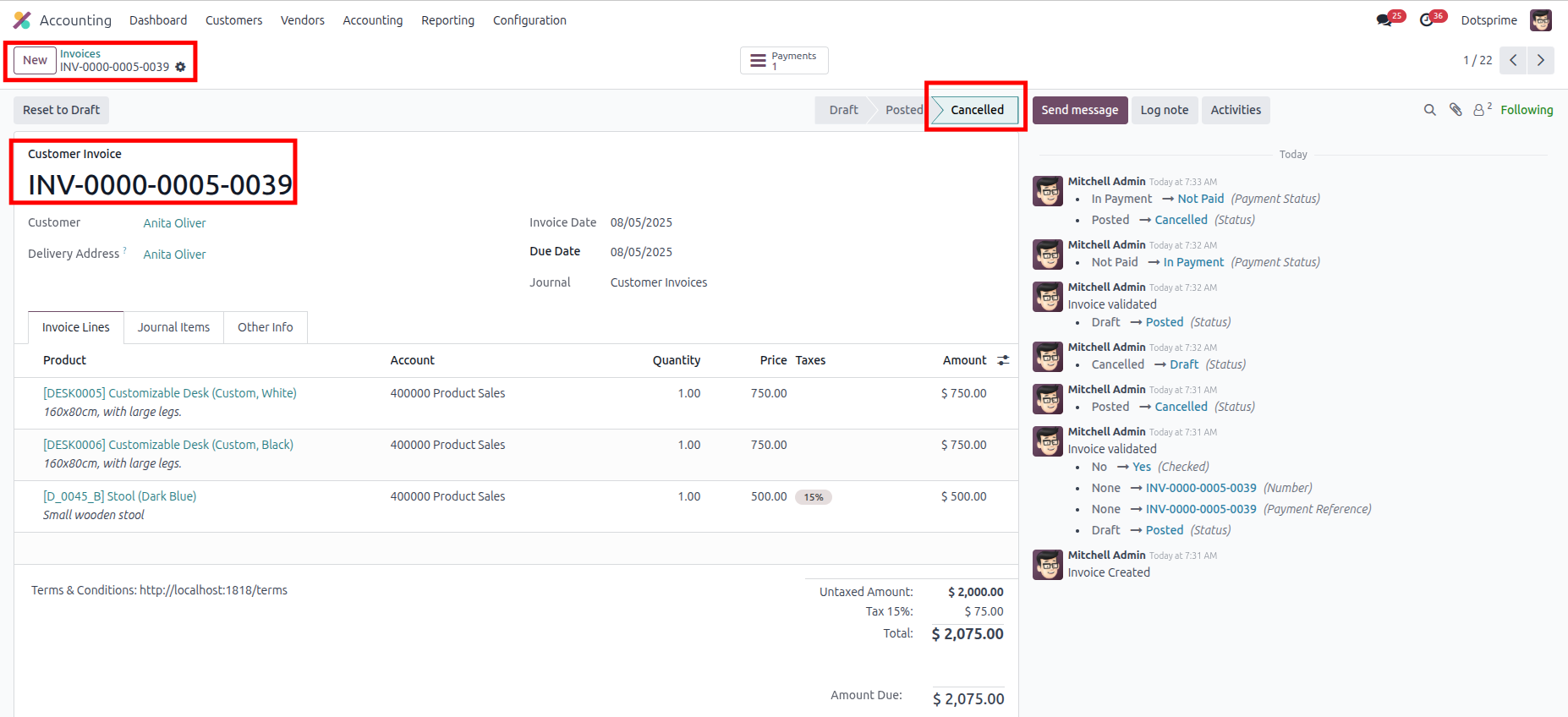
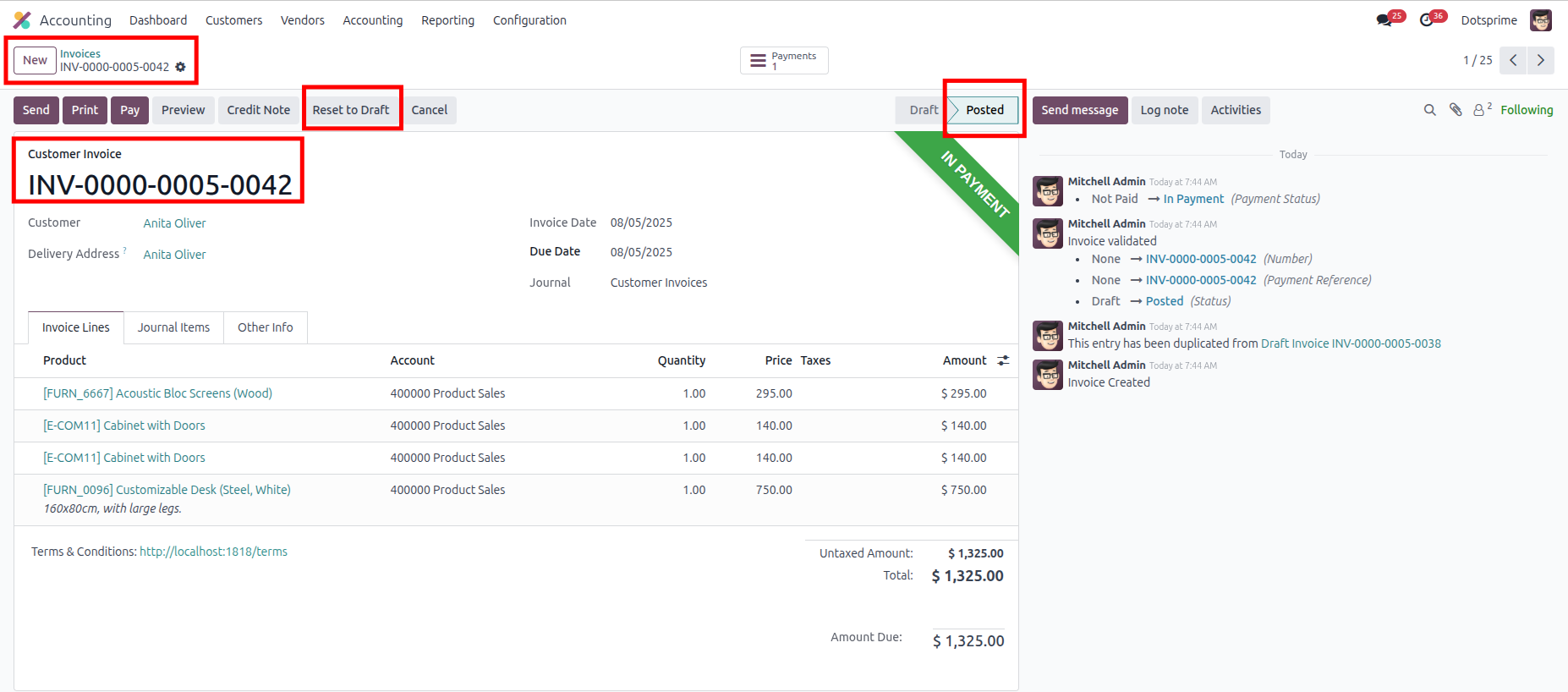
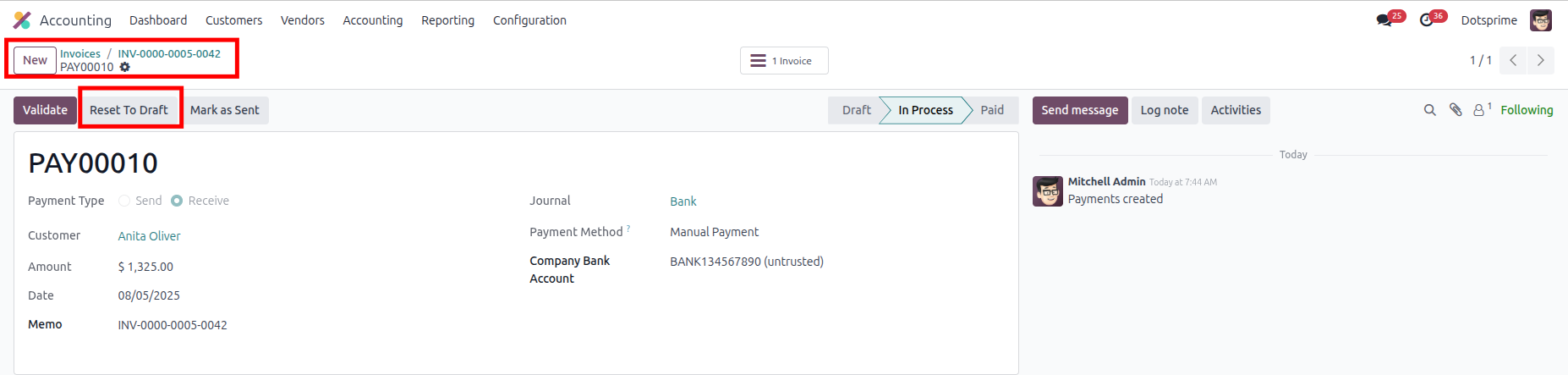
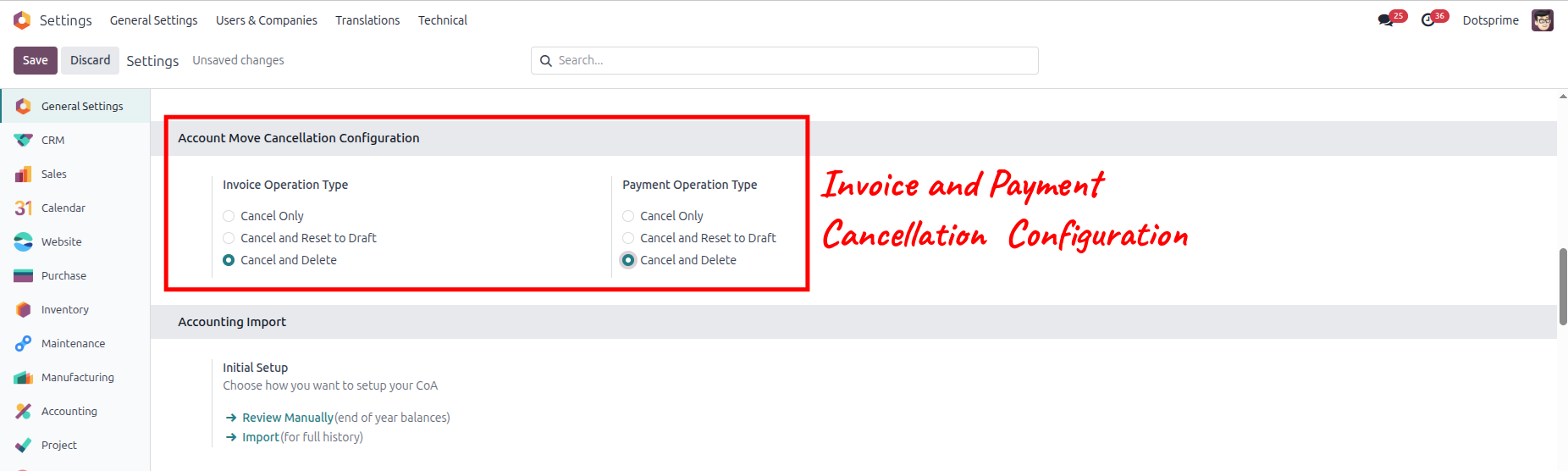
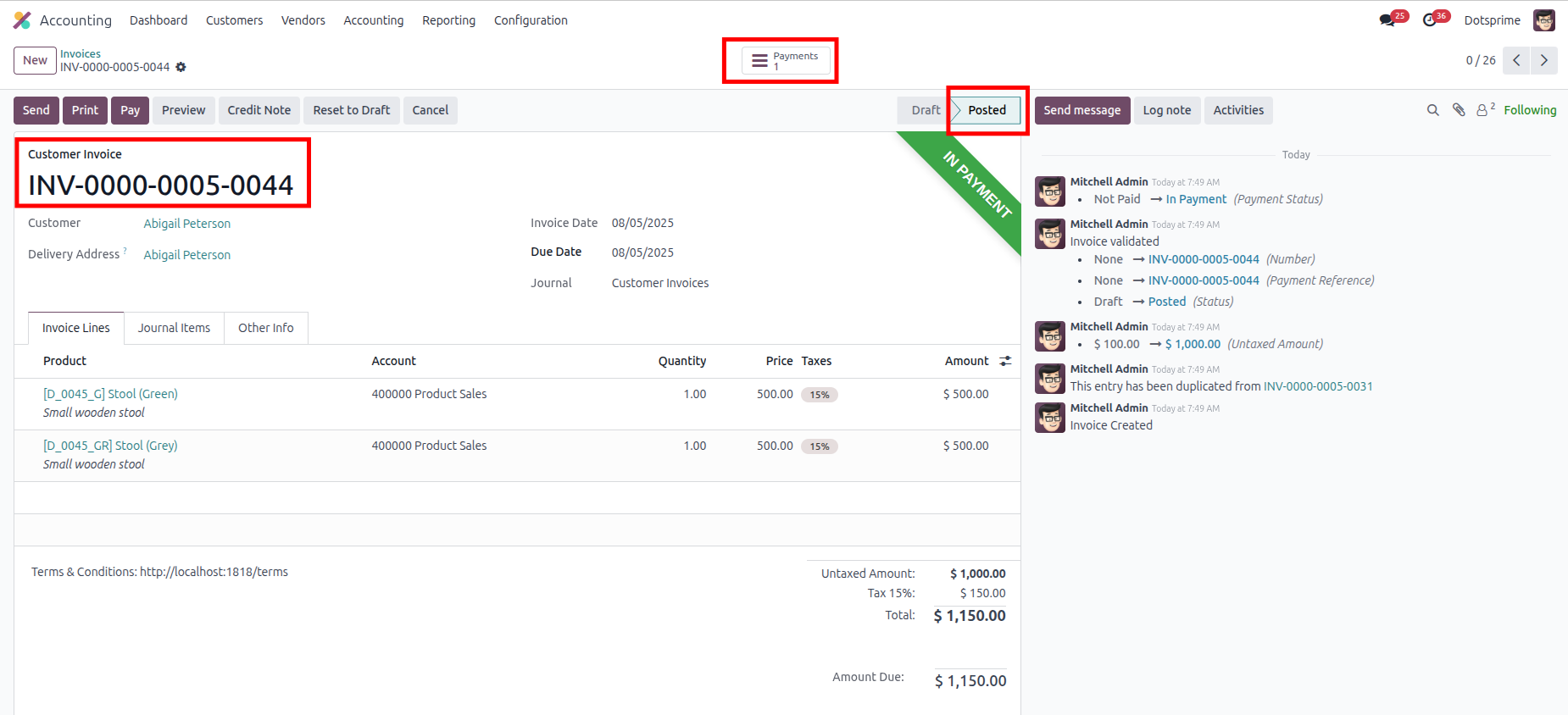
Invoice Order Cancellation Configuration is based on the "Cancel Invoice" order "Cancel Payment". View the created Invoice order, and once you cancel the Invoice order, the related Invoice order and Payment order will be cancelled.
02
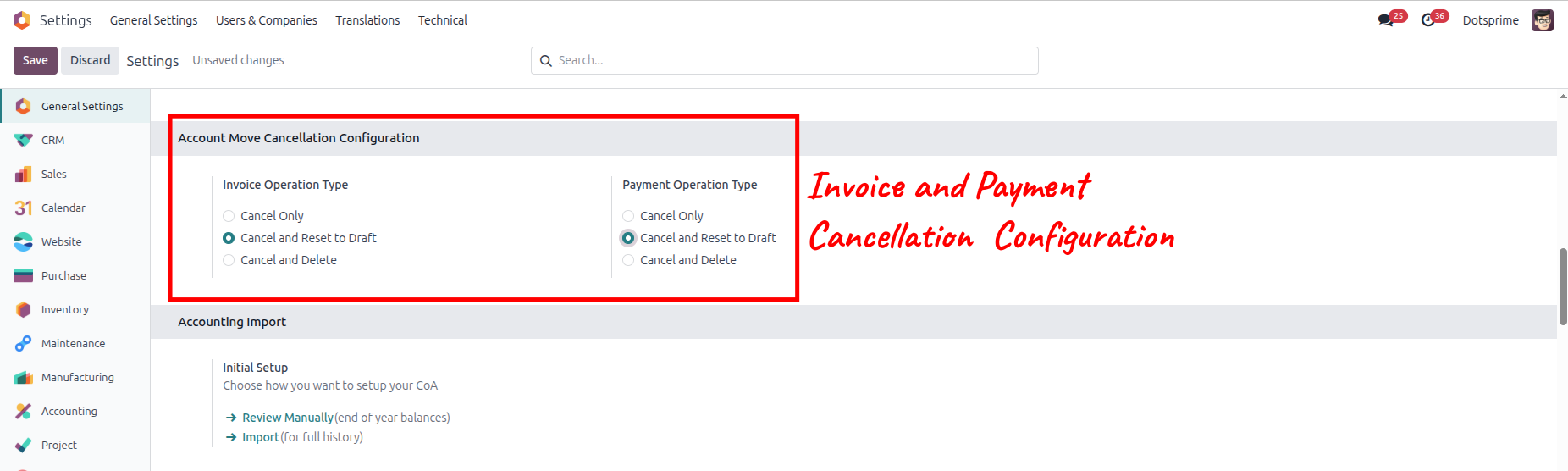
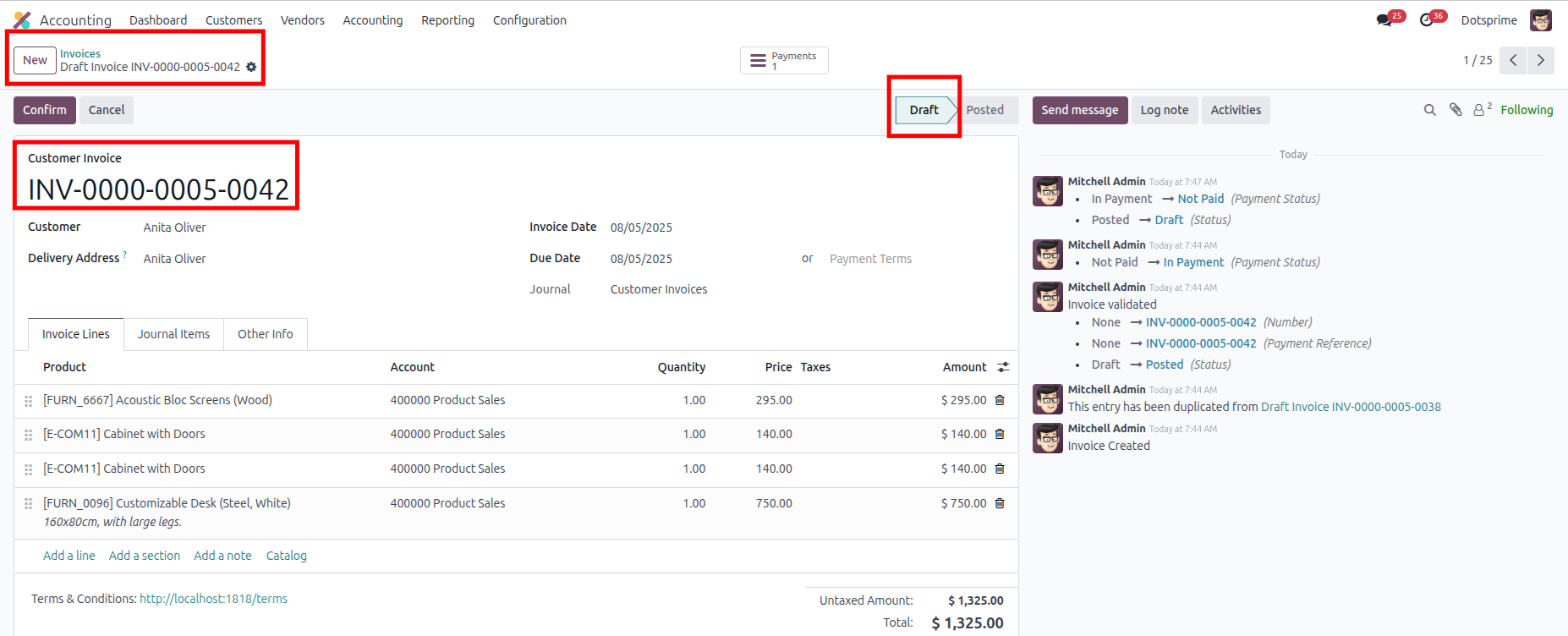
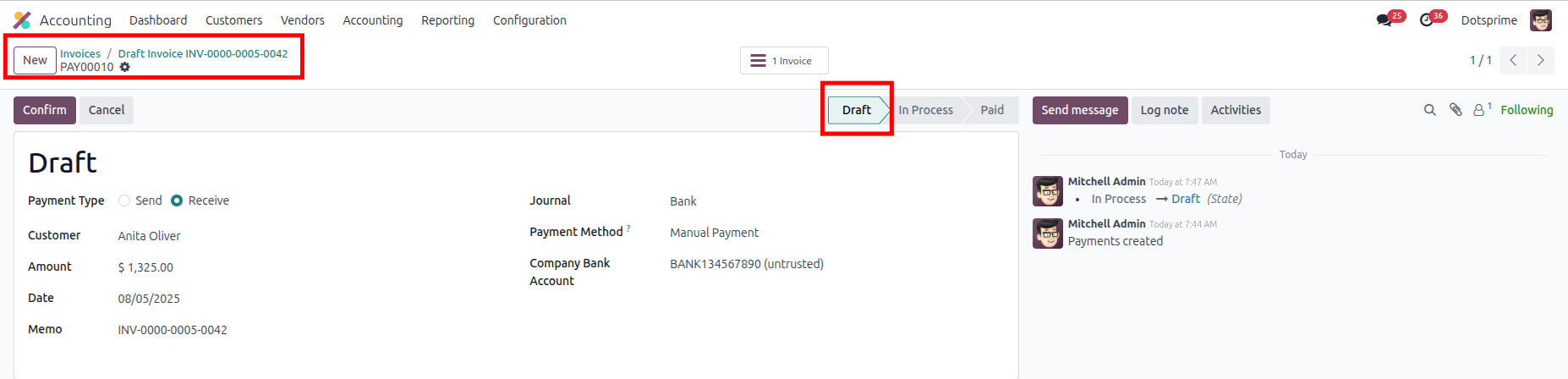
Invoice Order Cancellation Configuration is based on the "Cancel and Reset to Draft" Invoice order and Payment Order. View the created Invoice order, and once you click on Cancel Invoice Order, the option to "reset to draft" the Invoice order / Payment order will come up in draft state.
03
Invoice Order Cancellation Configuration is based on the "Cancel and Delete" Invoice order and Payment Order. View the created Invoice order, and once you click on Cancel and Delete Invoice Order,the Invoice order / Payment order will be deleted.
04
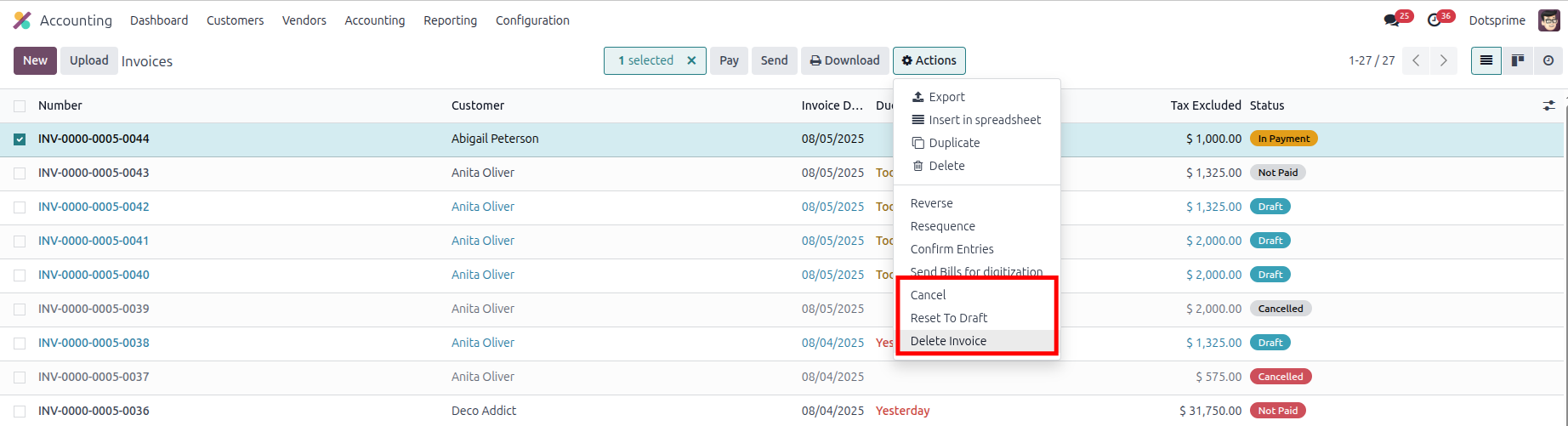
Mass delete Purchase order, Reset to draft the sale order and delete the sale order from the action menu from multiple records.
05
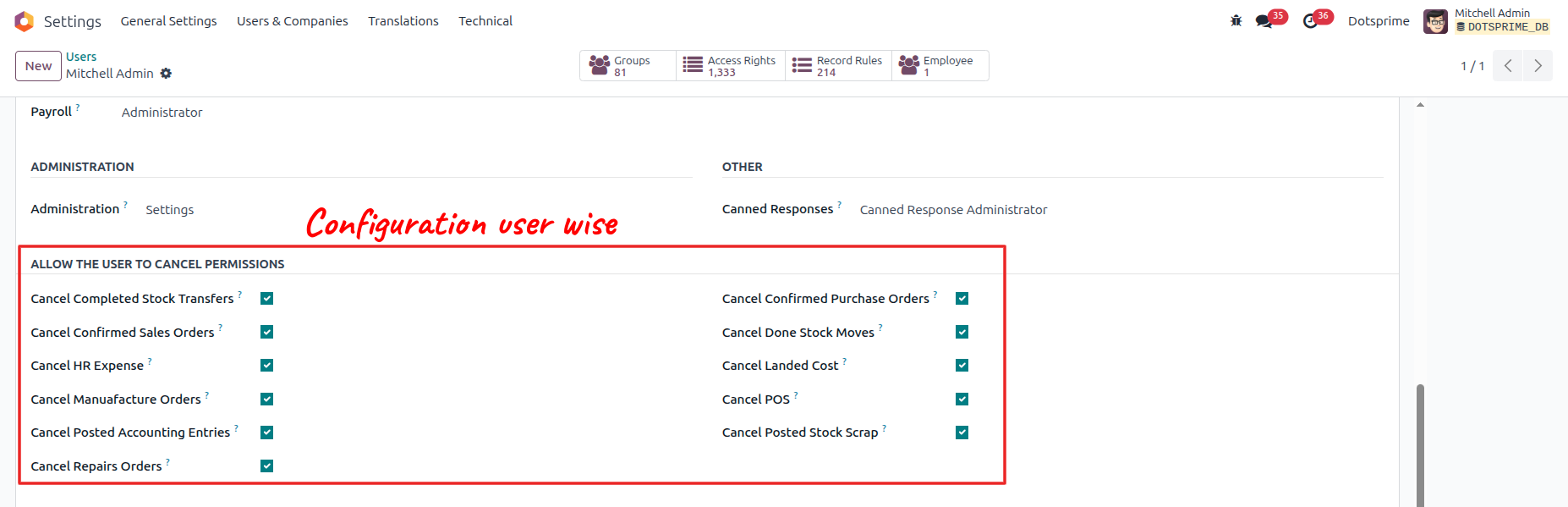
Configuration is user-wise to allow access.
POS Order Cancel / Reset to Draft / Delete
01
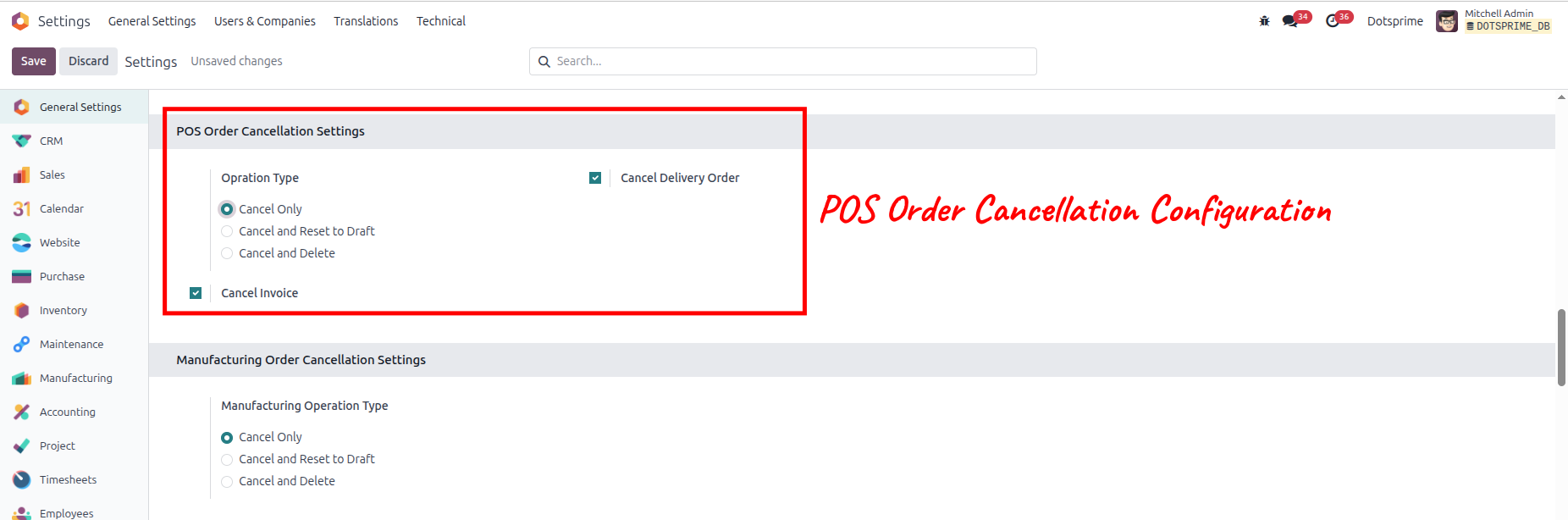
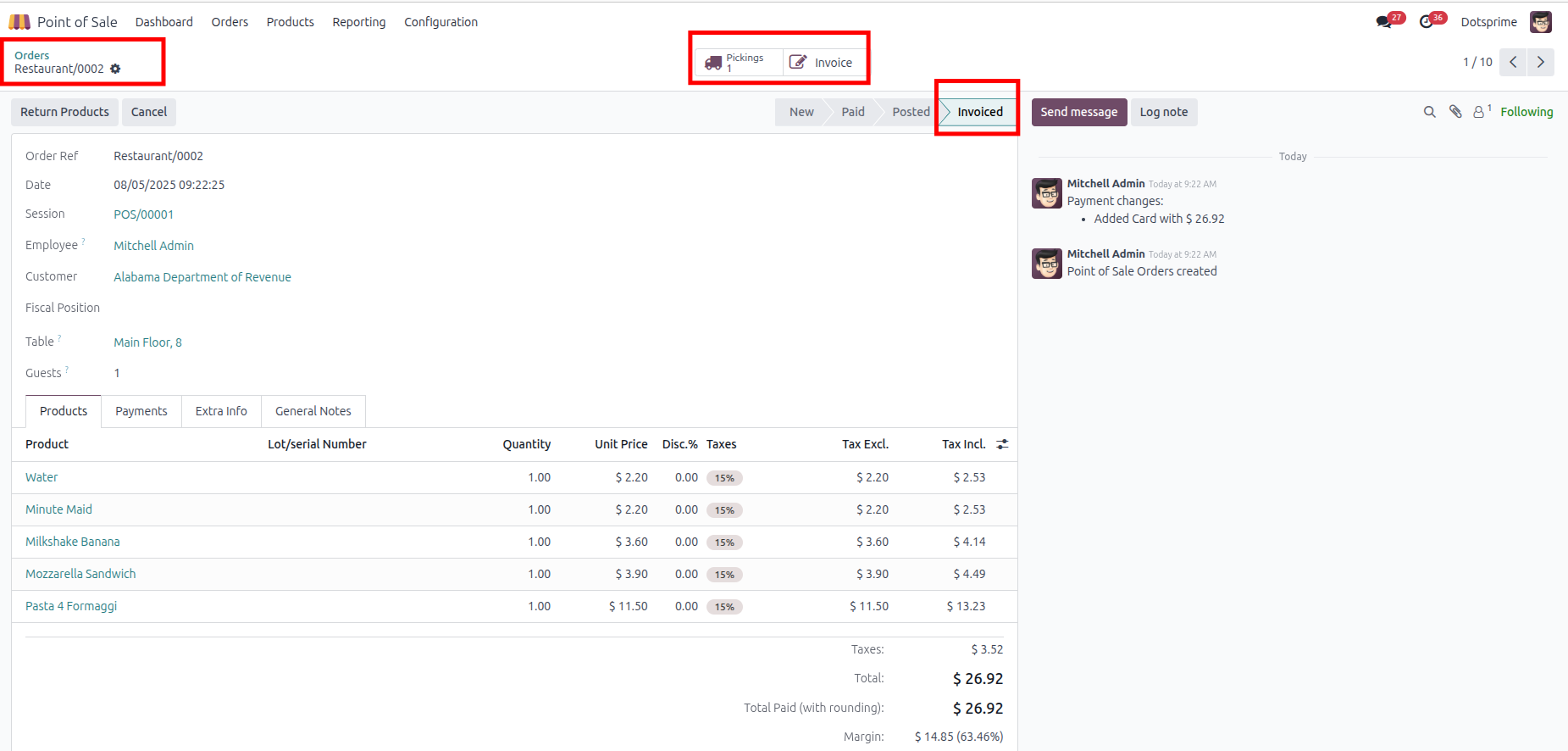
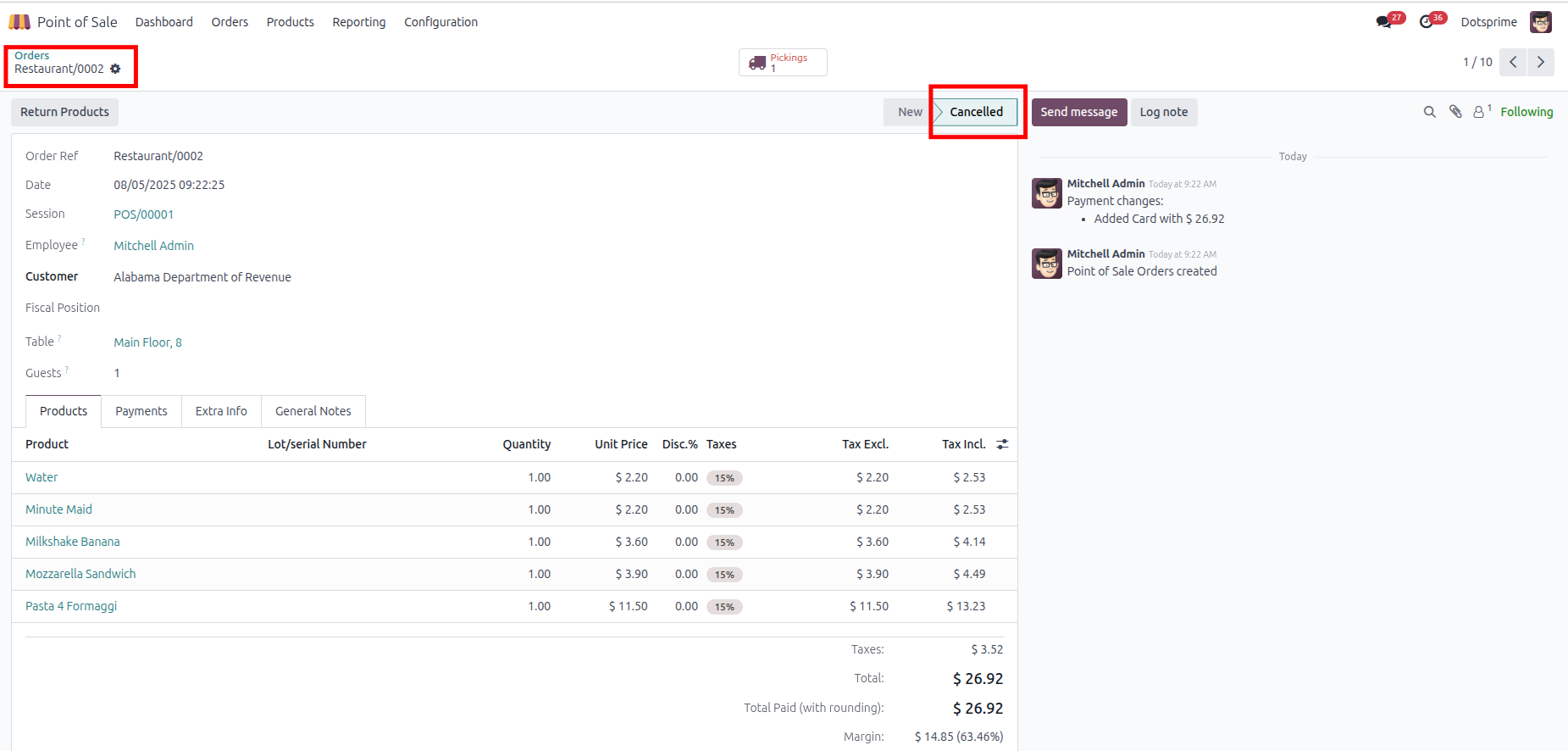
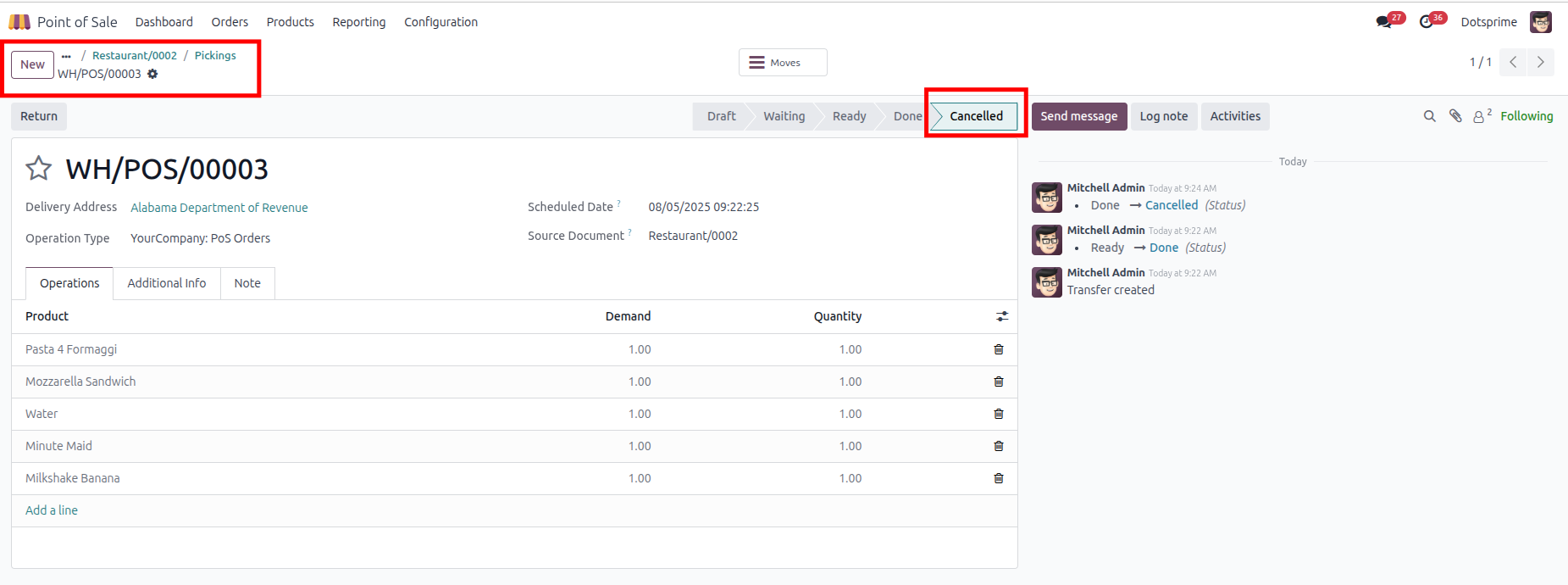
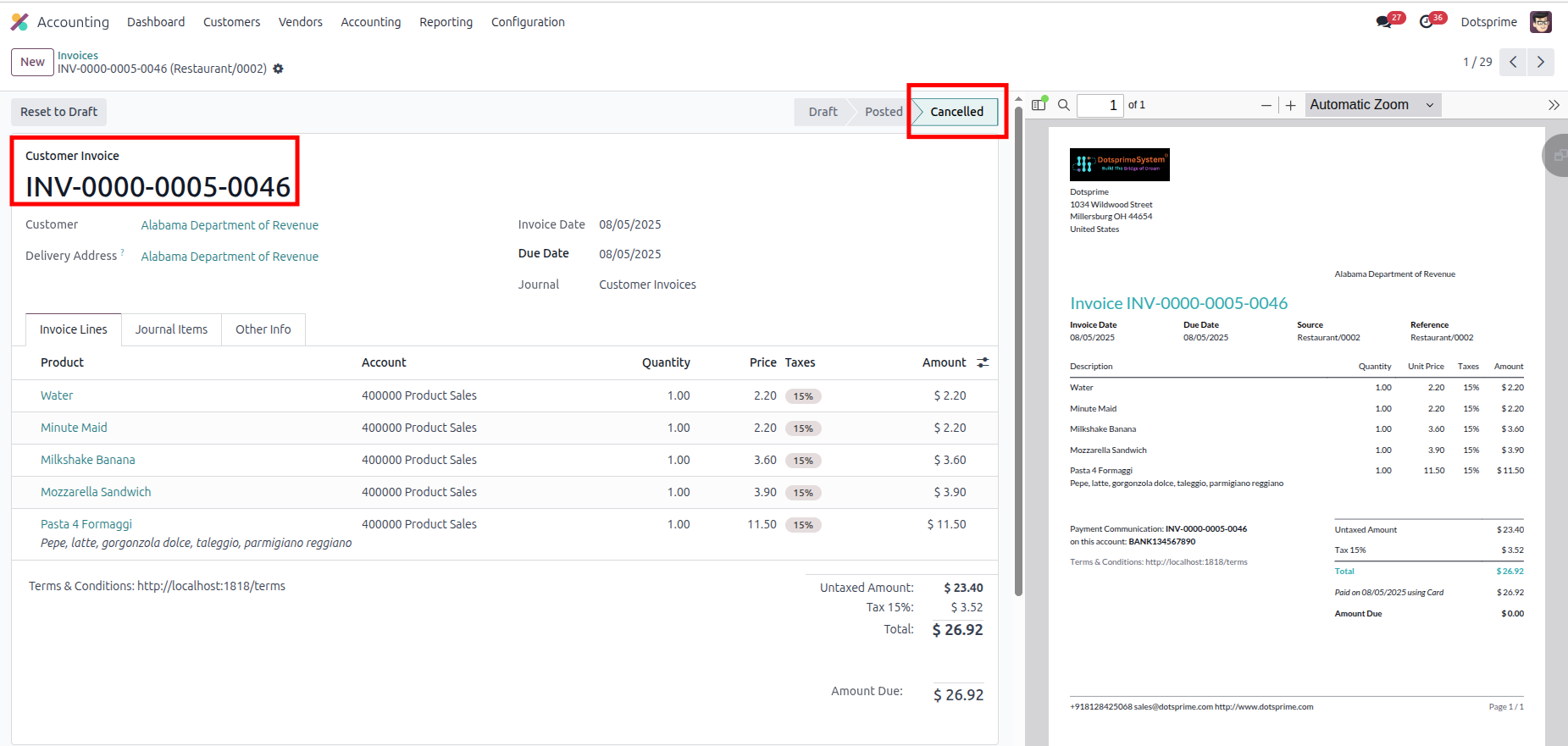
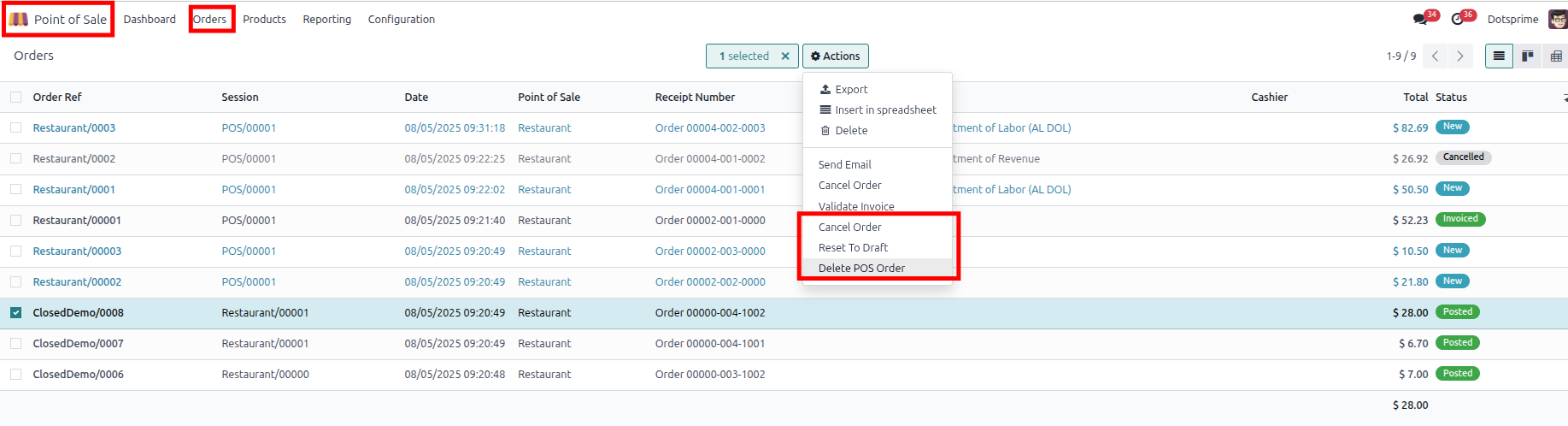
POS Order Cancellation Configuration is based on the Cancel pos order with the Cancel Delivery order and the Cancel Invoice and Payment. View the created pos order, and once you cancel the pos order, the related delivery order and invoice order will be cancelled.
02
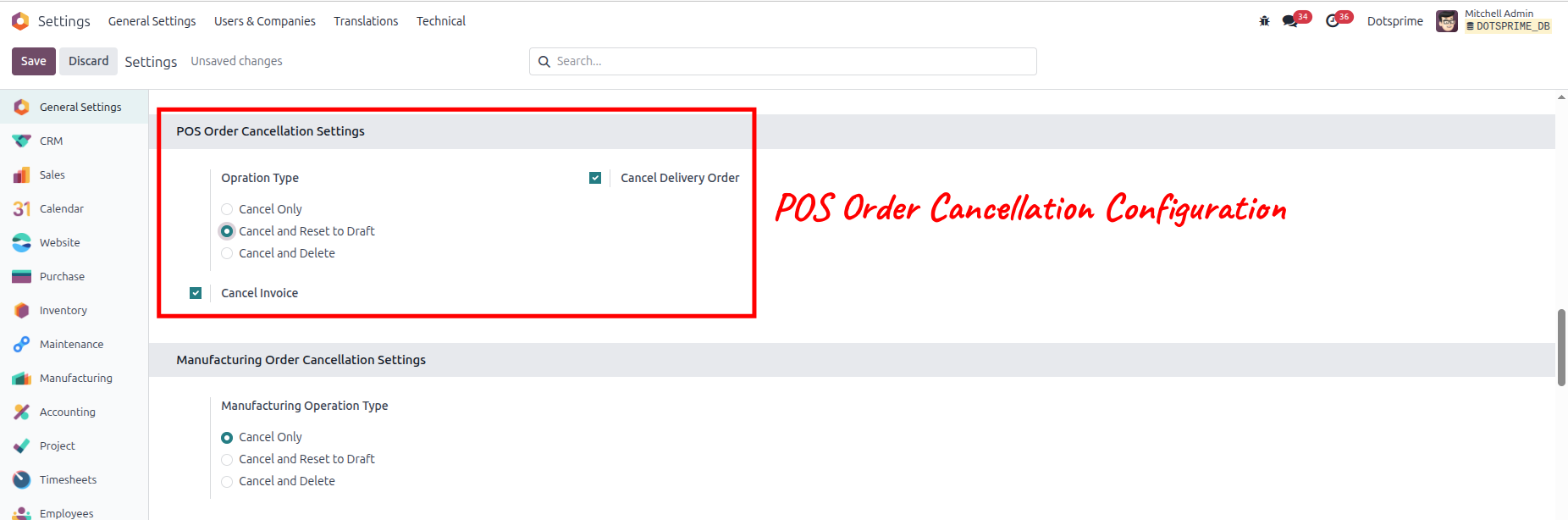
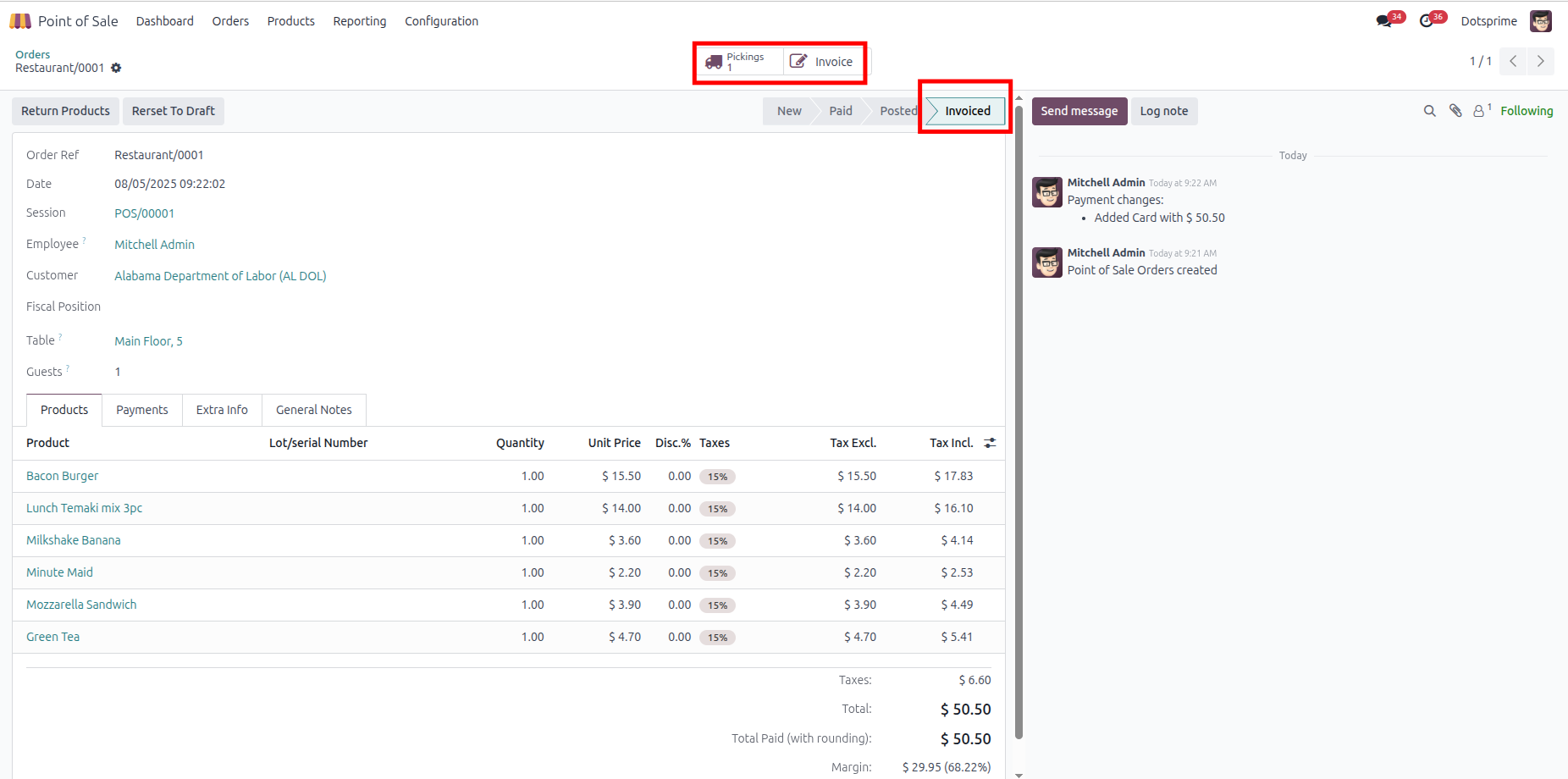
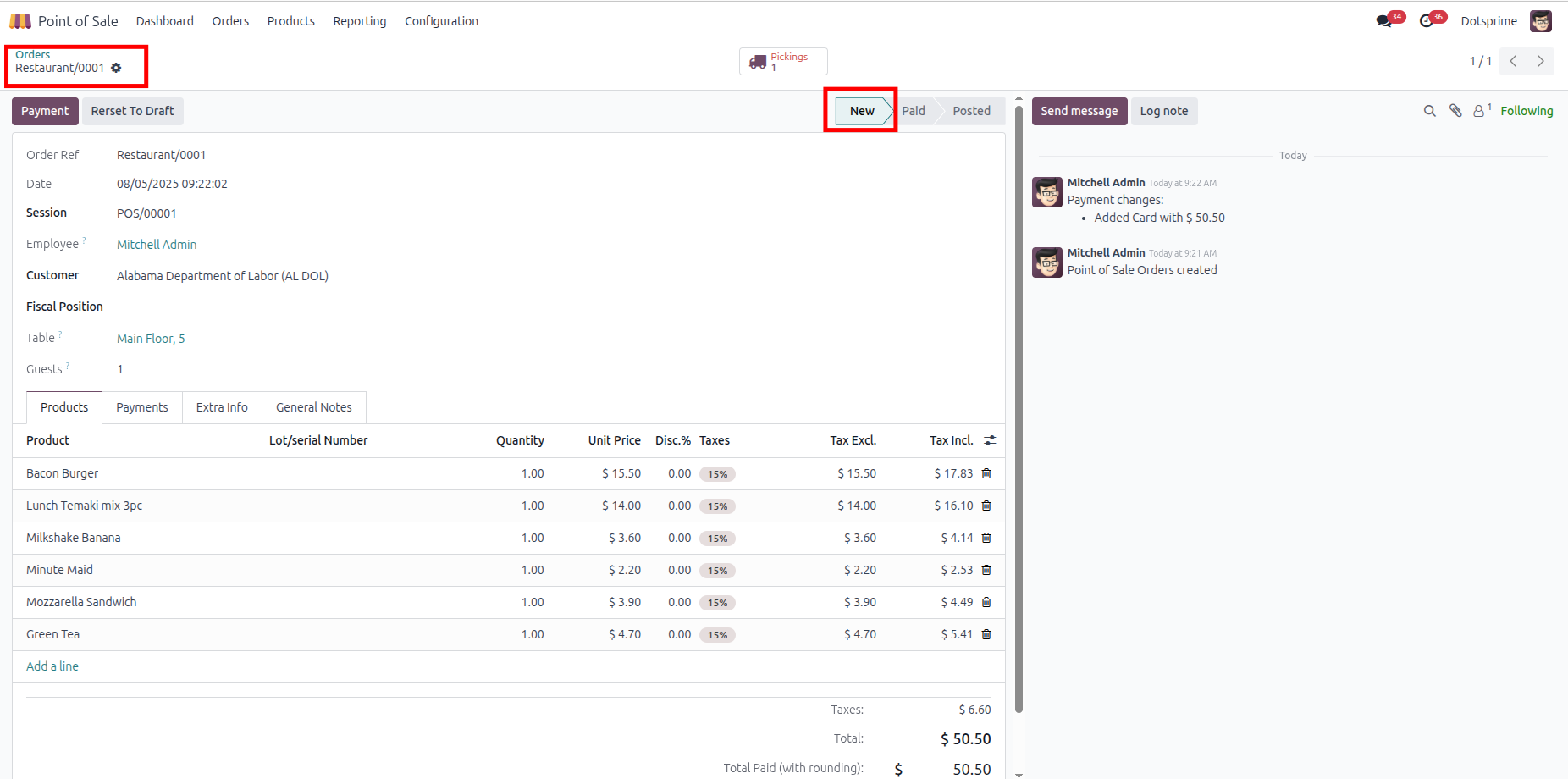
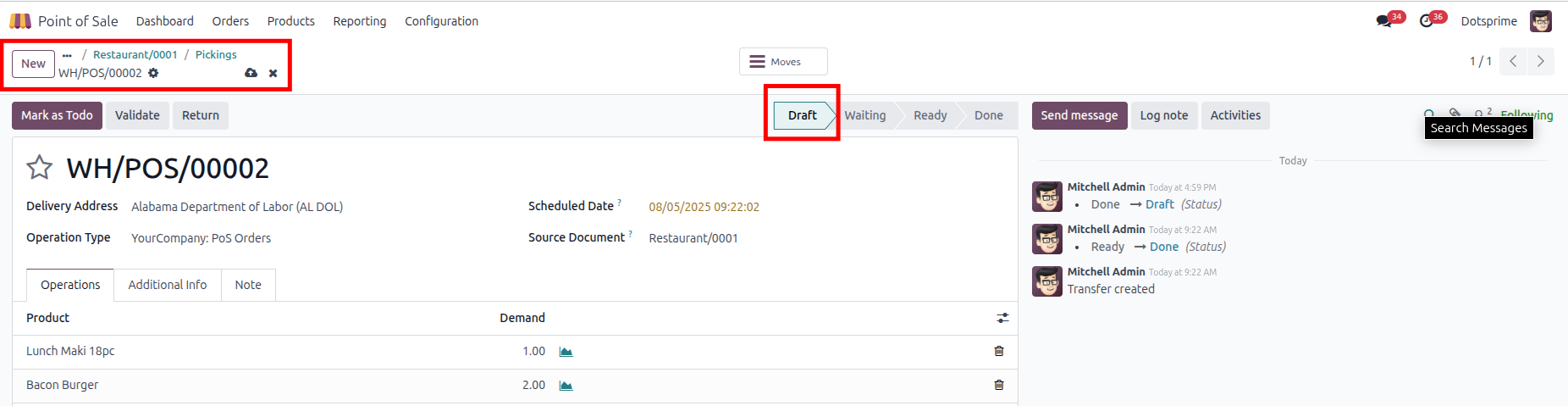
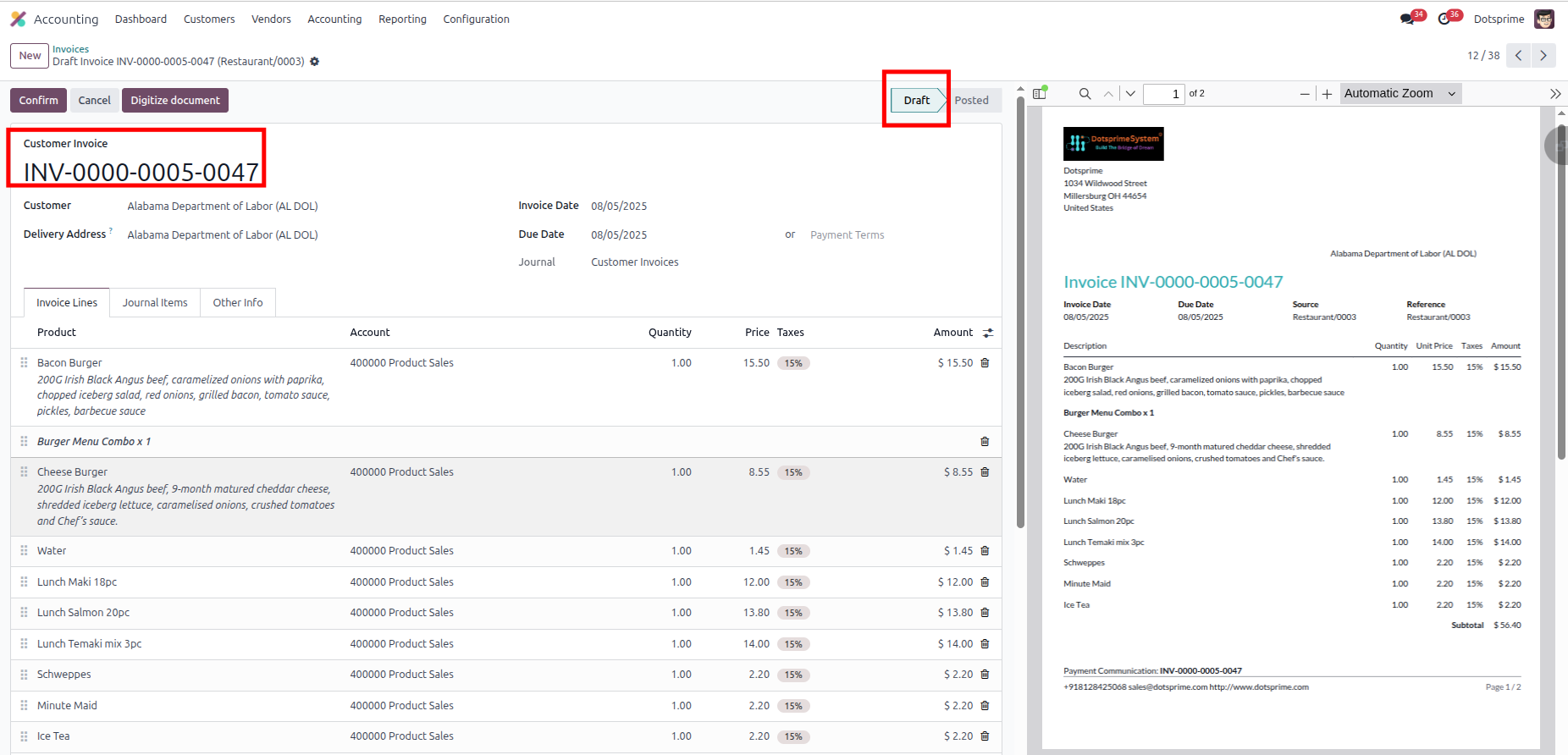
POS Order Cancellation Configuration is based on the "Cancel and Reset to Draft" pos order with the "Cancel Delivery Order" and the "Cancel Invoice and Payment." View the created pos order, and once you click on Cancel Sale Order, the option to "reset to draft" the pos order will come up, and the related delivery order and invoice order will be in draft state.
03
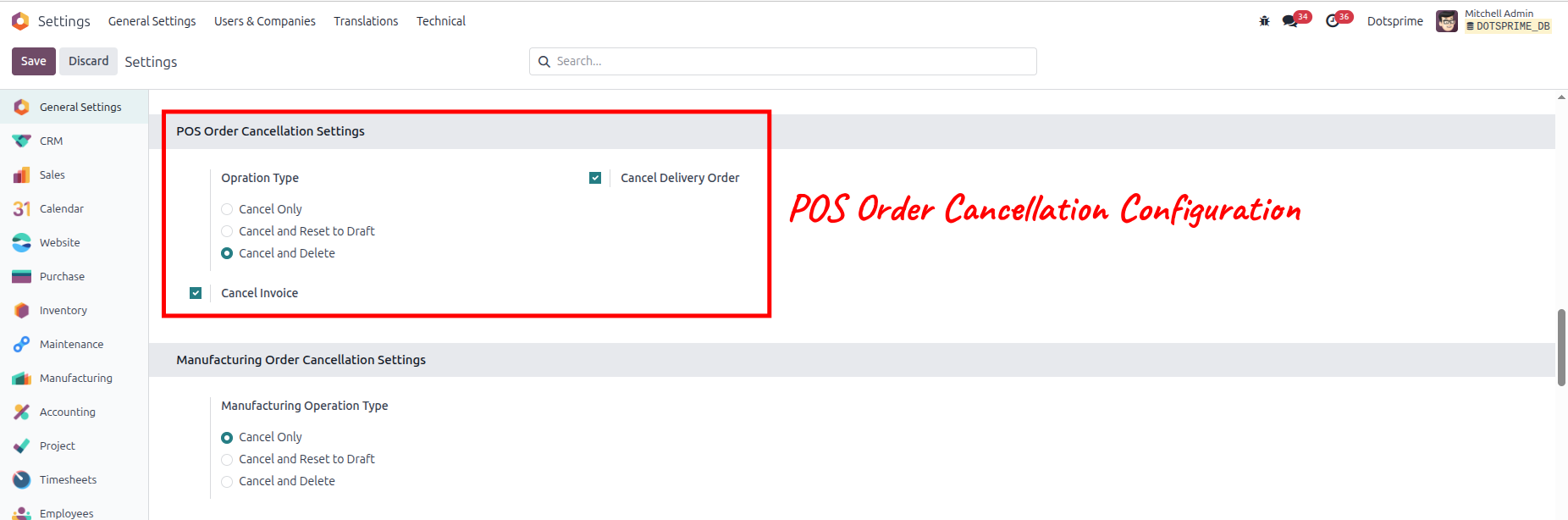
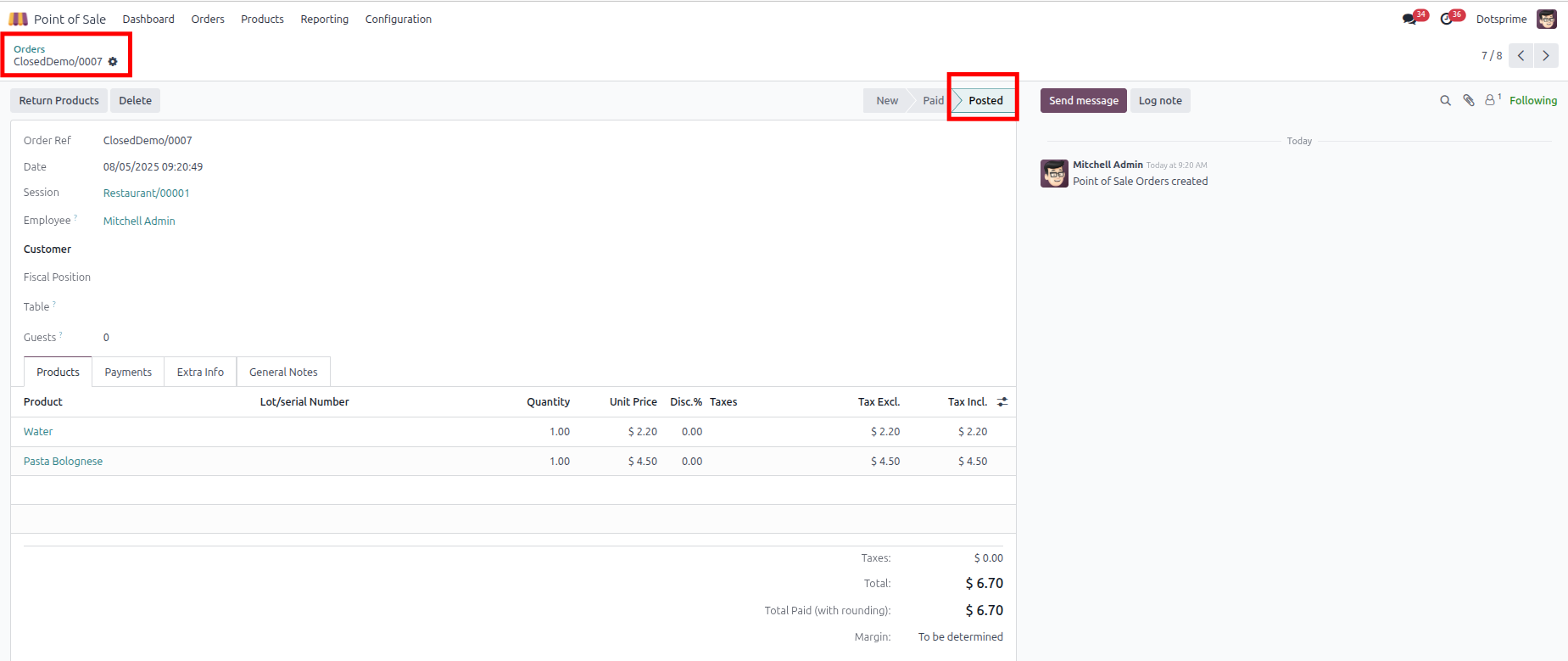
POS Order Cancellation Configuration is based on the "Cancel and Delete" pos order with the "Cancel Delivery Order" and the "Cancel Invoice and Payment." View the created pos order, and once you click on Cancel and Delete, the pos order will be deleted, . And the related delivery order and invoice order will be deleted.
04
Mass cancel POS order, Reset to draft the pos order and delete the sale order from the action menu for multiple records.
05
Configuration is user-wise to allow access.
Stock Picking Cancel / Reset to Draft / Delete
01
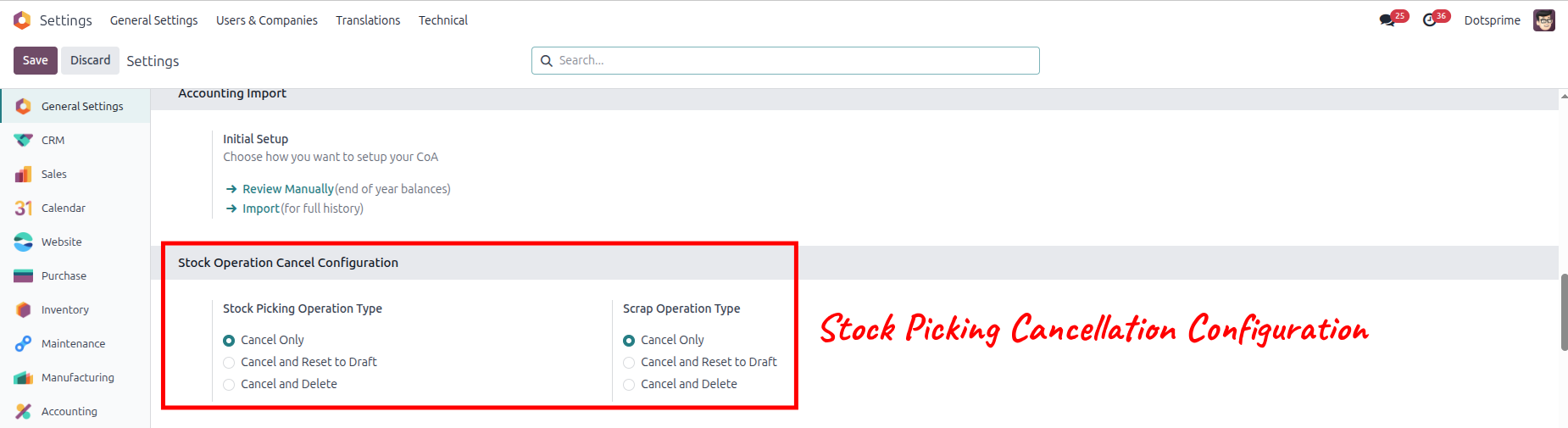
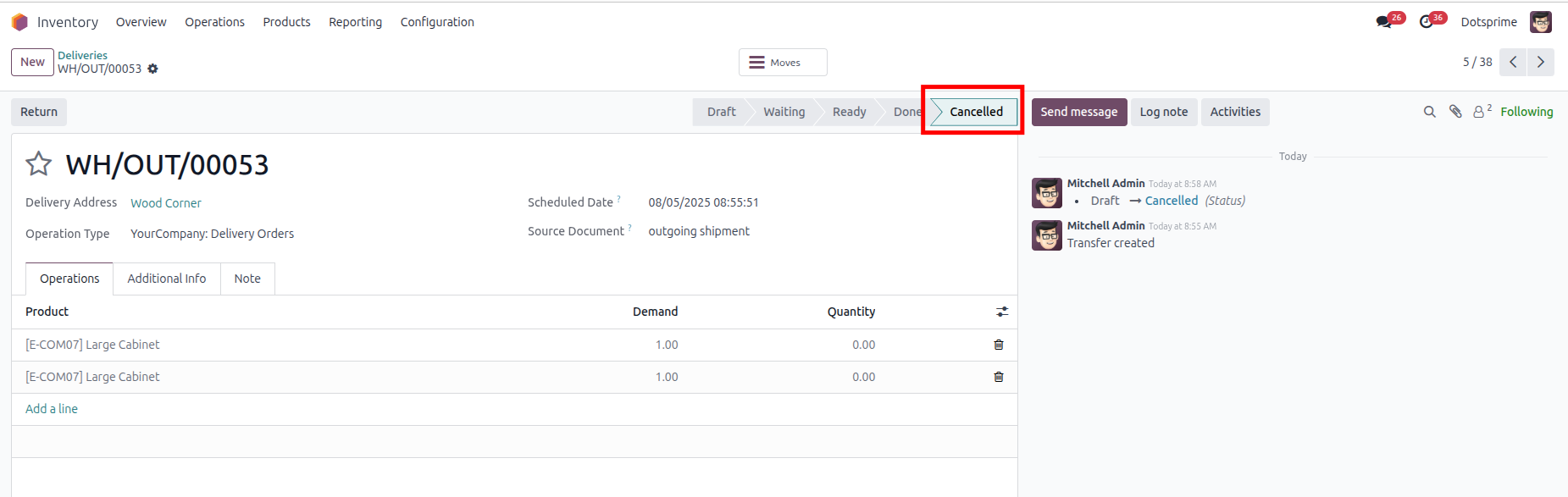
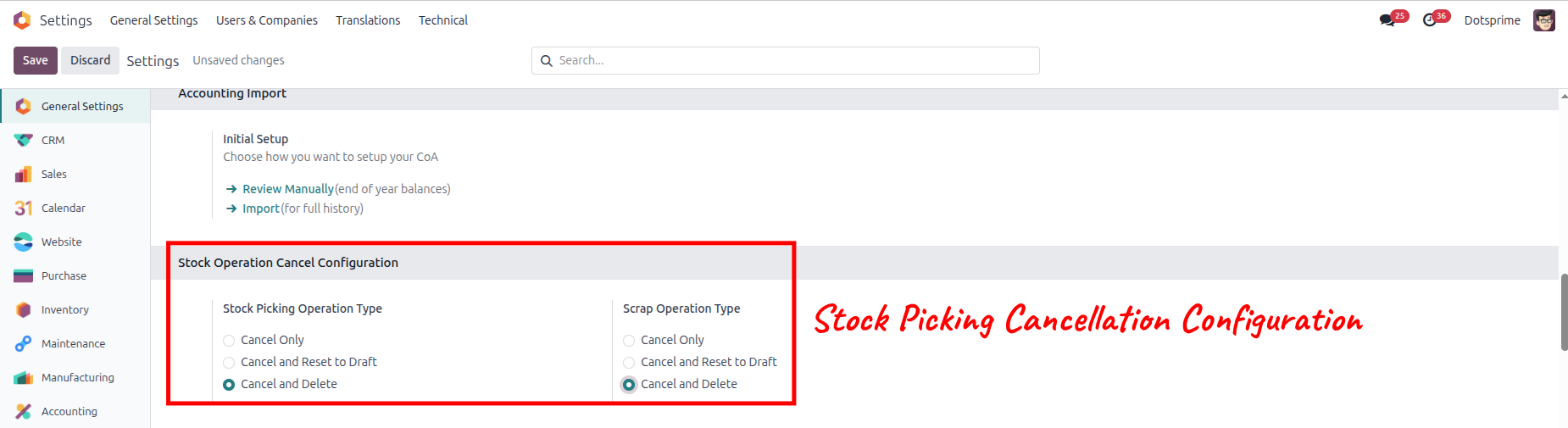
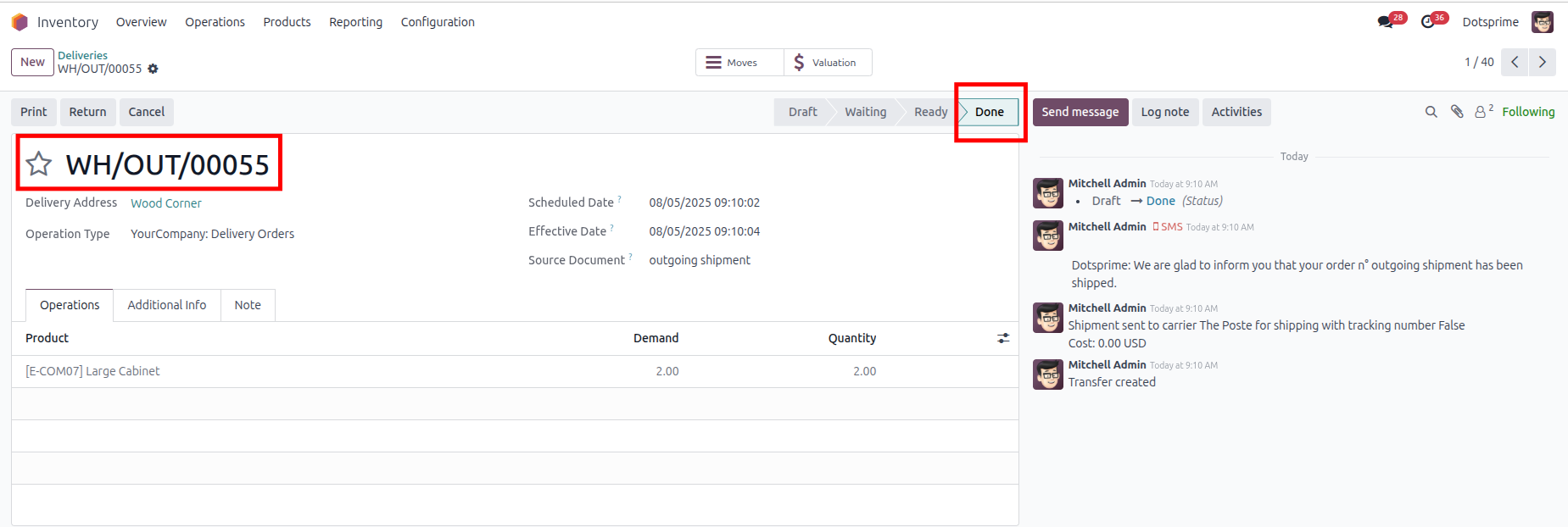
Stock Picking Cancellation Configuration is based on the Cancel stock picking. View the created Stock Picking order, and once you cancel the Stock Picking order, the related order will be cancelled.
02
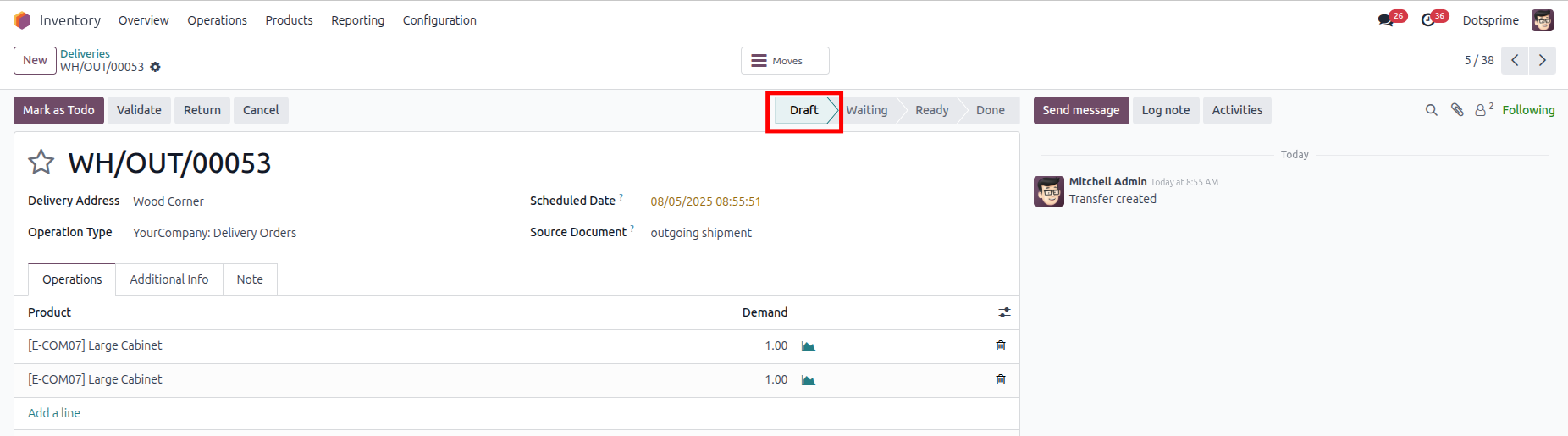
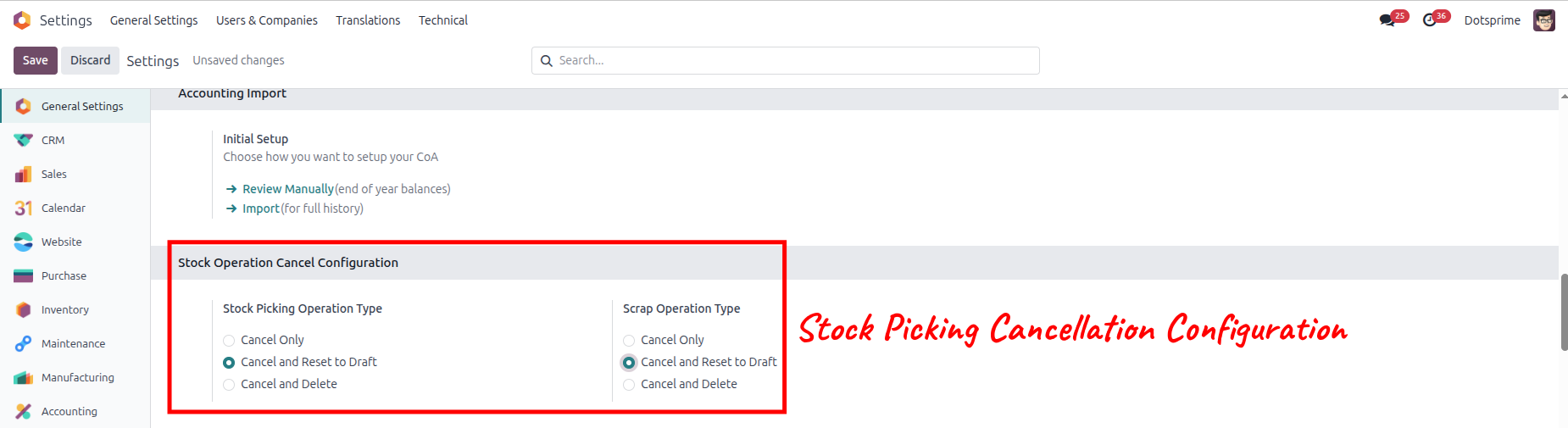
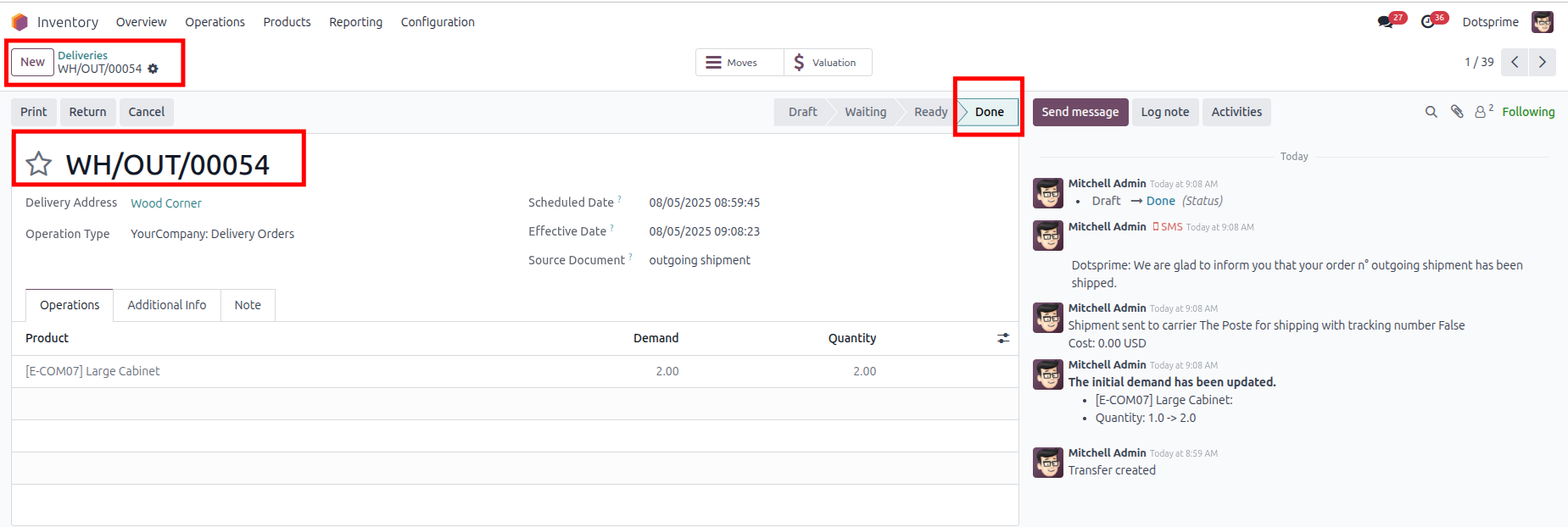
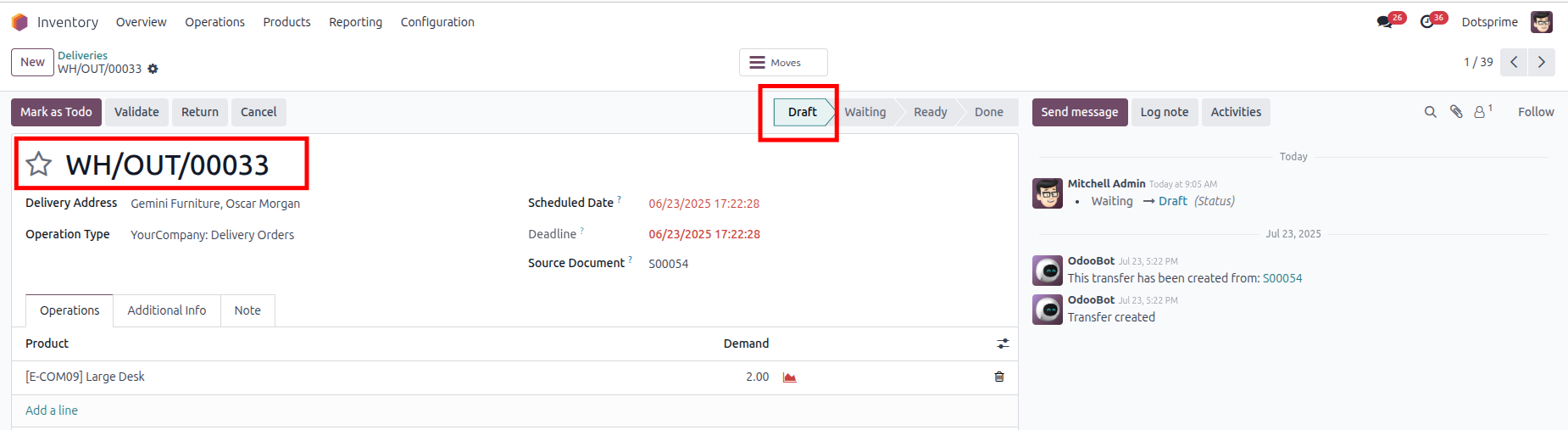
Stock Picking Cancellation Configuration is based on the "Cancel and Reset to Draft" Stock Picking order will be come in Draft State. View the created Stock Picking, and once you click on Cancel Stock Picking, the option to "reset to draft" the order will be in draft state.
03
Stock Picking Cancellation Configuration is based on the "Cancel and Delete" Stock Picking. View the created Stock Picking, and once you click on Cancel and Delete, the pos order will be deleted.And the related order will be deleted.
04
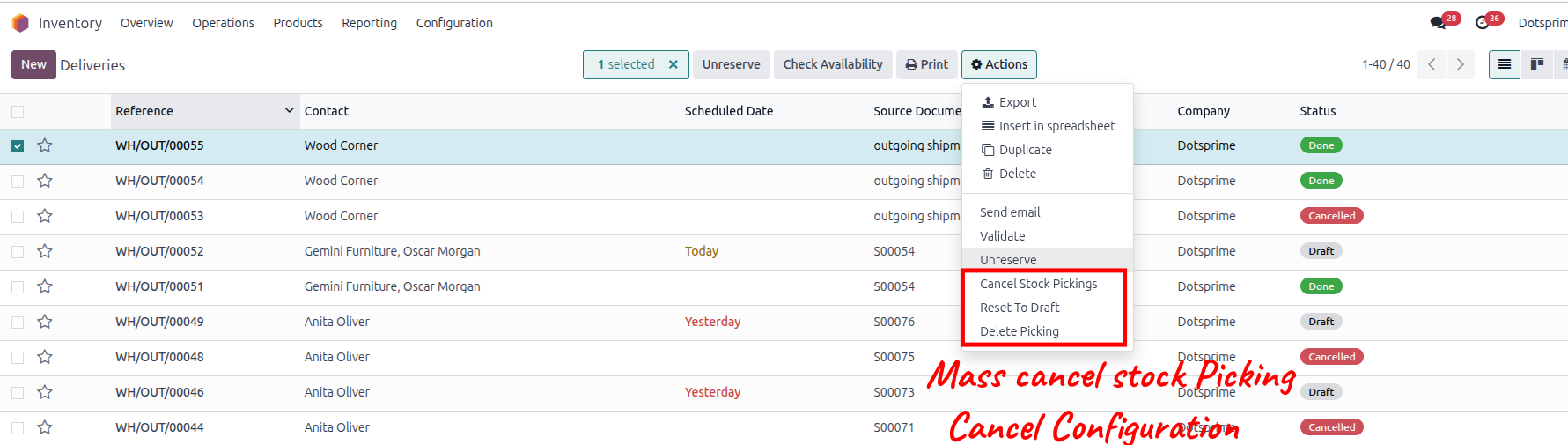
Mass cancel Stock Picking order, Reset to draft the Stock Picking order and delete the Stock Picking order from the action menu for multiple records.
05
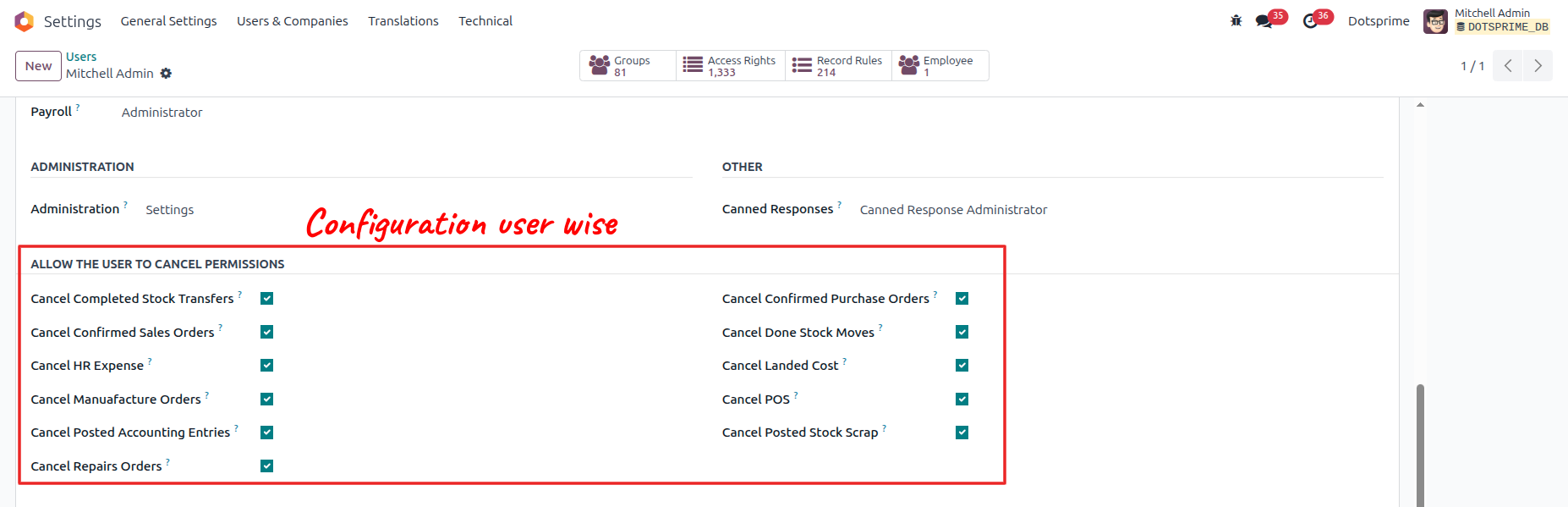
Configuration is user-wise to allow access.
Scrap Order Cancel / Reset to Draft / Delete
01
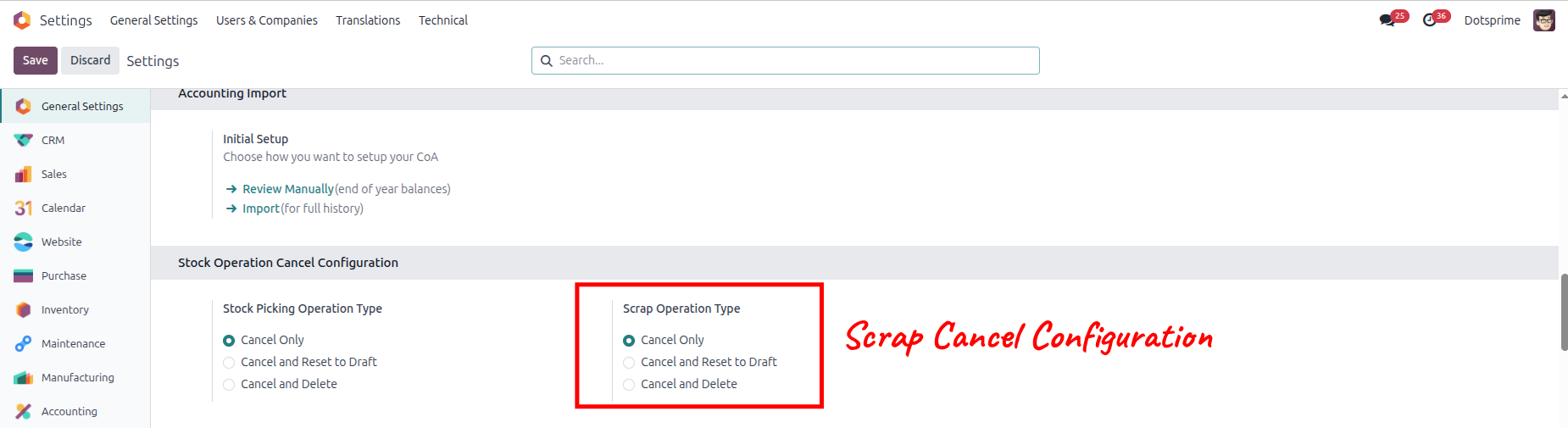
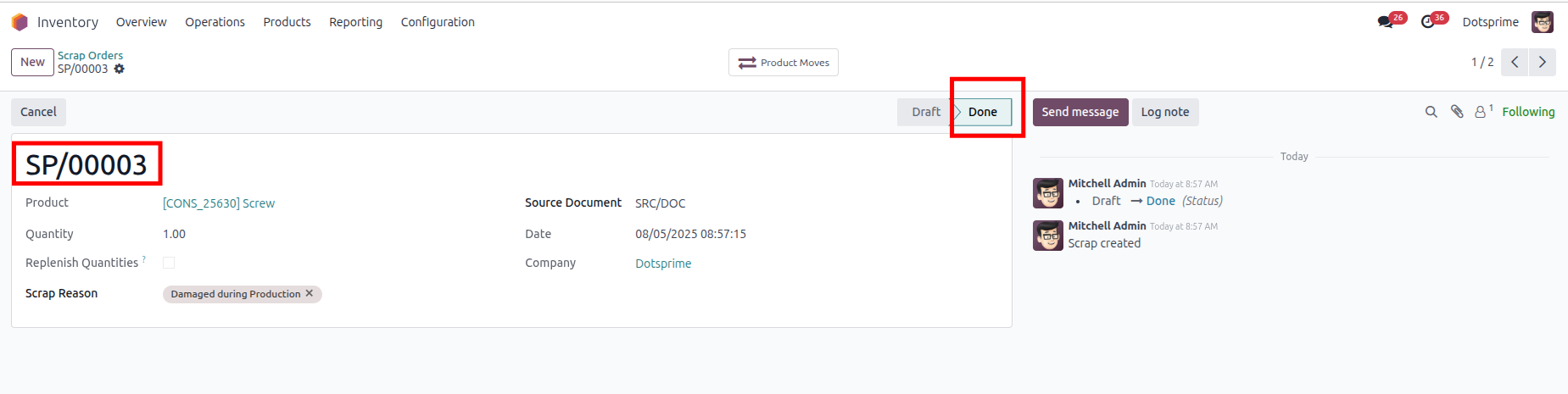
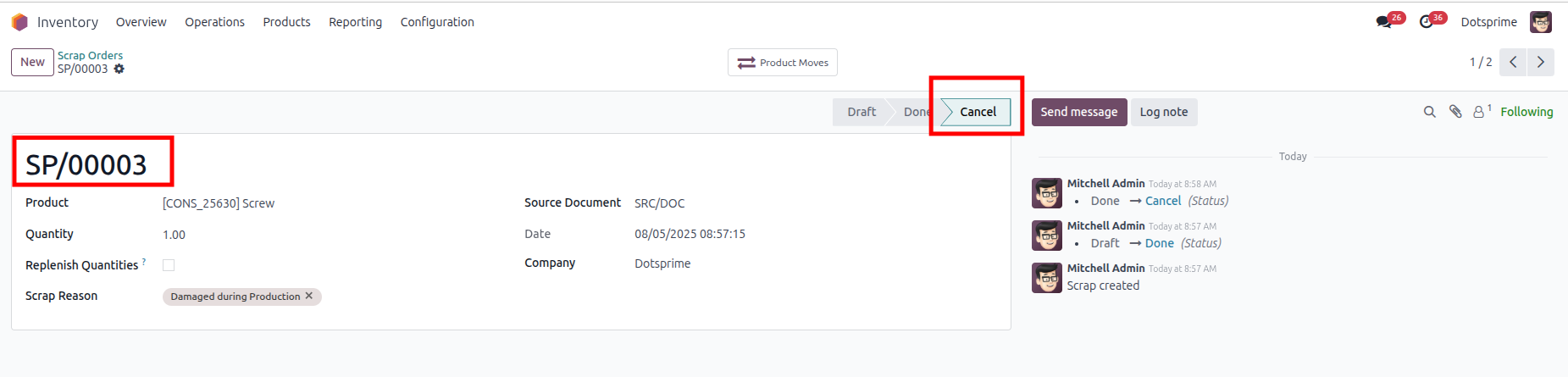
Scrap Cancellation Configuration is based on the Cancel Scrap. View the created Scrap order, and once you cancel the Scrap order, the related order will be cancelled.
02
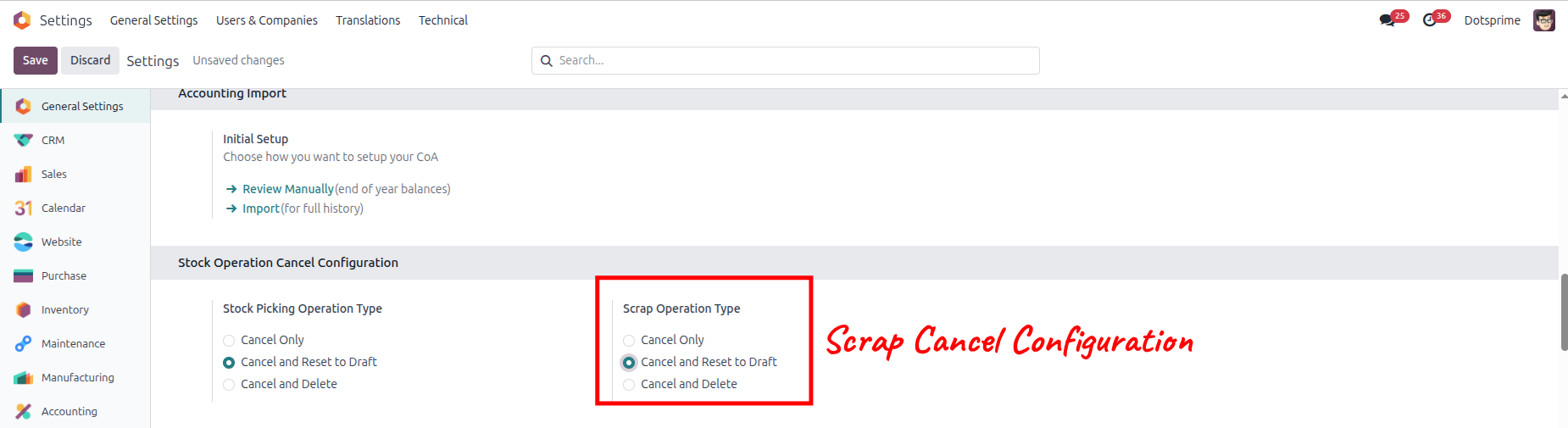
Scrap Cancellation Configuration is based on the "Cancel and Reset to Draft" Scrap order will be come in Draft State. View the created Scrap, and once you click on Cancel Scrap, the option to "reset to draft" the order will be in draft state.
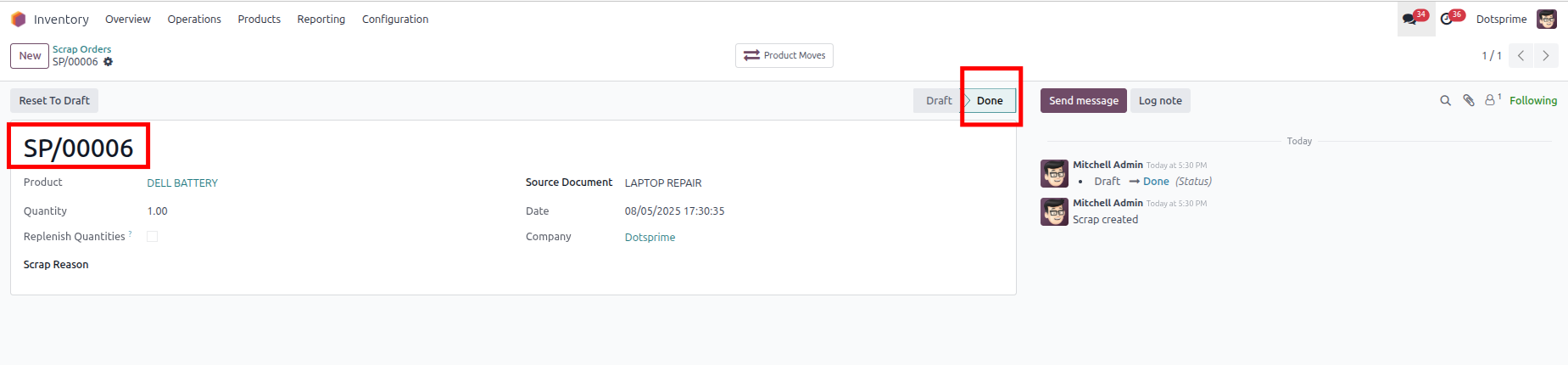
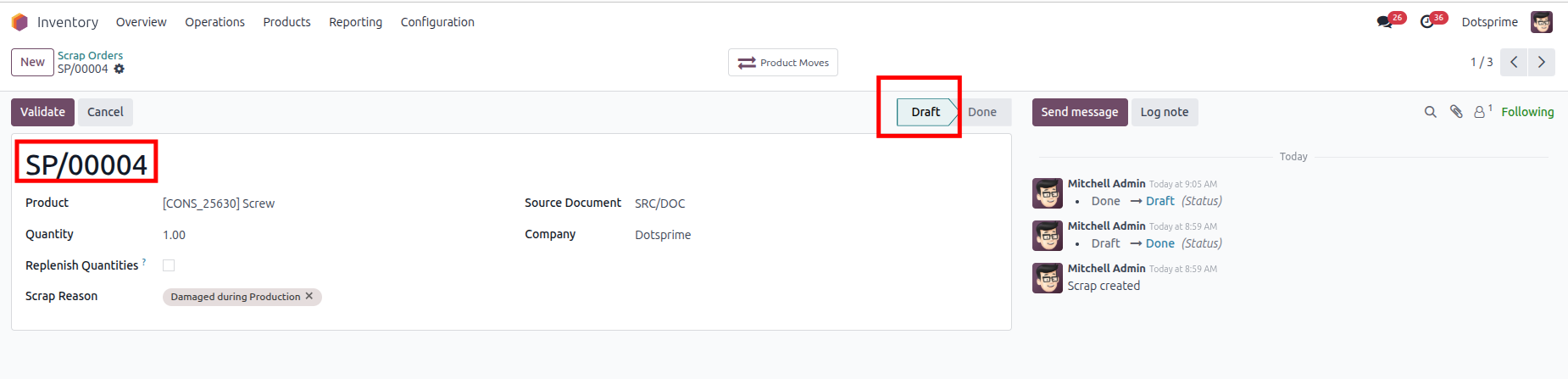
03
Scrap Cancellation Configuration is based on the "Cancel and Delete" Scrap. View the created Scrap, and once you click on Cancel and Delete, the pos order will be deleted.And the related order will be deleted.
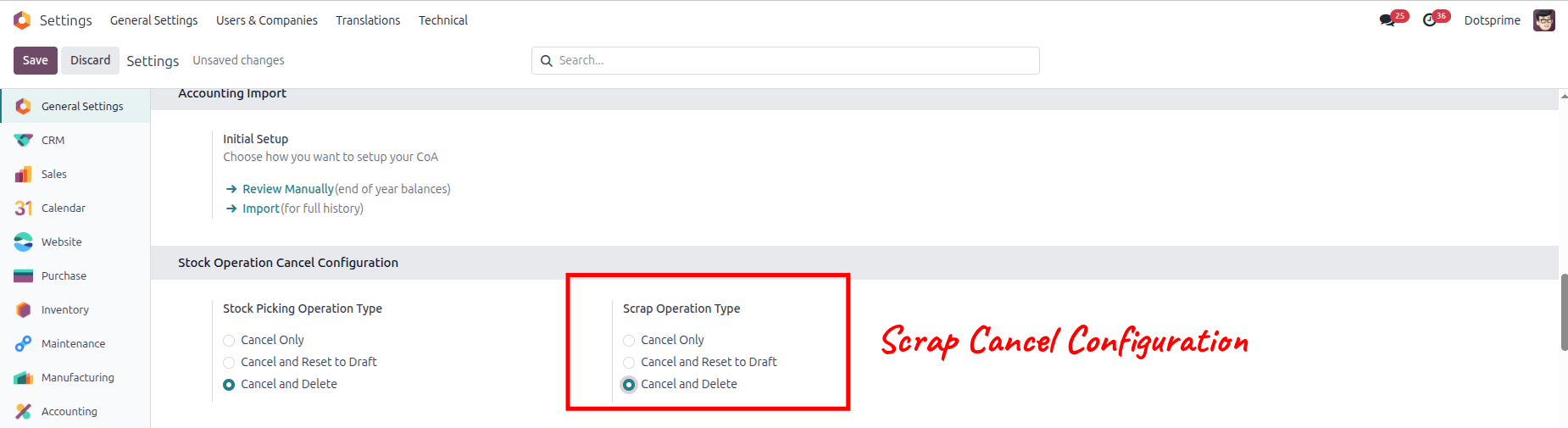
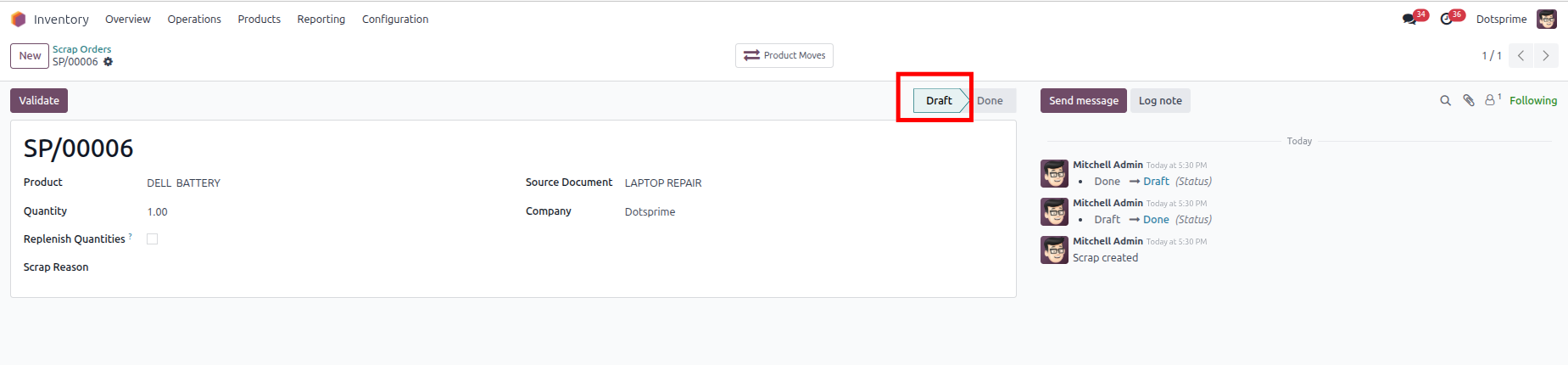
04
Mass cancel Scrap order, Reset to draft the Scrap order and delete the Scrap order from the action menu for multiple records.

05
Configuration is user-wise to allow access.
Manufacturing Order Cancel / Reset to Draft / Delete
01
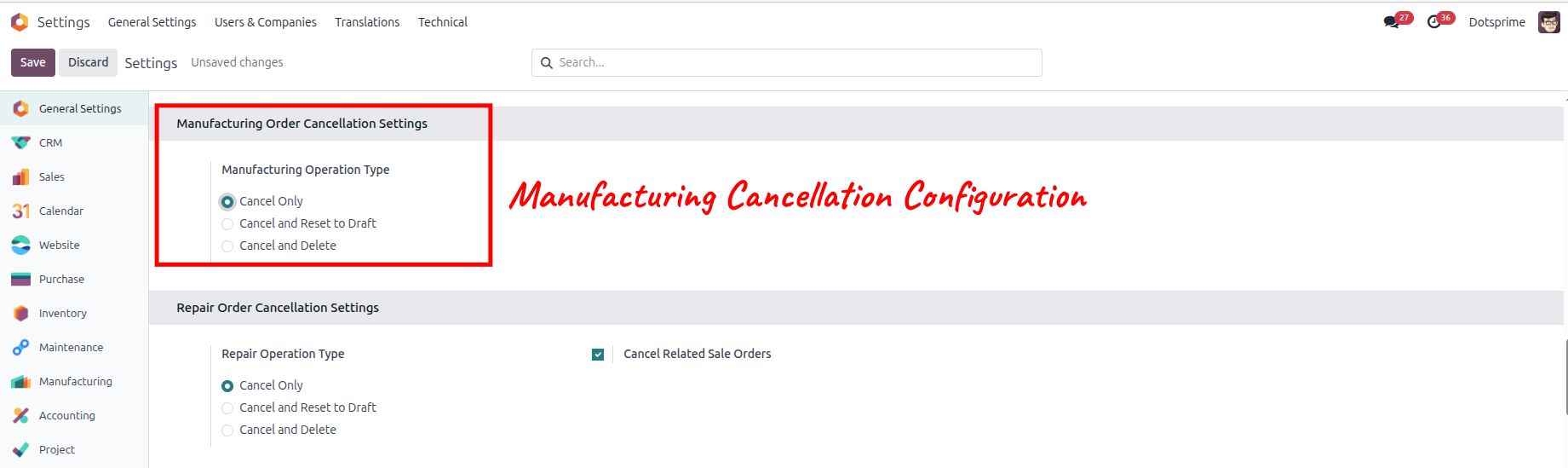
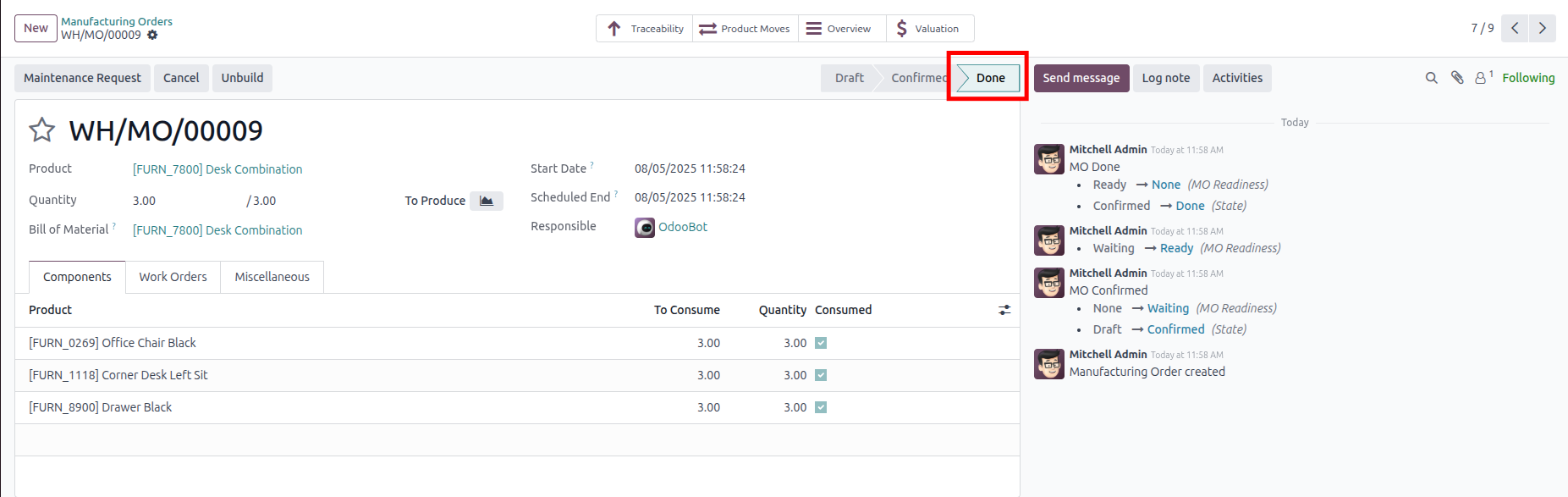
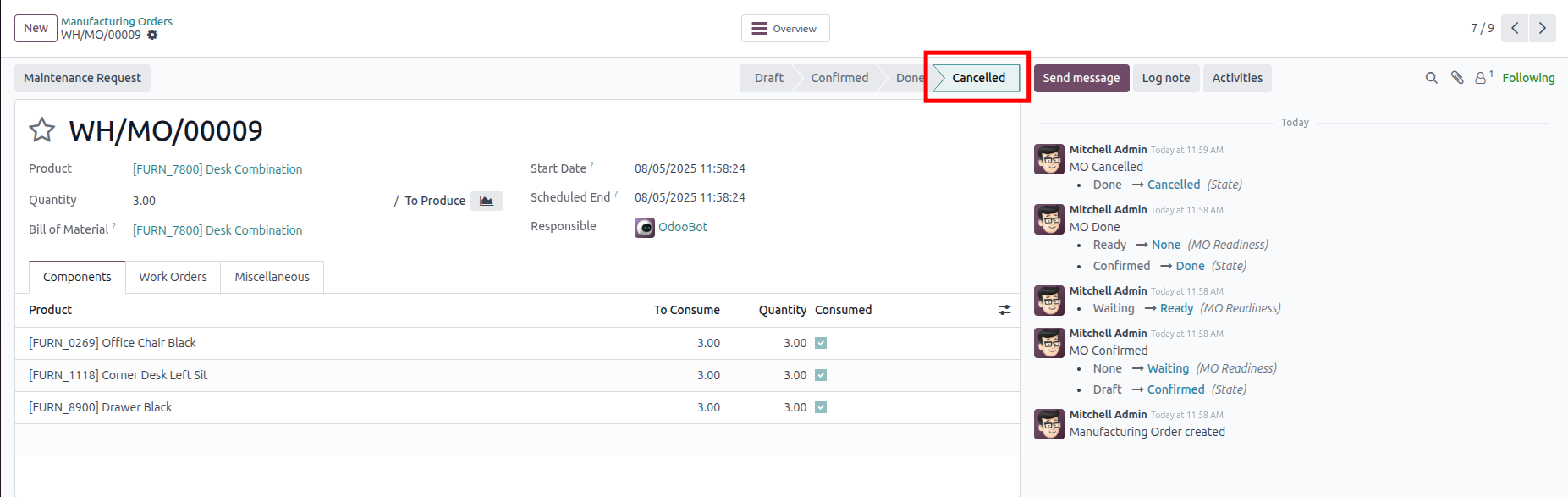
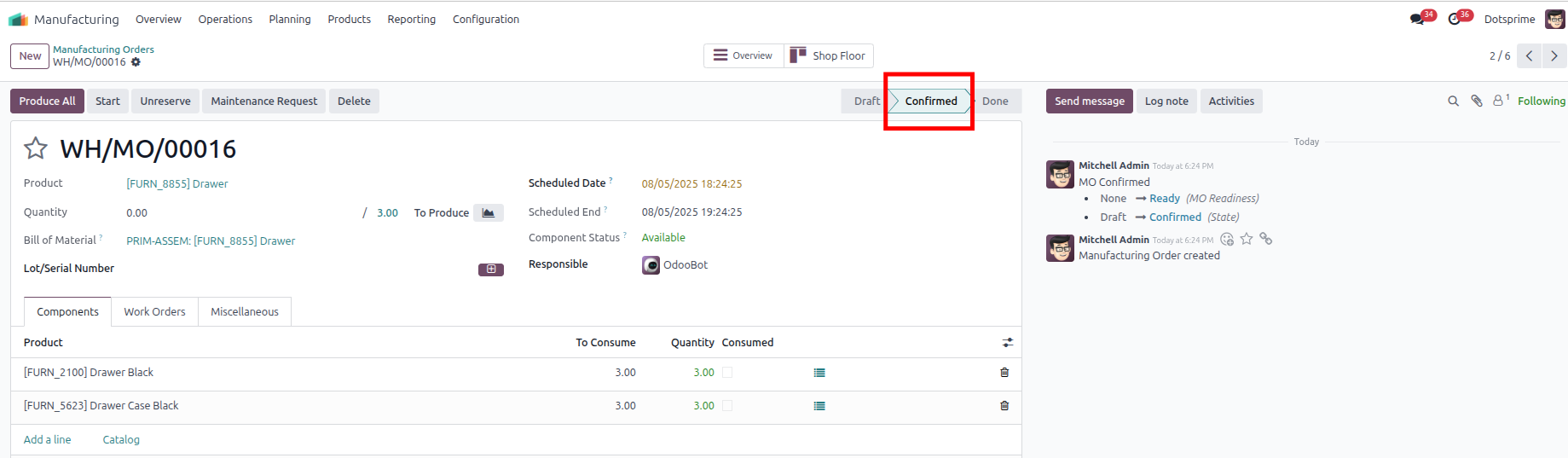
Manufacturing Cancellation Configuration is based on the Cancel Manufacturing. View the created Manufacturing order, and once you cancel the Manufacturing order, the related order will be cancelled.
02
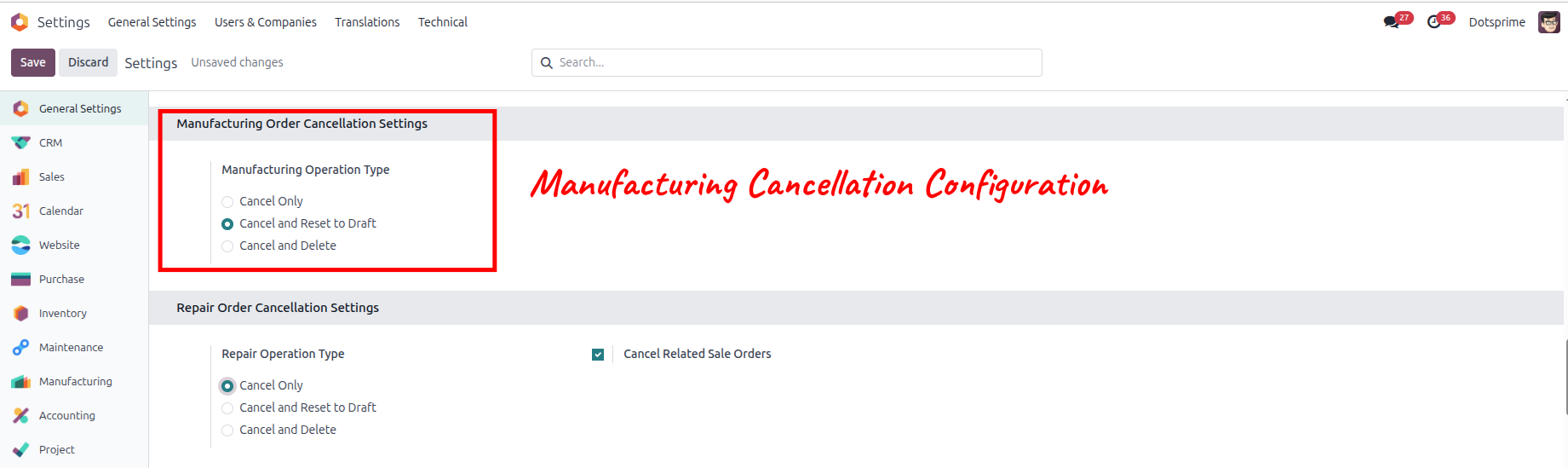
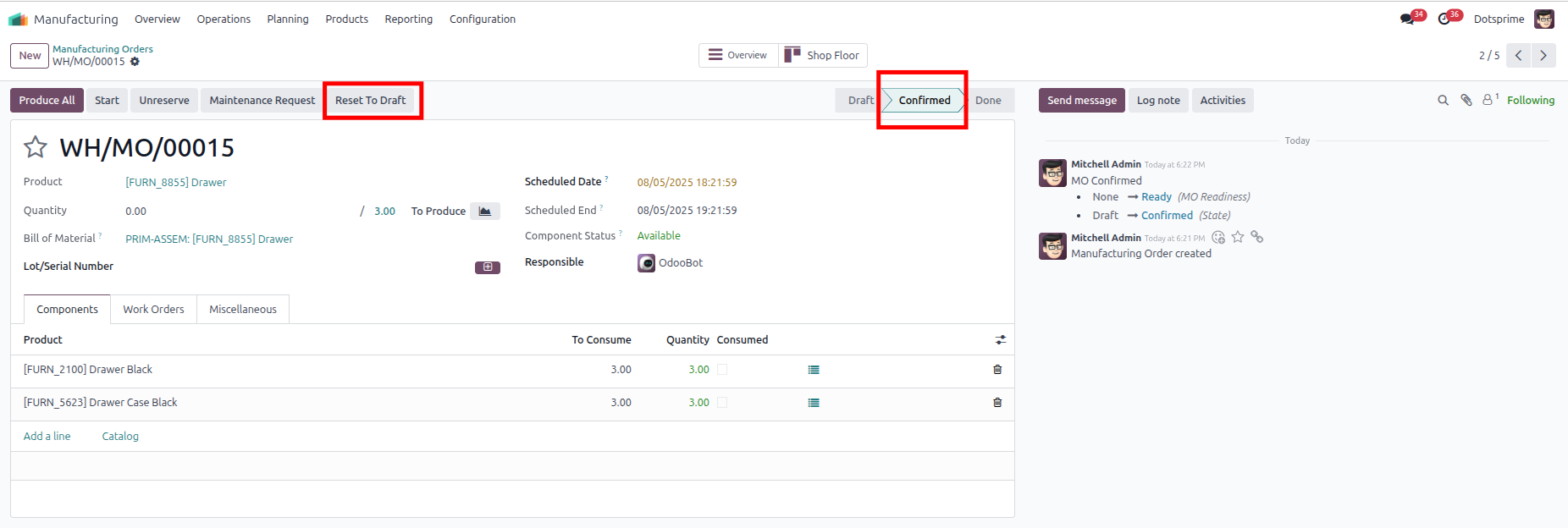
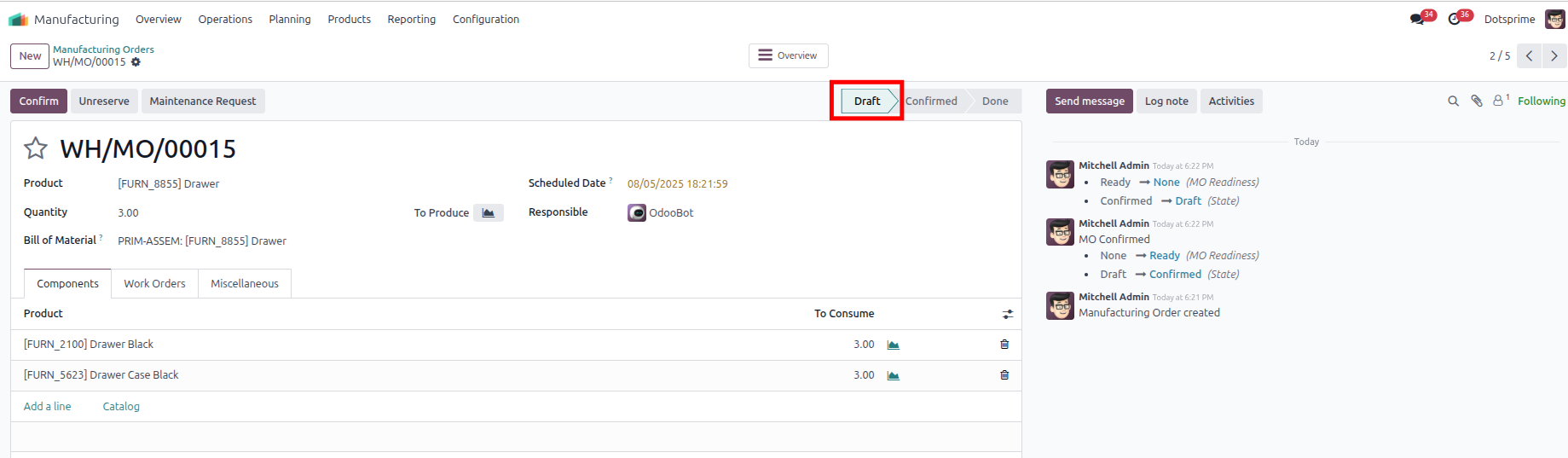
Manufacturing Cancellation Configuration is based on the "Cancel and Reset to Draft" Manufacturing order will be come in Draft State. View the created Manufacturing, and once you click on Cancel Manufacturing, the option to "reset to draft" the order will be in draft state.
03
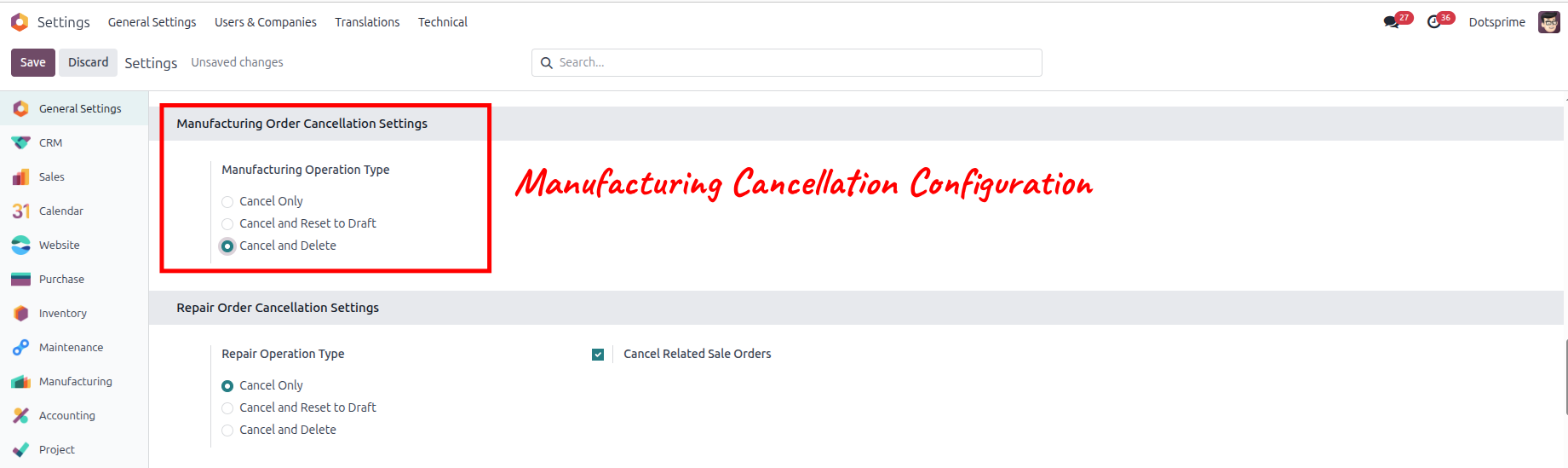
Manufacturing Cancellation Configuration is based on the "Cancel and Delete" Manufacturing. View the created Manufacturing, and once you click on Cancel and Delete, the pos order will be deleted.And the related order will be deleted.
04
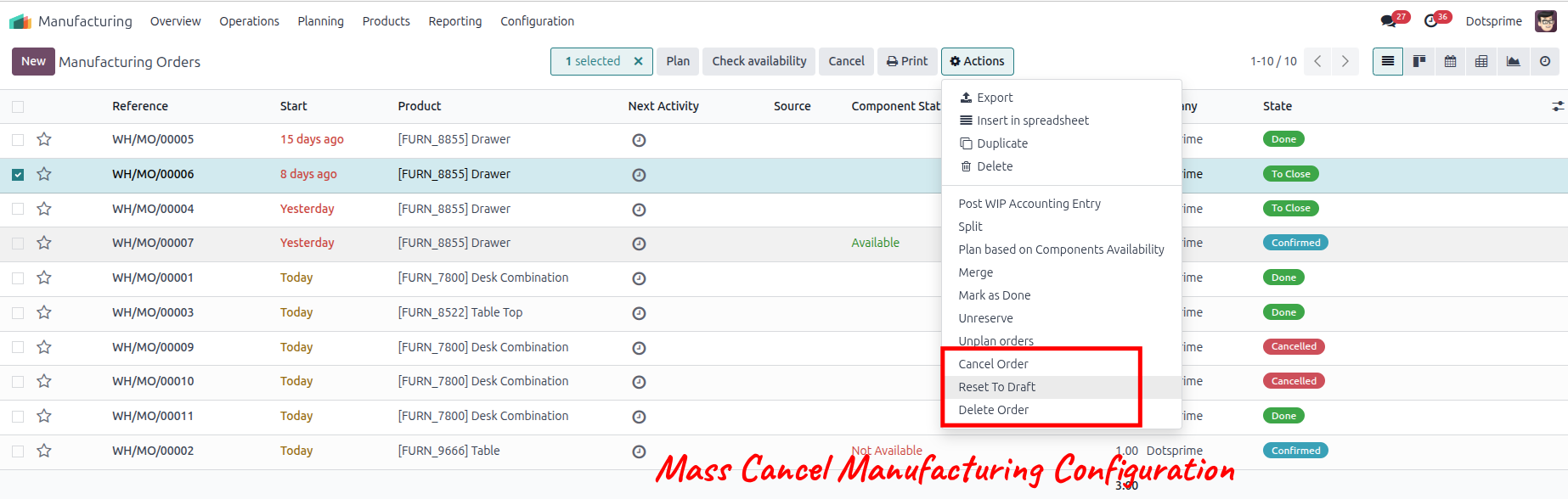
Mass cancel Manufacturing order, Reset to draft the Manufacturing order and delete the Manufacturing order from the action menu for multiple records.
05
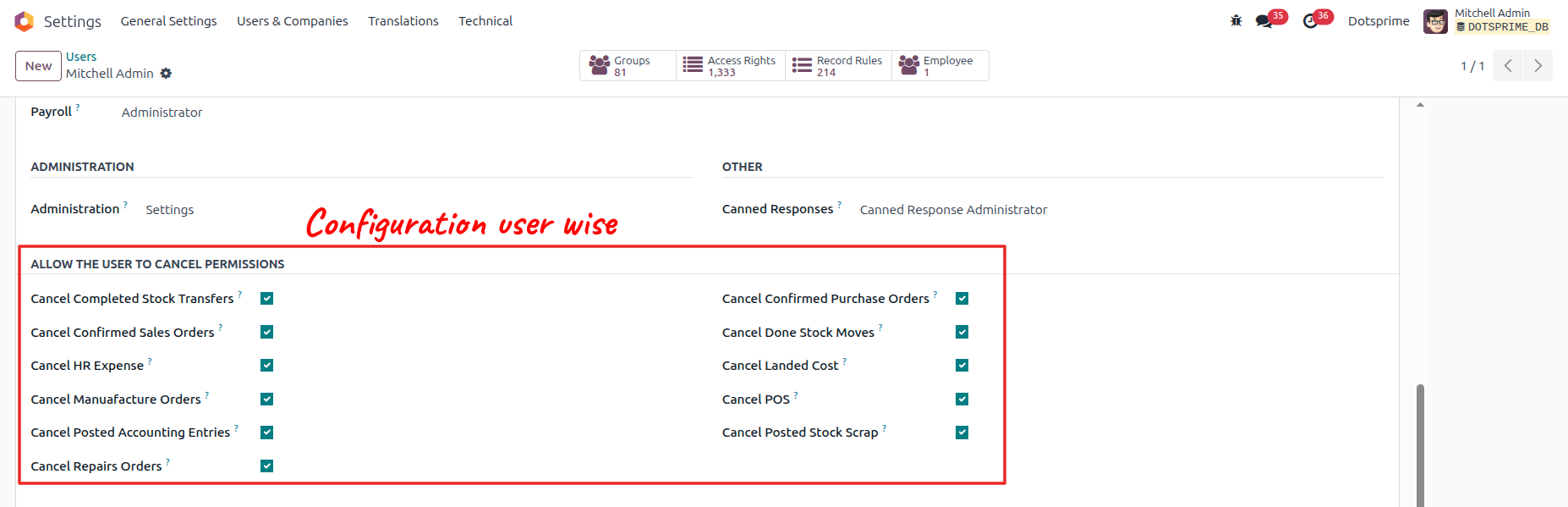
Configuration is user-wise to allow access.
Repair Order Cancel / Reset to Draft / Delete
01
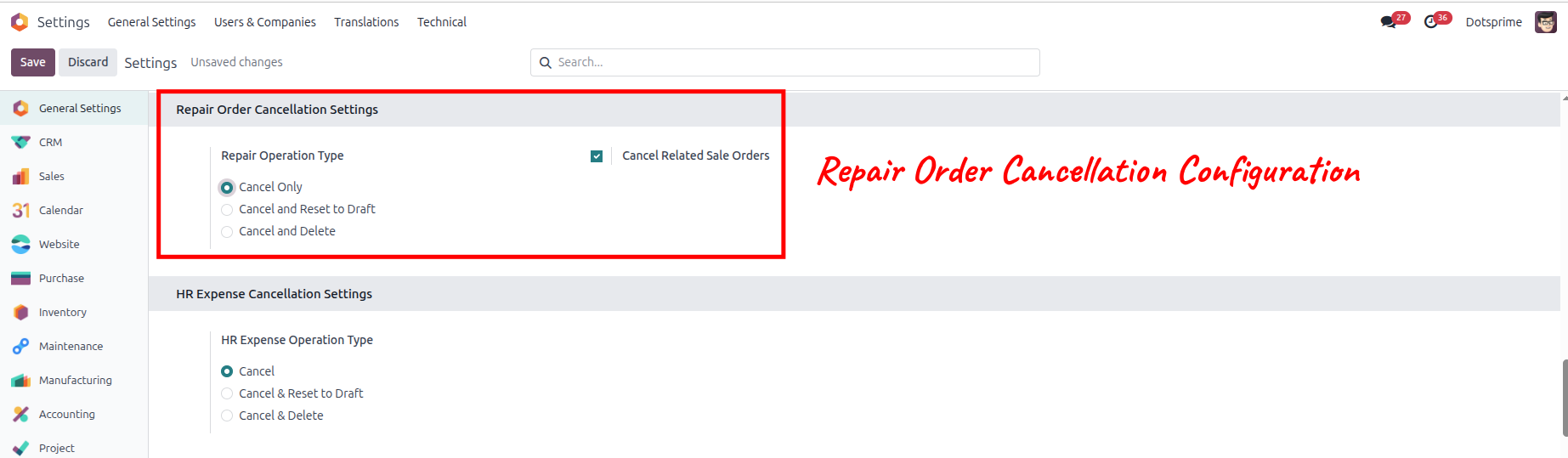
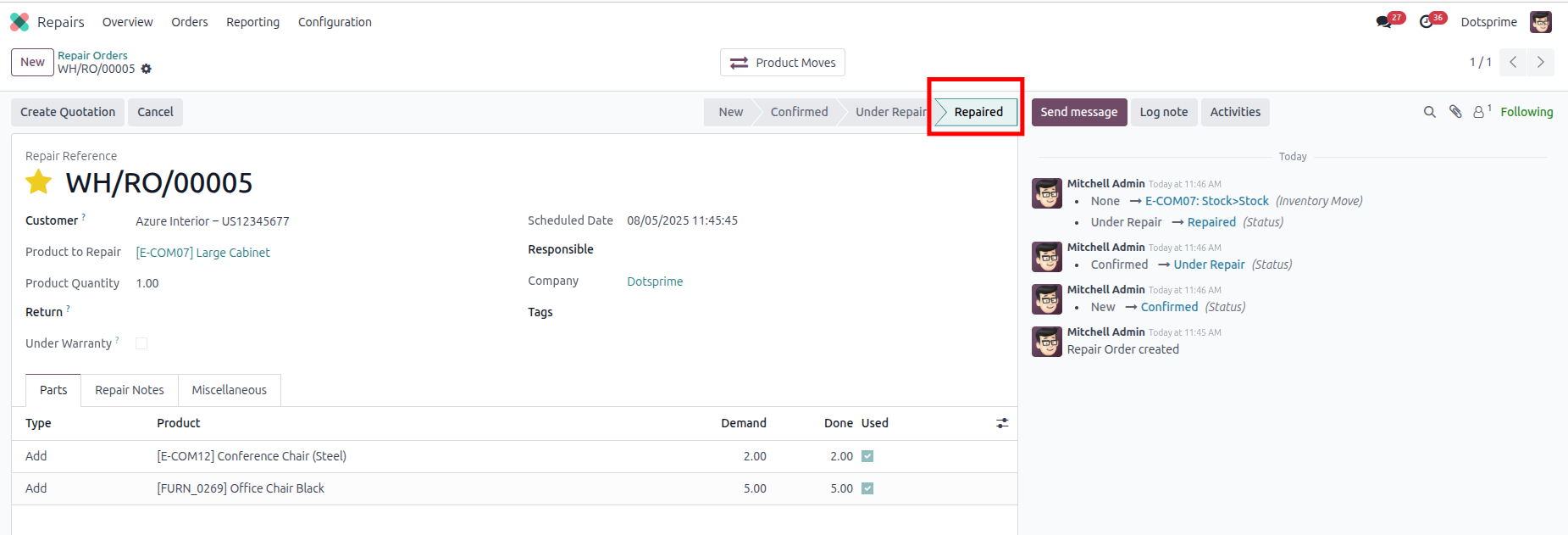
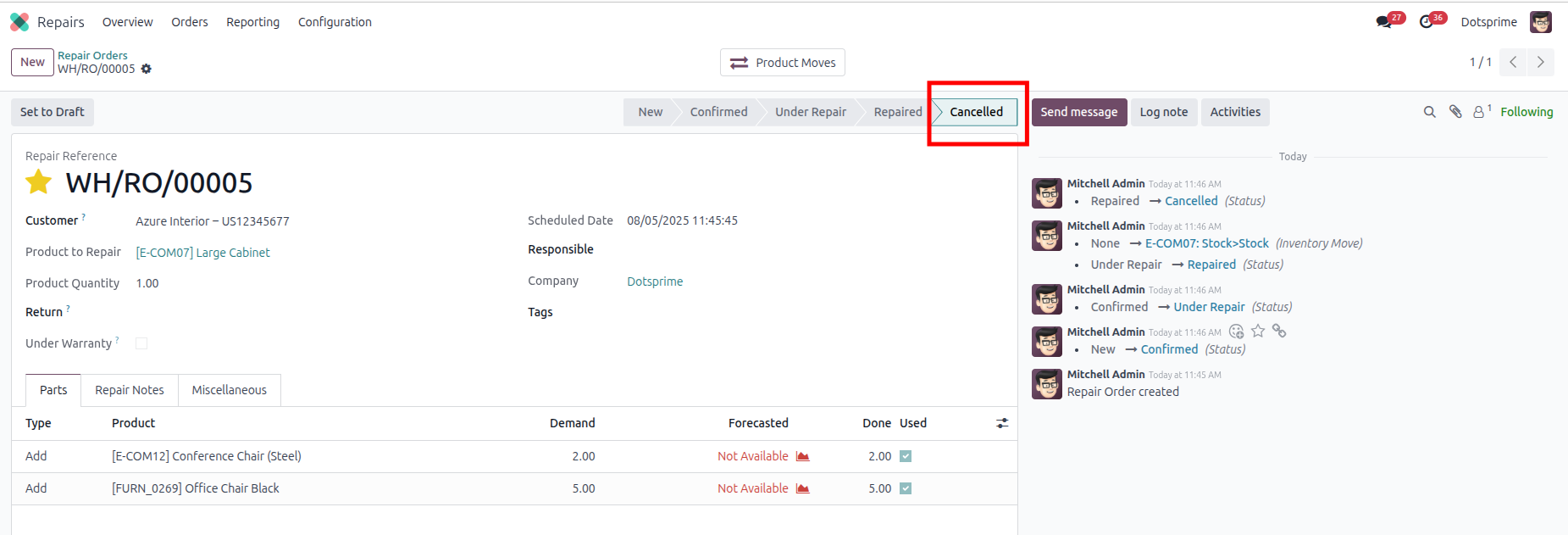
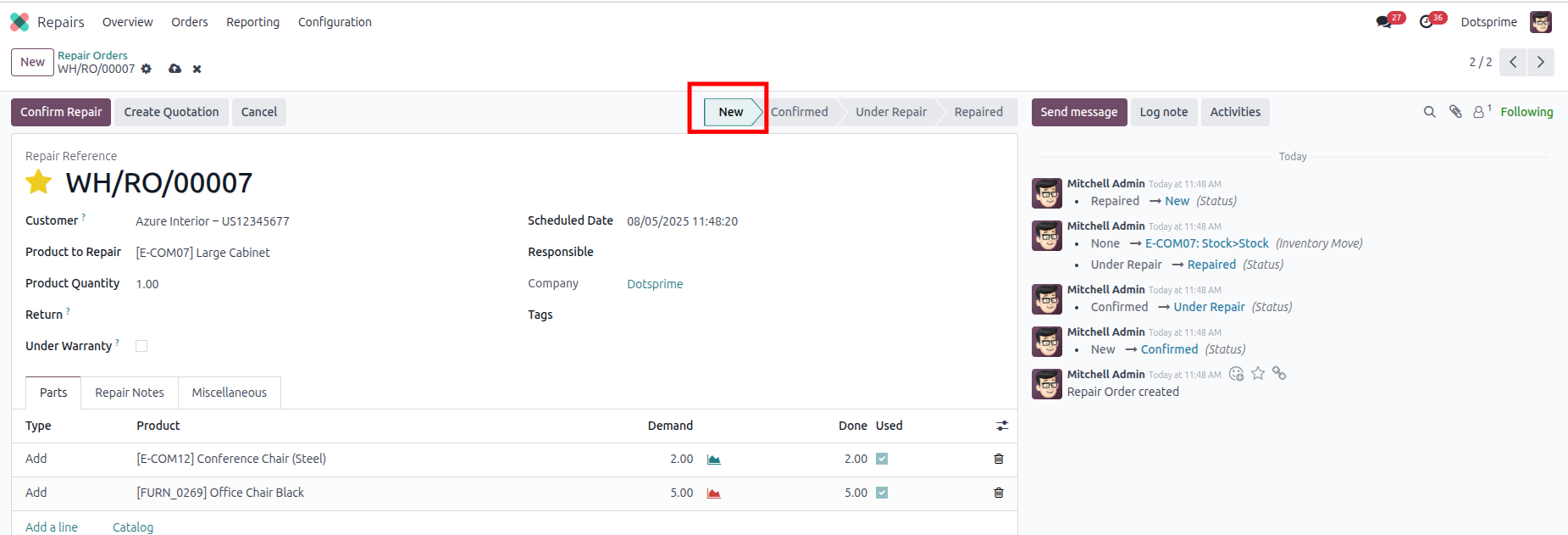
Repair Cancellation Configuration is based on the Cancel Repair. View the created Repair order, and once you cancel the Repair order, the related order will be cancelled.
02
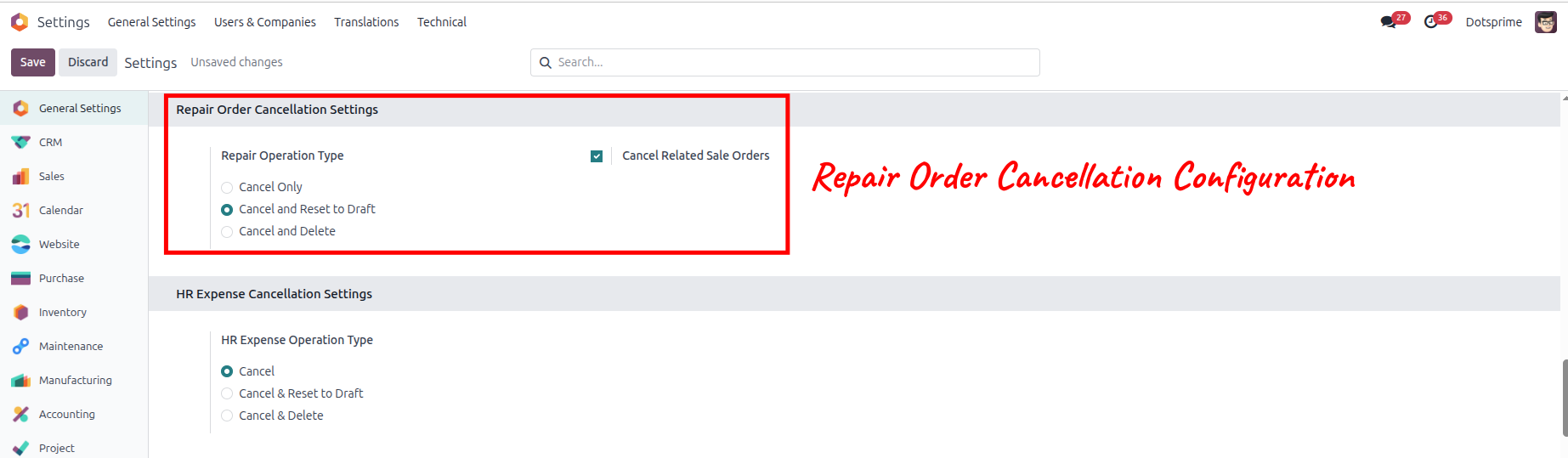
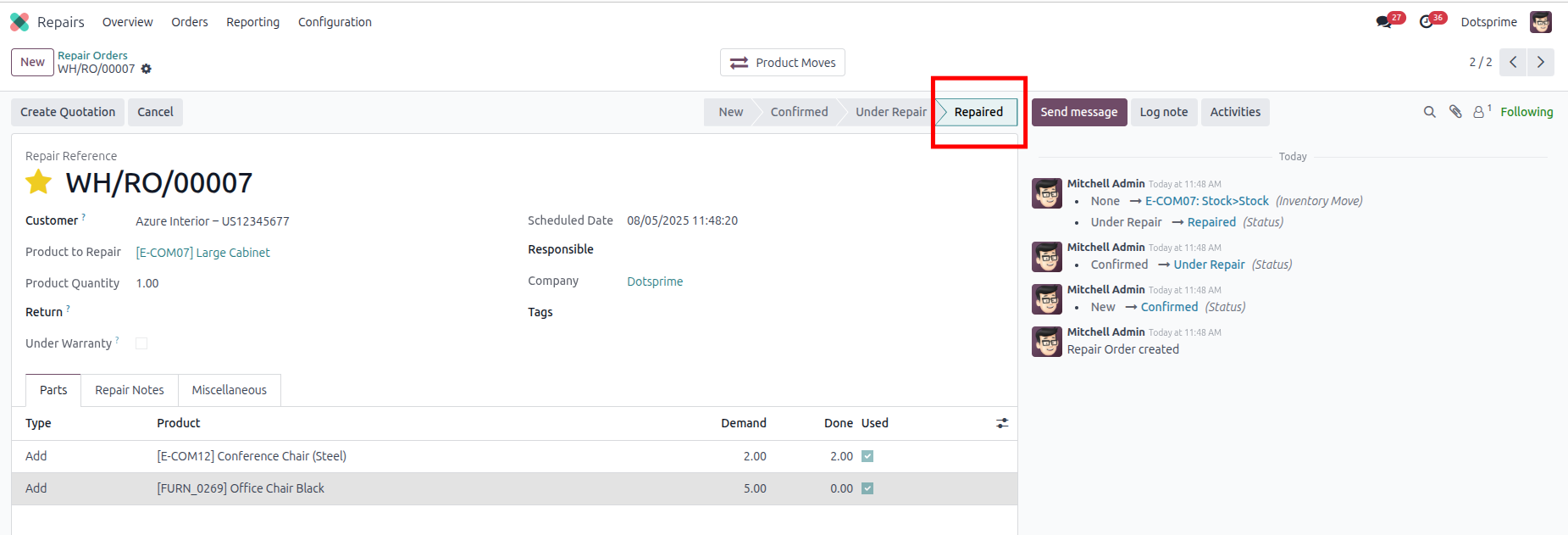
Repair Cancellation Configuration is based on the "Cancel and Reset to Draft" Repair order will be come in Draft State. View the created Repair, and once you click on Cancel Repair, the option to "reset to draft" the order will be in draft state.
03
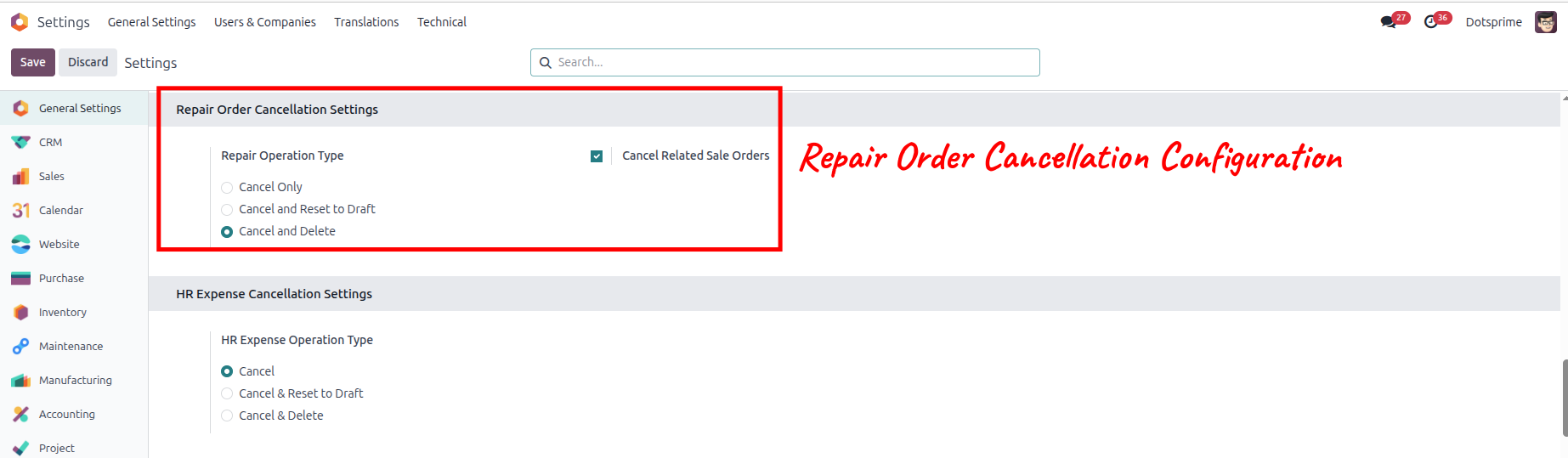
Repair Cancellation Configuration is based on the "Cancel and Delete" Repair. View the created Repair, and once you click on Cancel and Delete, the pos order will be deleted.And the related order will be deleted.
04
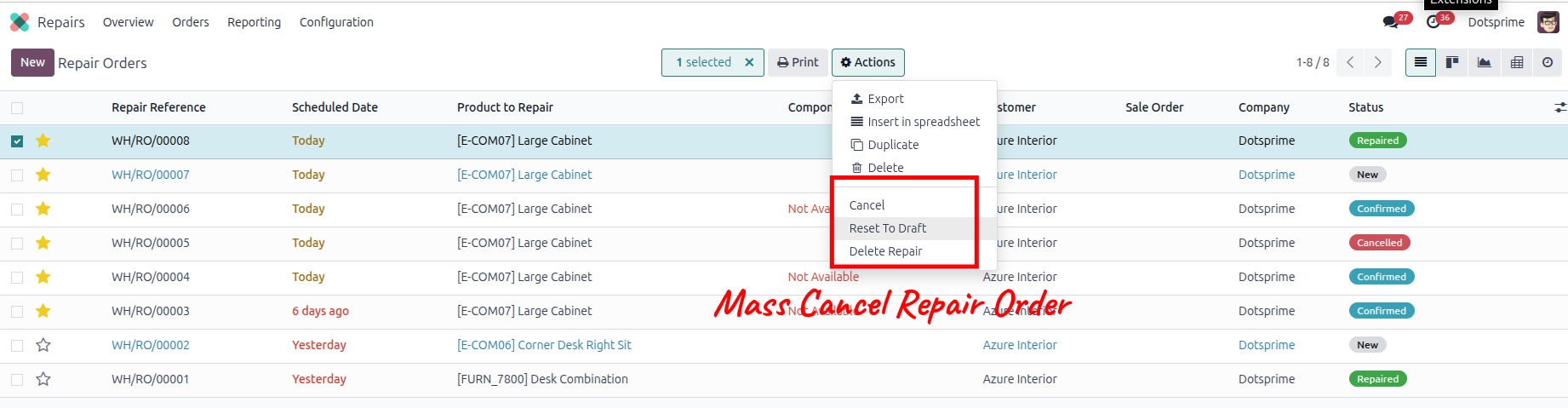
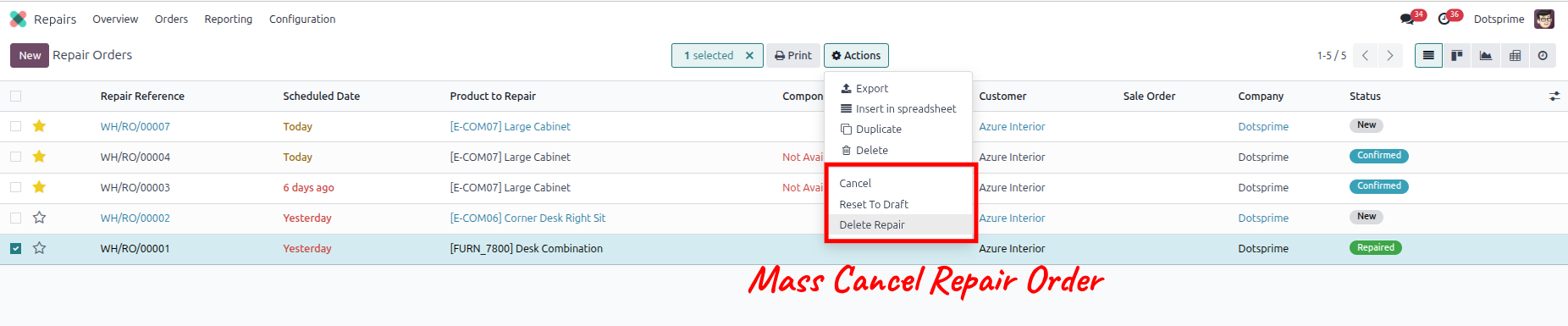
Mass cancel Repair order, Reset to draft the Repair order and delete the Repair order from the action menu for multiple records.
05
Configuration is user-wise to allow access.
HR Expenses Order Cancel / Reset to Draft / Delete
01
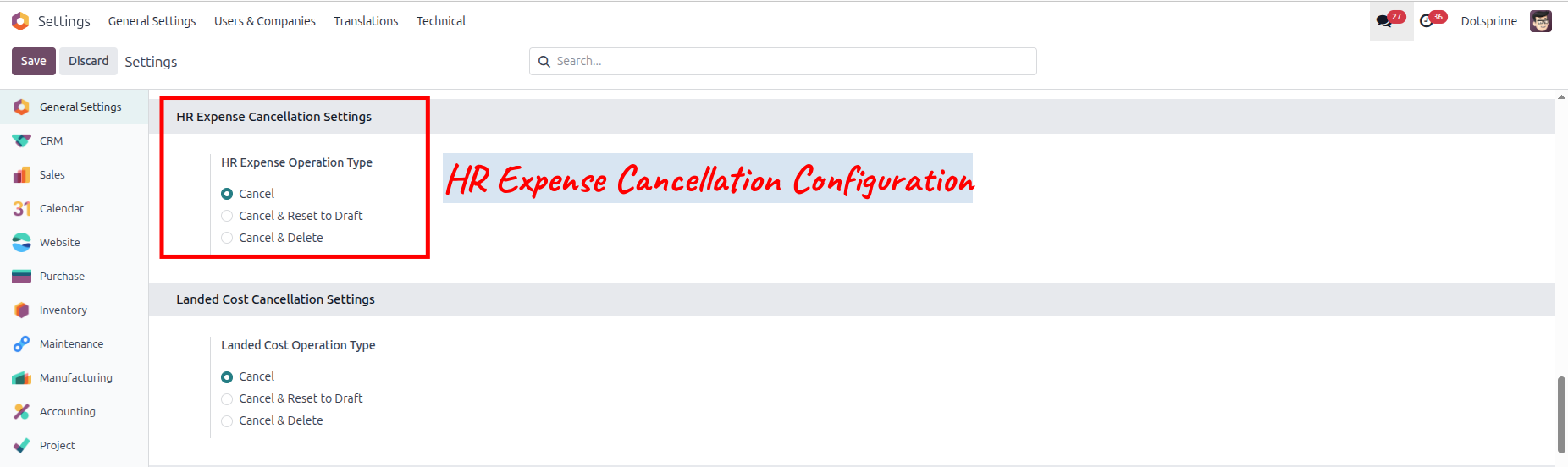
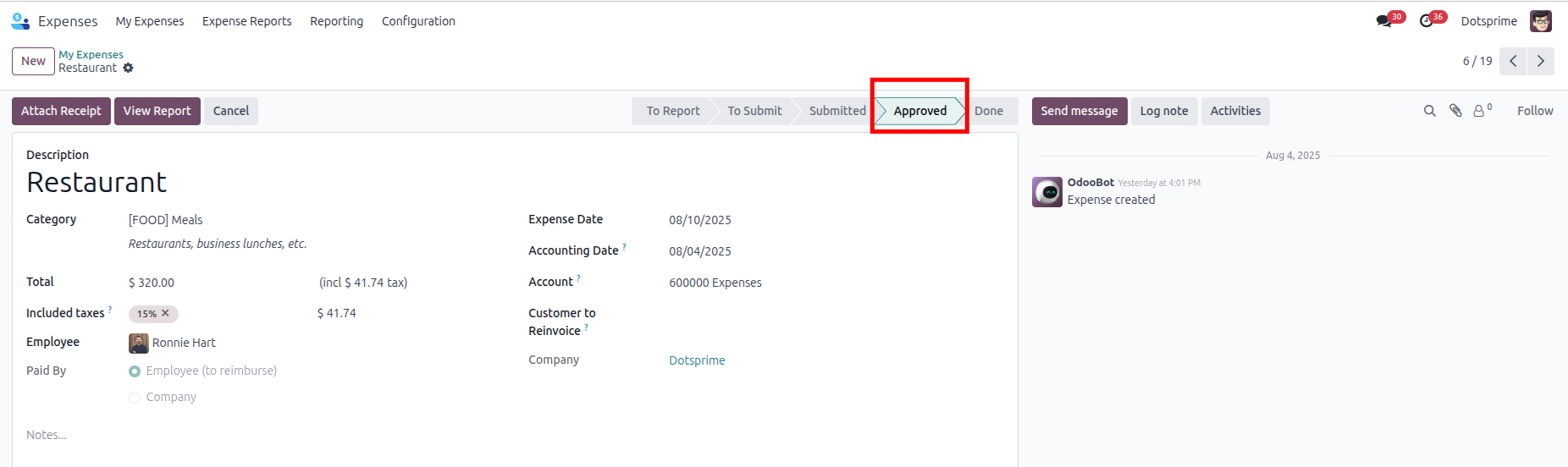
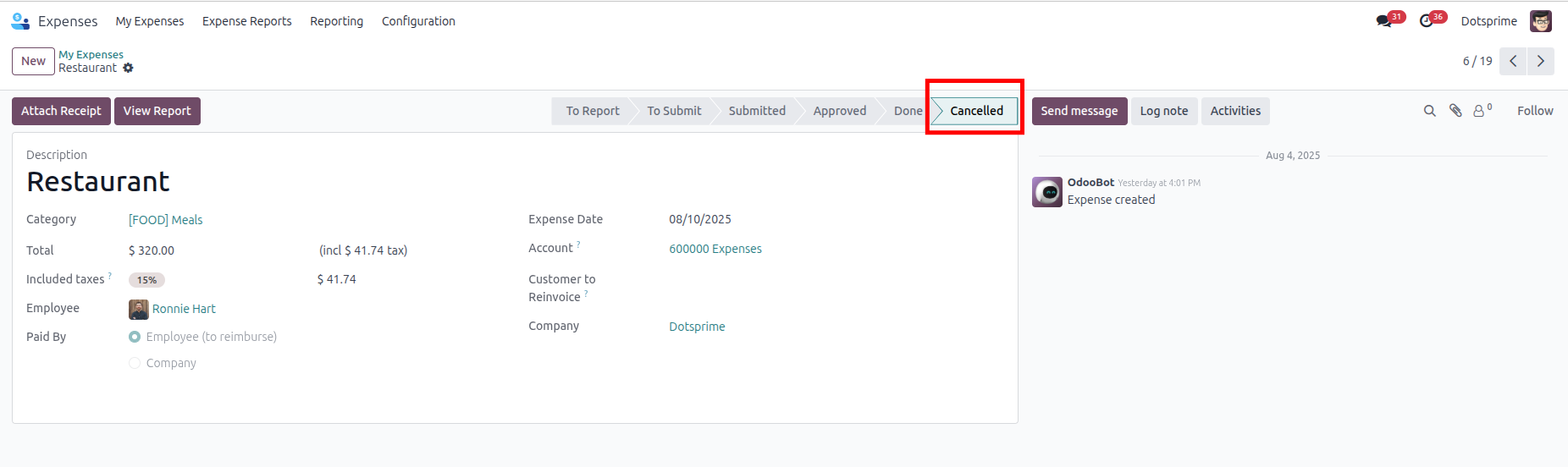
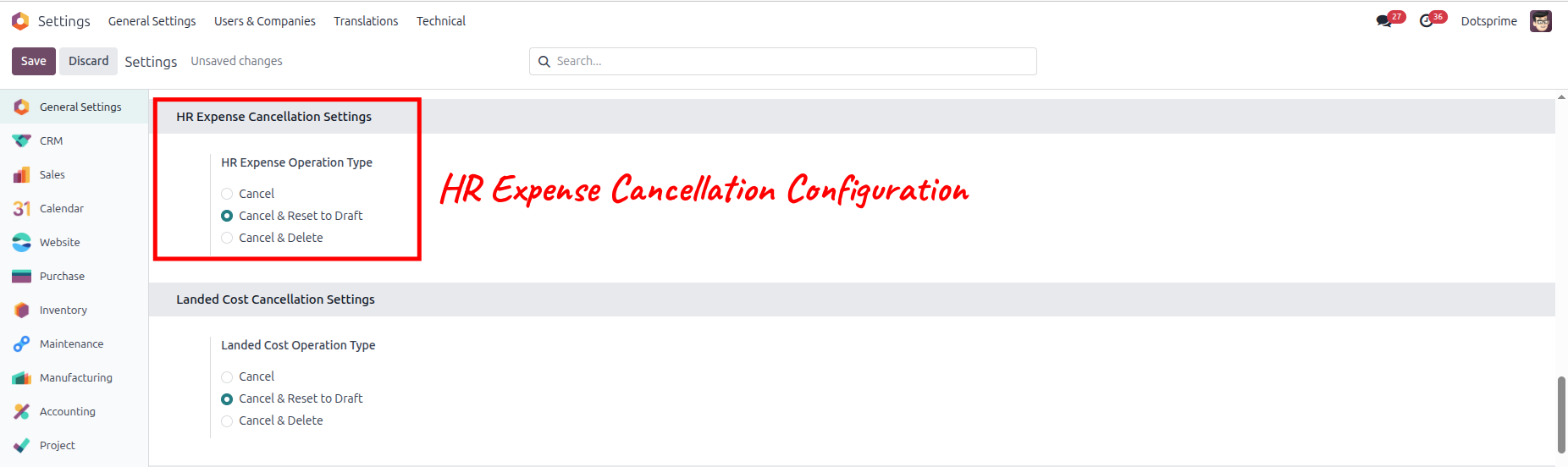
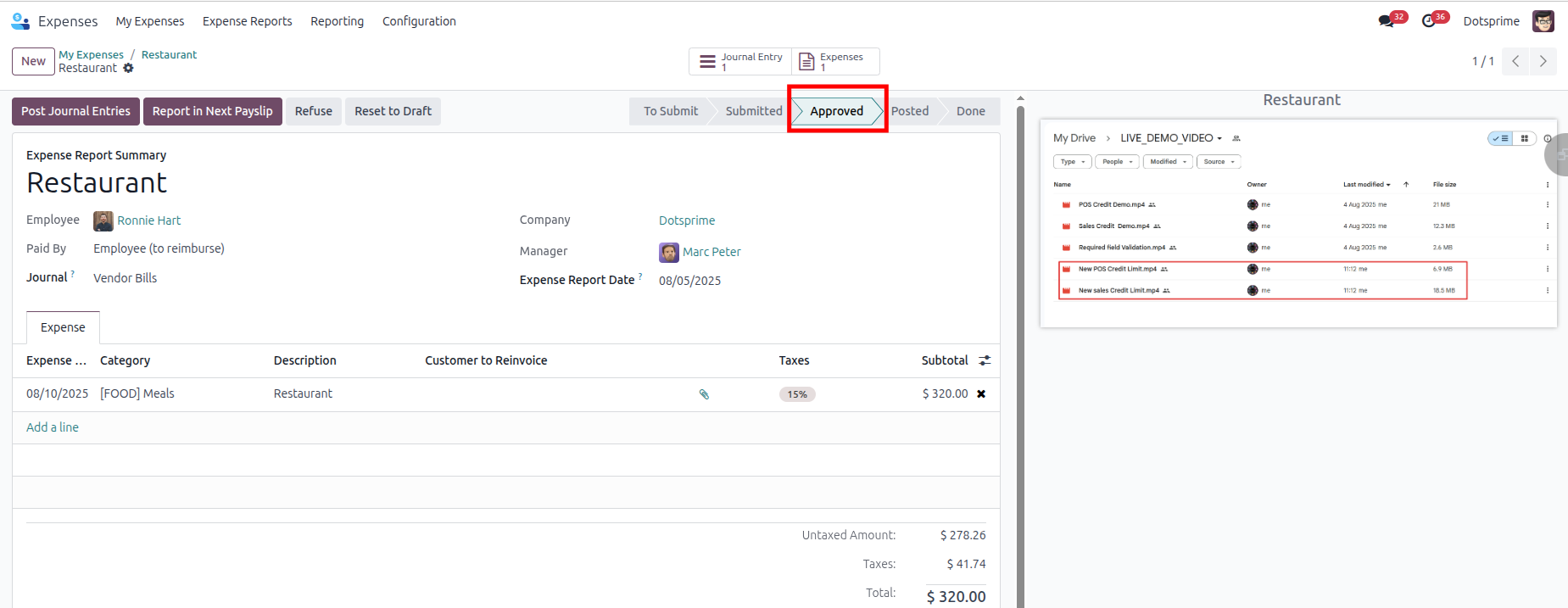
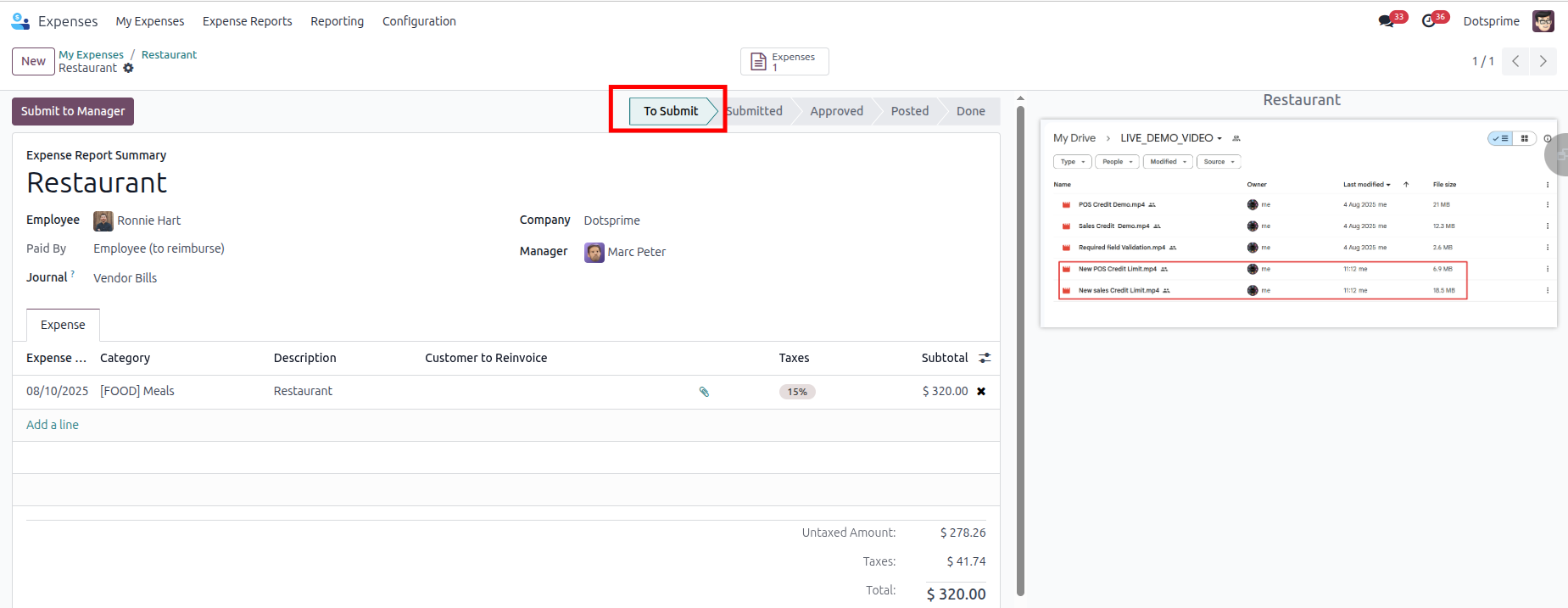
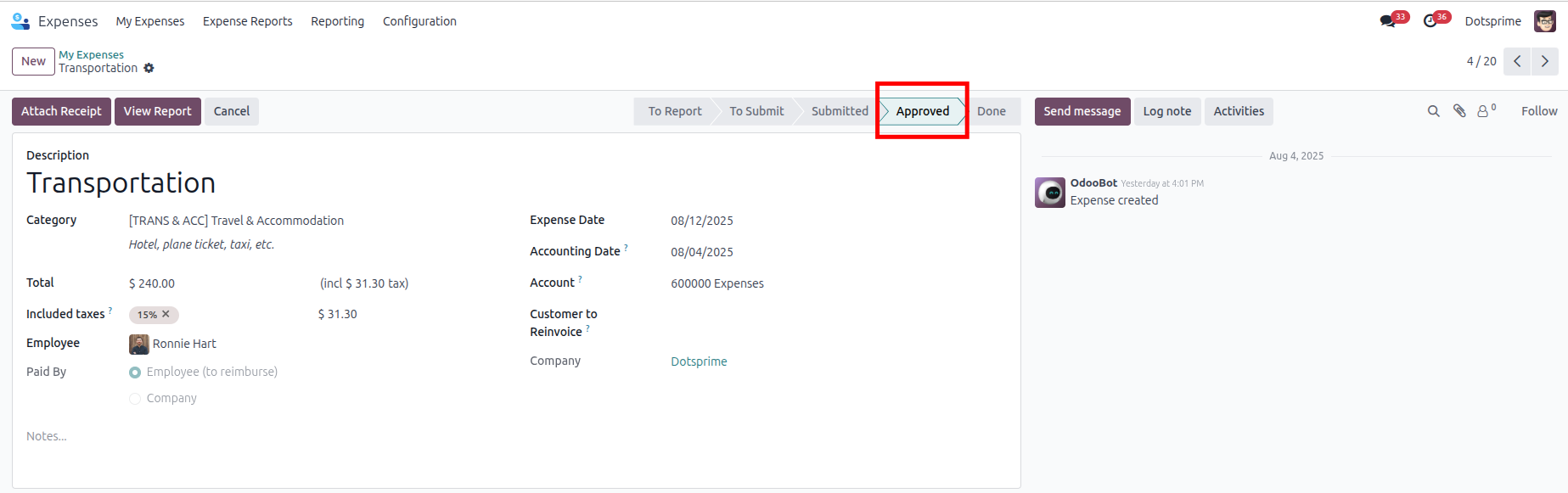
HR Expense Cancellation Configuration is based on the Cancel HR Expense. View the created HR Expense order, and once you cancel the HR Expense order, the related order will be cancelled.
02
HR Expense Cancellation Configuration is based on the "Cancel and Reset to Draft" HR Expense order will be come in Draft State. View the created HR Expense, and once you click on Cancel HR Expense, the option to "reset to draft" the order will be in draft state.
03
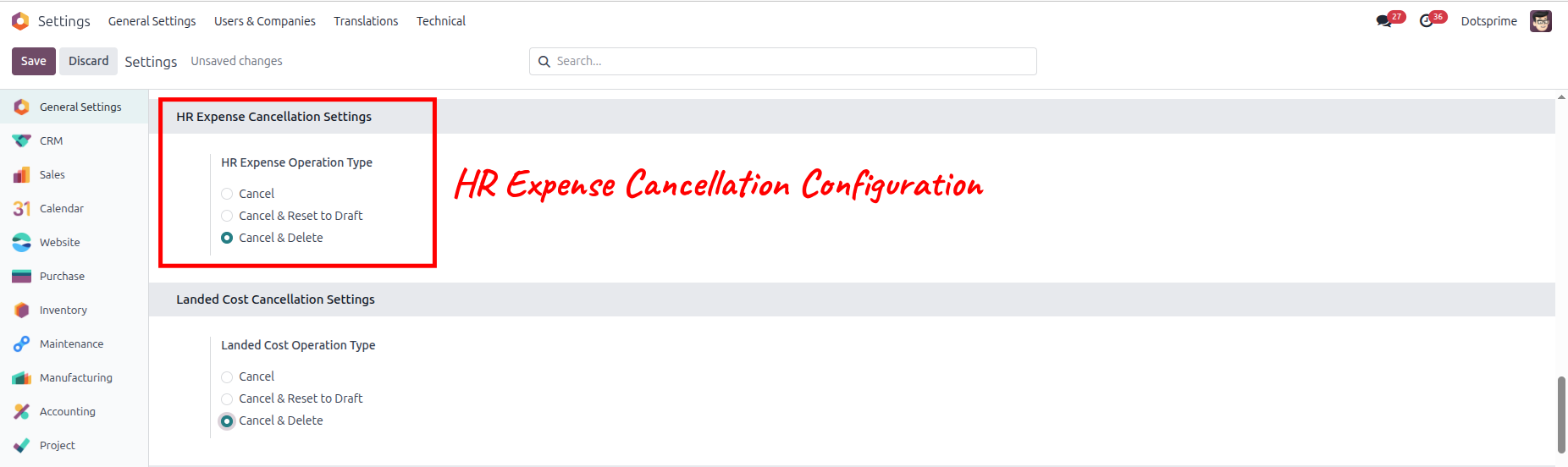
HR Expense Cancellation Configuration is based on the "Cancel and Delete" HR Expense. View the created HR Expense, and once you click on Cancel and Delete, the pos order will be deleted.And the related order will be deleted.
04
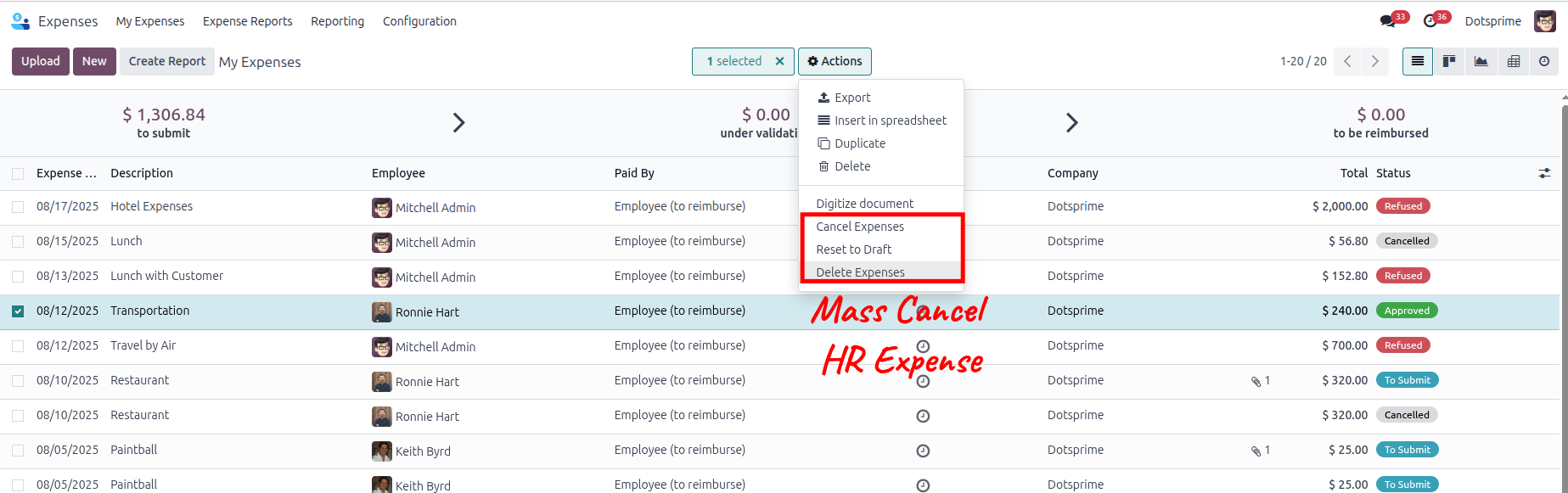
Mass cancel HR Expense order, Reset to draft the HR Expense order and delete the HR Expense order from the action menu for multiple records.
05
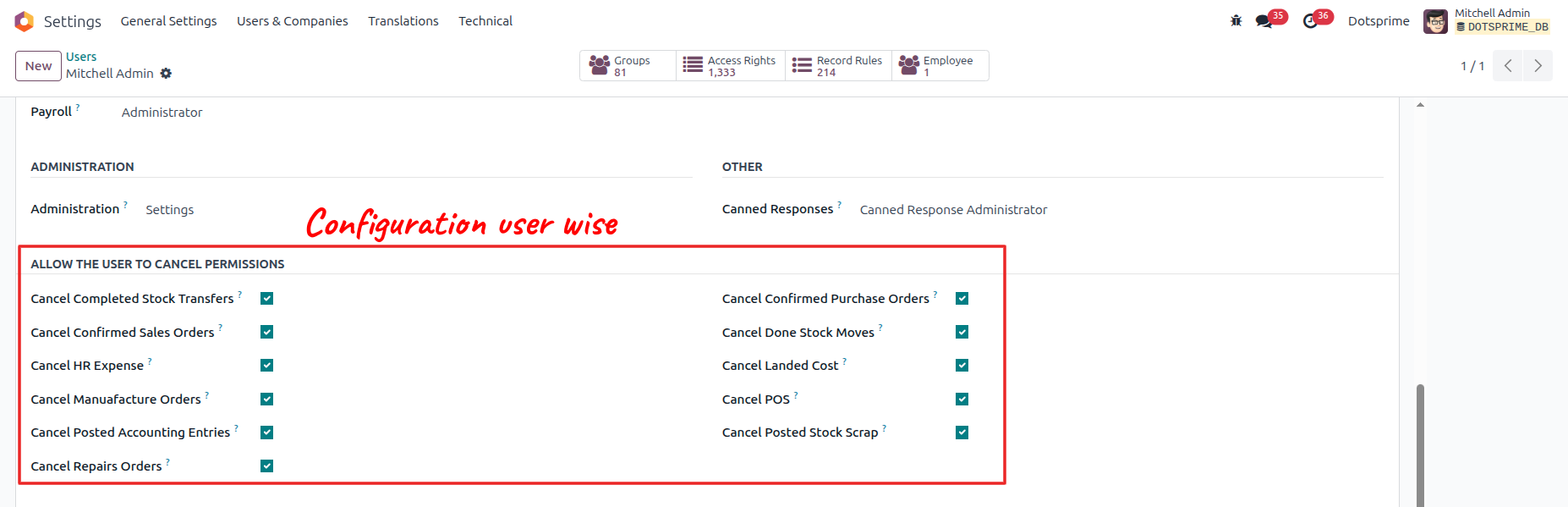
Configuration is user-wise to allow access.
Landed Cost Cancel / Reset to Draft / Delete
01
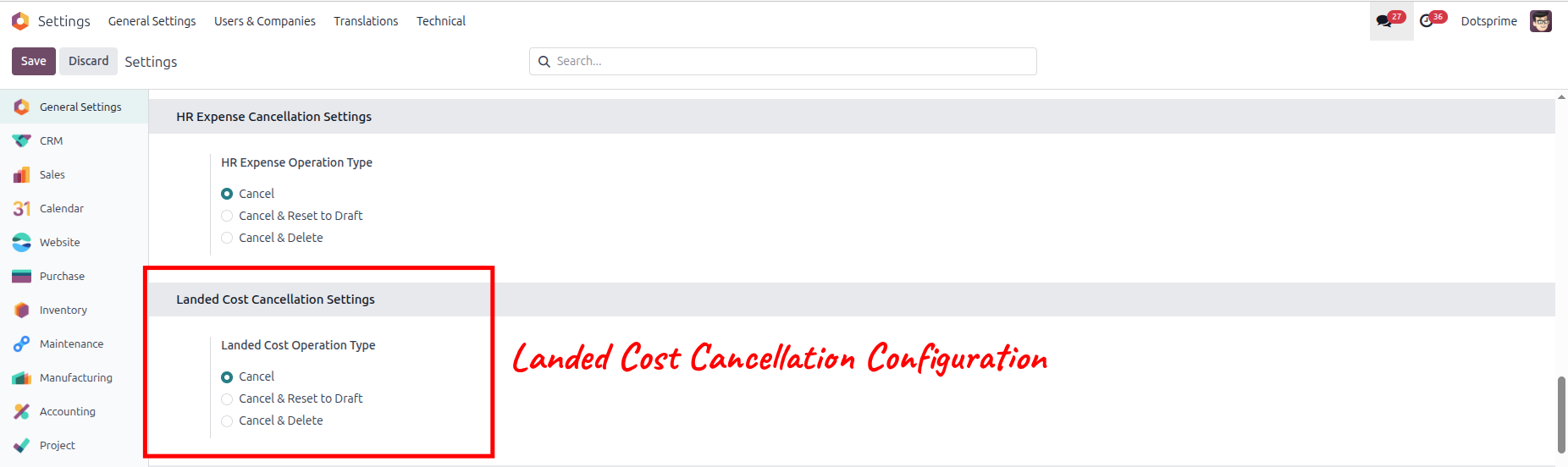
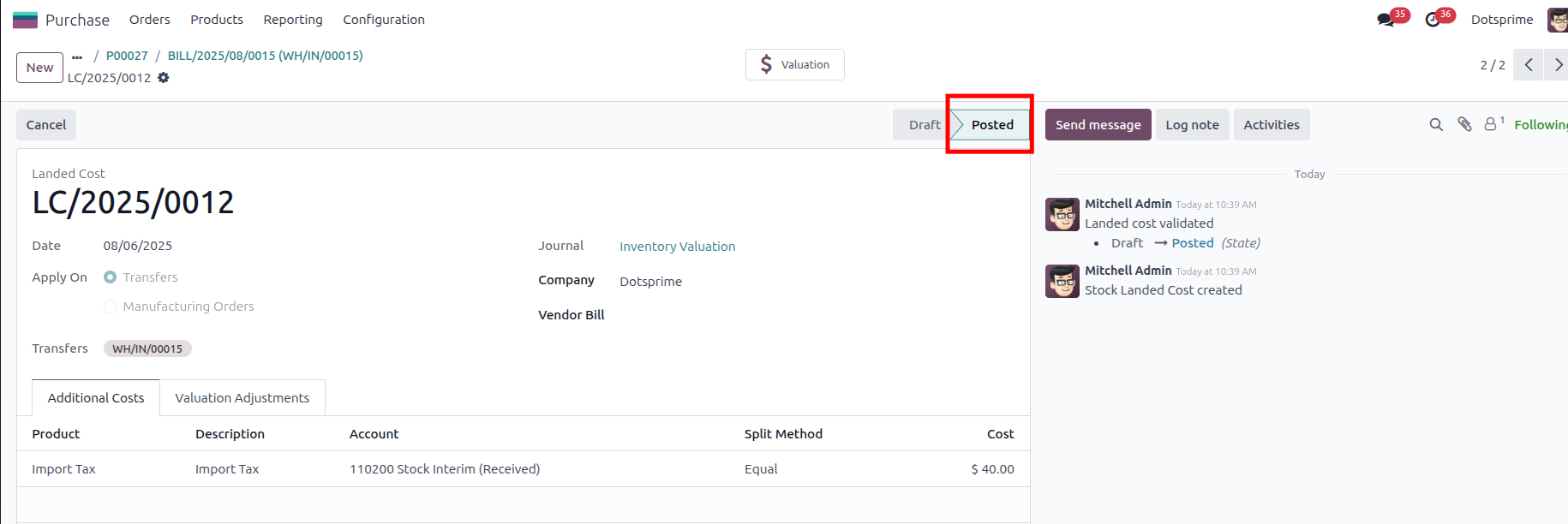
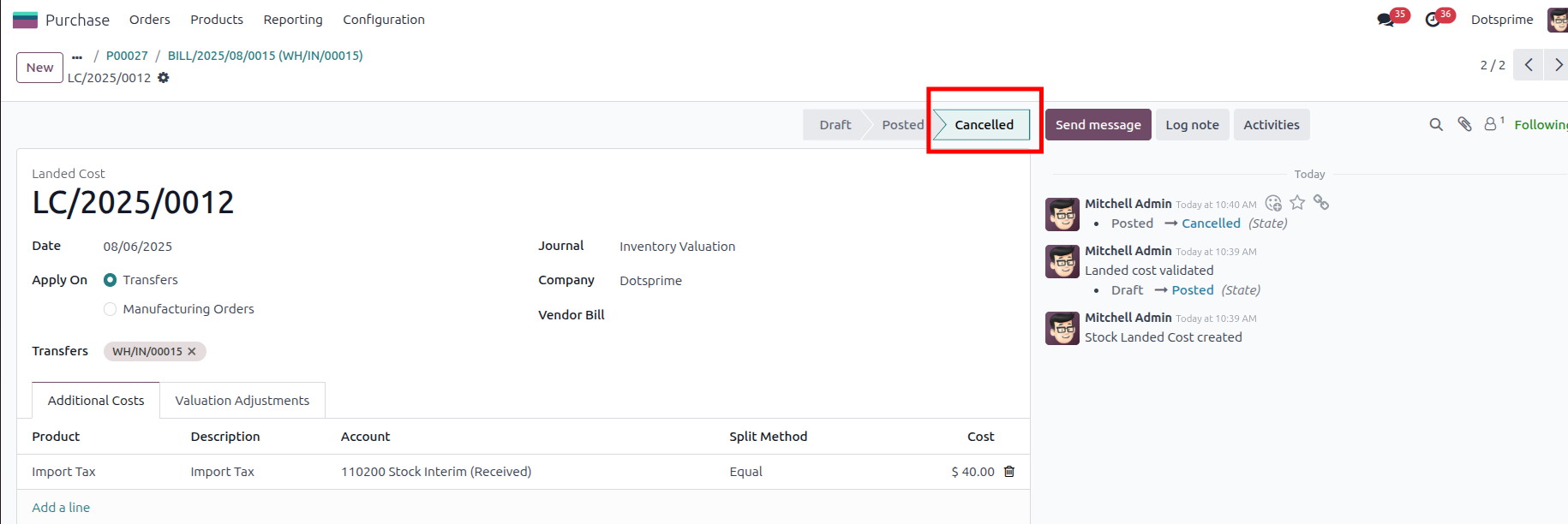
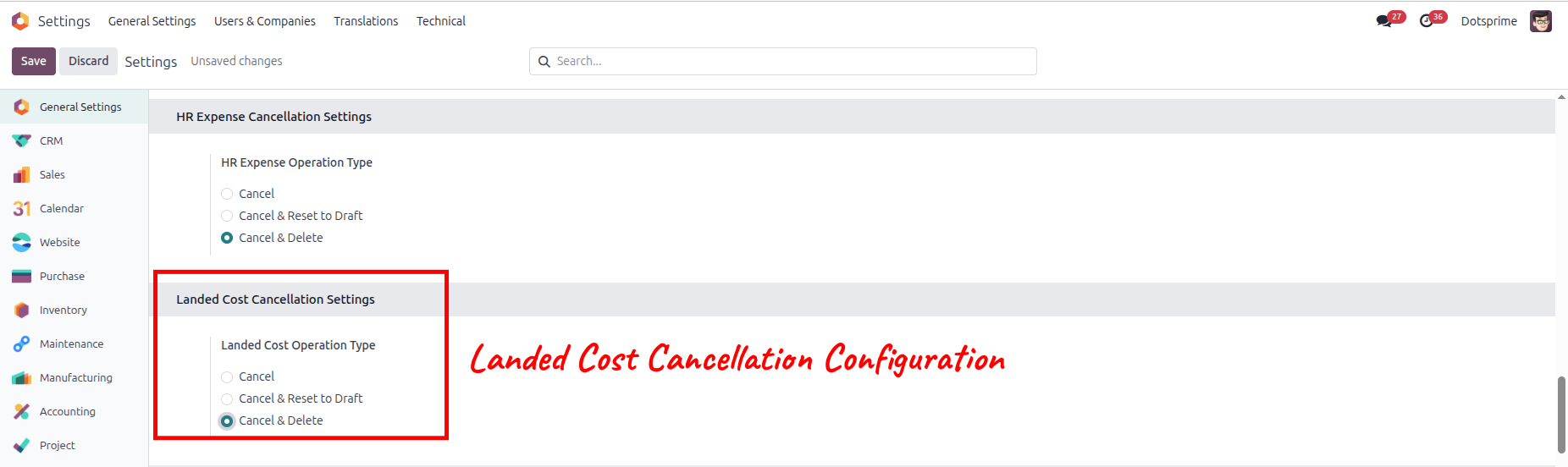
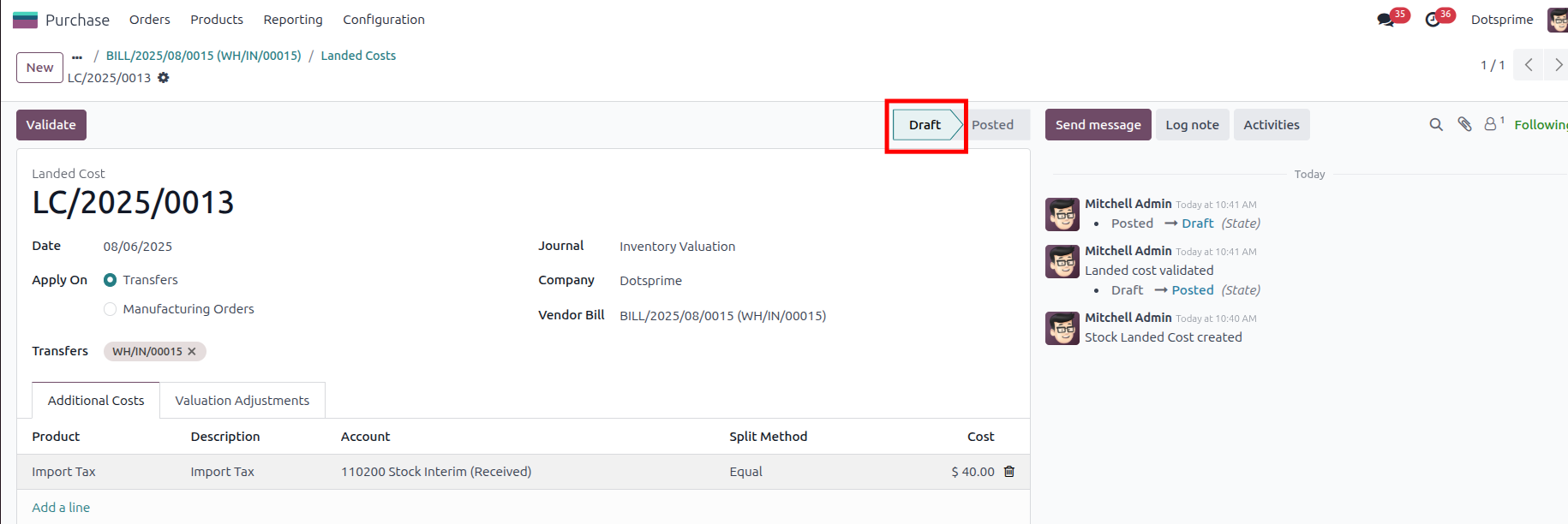
Landed Cost Cancellation Configuration is based on the Cancel Landed Cost. View the created Landed Cost order, and once you cancel the Landed Cost order, the related order will be cancelled.
02
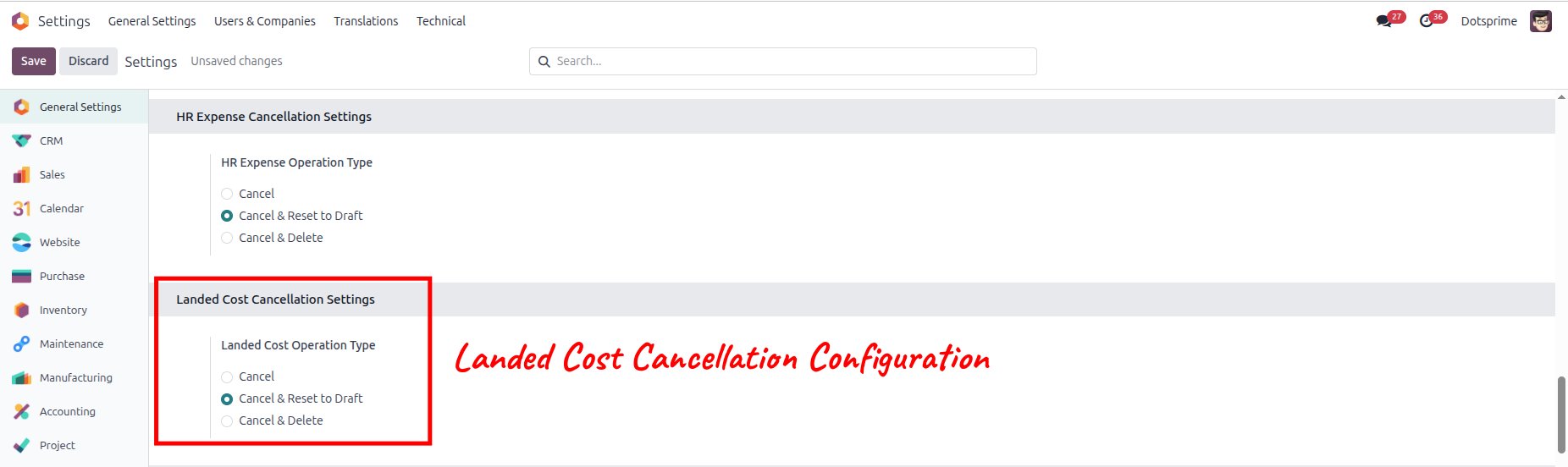
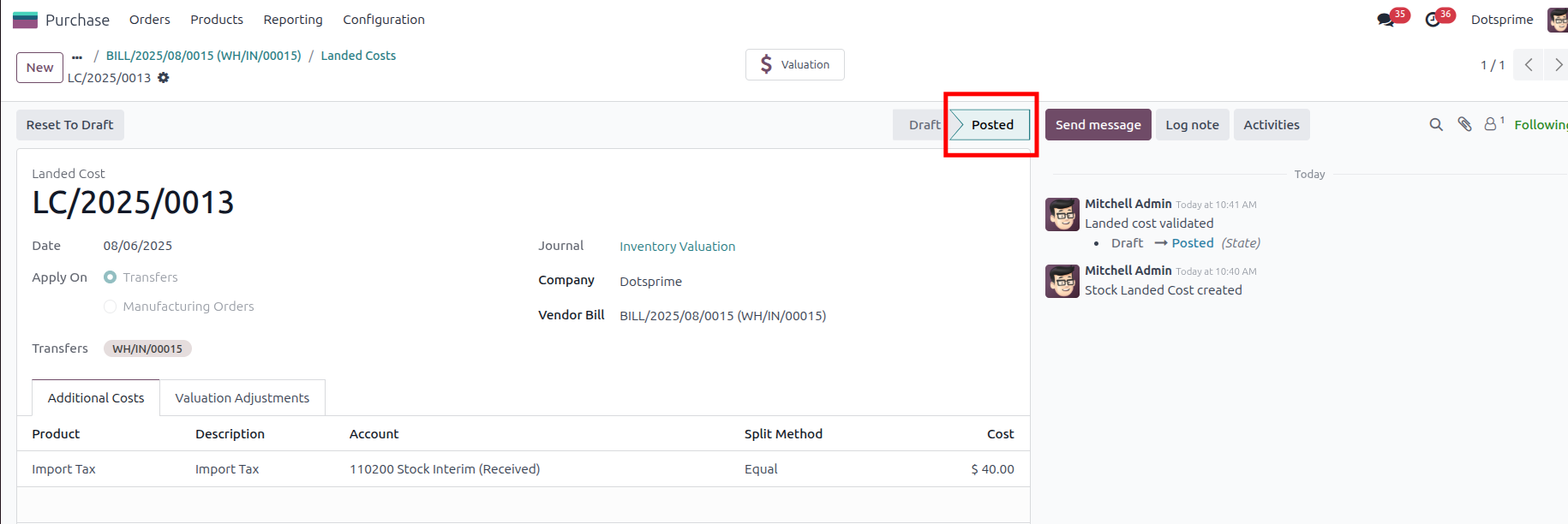
Landed Cost Cancellation Configuration is based on the "Cancel and Reset to Draft" Landed Cost order will be come in Draft State. View the created Landed Cost, and once you click on Cancel Landed Cost, the option to "reset to draft" the order will be in draft state.

03
Landed Cost Cancellation Configuration is based on the "Cancel and Delete" Landed Cost. View the created Landed Cost, and once you click on Cancel and Delete, the pos order will be deleted.And the related order will be deleted.
04
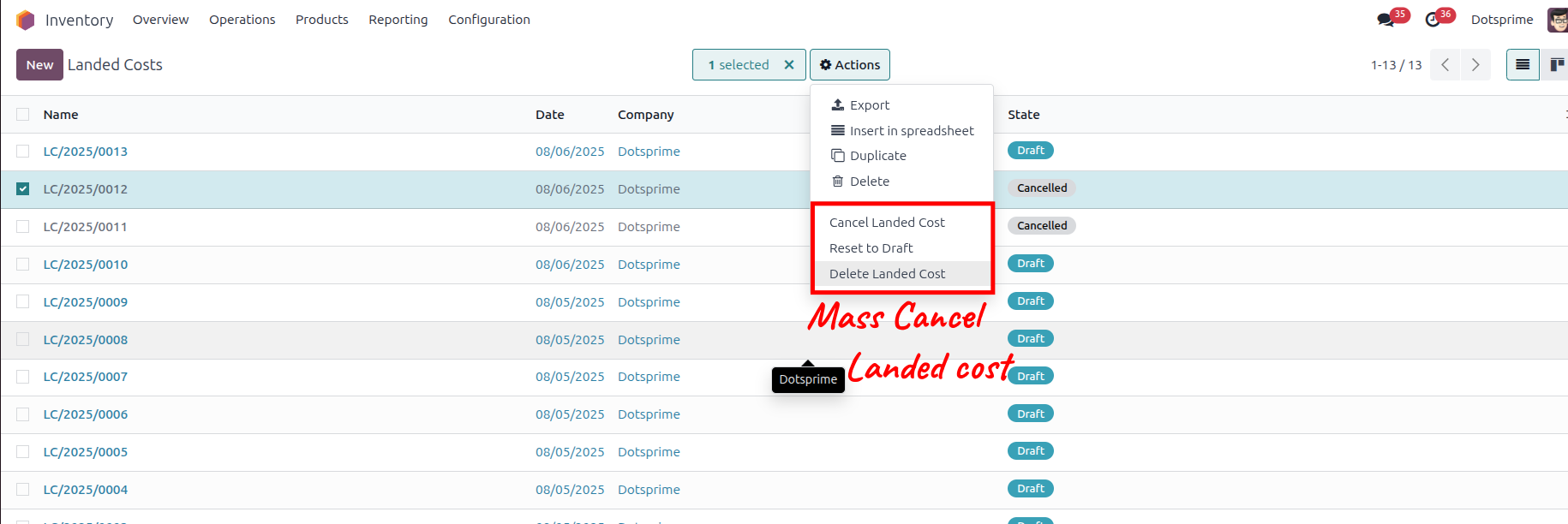
Mass cancel Landed Cost order, Reset to draft the Landed Cost order and delete the Landed Cost order from the action menu for multiple records.
05
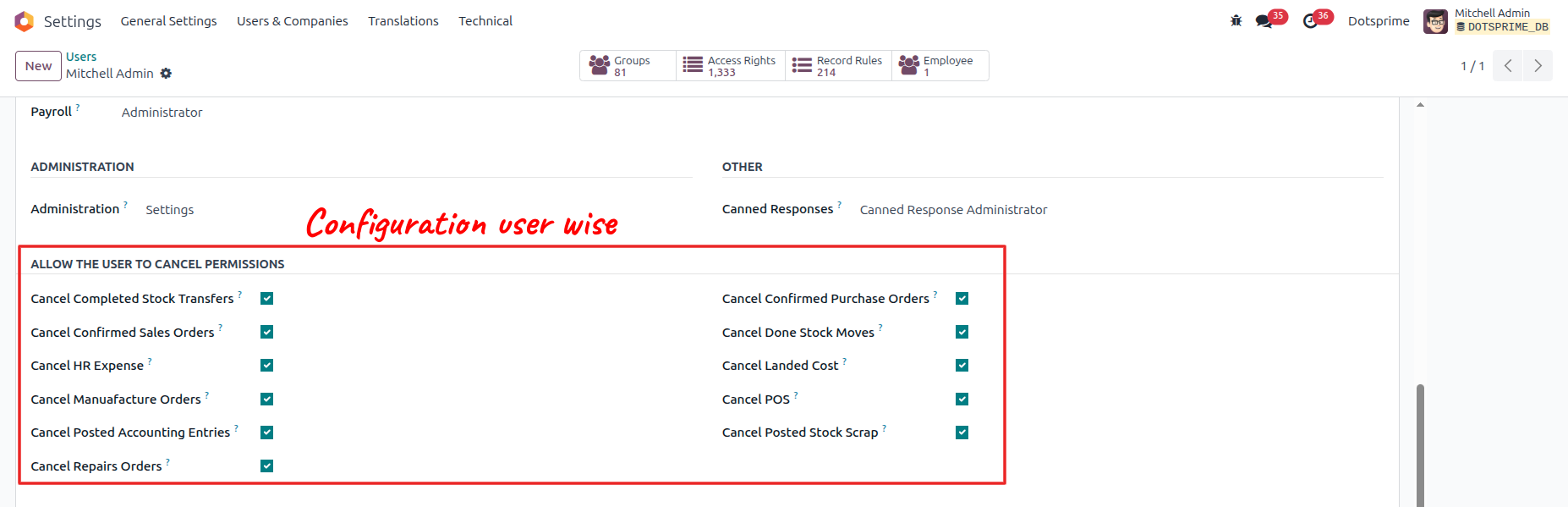
Configuration is user-wise to allow access.
NOTE: If you have any question regarding this apps you can ask us. If you need to resolve error with any another apps it will take an extra changes for bug fixing and make compatible.
Our Service







If you are looking for any Customsation, Support, Implementation, Migration, Odoo Training (Technical-Functional), Odoo Version Migration, Odoo Database Migration, Odoo Support, Odoo Fixing, Odoo Bug fixing, Any query plz Contact us We are ready to help you.
Contact us for support


Manifest details not found.

Odoo Financial Reports: Currency Filter | Account Report in Multiple Currencies | Account Reports Multi Currency (Original)
$ 7.00
$ 7.00
All in one Dimension | Sale, Purchase, Invoice and Product Dimension | Managing Product Dimensions (Height/Width) Across Sales, Purchases, Invoices, and Manufacturing in Odoo
$ 10.00
$ 10.00