Screenshots Of Application features
01
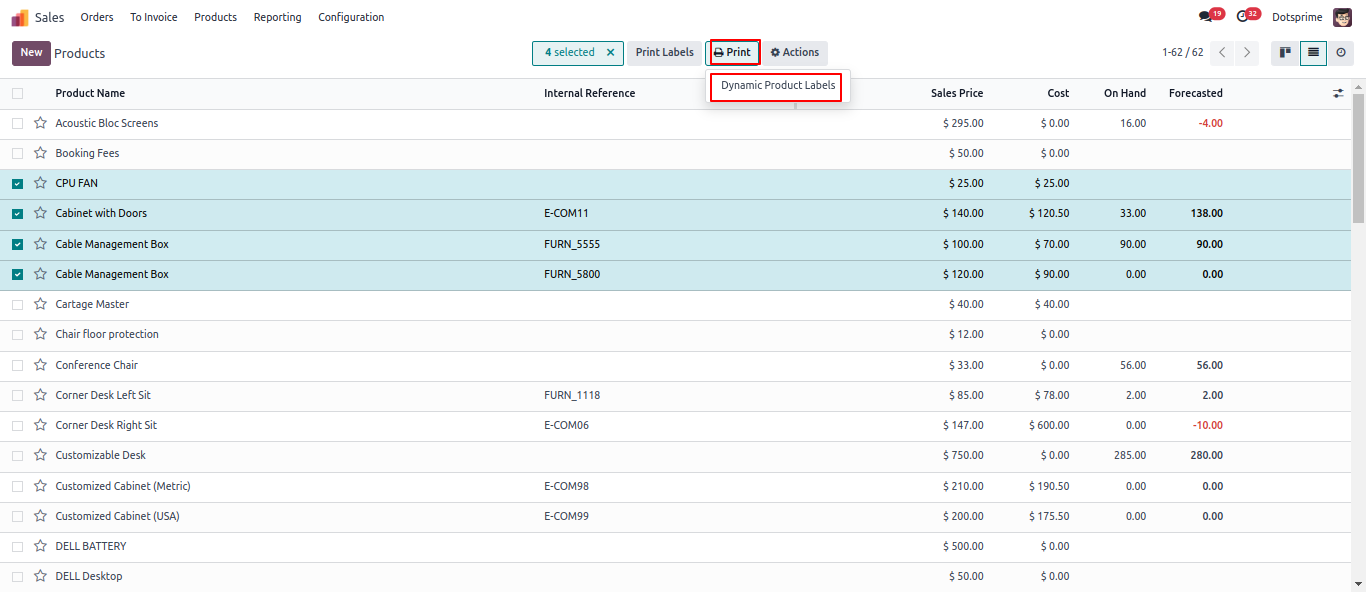
Dynamic Product Label: Select the label type "Product Label from your own template".
02
Product label Configuration and Predefined template.
03
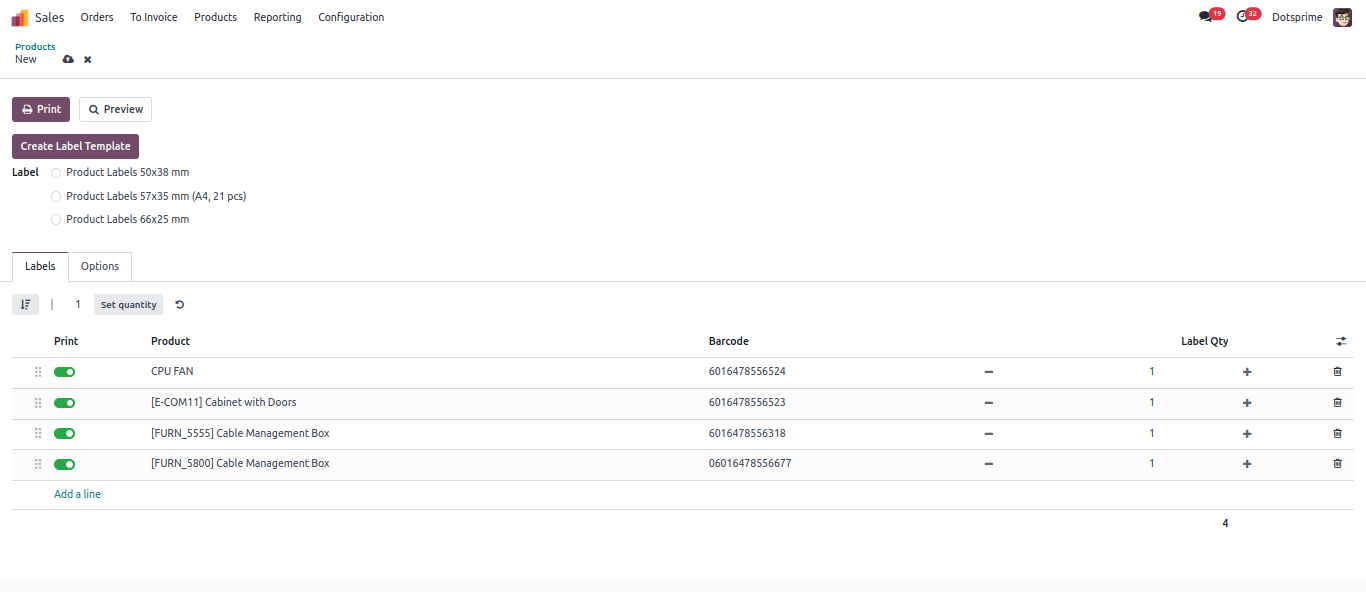
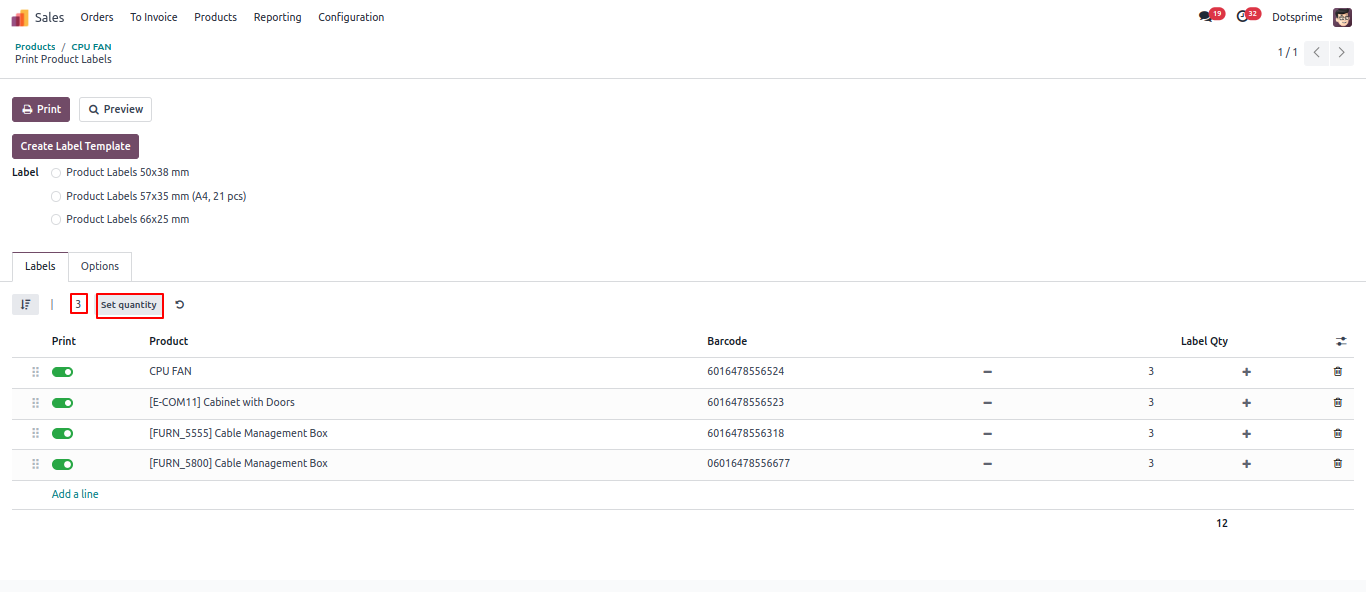
Set Qty for Product lable print view.
04
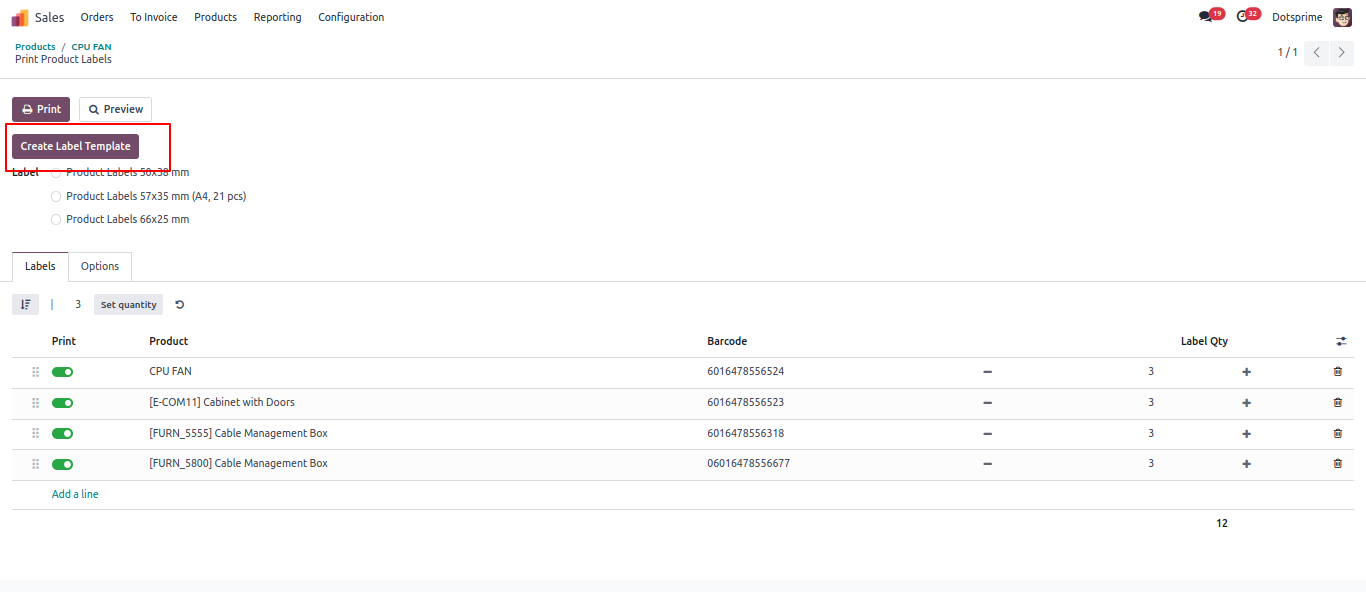
Create Product label for selected product.
05
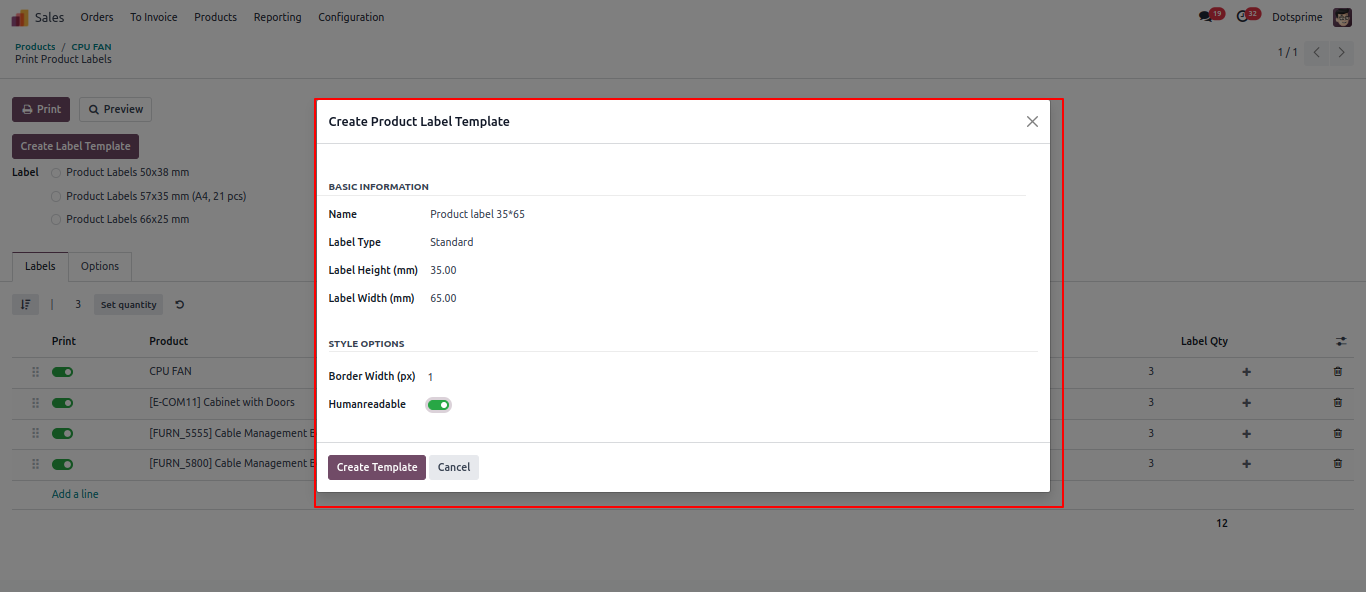
Add product label templete with Type, width, Height and all required property.
06
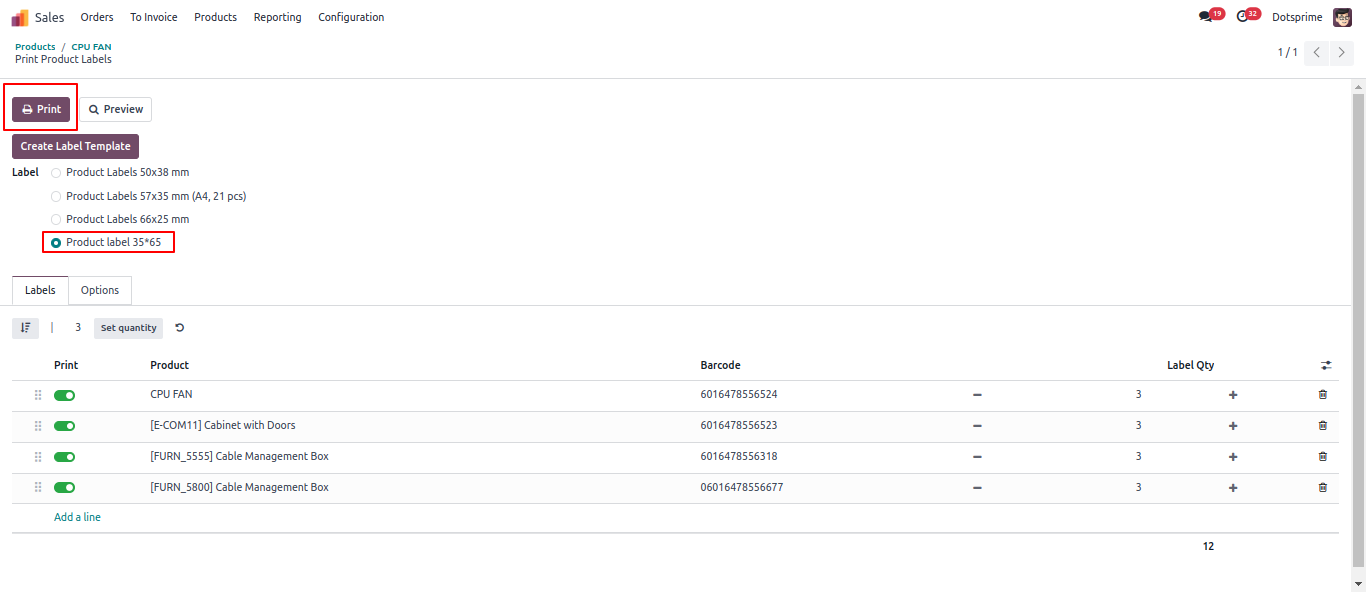
Select product label to Print.
07
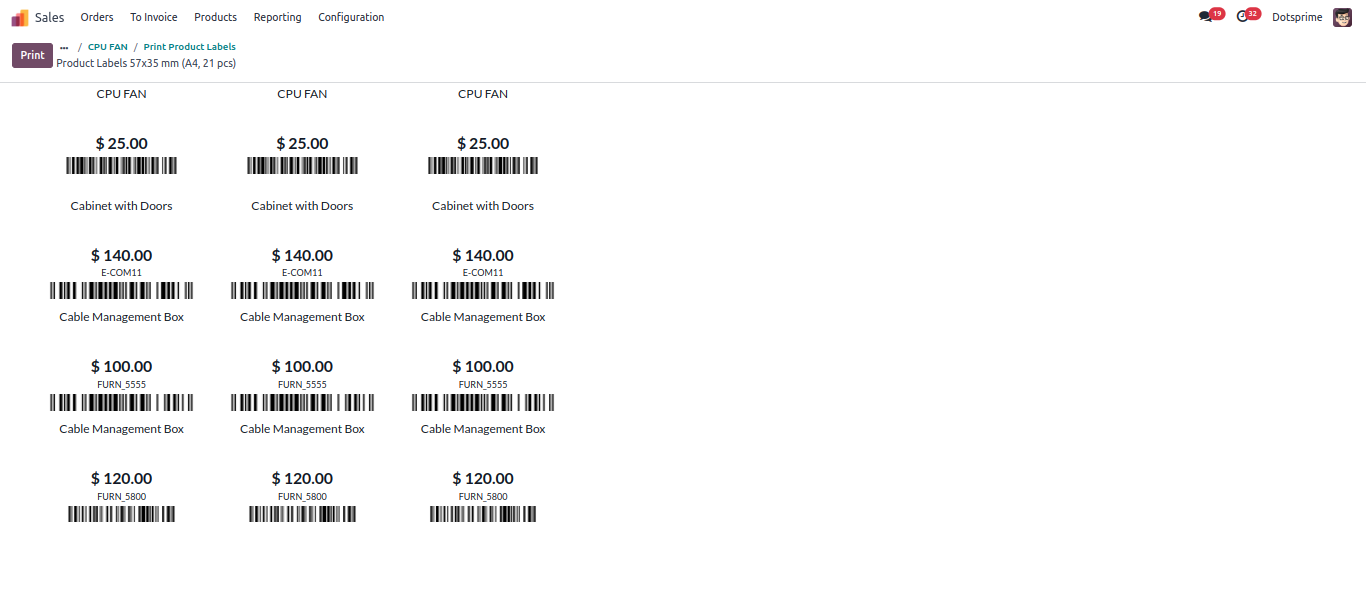
Print view of Product label.
08
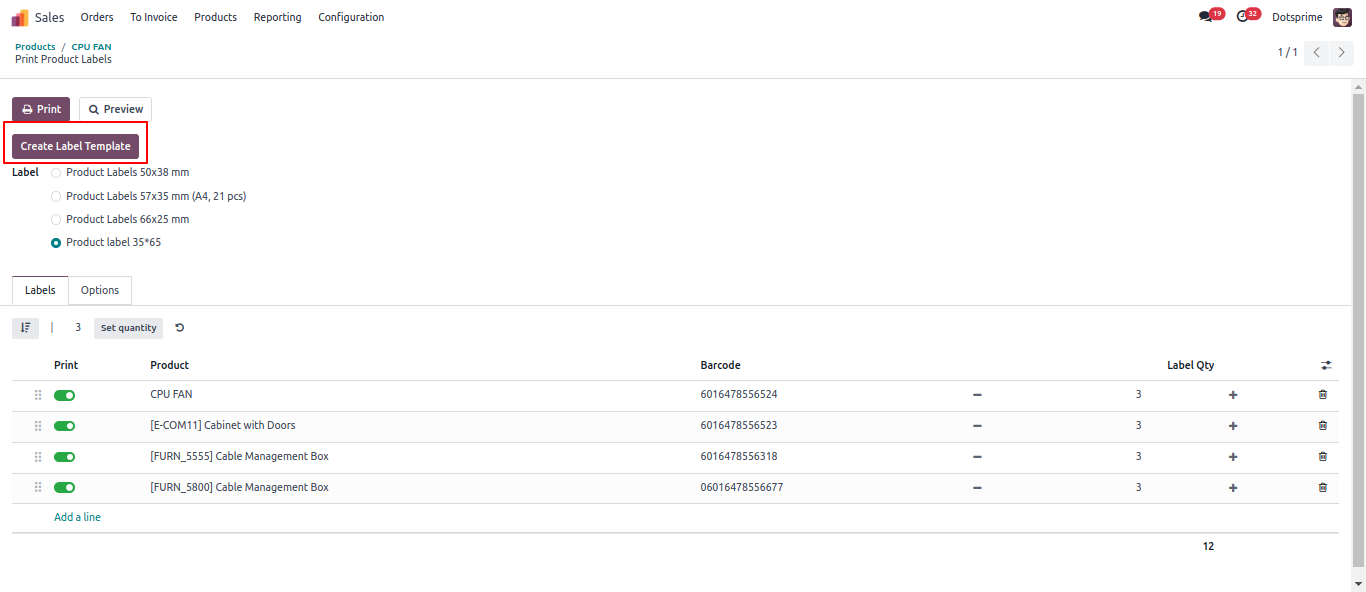
Create another product label Template, here you can assign custom property of product label.
09
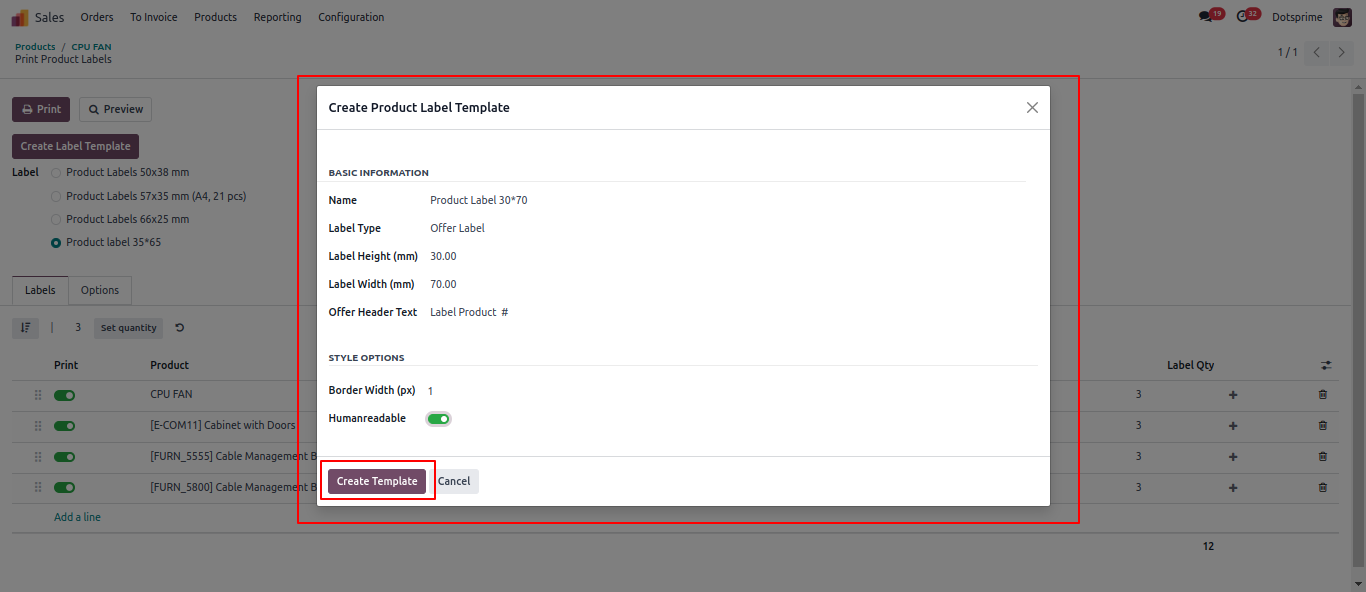
Add product label template with Type, width, Height and all required property.
10
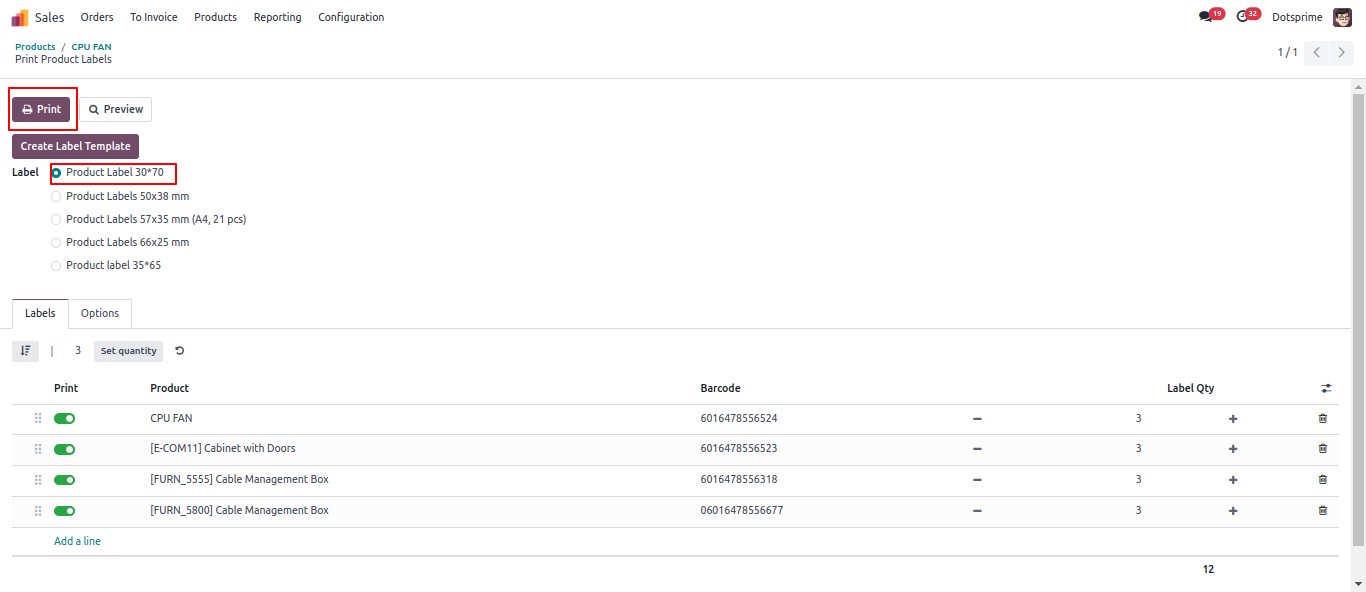
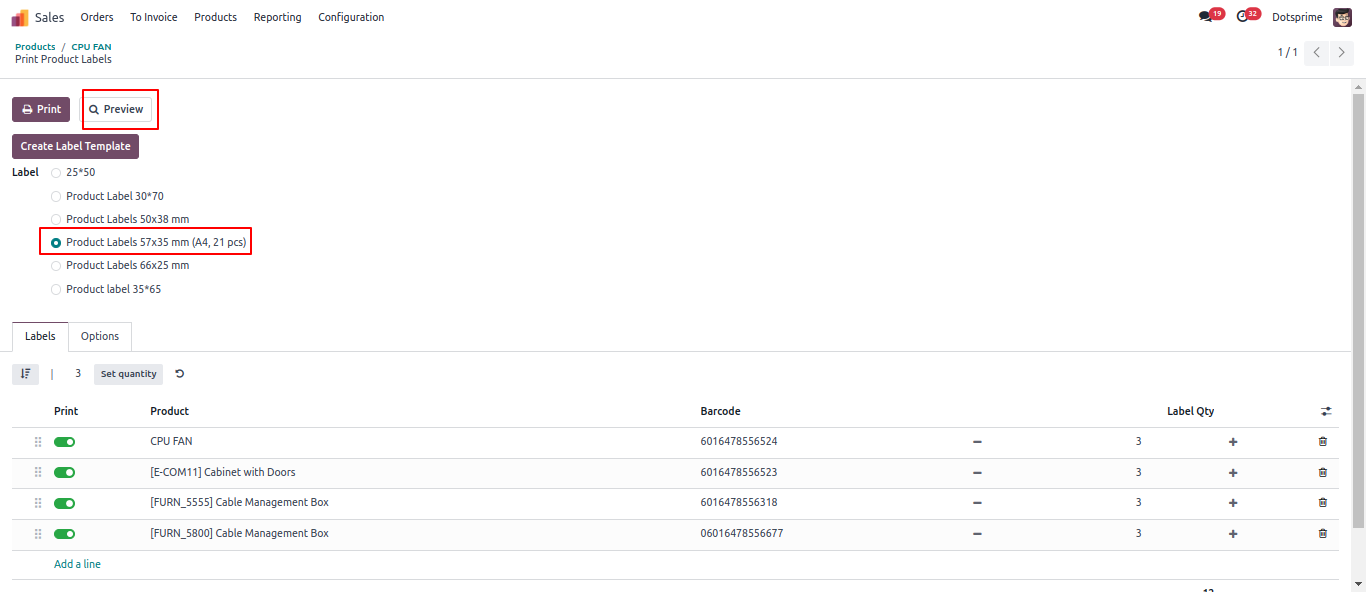
View of new created Template and set Qty to print.
11
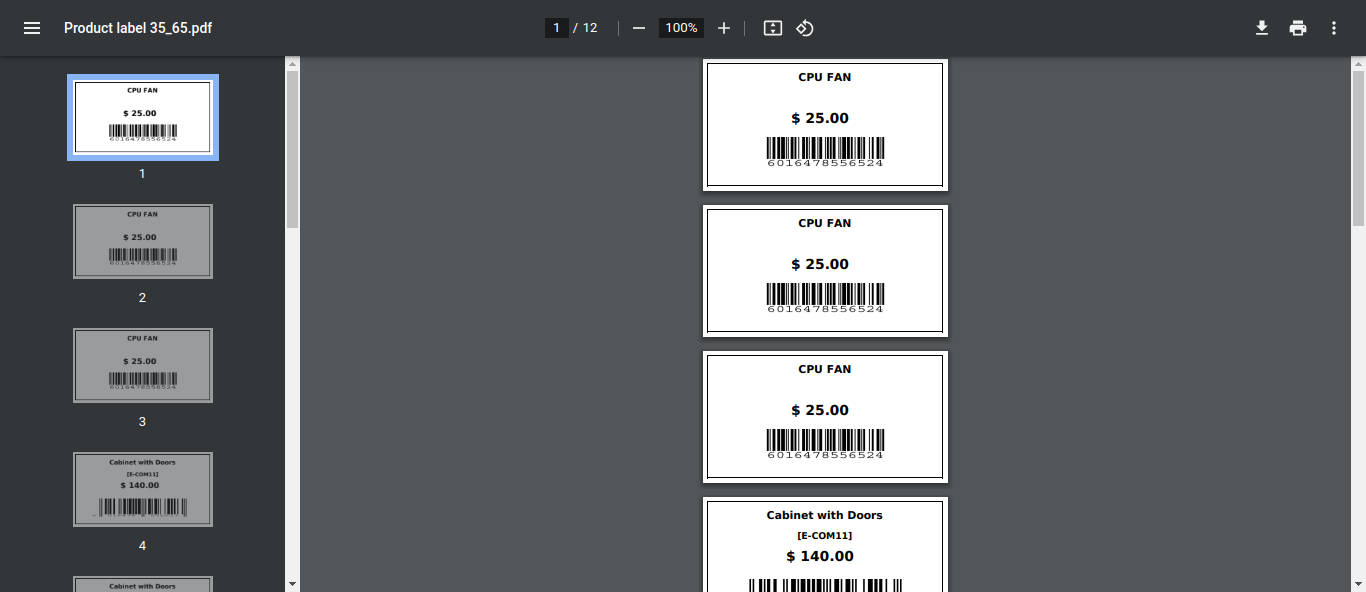
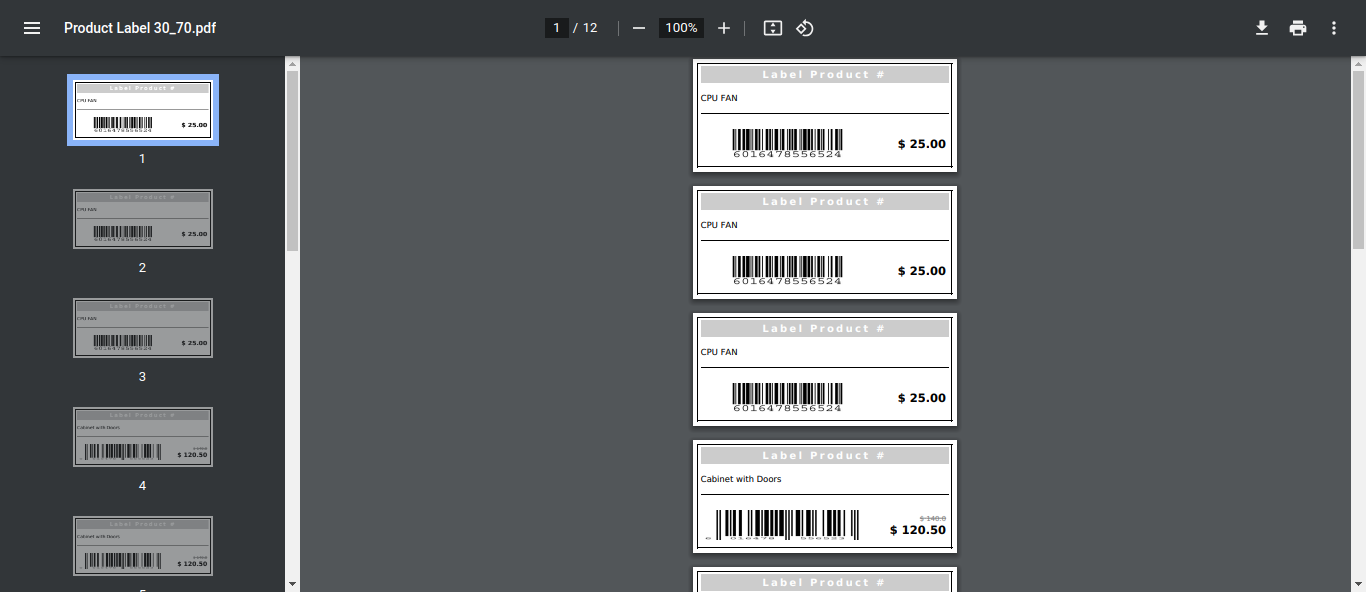
View of printed Product label.
12
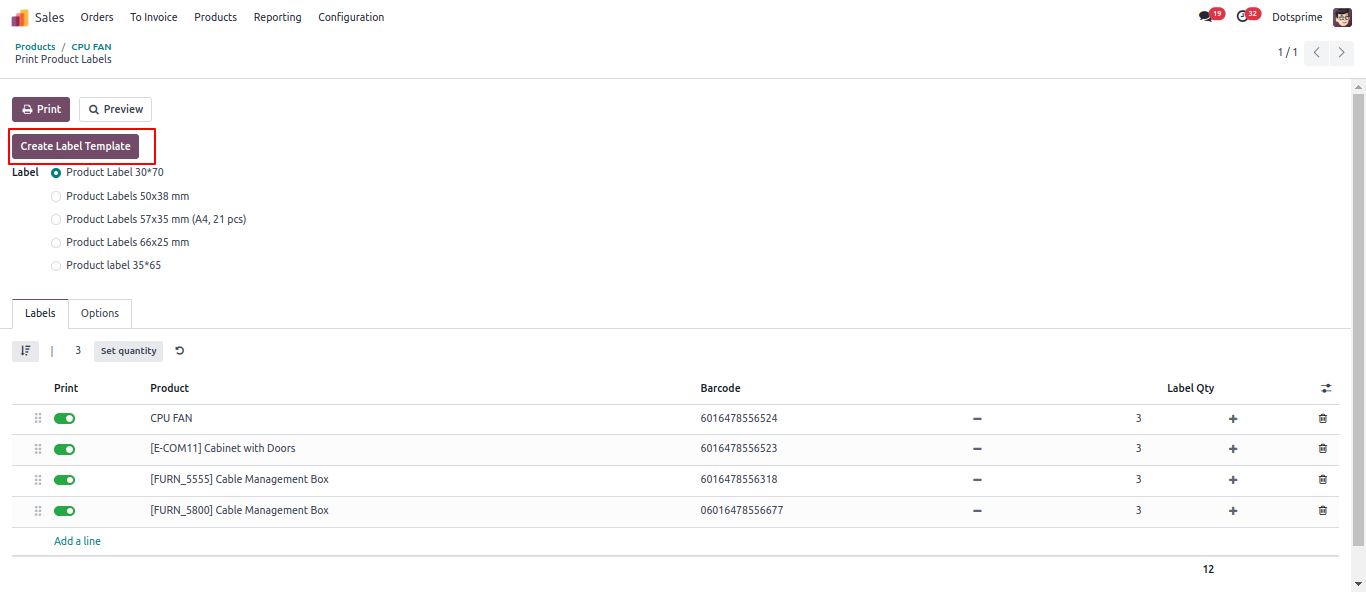
Create another product label Template, here you can assign custom property of product template for label.
13
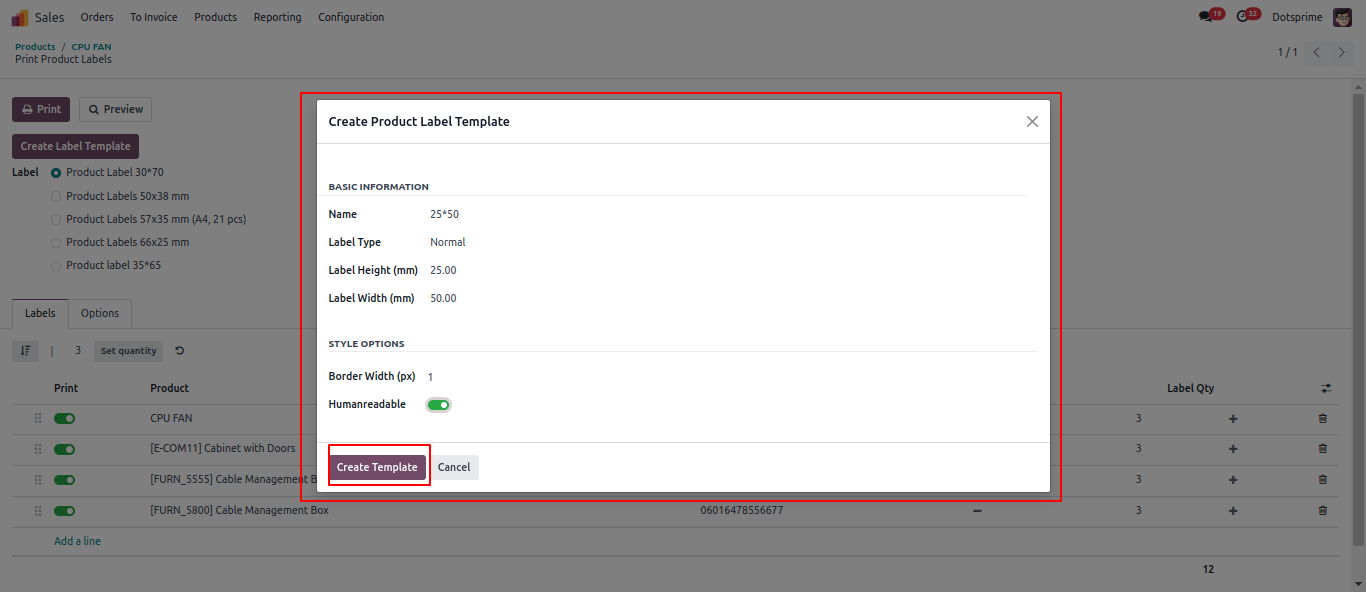
Add product label template with Type, width, Height and all required property.
14
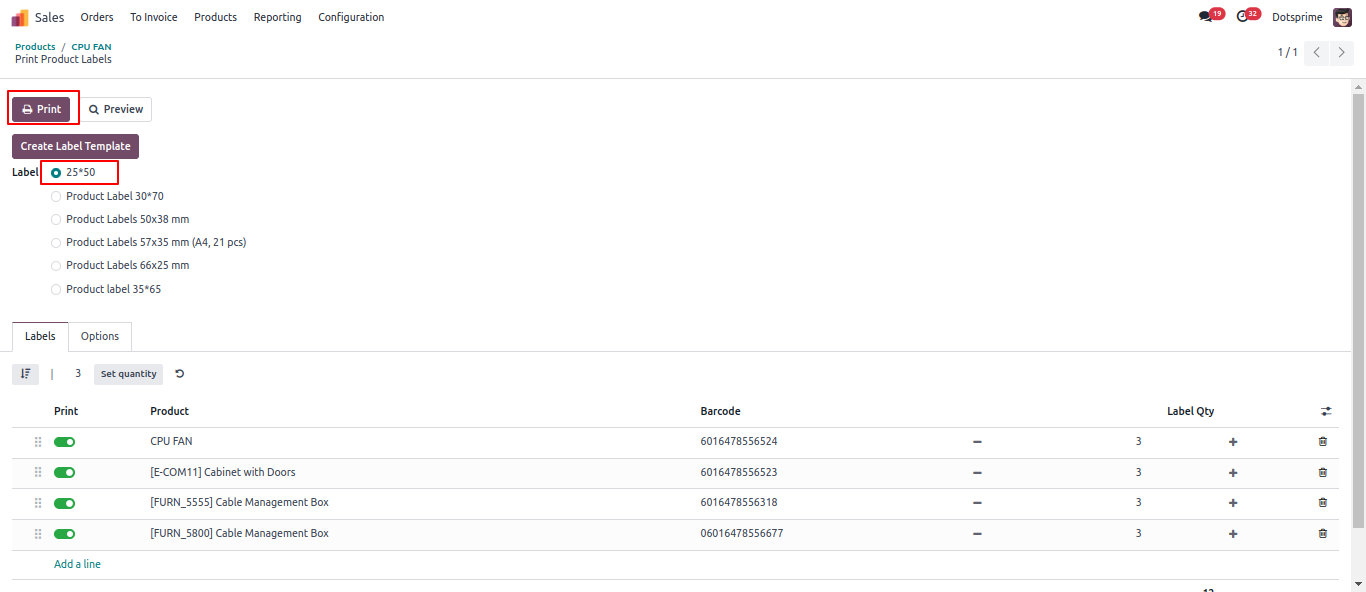
View of new created Template and set Qty to print.
15
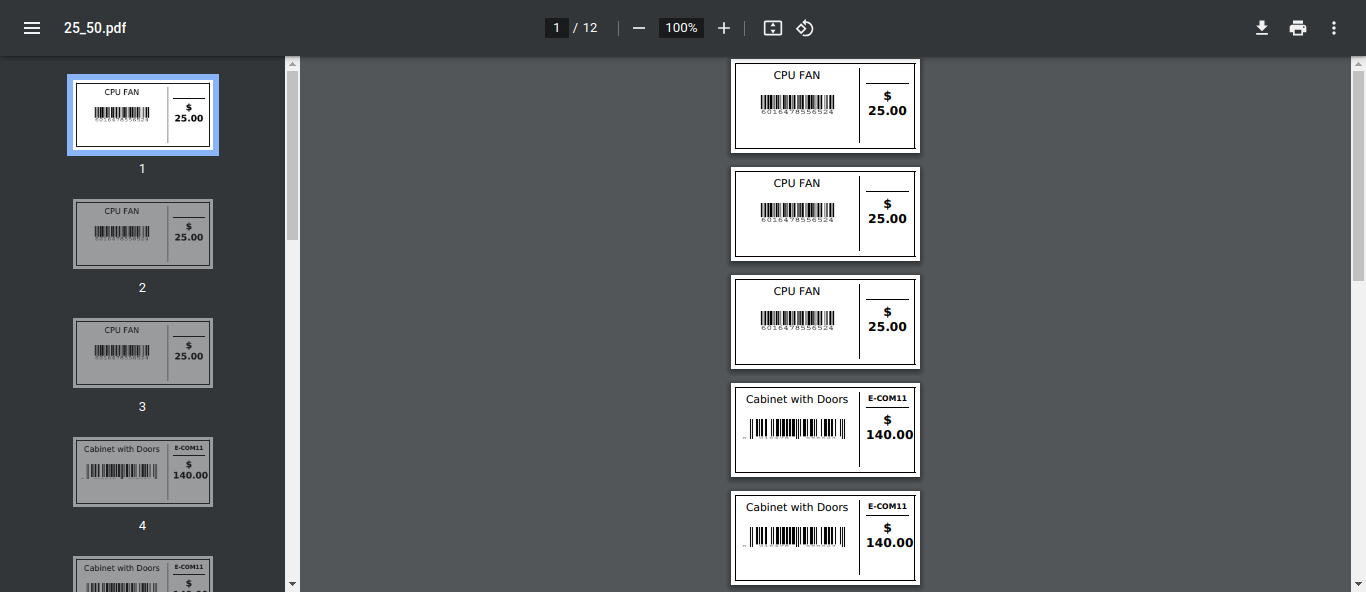
View of printed Product label.
16
Add product label template with Type, width, Height and all required property.
17
View of printed Product label on A4 paper