

POS Multi Currency Payment | POS Multi Currency Cash Control | POS Dynamic Multi Currency Cash Control | POS multi-currency payments with dynamic cash-in and cash-out operations across multiple currencies
$ 299.00
Watch Demo
You bought this module and need support?
Click here!
POS Multi Currency Payment | POS Multi Currency Cash Control | POS Dynamic Multi Currency Cash Control | POS multi-currency payments with dynamic cash-in and cash-out operations across multiple currencies
🌍 Multi-Currency Configuration
- Supports activation of multiple foreign currencies from Accounting settings.
- Company base currency is used as the primary reference for all conversions.
- Currency-specific configuration for POS payment methods and journals.
- Flexible setup ensures accurate accounting and reporting.
💵 Currency-Wise Opening Cash Control
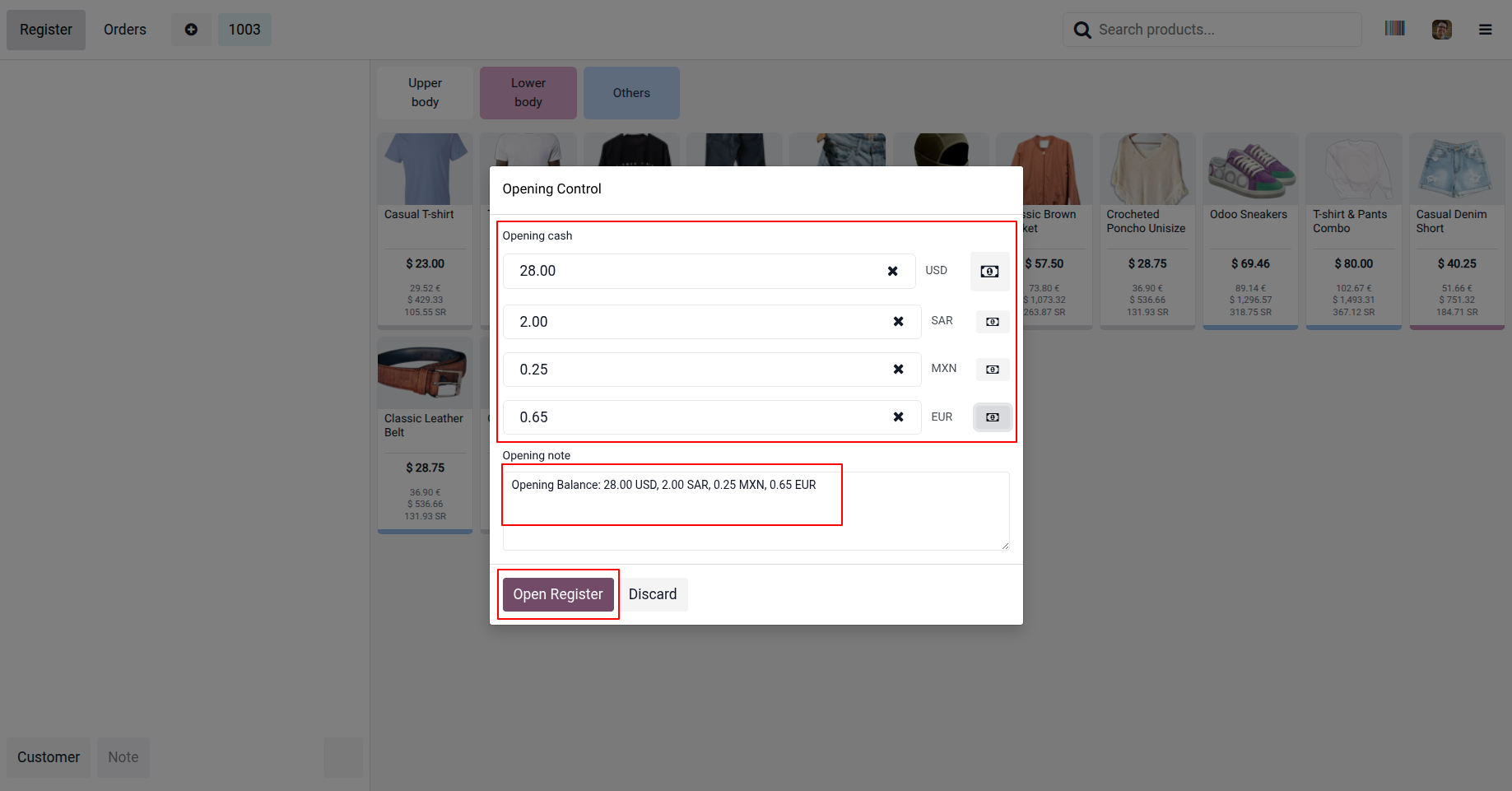
- Opening cash amounts can be entered separately for each currency.
- Currency-wise cash balance tracking from session start.
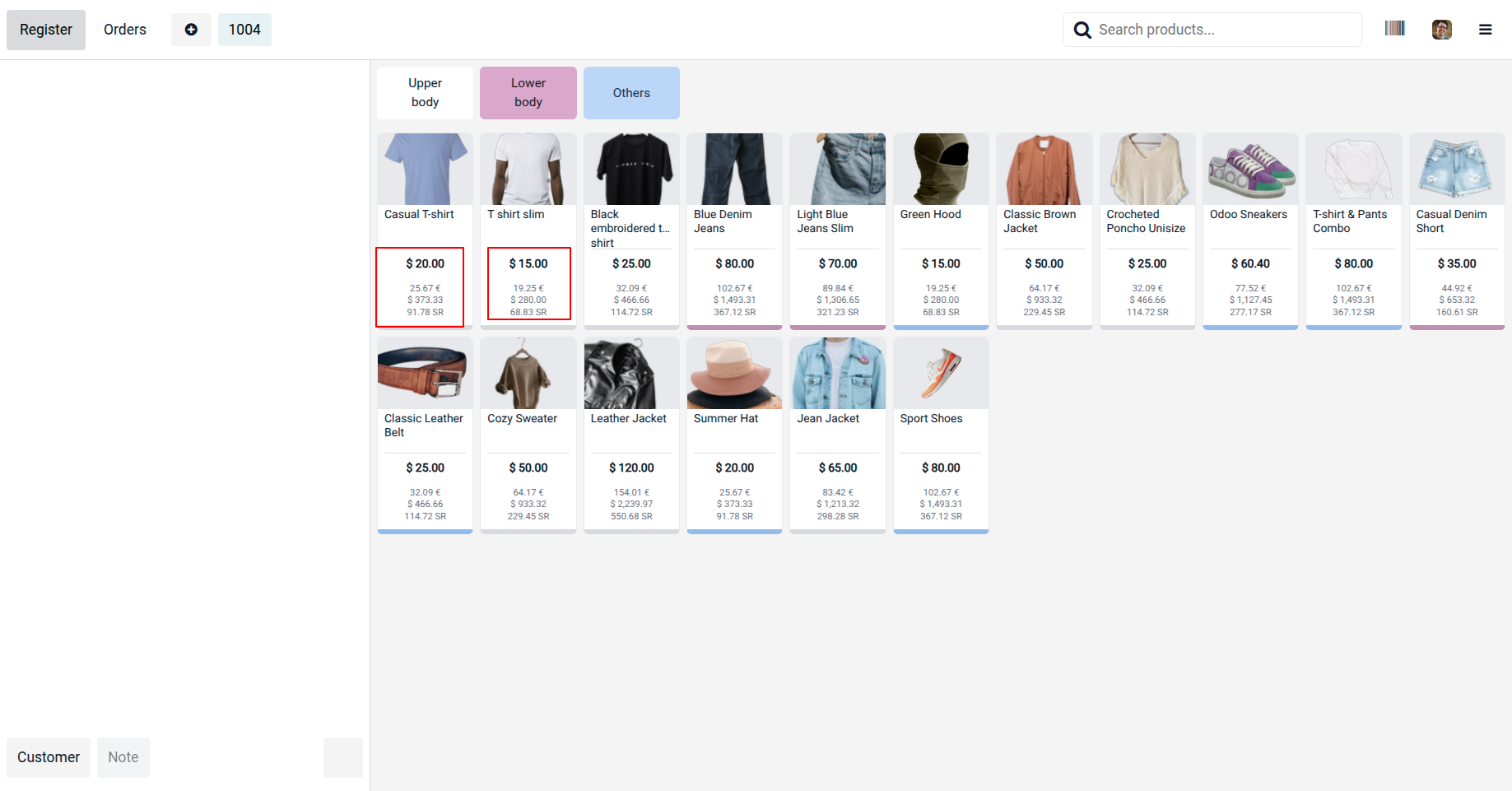
- Eliminates manual conversion errors at session opening.
🔄 Dynamic Cash In / Cash Out
- Cash In/Out popup includes a currency selection dropdown.
- Perform cash movements in any configured currency.
- Automatically records currency, amount, and conversion value.
- Ideal for handling mixed-currency cash drawers in real time.
🛒 Multi-Currency POS Payments
- Accept customer payments in multiple foreign currencies.
- Currency-specific payment methods available on the payment screen.
- Displays real-time conversion to base currency during payment.
- Ensures transparent and accurate billing for both cashier and customer.
📊 Automatic Currency Conversion
- Applies the correct exchange rate automatically.
- Stores both foreign currency amount and base currency equivalent.
- Conversion logic remains consistent across payments and cash operations.
🧾 Currency-Wise Session Closing
- Closing session shows payment calculations broken down by currency.
- Clear visibility of expected vs actual amounts per currency.
- Simplifies reconciliation for multi-currency cash handling.
🪙 Real-Time Cash Collection with Coins
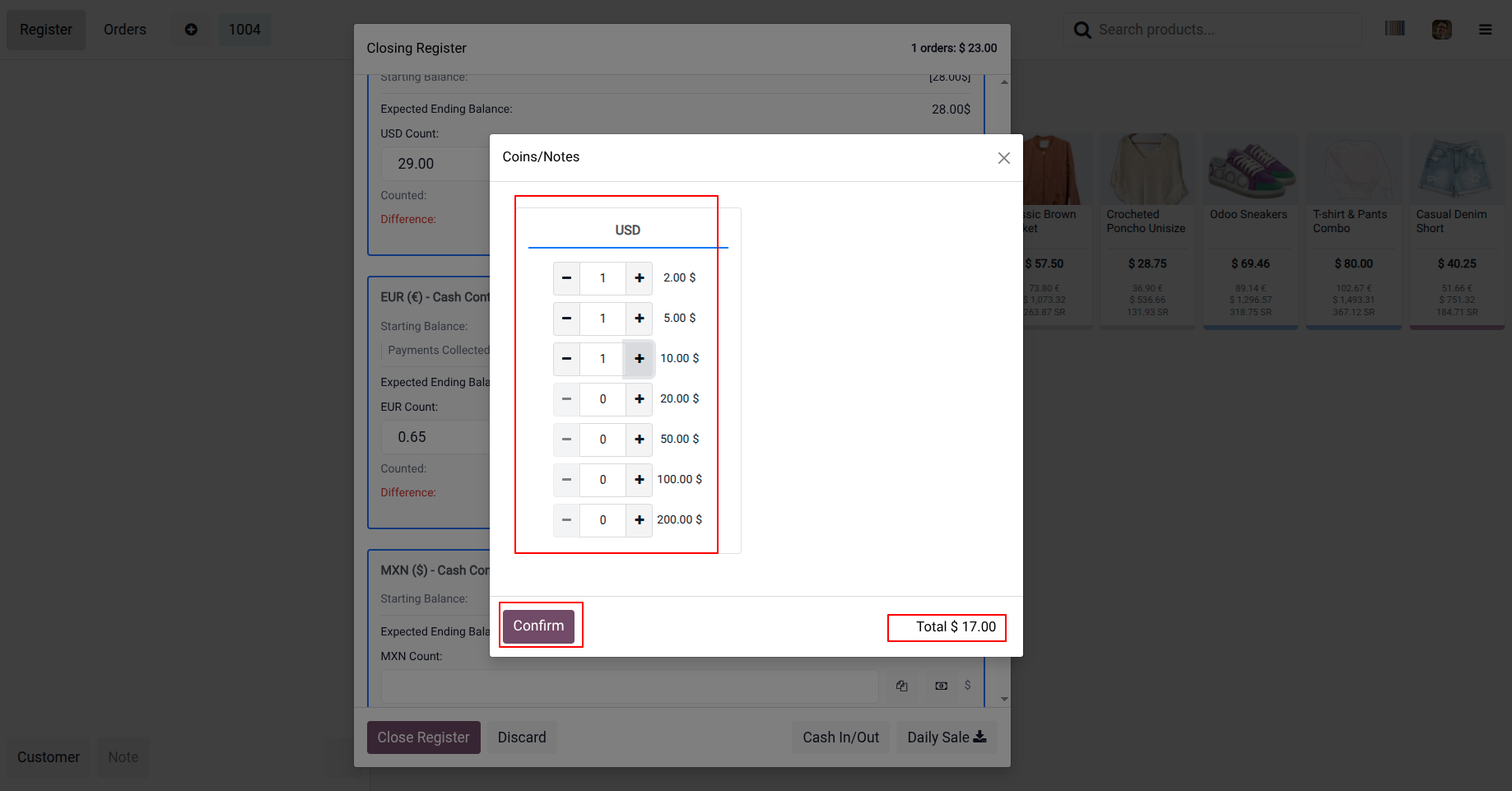
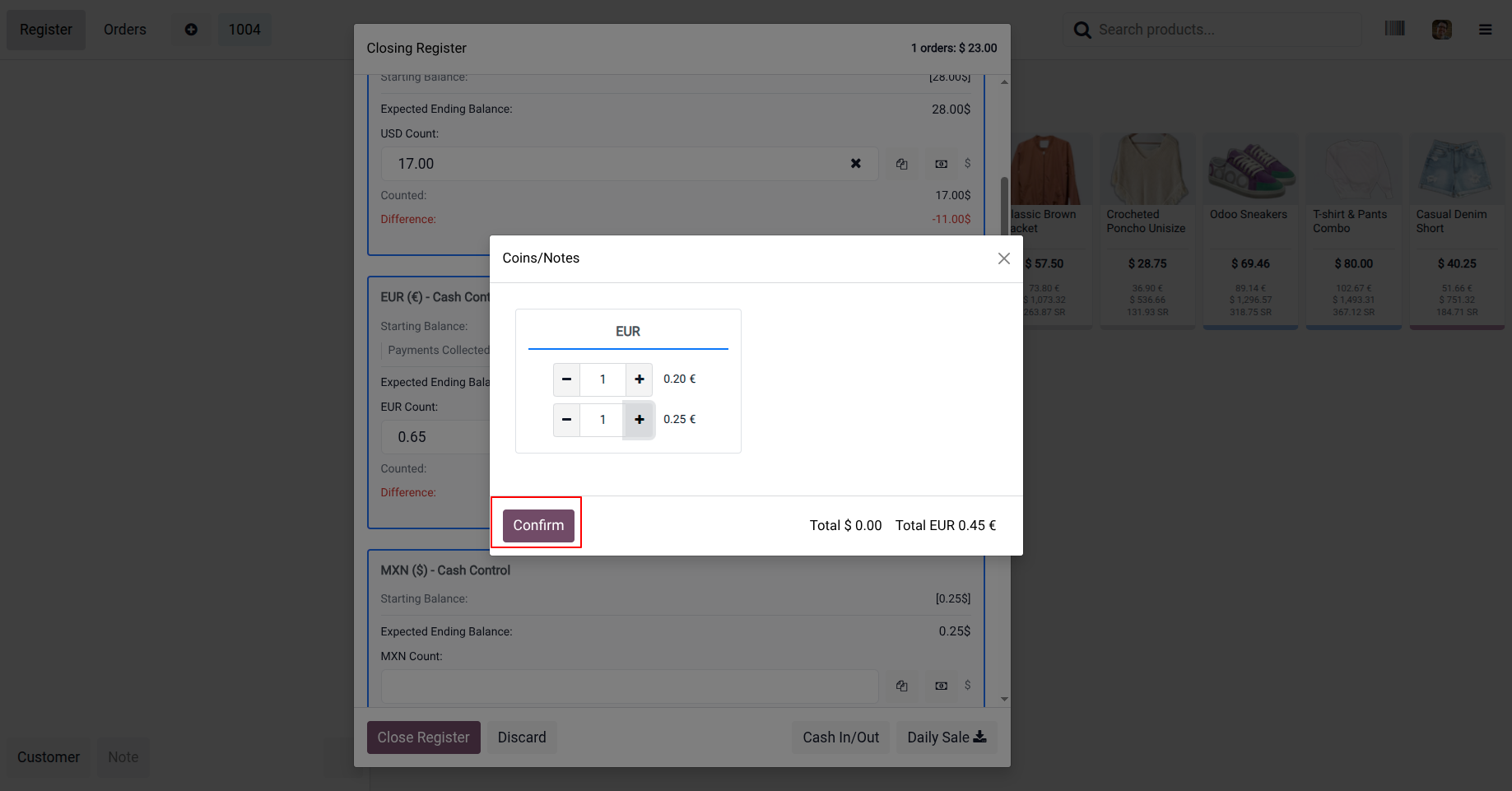
- Supports real-time cash collection using configured coin denominations.
- Cashiers can quickly select coins during POS payment.
- Automatically calculates the total based on selected coins.
- Improves accuracy and speeds up cash transactions.
- Helps manage precise cash handling during POS sessions.
⚡ Real-Time & Seamless Experience
- Currency handling is fully dynamic.
- Works smoothly across opening, transactions, and closing.
- Designed for high-volume retail environments with international customers.
POS Multi-currency payment with Multi-currency Cash in and out in multiple currencies Dynamically
1. Enable Multi-Currency: Configure and activate dynamic multi-currency support for POS operations.
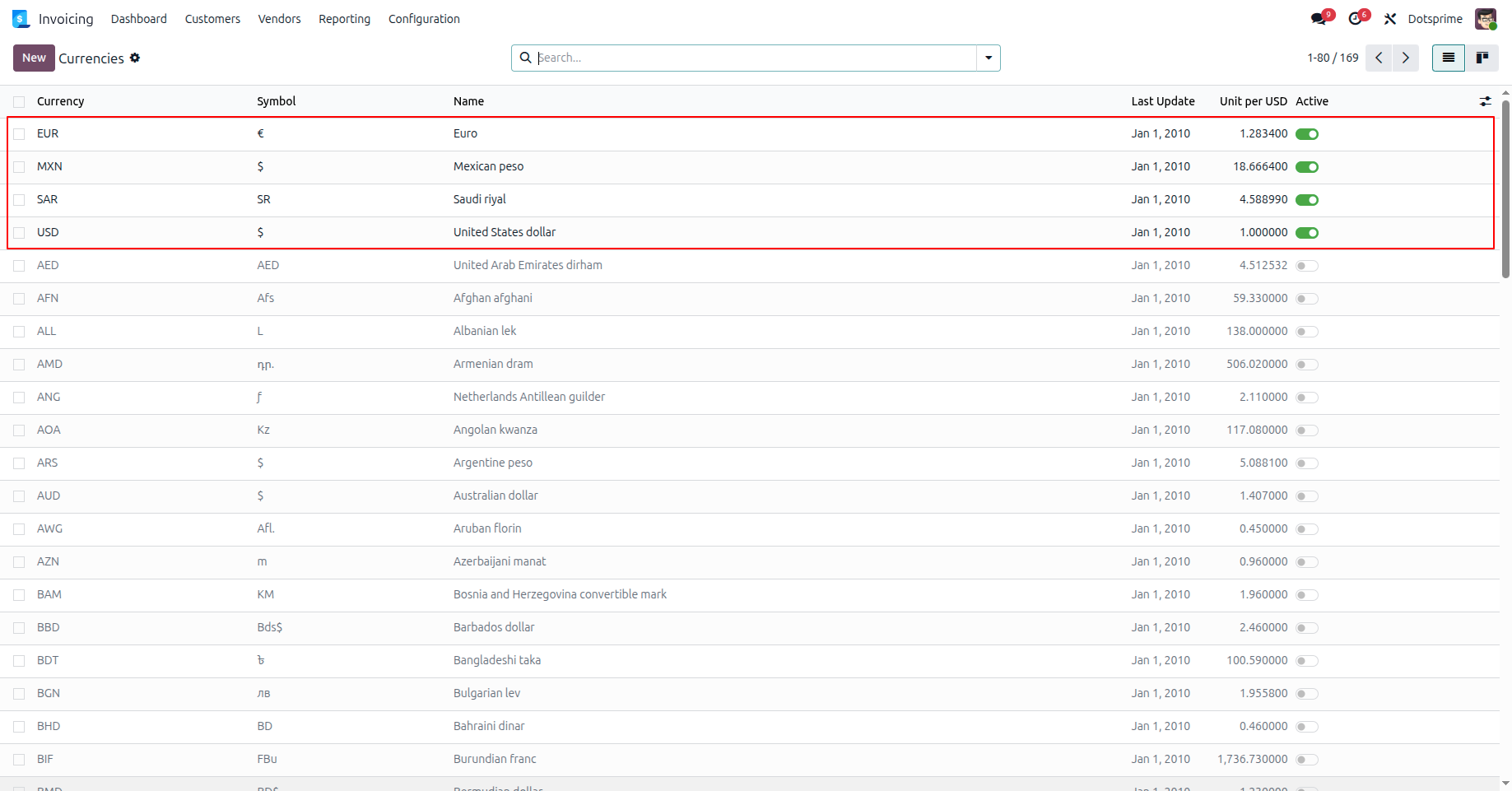
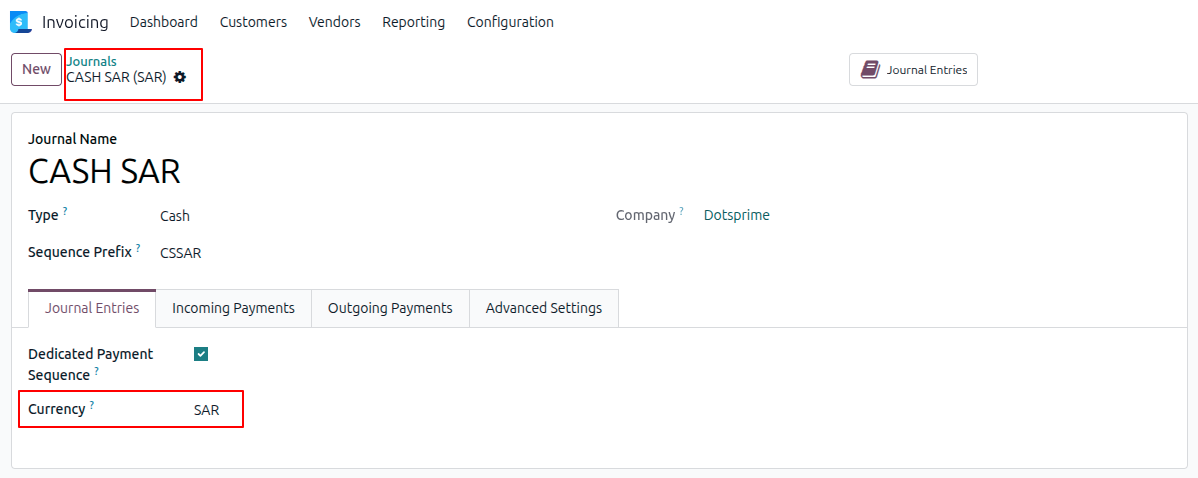
2. Create dedicated cash journals for each currency, such as USD, MXN, EUR, and SAR, to manage multi-currency transactions efficiently.
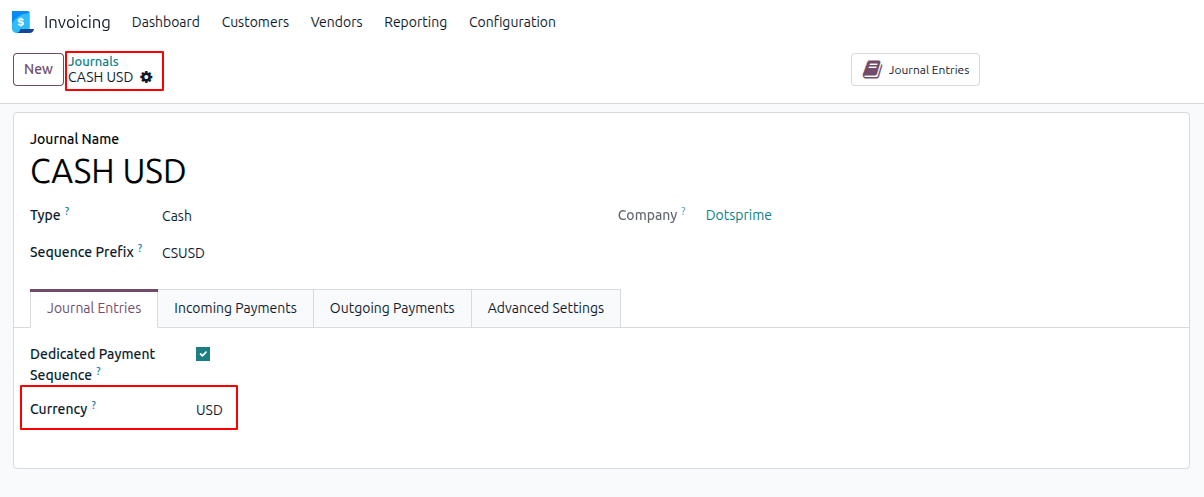
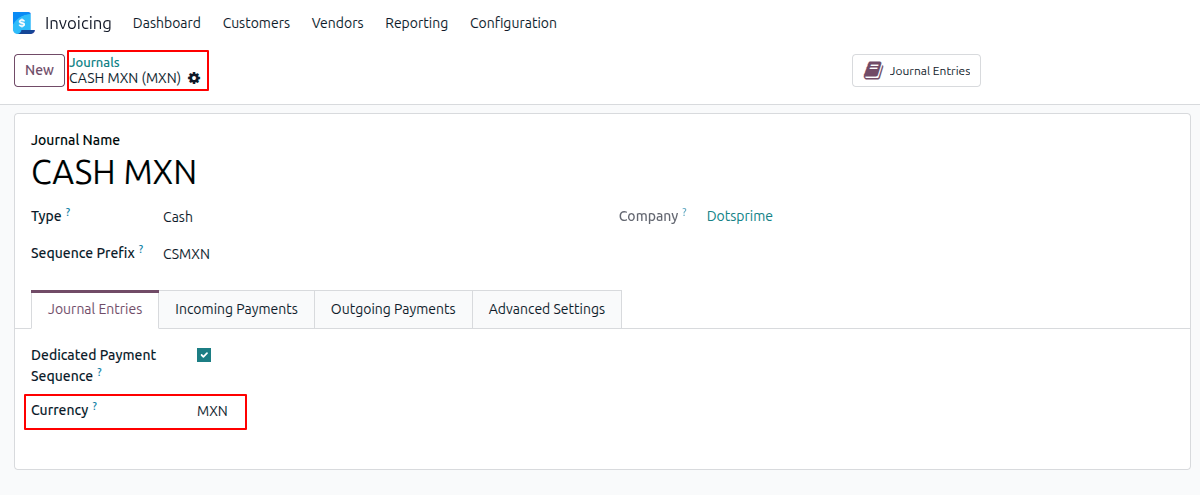
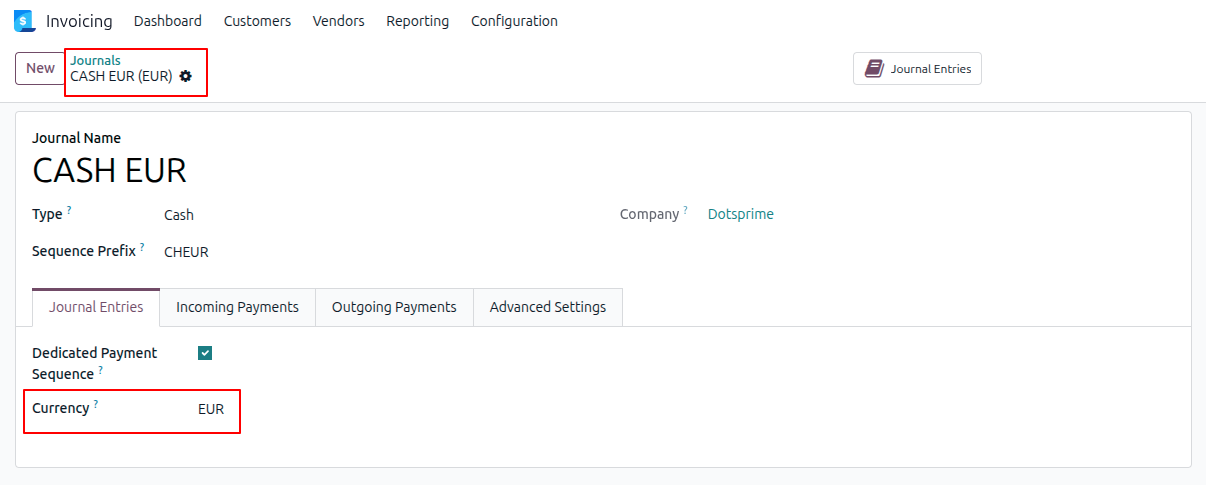
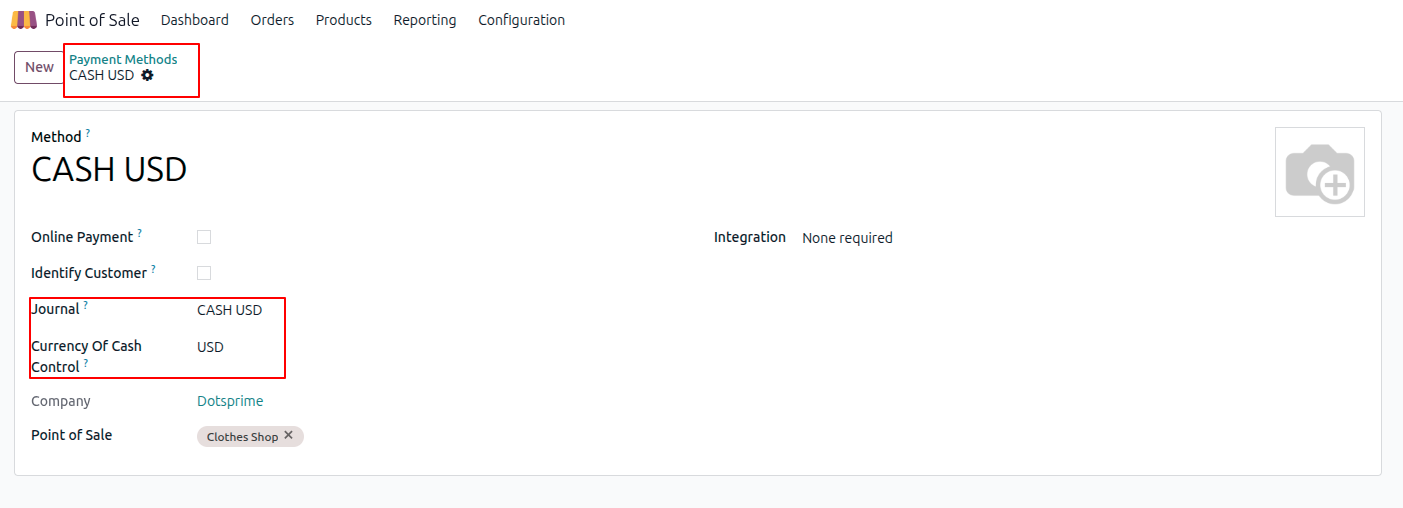
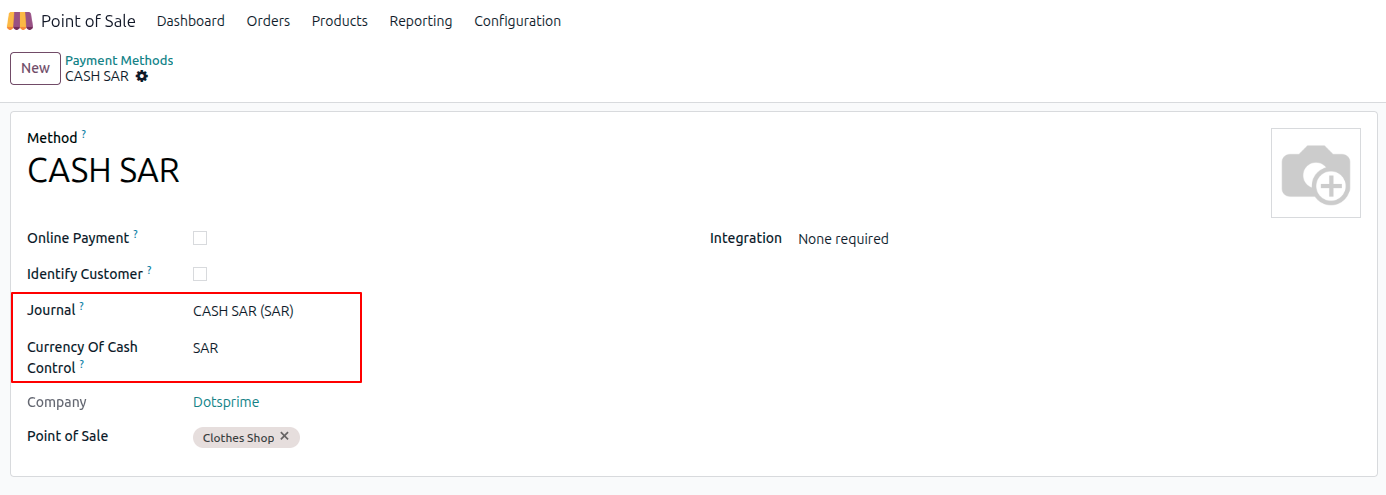
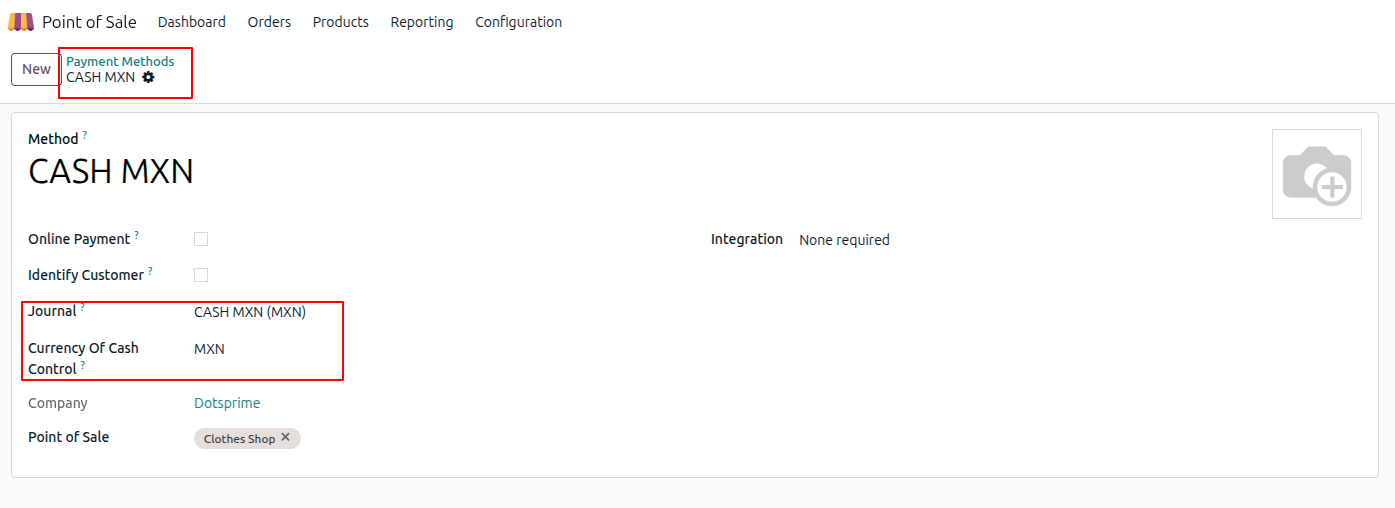
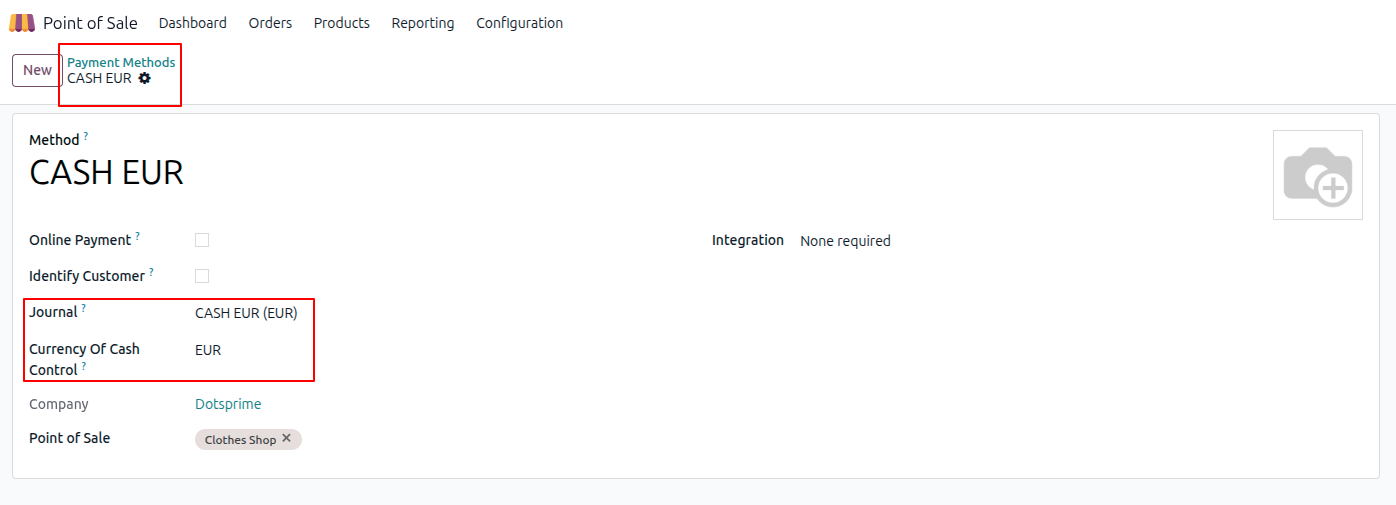
3. Create dedicated payment methods for each currency (USD, MXN, EUR, SAR) and link the corresponding journal and currency to ensure accurate cash control handling.
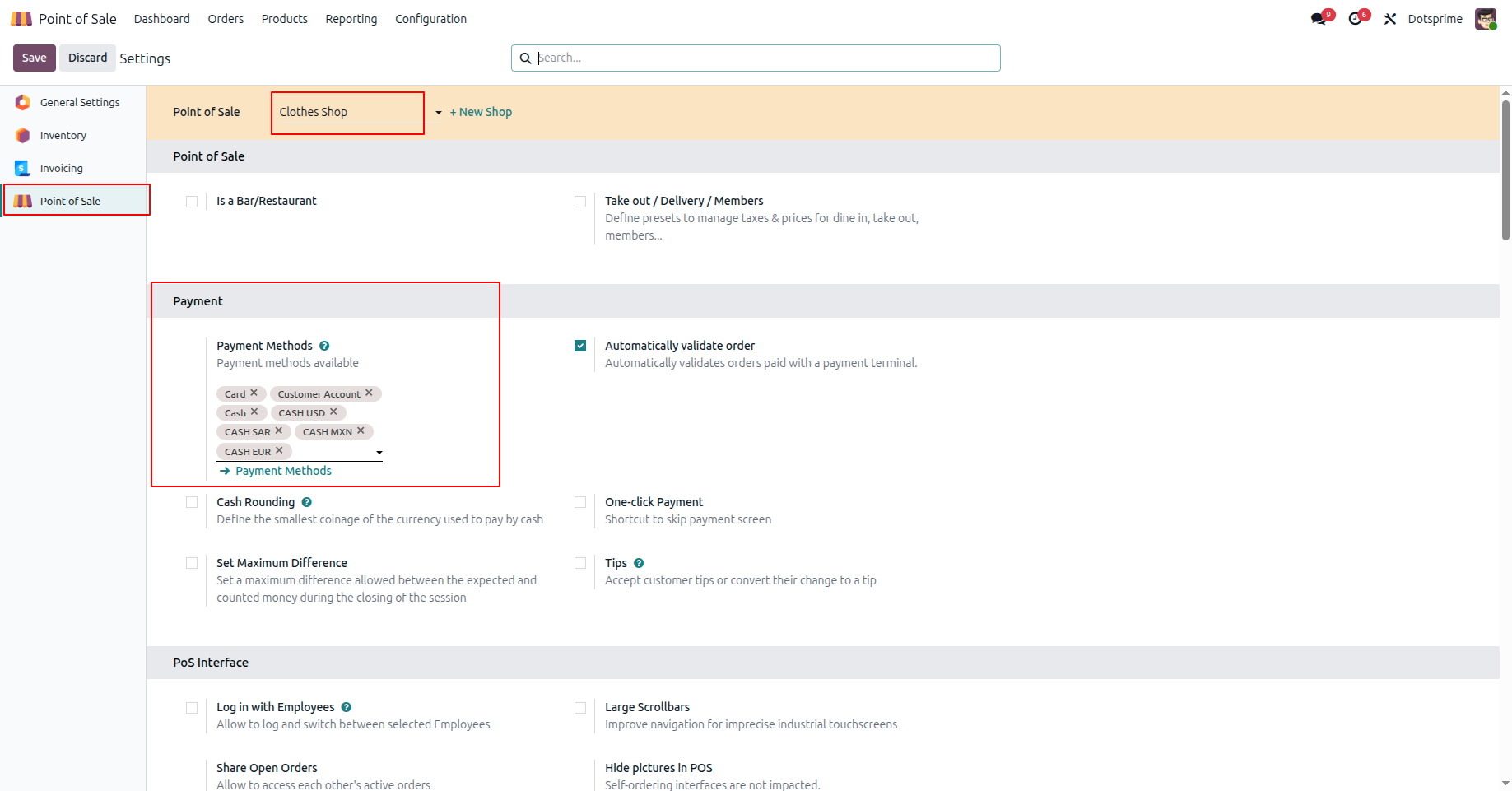
4. Add the configured payment methods to the POS configuration.
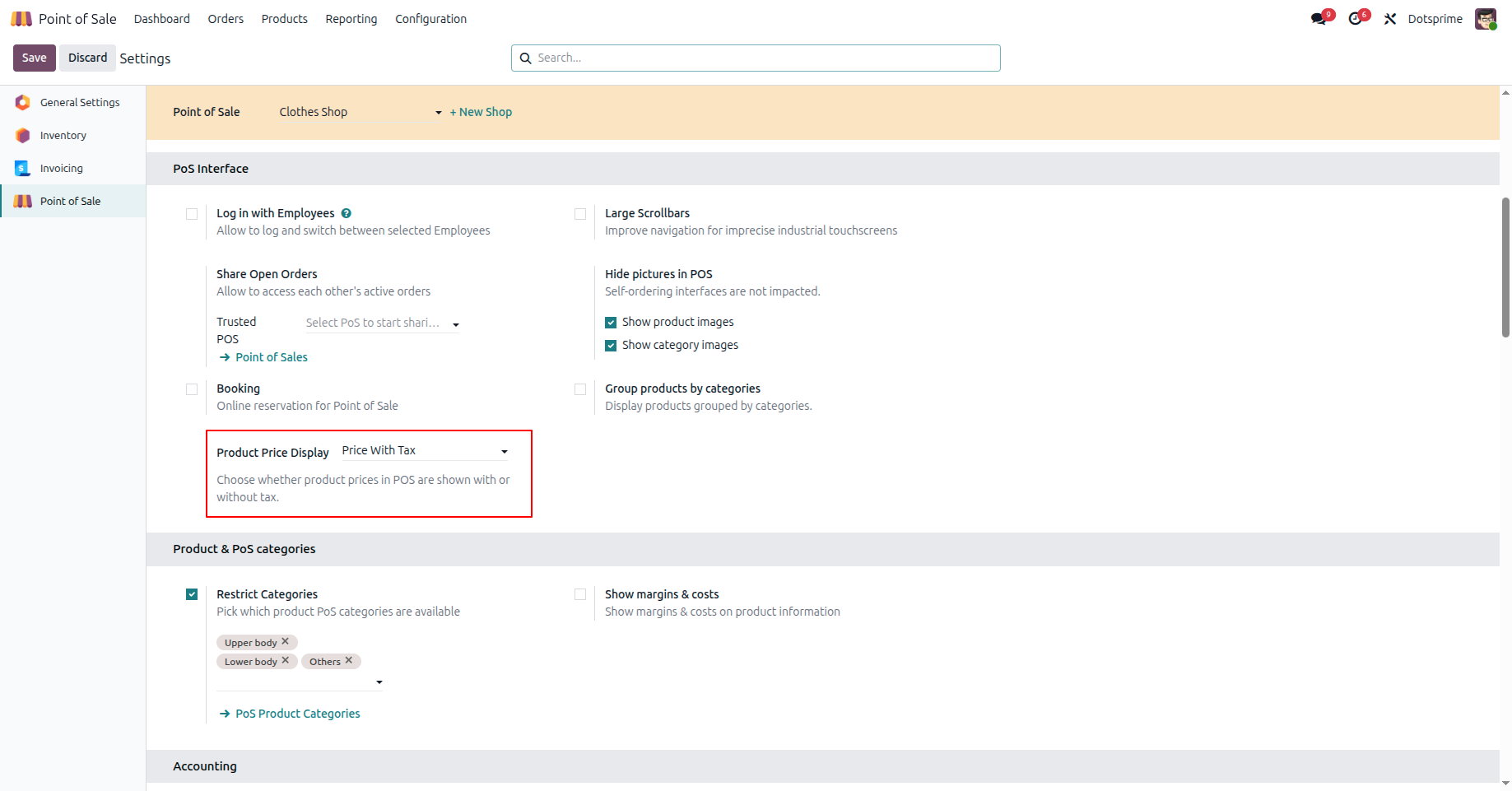
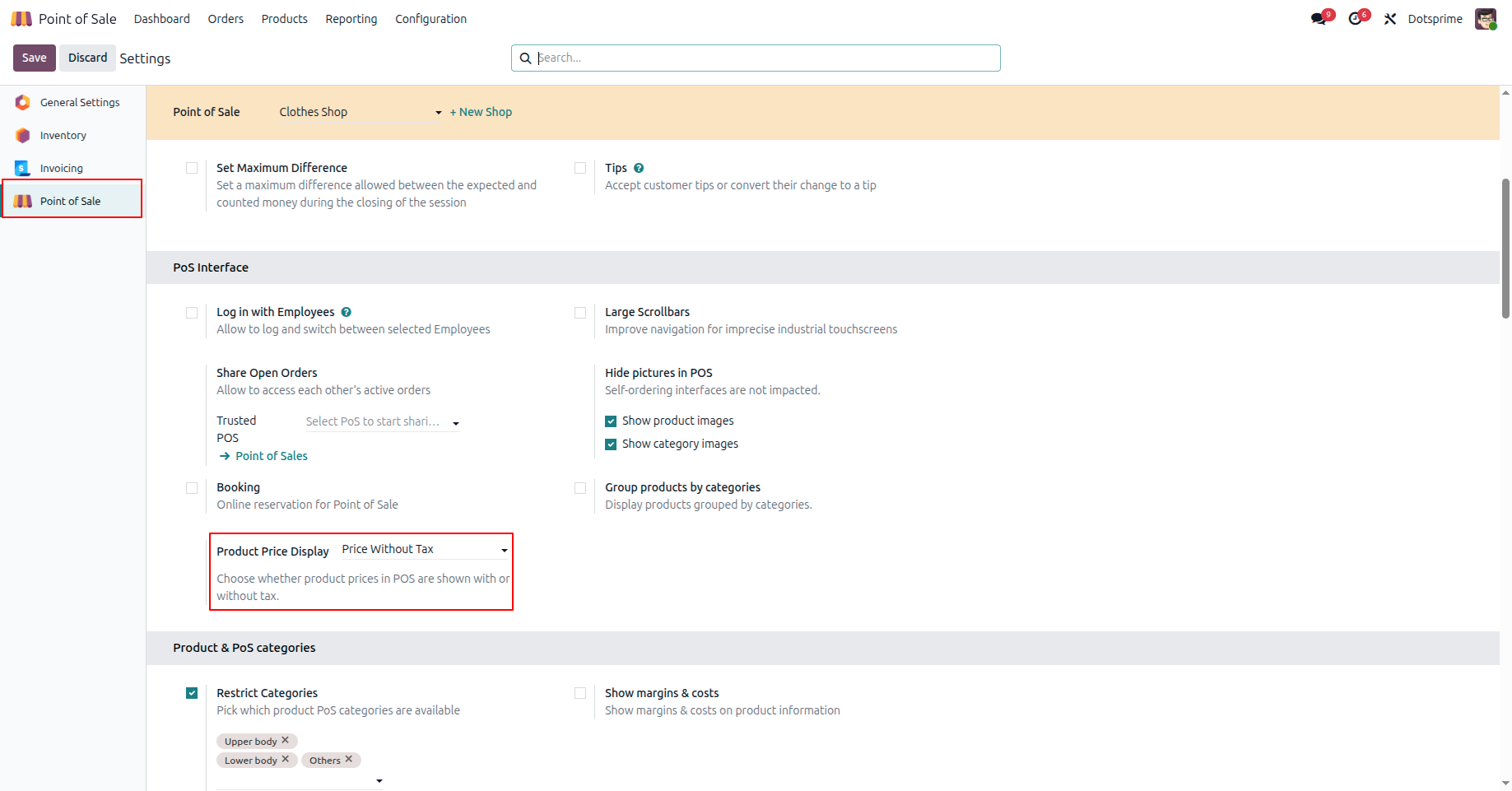
5. Set the price display option to show prices with tax or without tax in POS.
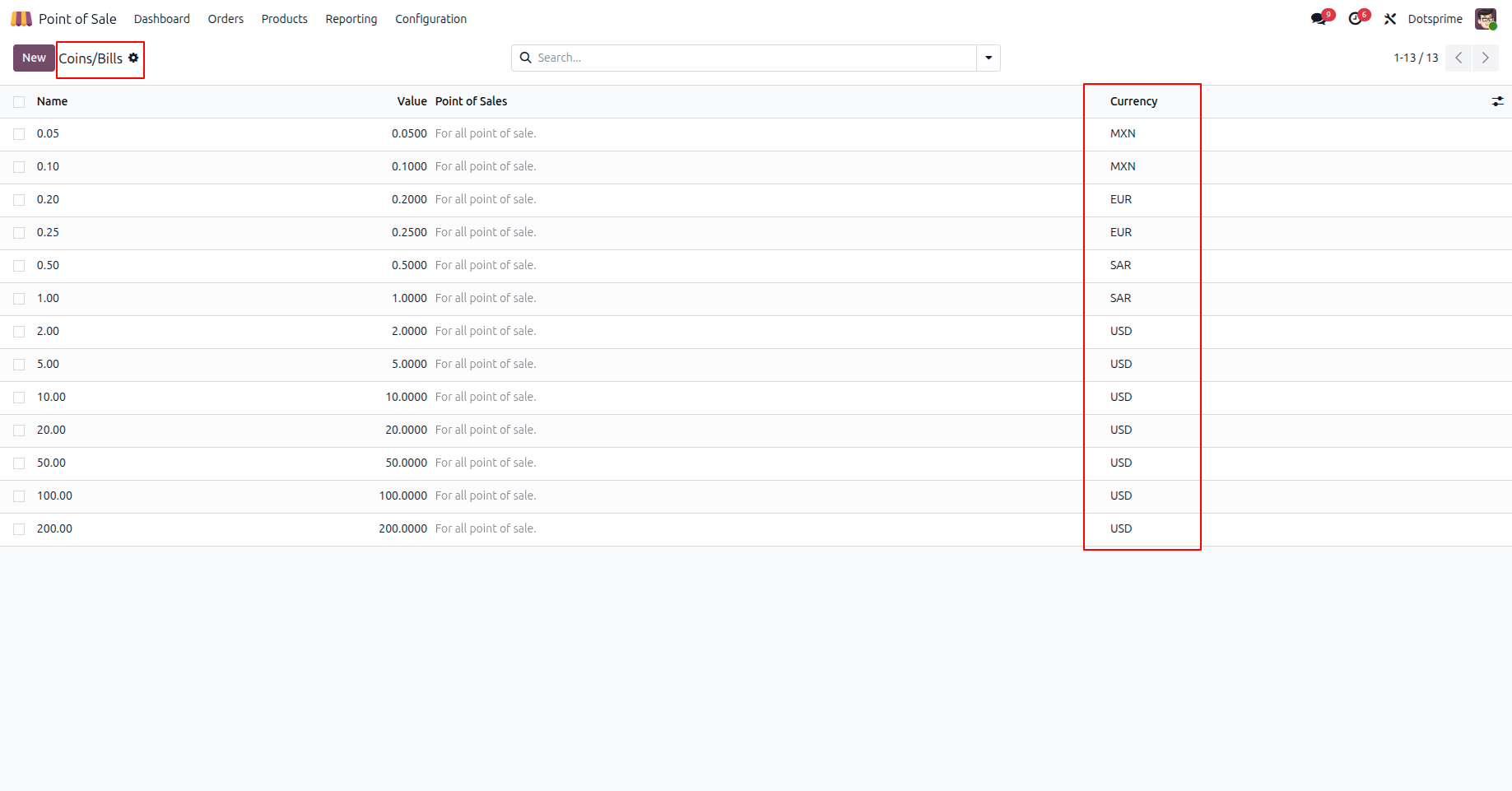
6. Create coin denominations and assign them in the POS configuration for accurate cash management.
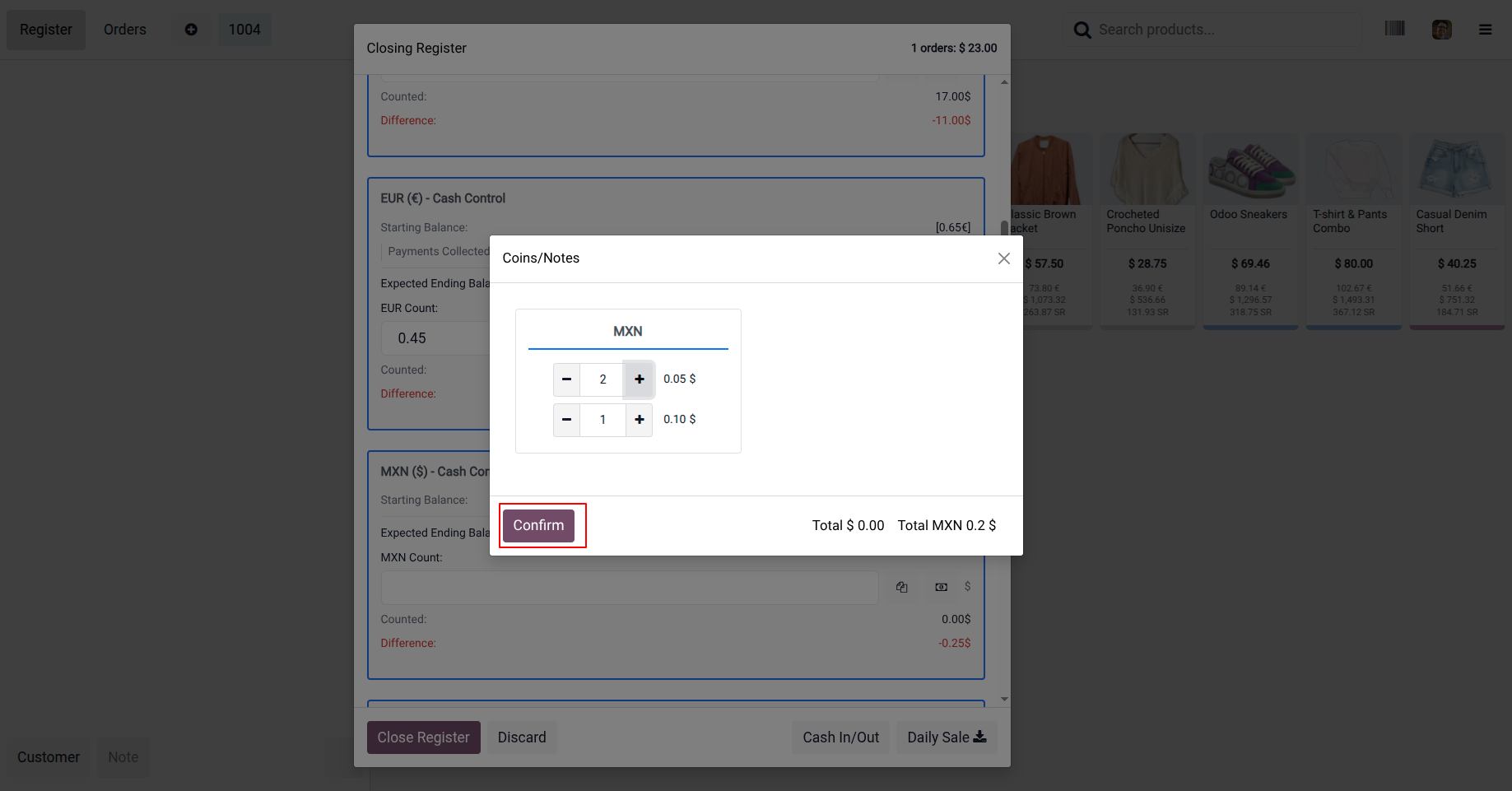
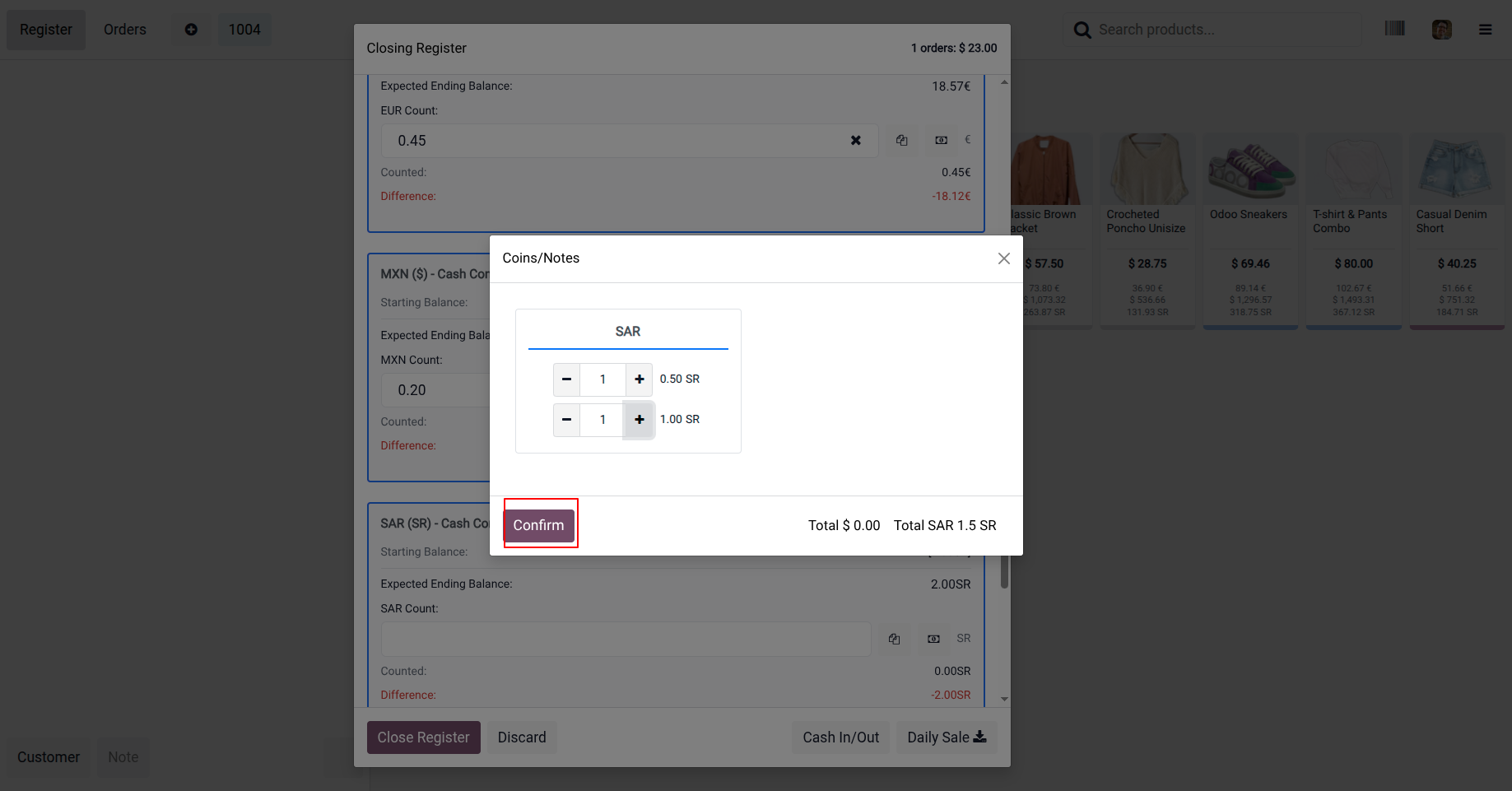
7. Open Cash Control and configure currency-wise coin denominations (e.g., USD, MXN, EUR, SAR) for accurate multi-currency cash management.
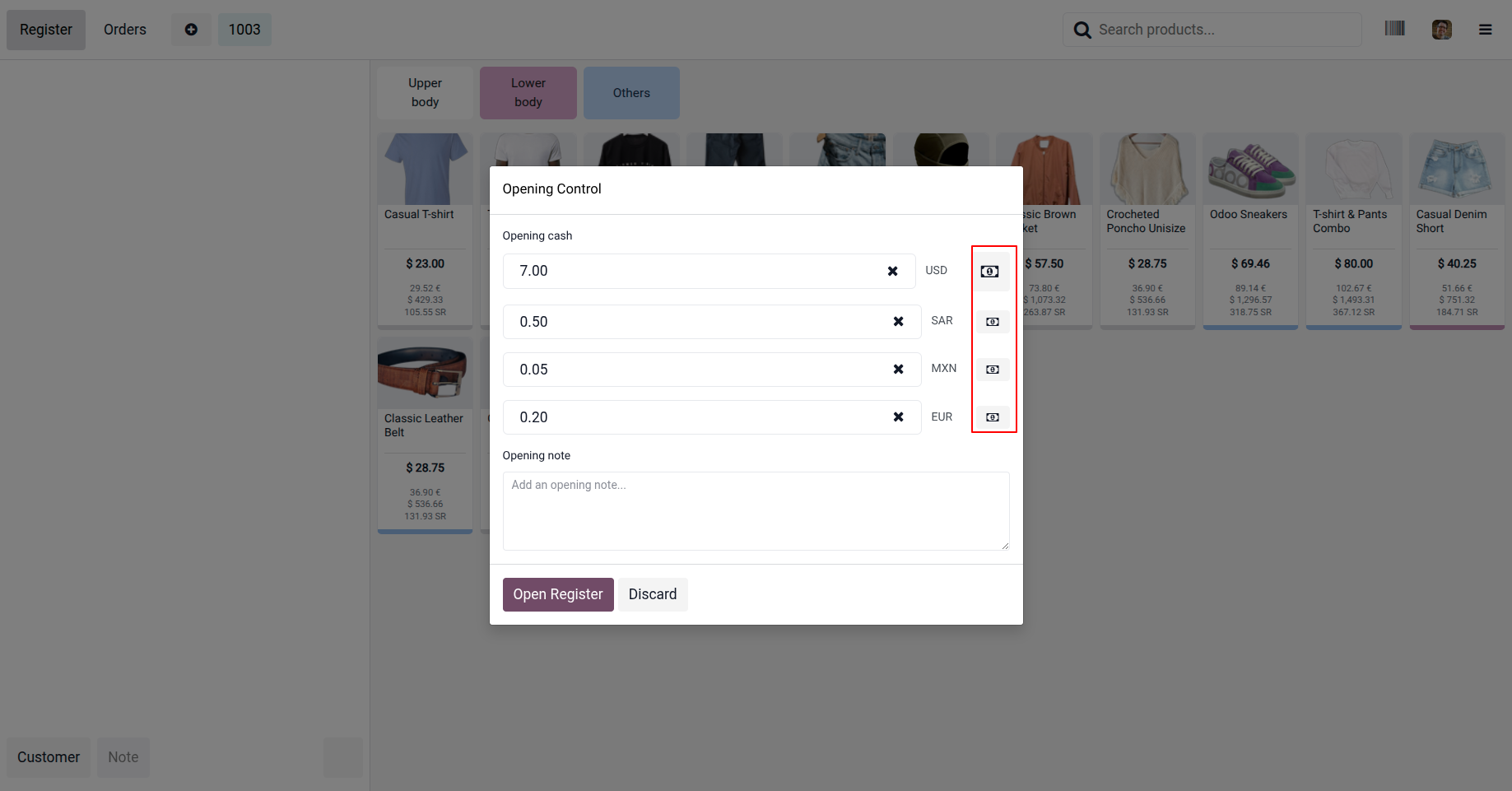
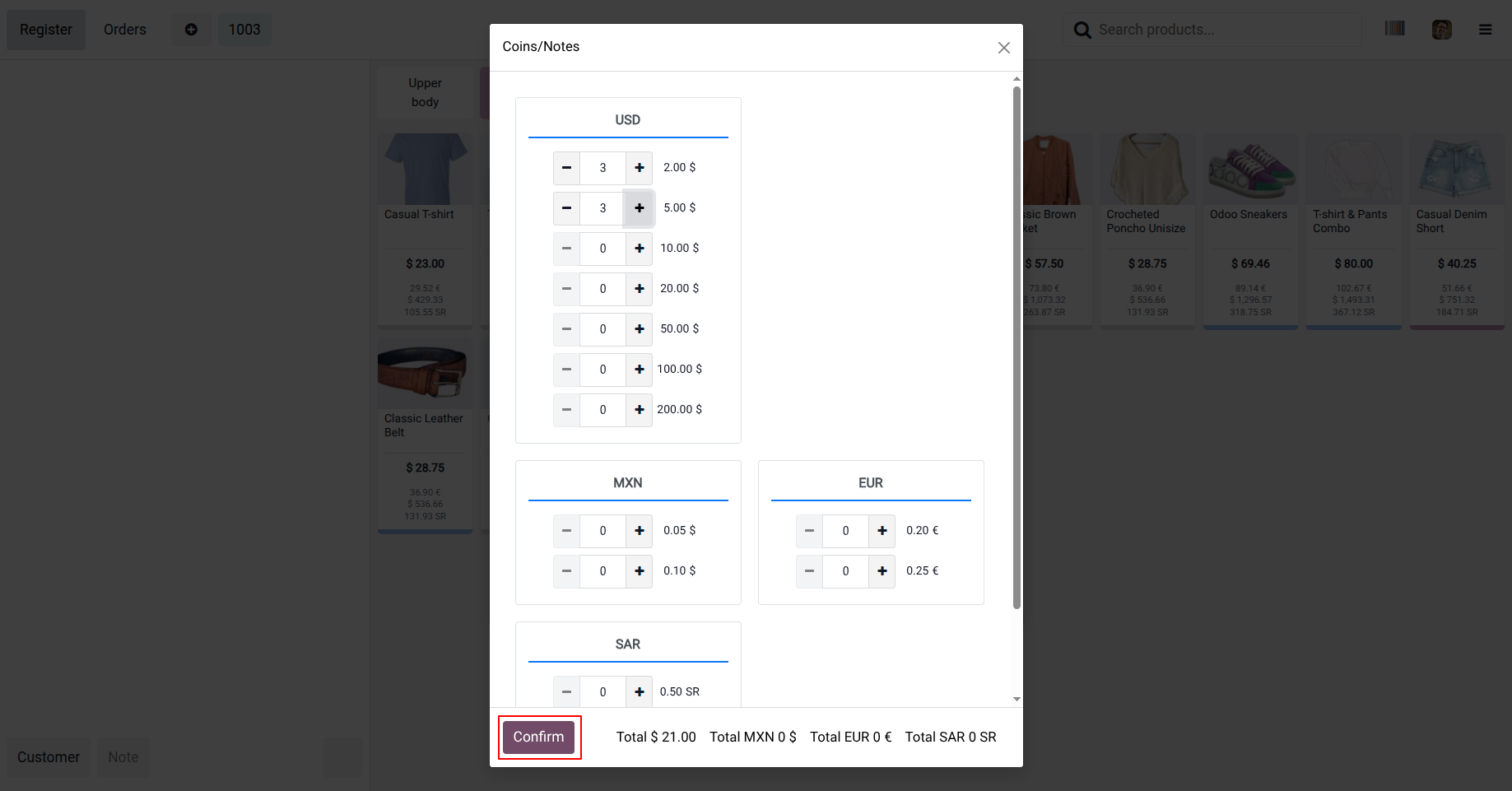
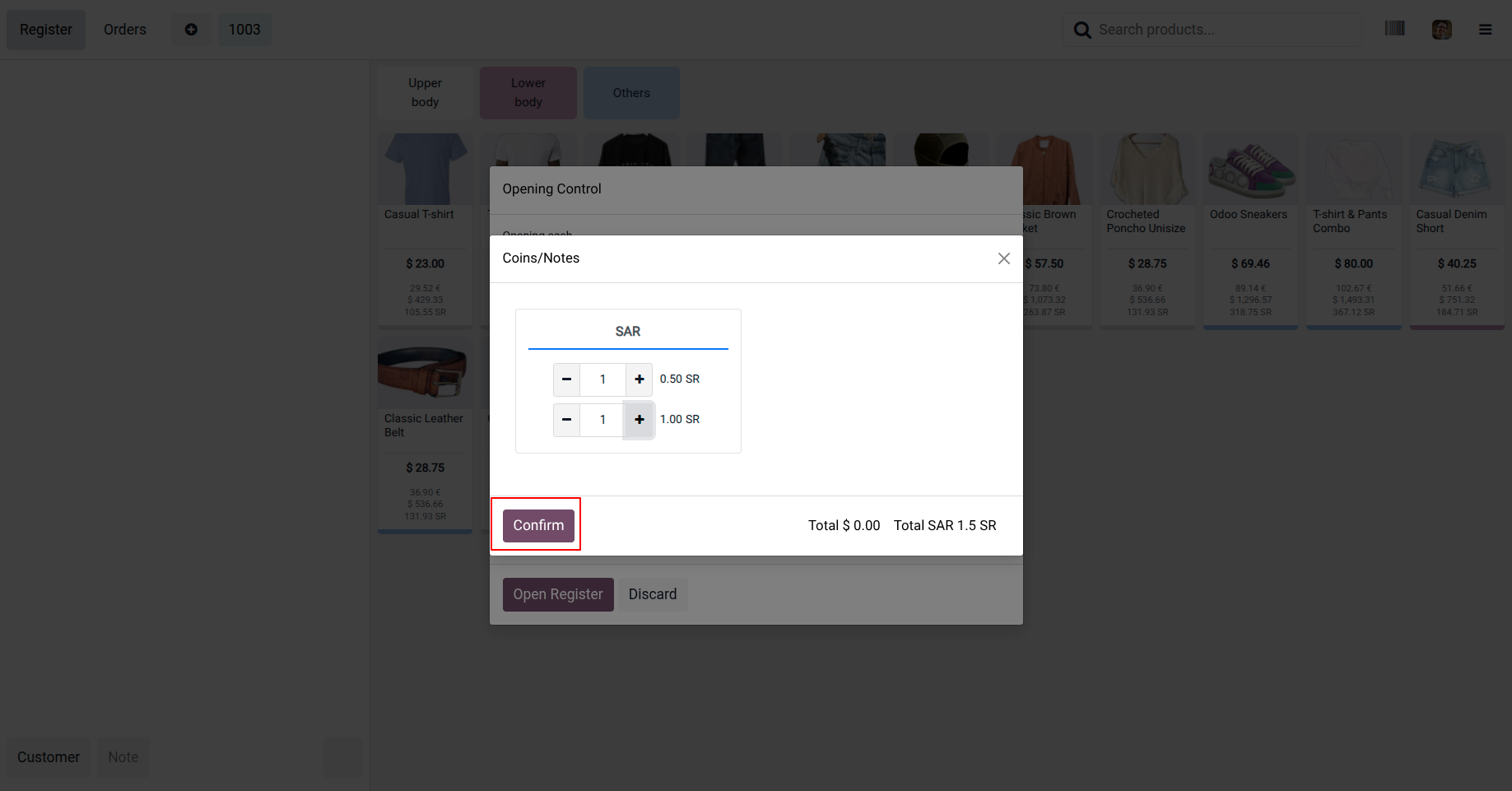
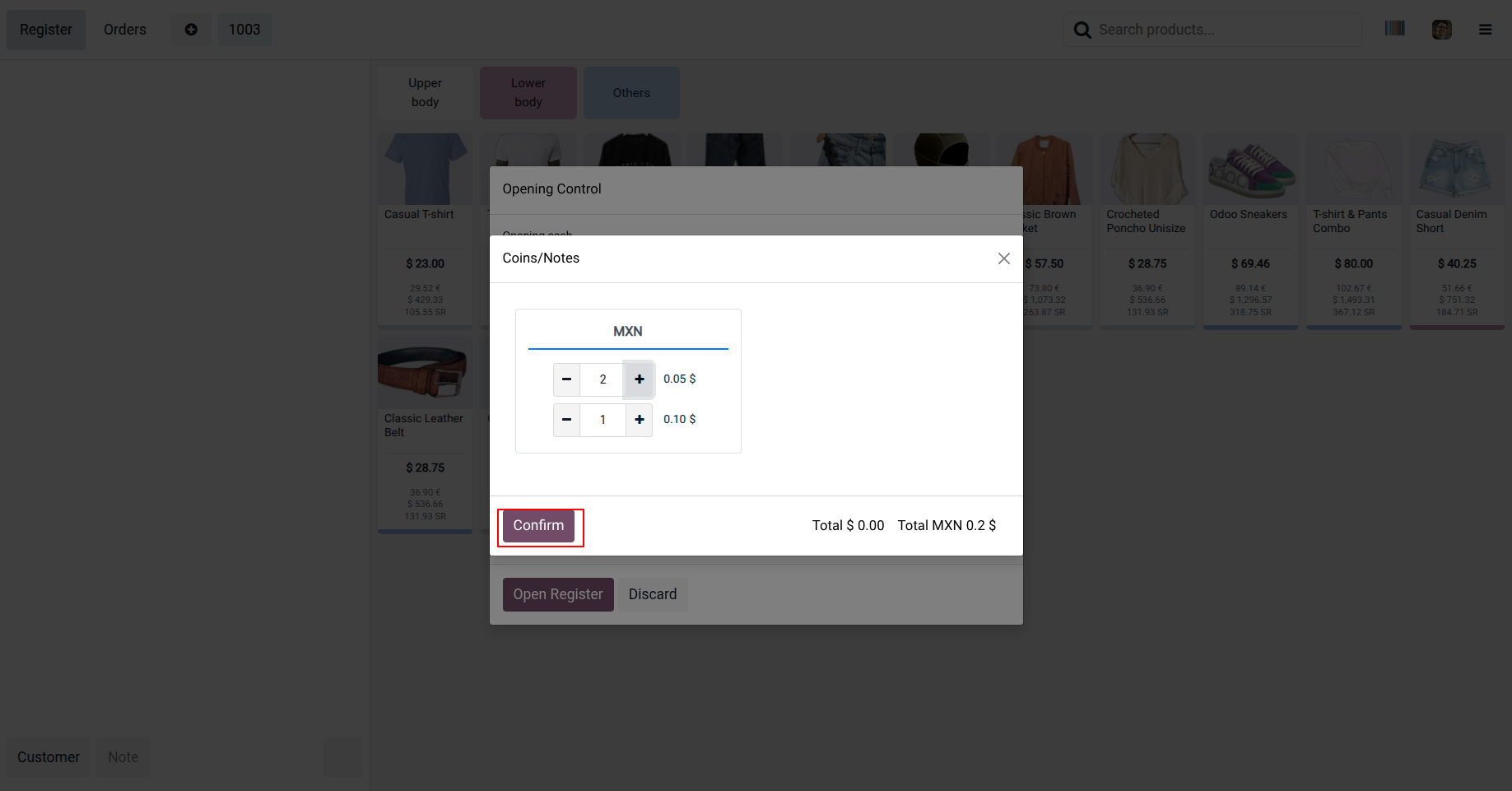
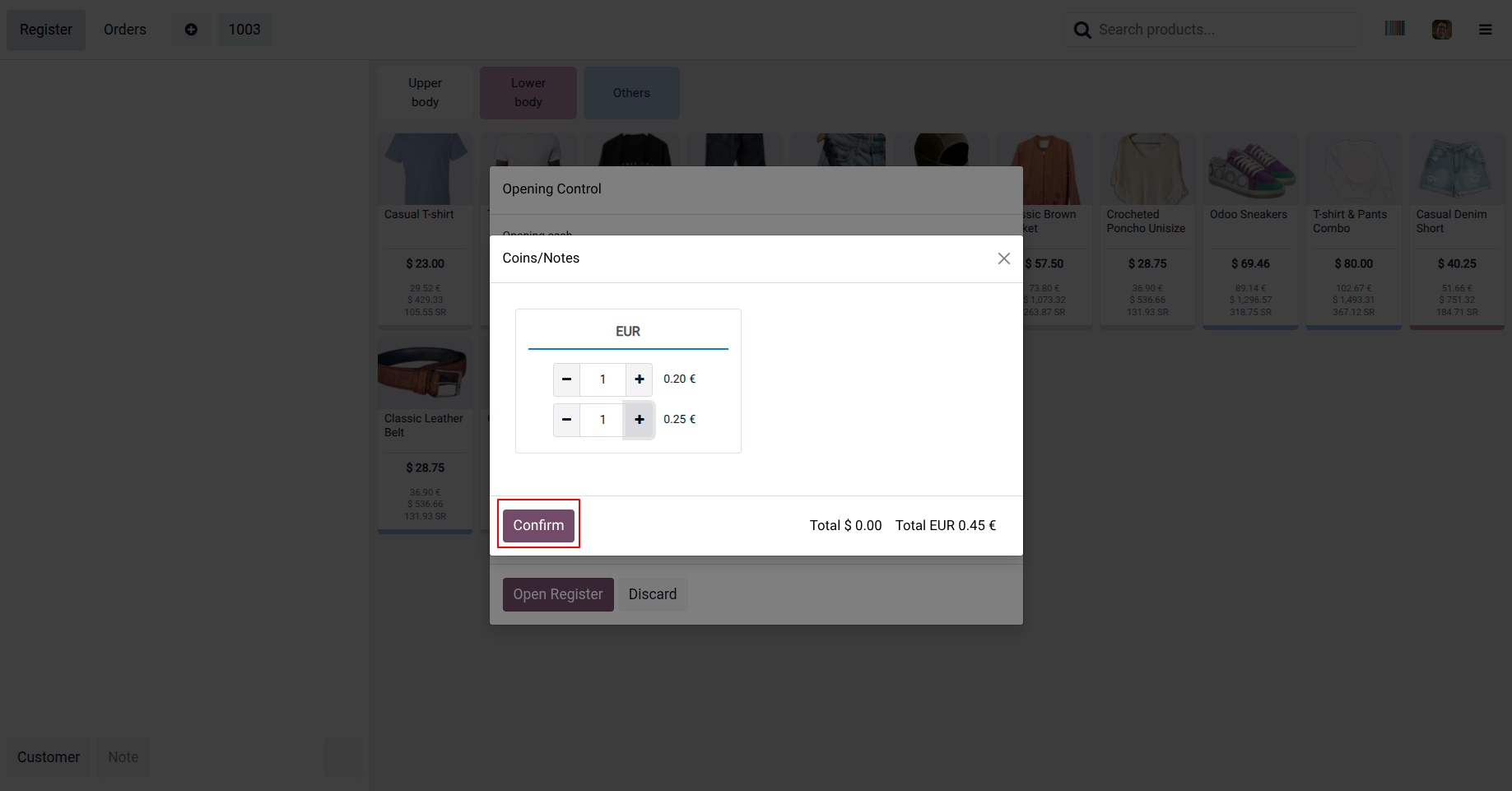
8. Open Cash Control and launch the Cash Register to start managing cash transactions.
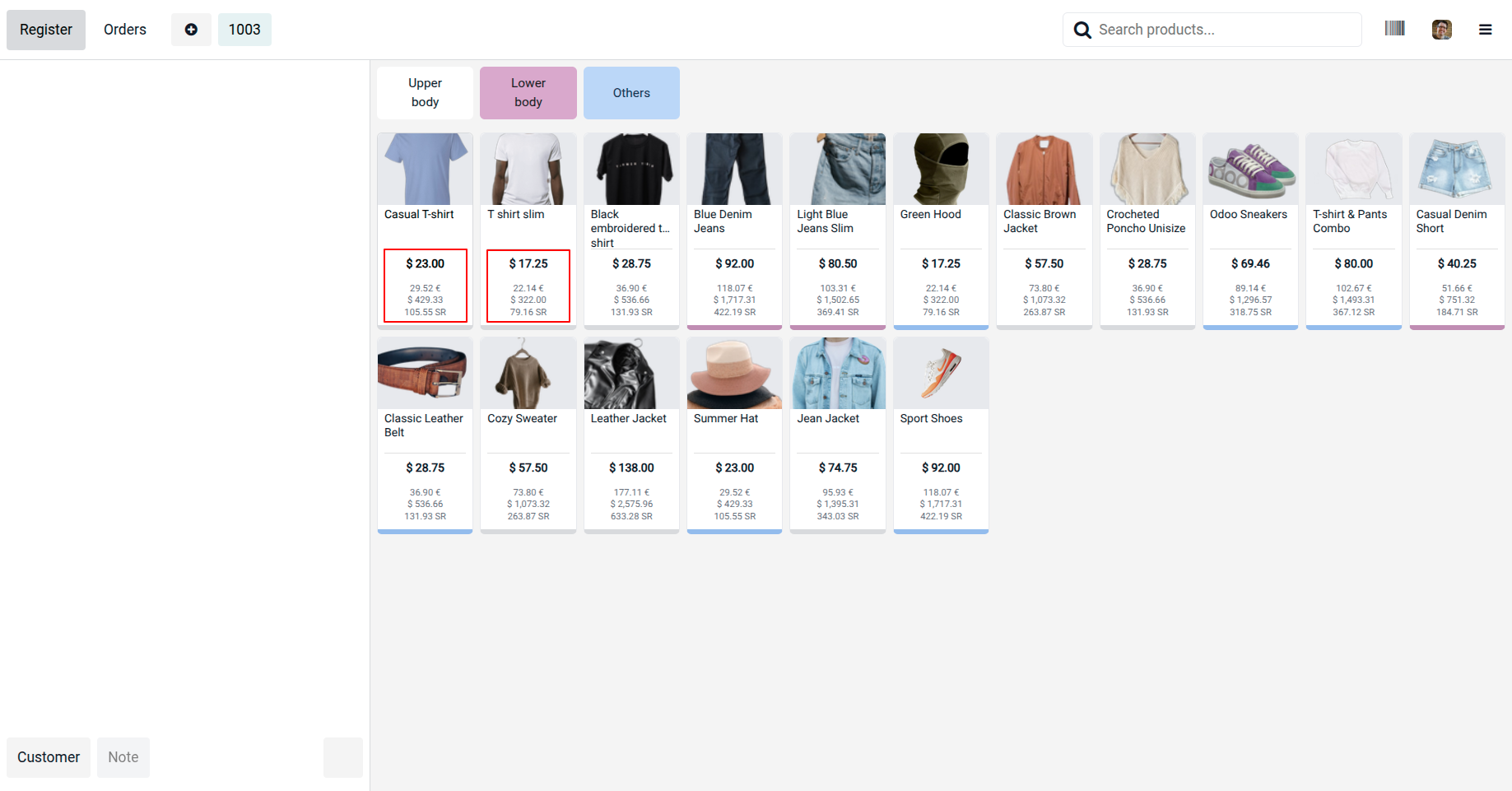
9.The POS interface displays product prices in multiple currencies for better visibility and accurate customer payments.
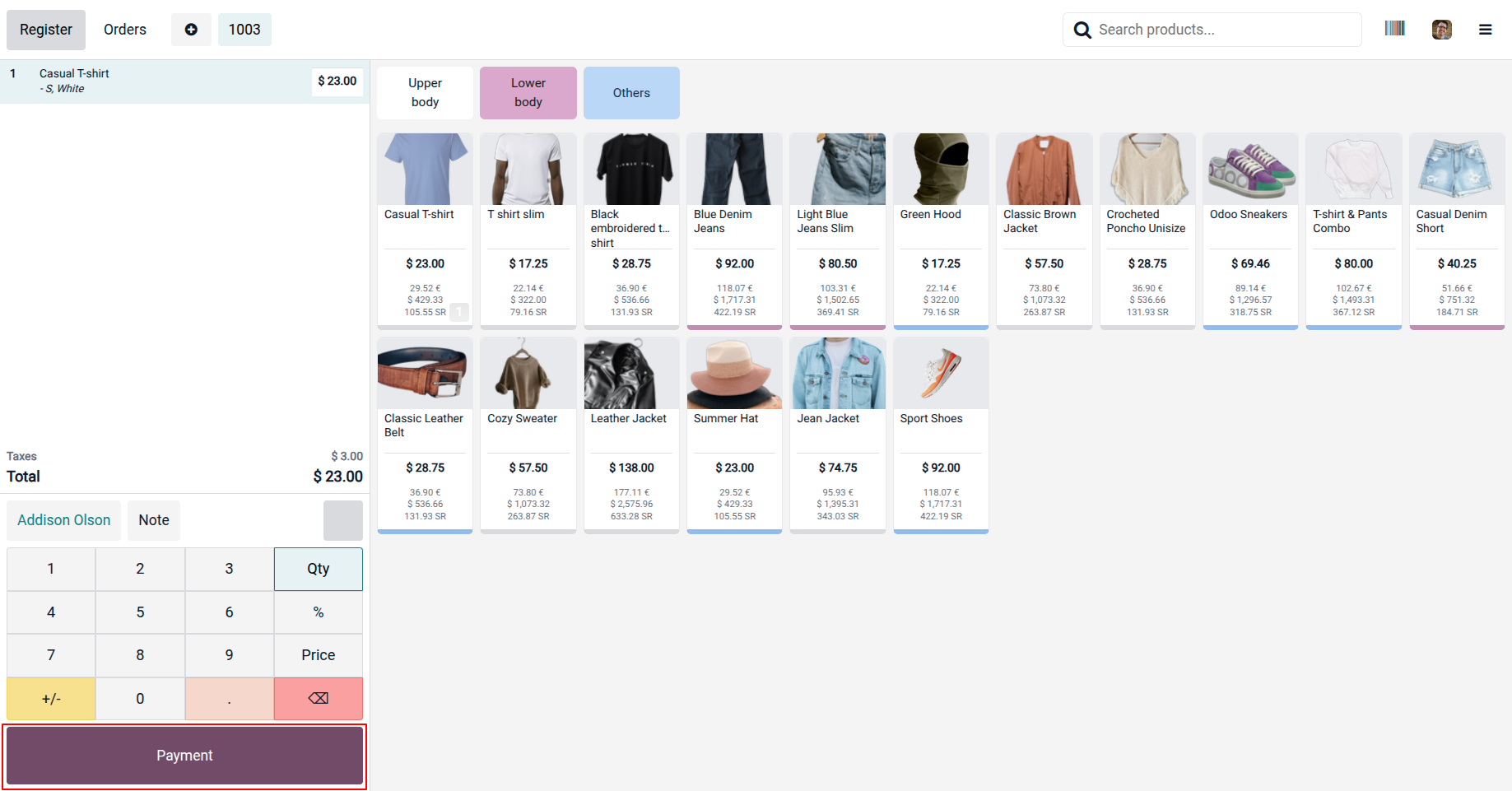
10. The POS system supports real-time multi-currency payments for seamless international transactions.
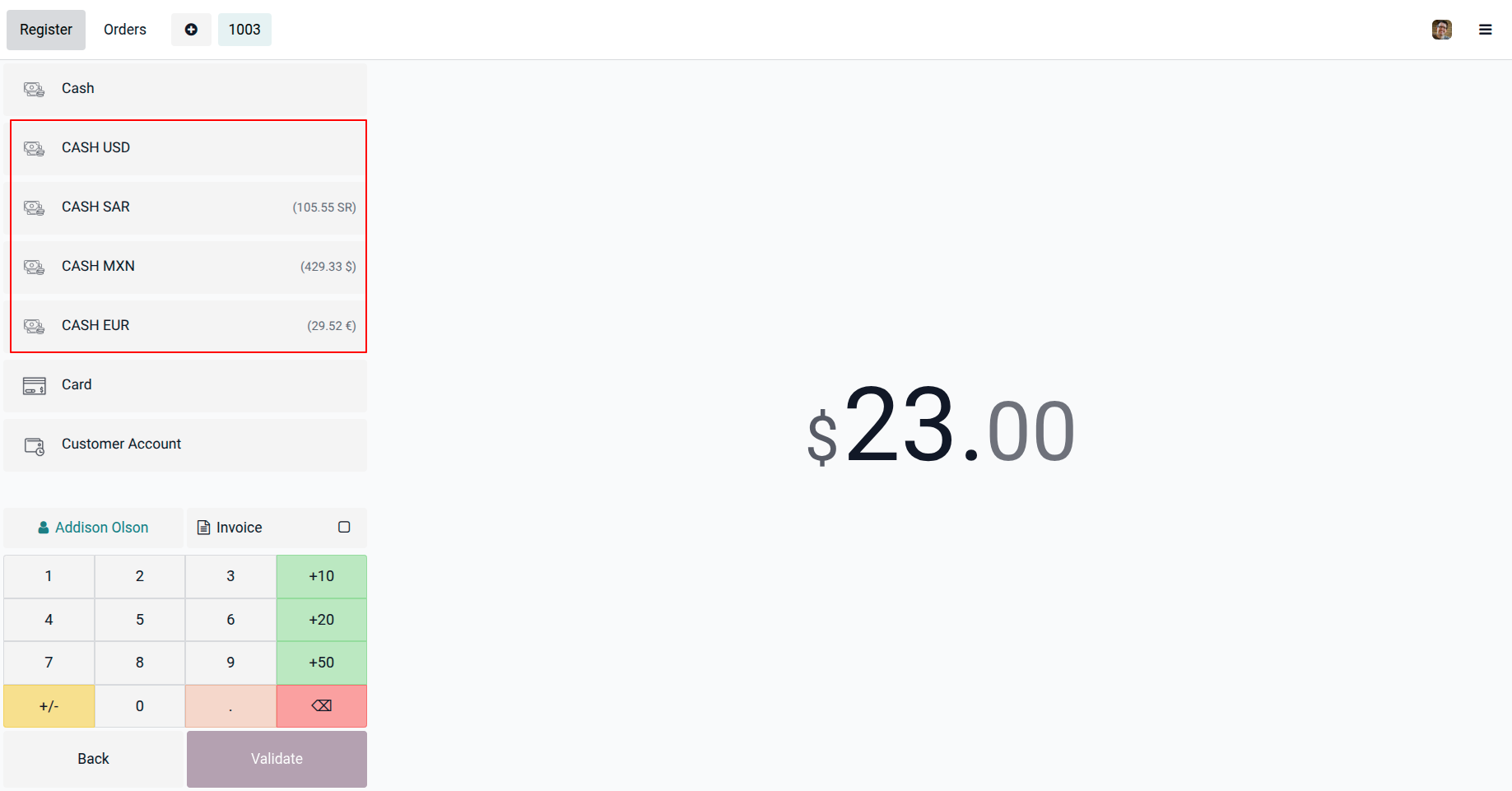
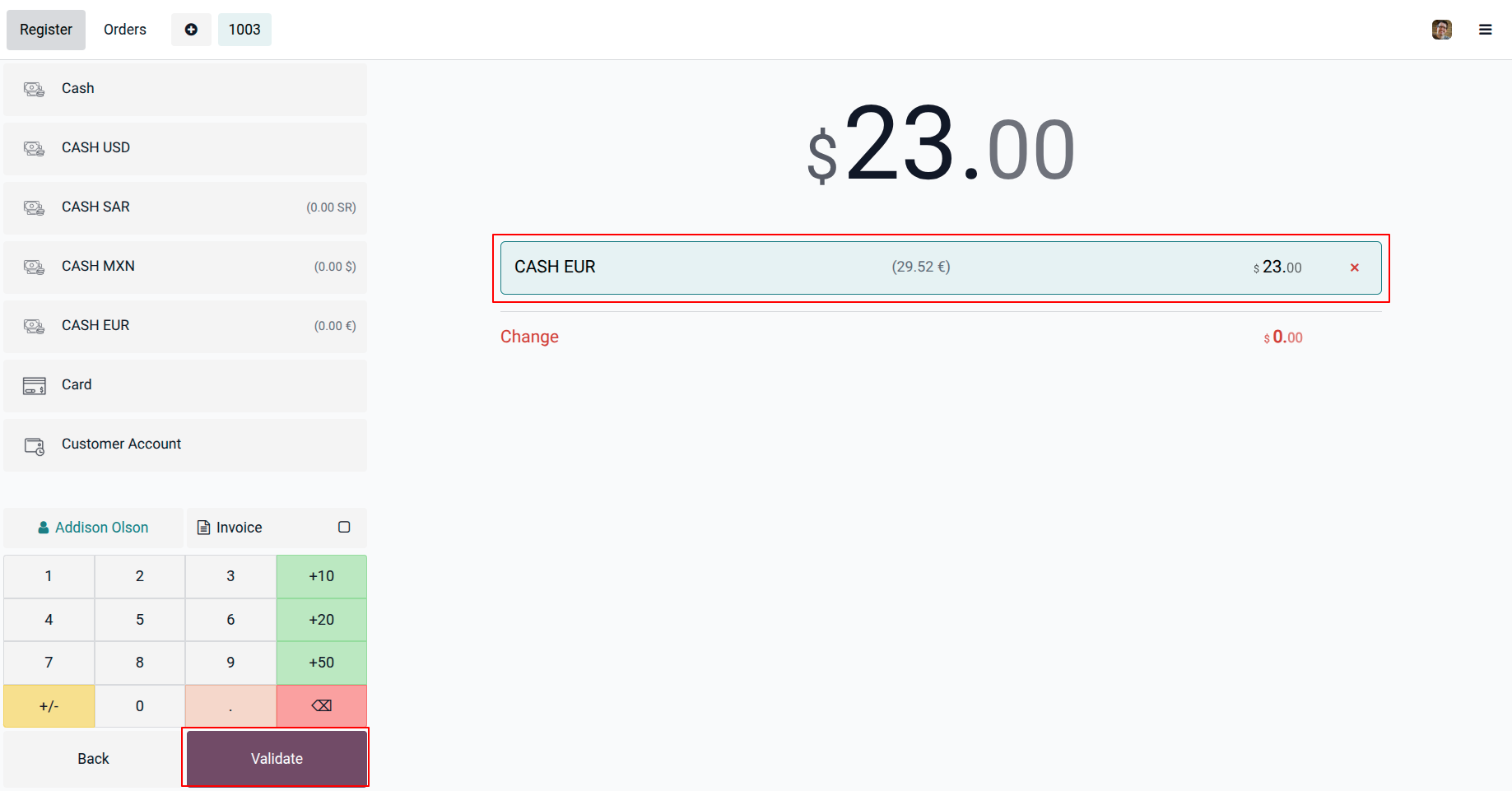
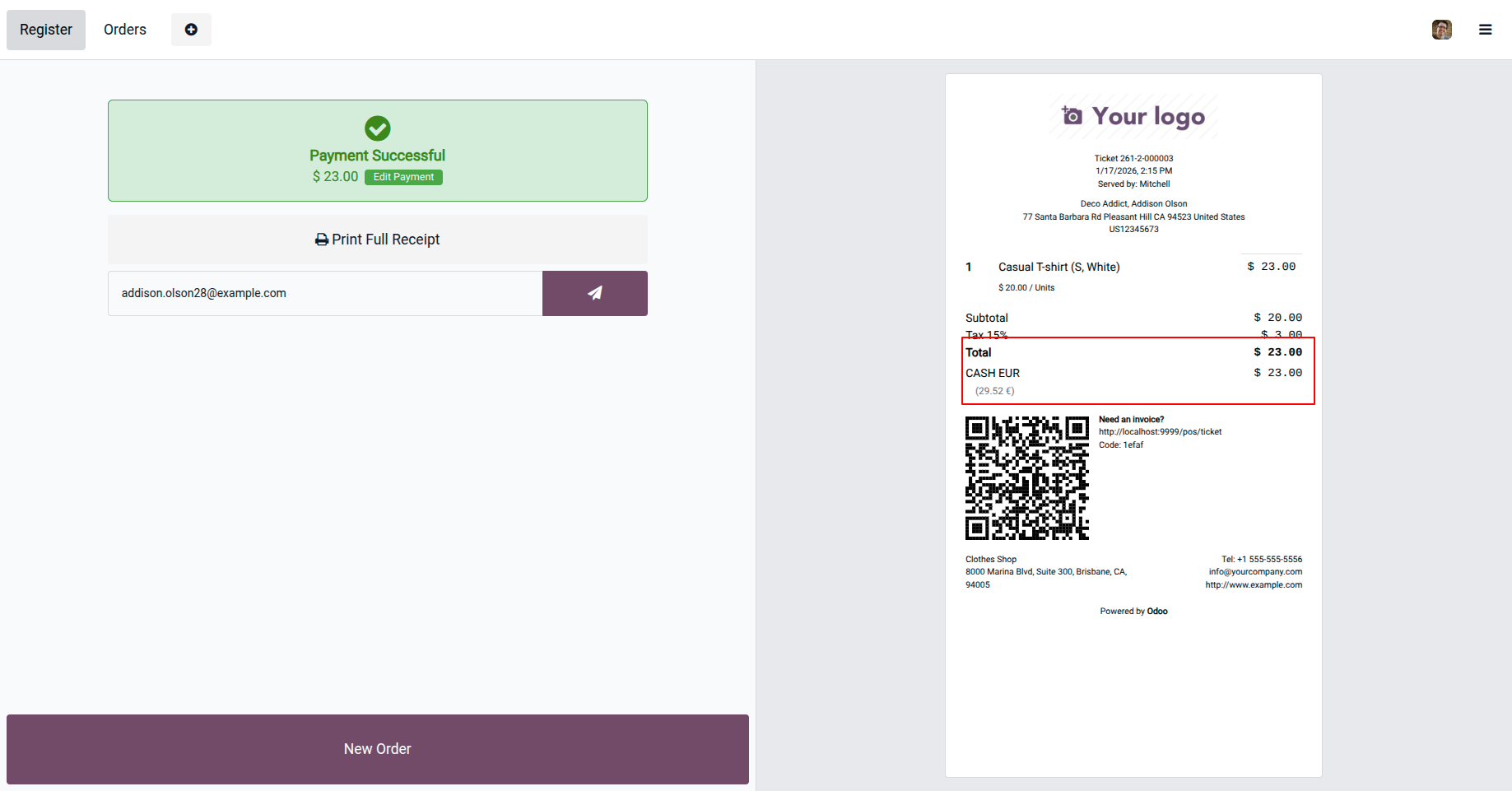
11.Complete the payment using the EUR payment method, and the payment details will appear on the POS order receipt.
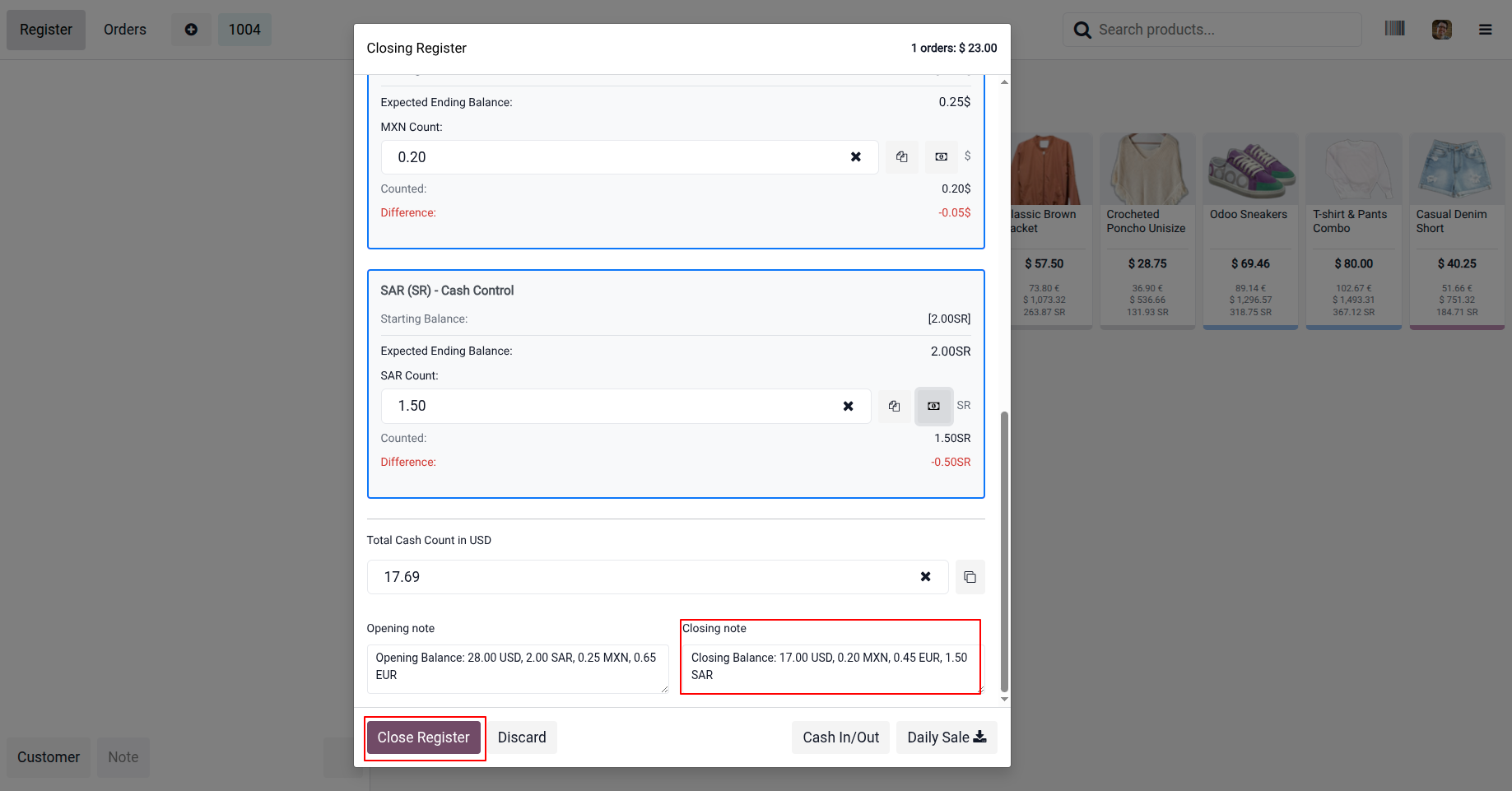
12. Register Closing Overview: Close cash control for each currency and validate all payments in real time.
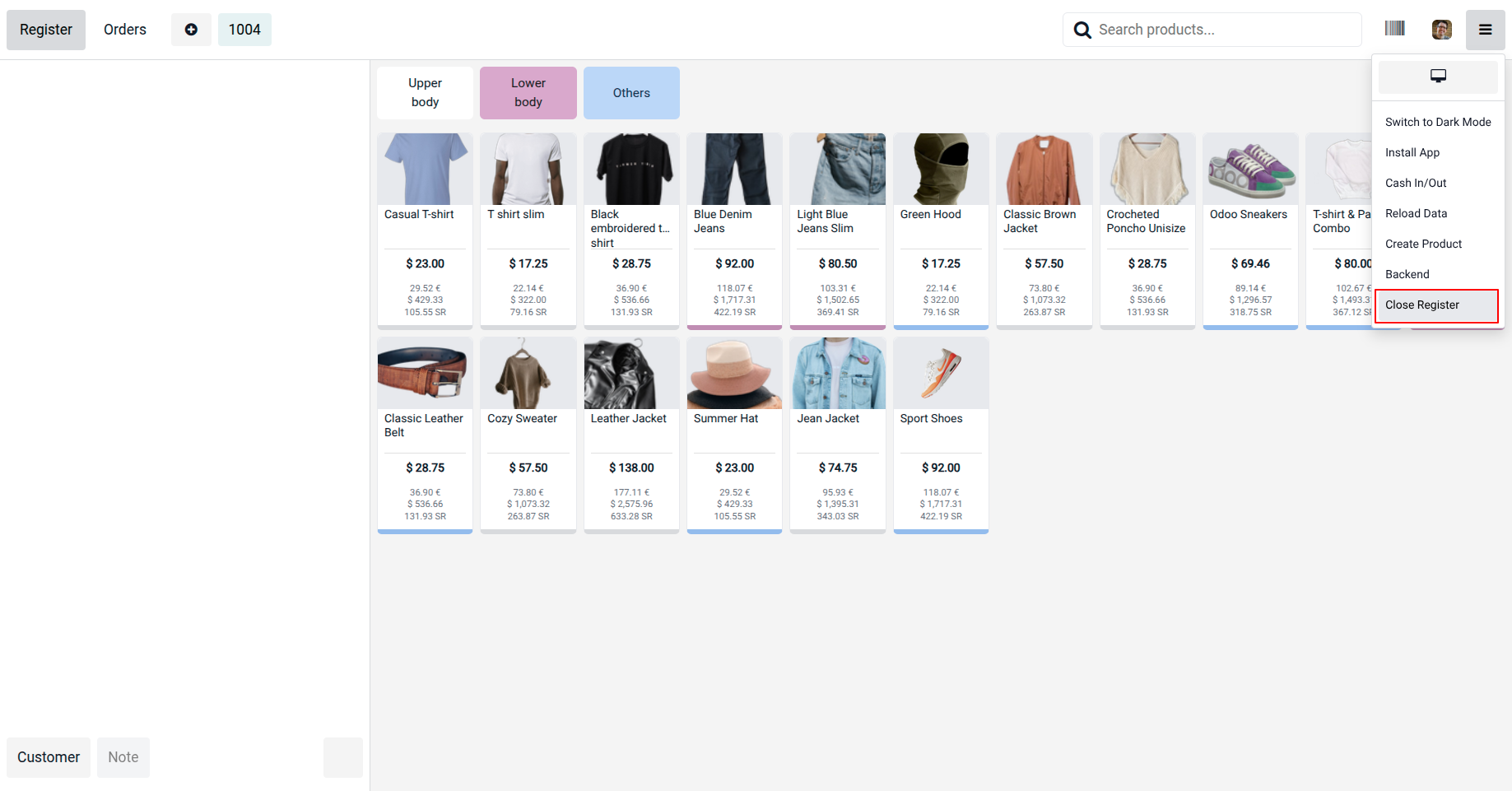
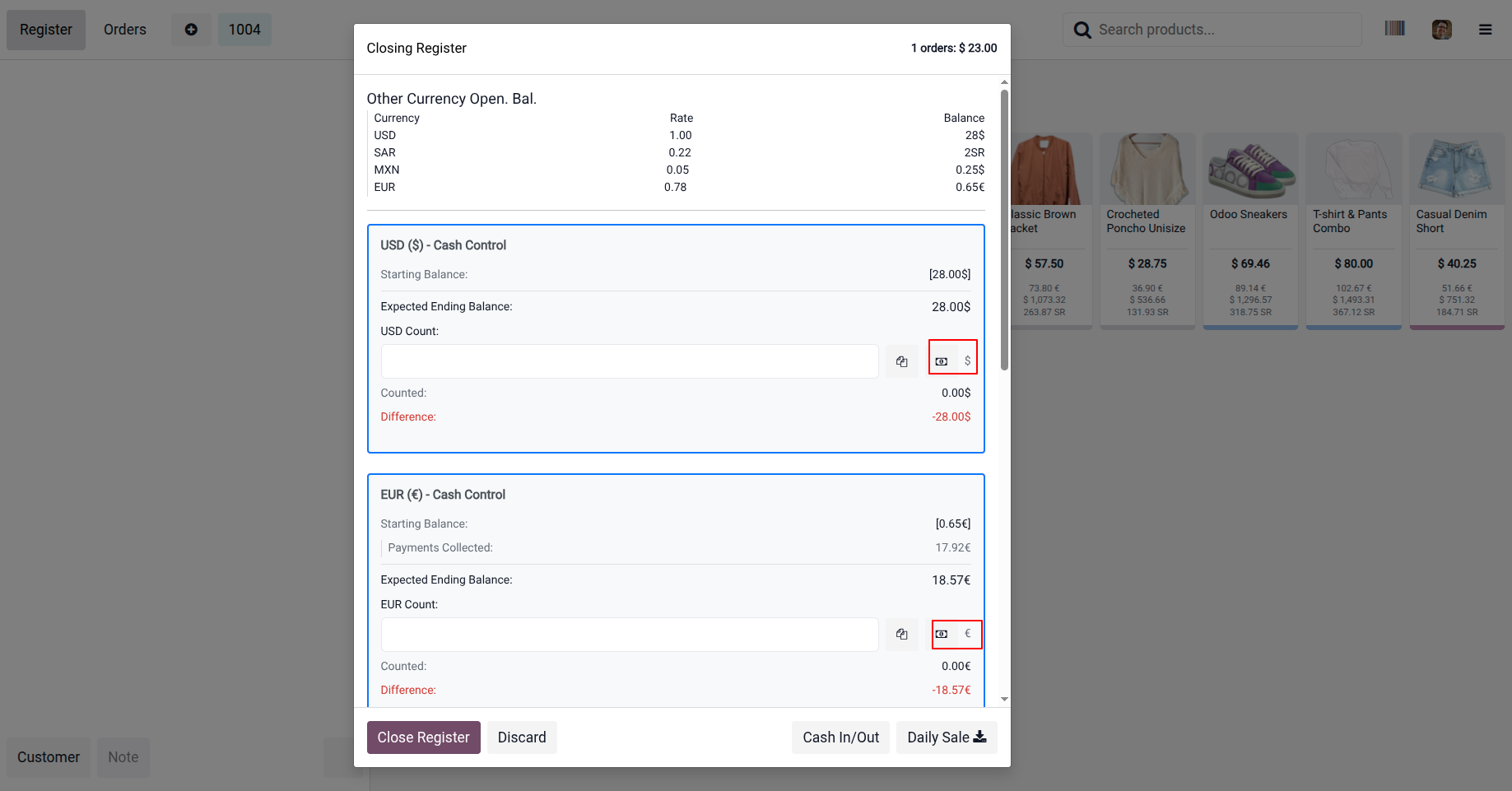
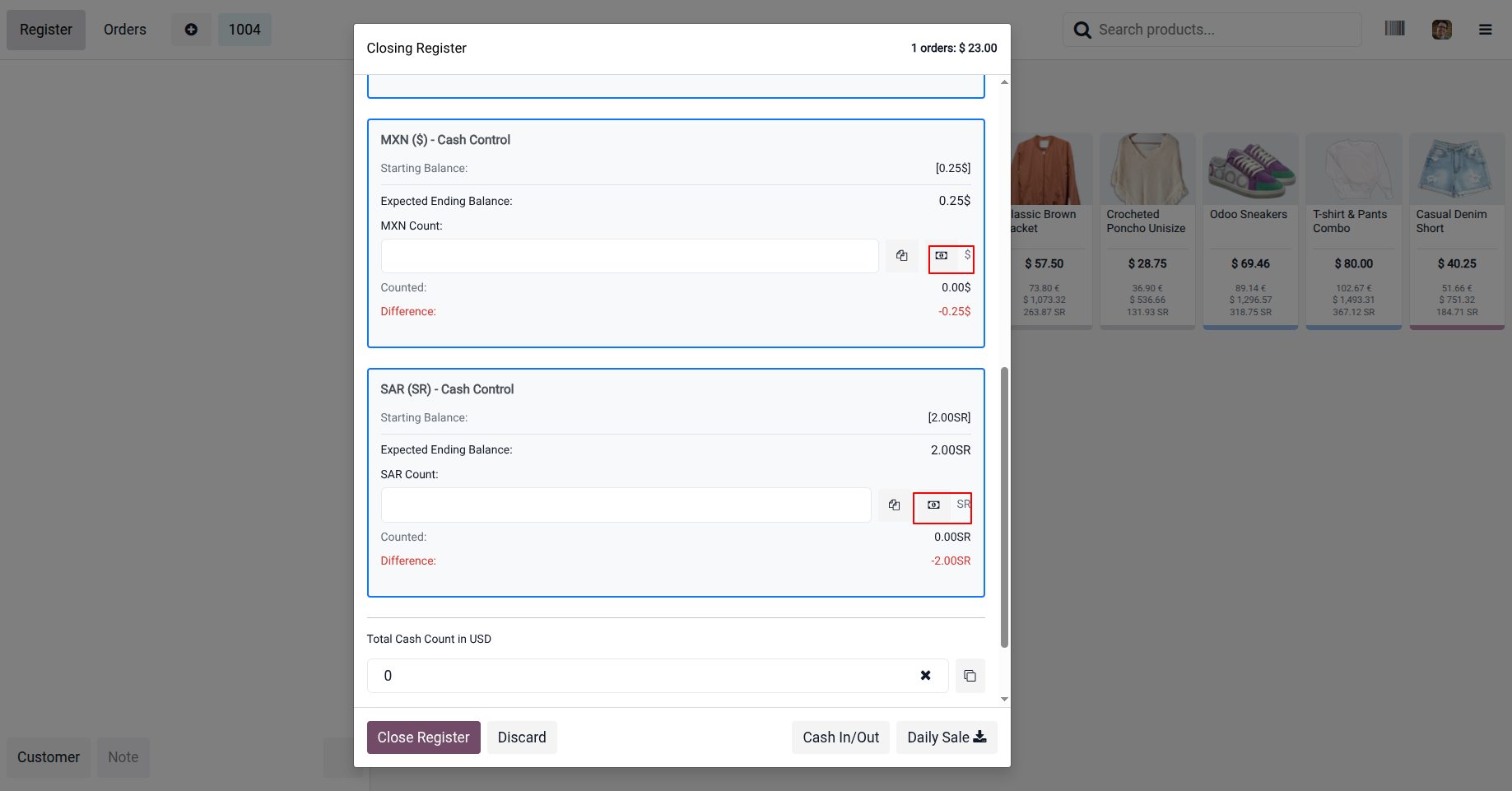
13. Overview of real-time cash closing by currency. Click on Close Register to view the detailed overview of the cash control closing process.
14. This section provides an overview of product prices displayed excluding tax in the POS interface.
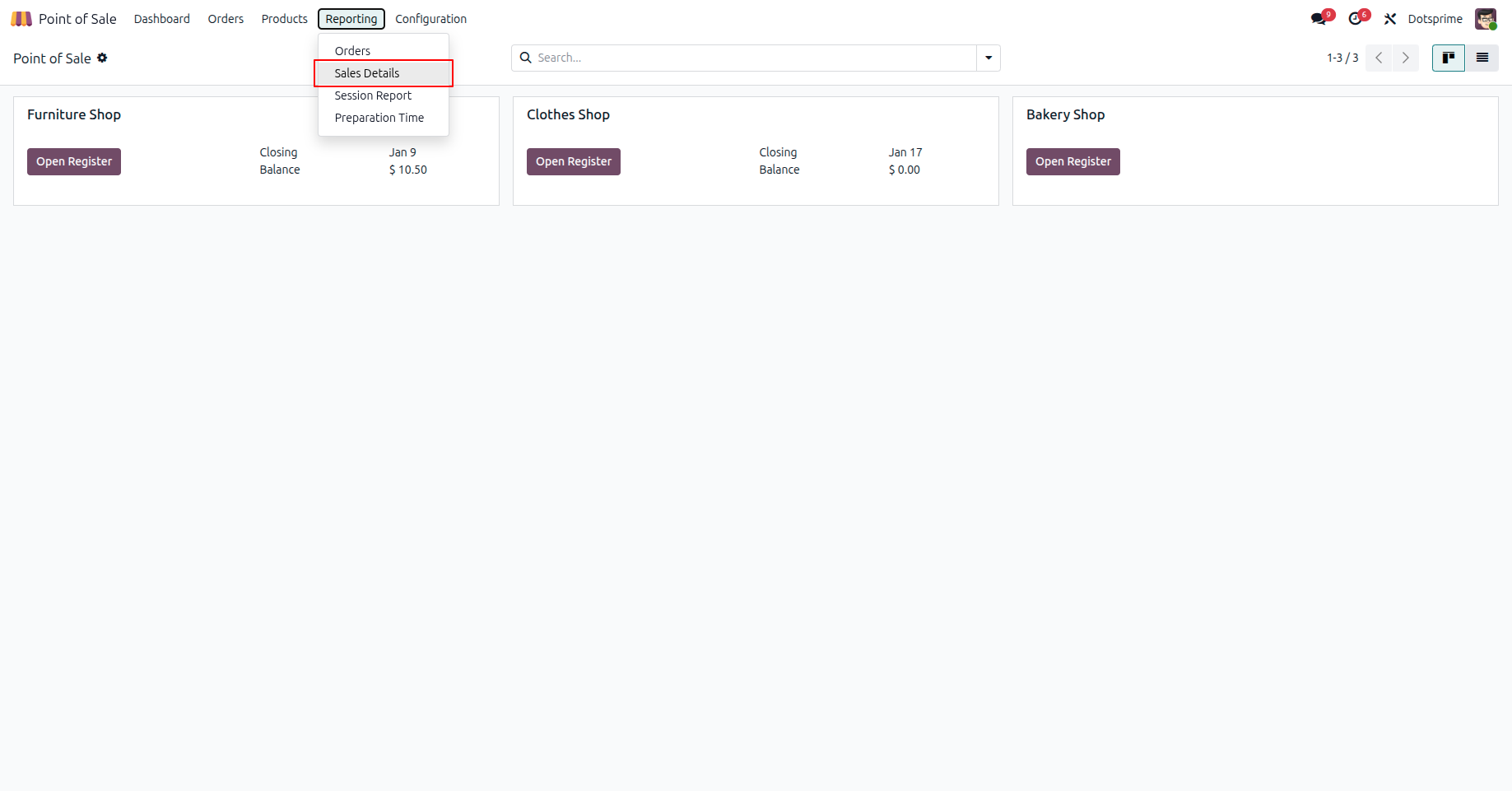
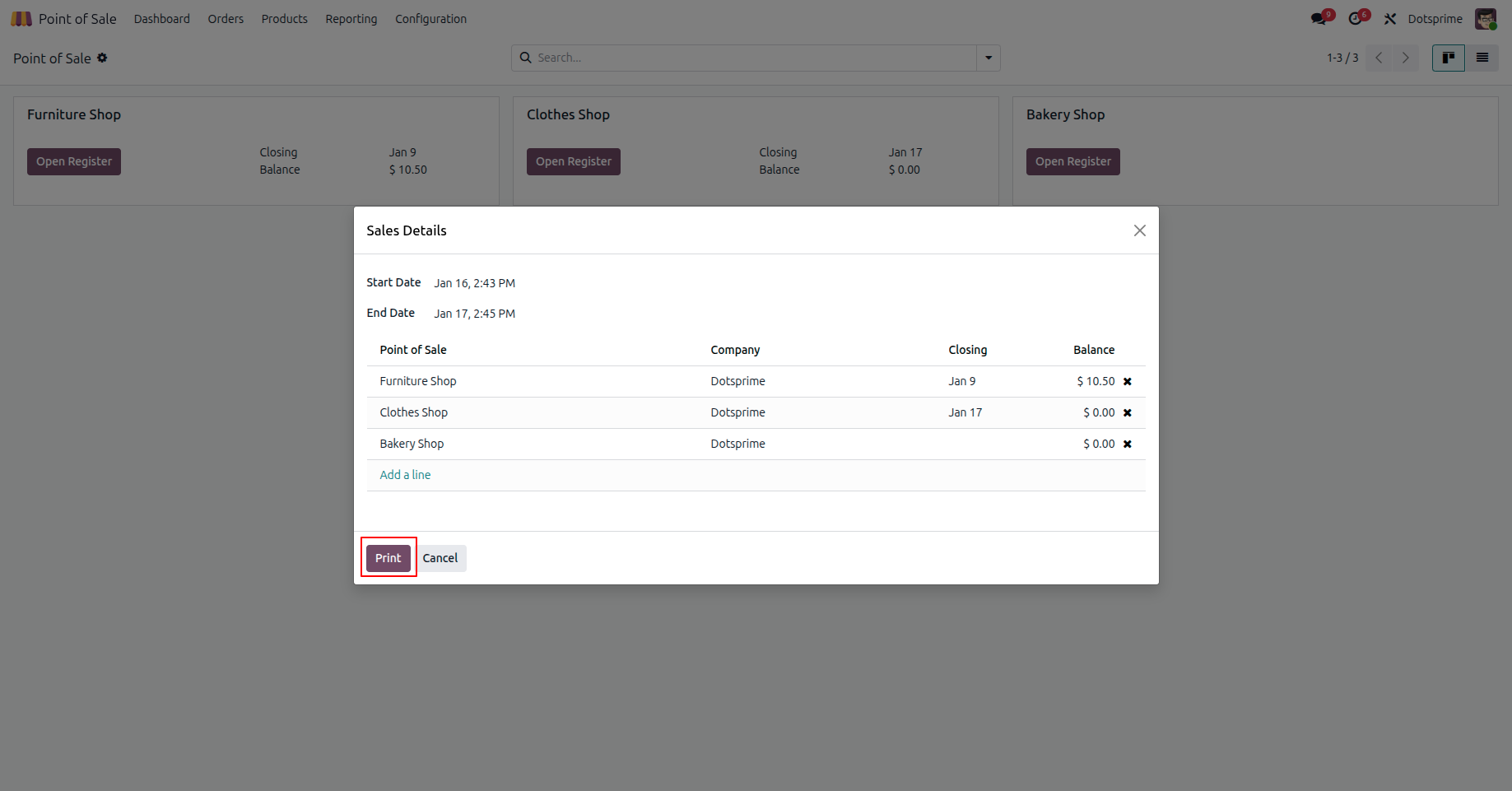
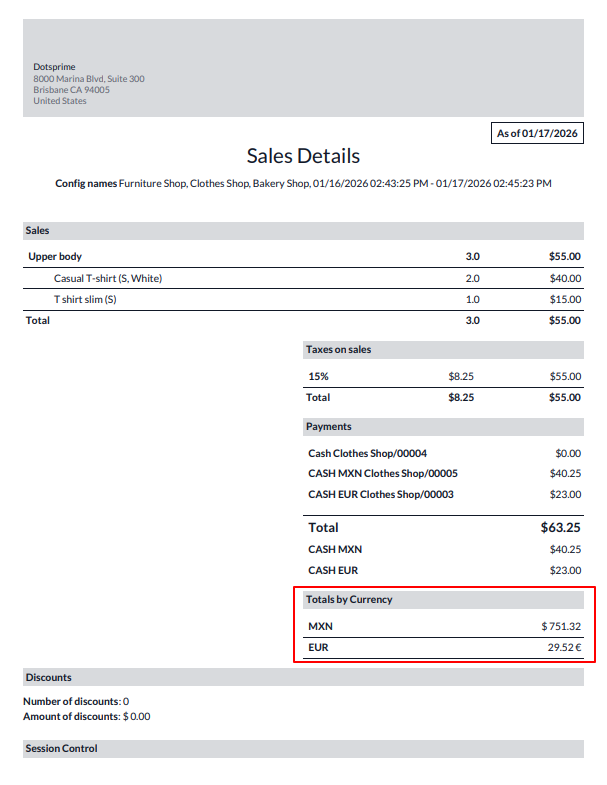
15. This section displays POS sales details along with payments collected in multiple currencies.
NOTE: If you have any questions regarding this app, please feel free to contact us. If there is a conflict with another module, additional customization may be required to fix the issue and ensure compatibility.
Our Service







If you are looking for any Customsation, Support, Implementation, Migration, Odoo Training (Technical-Functional), Odoo Version Migration, Odoo Database Migration, Odoo Support, Odoo Fixing, Odoo Bug fixing, Any query plz Contact us We are ready to help you.
Contact us for support


| Availability | Odoo Online Odoo.sh On Premise |
| Odoo Apps Dependencies | base point_of_sale |
| Technical Name | dps_dynamic_multicurrency_cashcontrol |
| License | OPL-1 |
| Website | https://dotsprime.com/ |