

FedEx – Odoo Integration | FedEx Odoo Integration
$ 40.00
Watch Demo
Versions
20.0
You bought this module and need support?
Click here!
FedEx Odoo Integration
Key Features of FedEx Odoo Integration:
- Retrieve real-time FedEx shipping rates directly from Odoo to provide accurate shipping costs during order processing and delivery planning.
- Create domestic and international shipments using a wide range of FedEx services, including Express, Ground, International Priority, and Economy.
- Manage single-package and multi-package shipments with automated support for package weight and dimensions.
- Automatically generate customs-compliant commercial invoices for international shipments, helping simplify cross-border shipping.
- Generate and download shipping labels in multiple formats such as PDF, ZPL, and PNG, with support for various label sizes.
- Configure sender, recipient, or third-party billing options to match your shipping and accounting requirements.
- Create return shipments and generate return labels directly from Odoo to streamline reverse logistics processes.
- Track shipment status in real time from within Odoo and provide shipment visibility to customers through the portal.
- Cancel previously created FedEx shipments directly from Odoo while keeping shipment information synchronized with the FedEx API.
- Connect Odoo with your FedEx account using live API credentials and manage the complete shipping lifecycle without leaving the Odoo environment.


Screenshots Of Application features
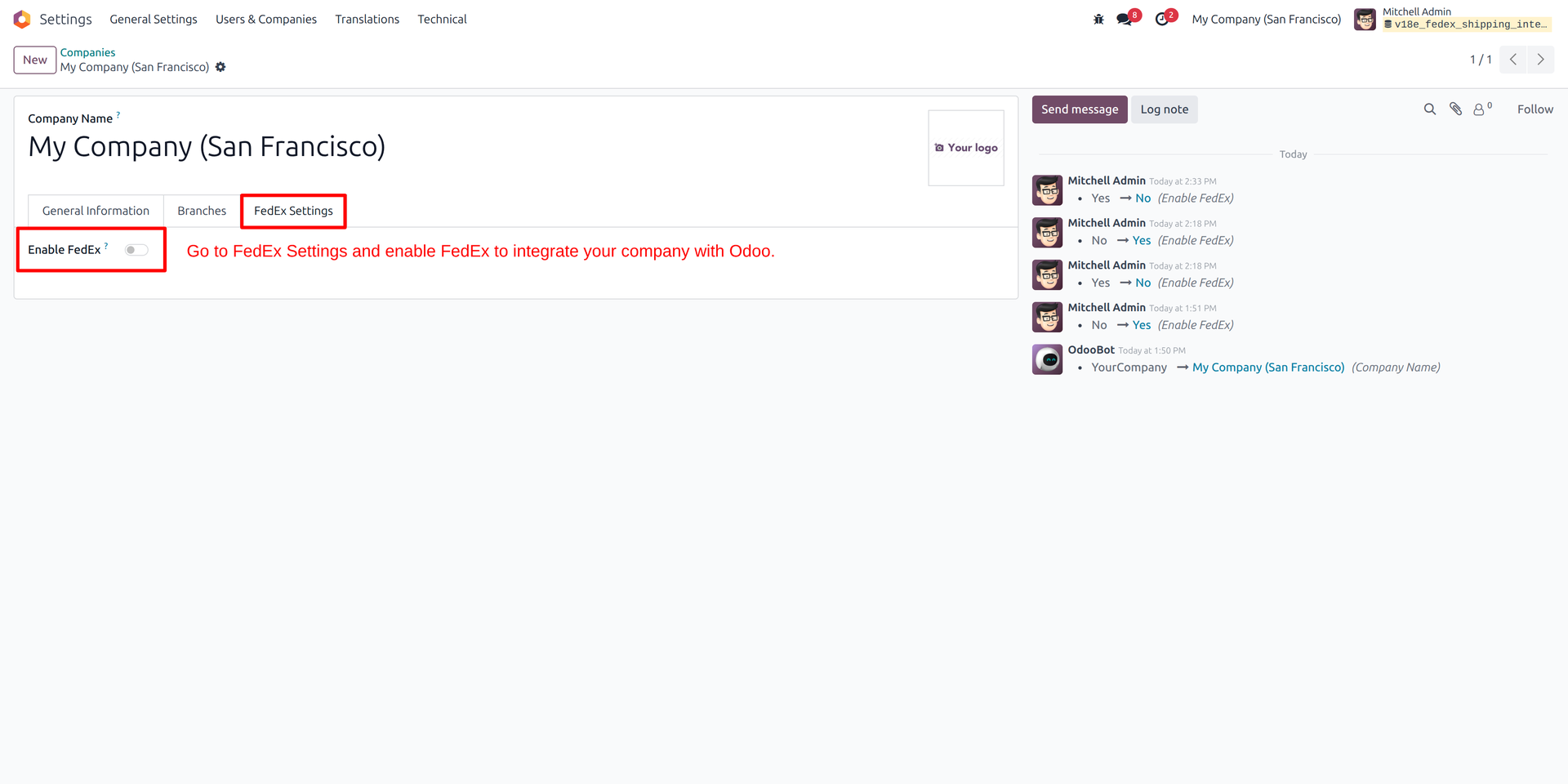
01
FedEx Setting
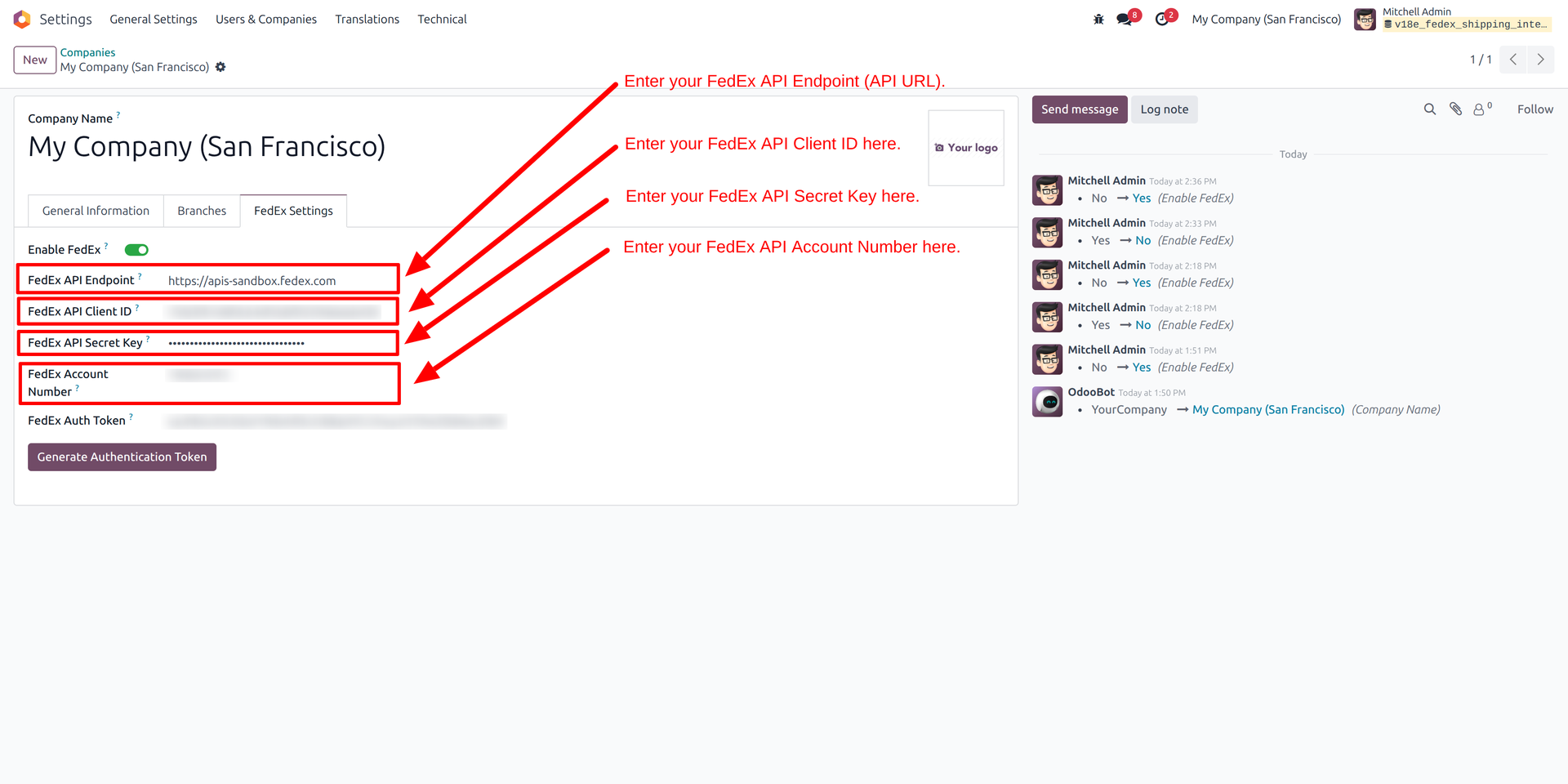
02
Generate FedEx API Generate Token
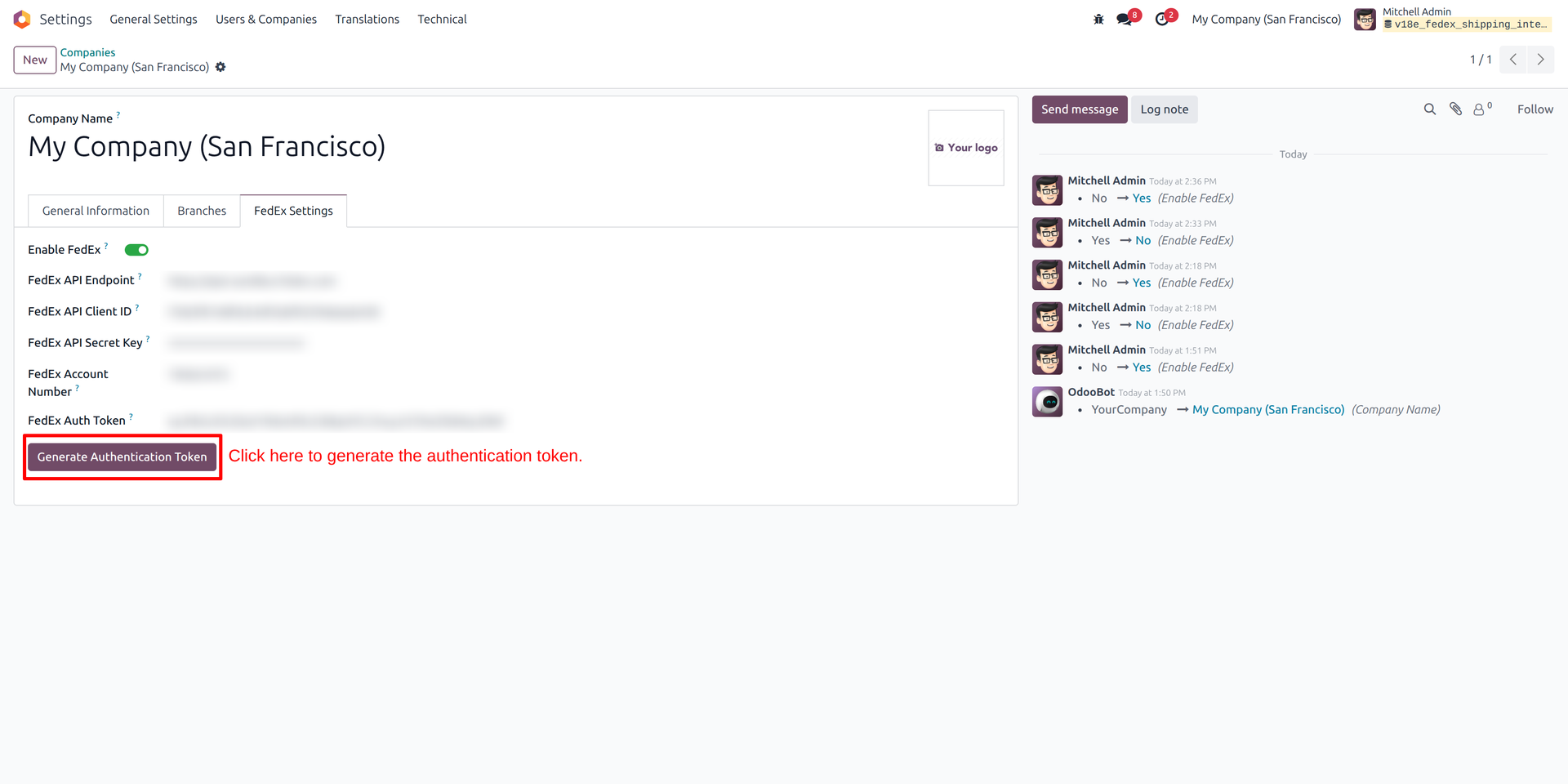
03
Generate Autherntication Token
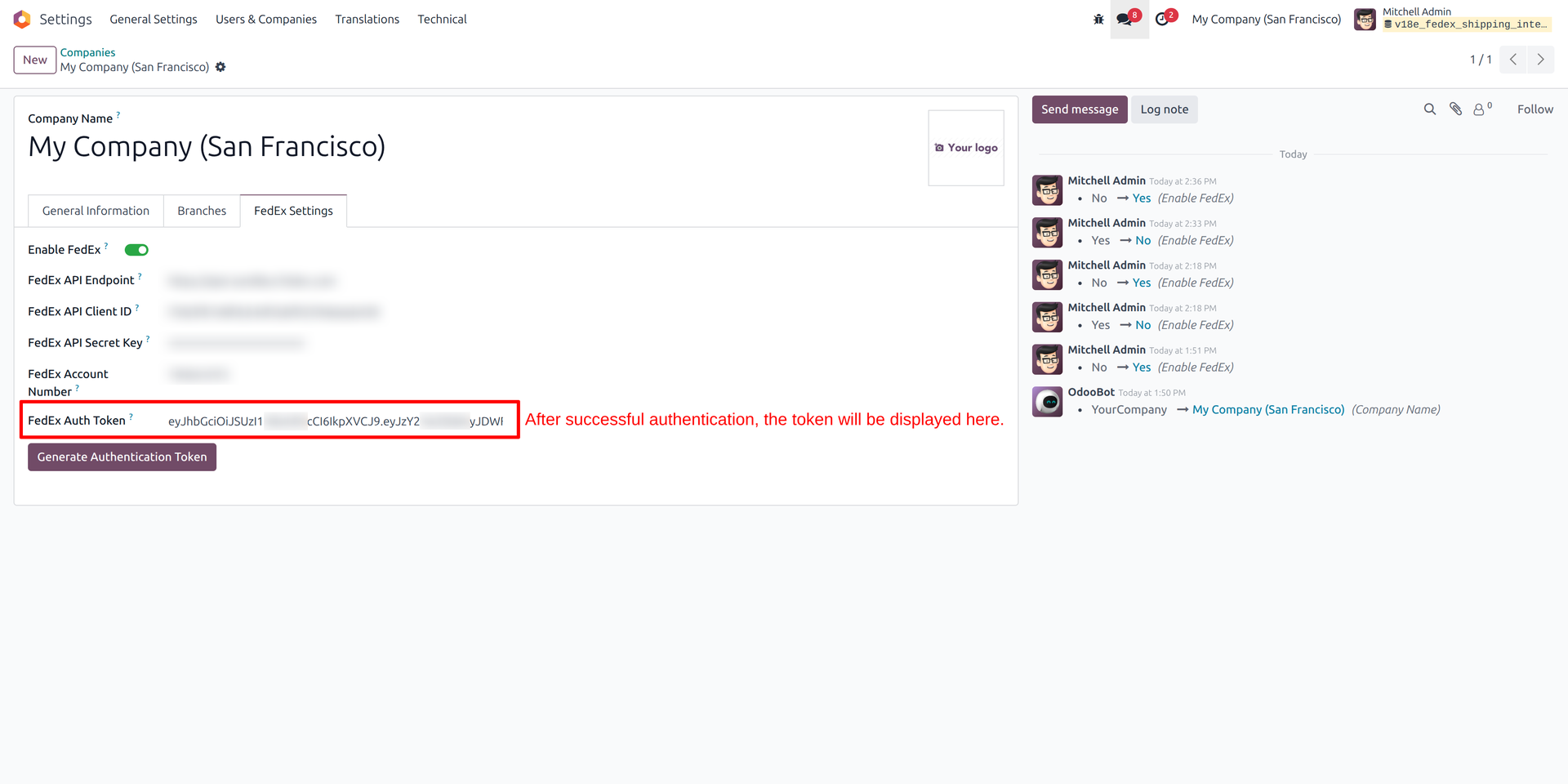
04
View of Fedex authentication token after sucessfull generate
05
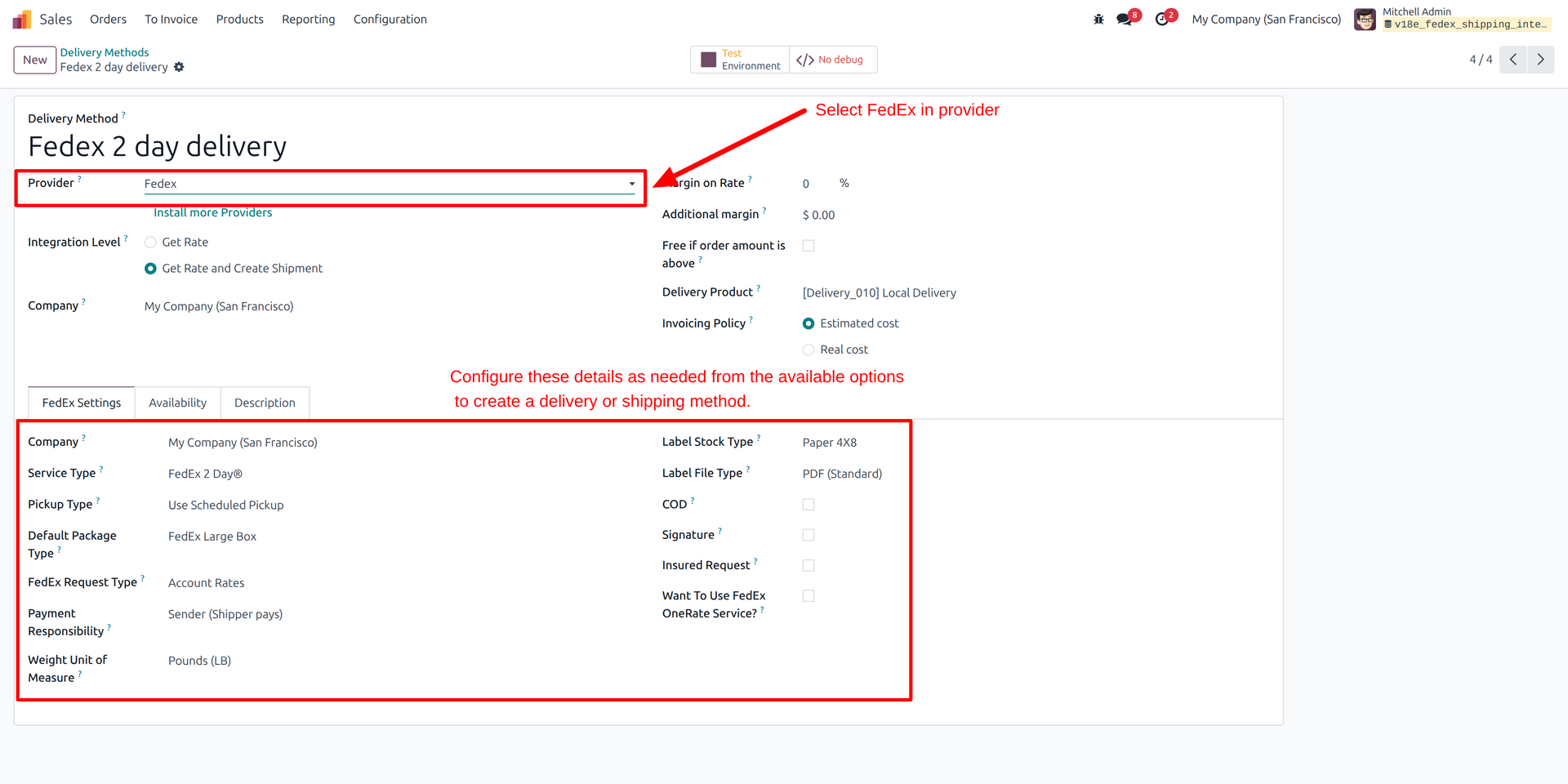
Create Deliver method and add Fedex configuration
06
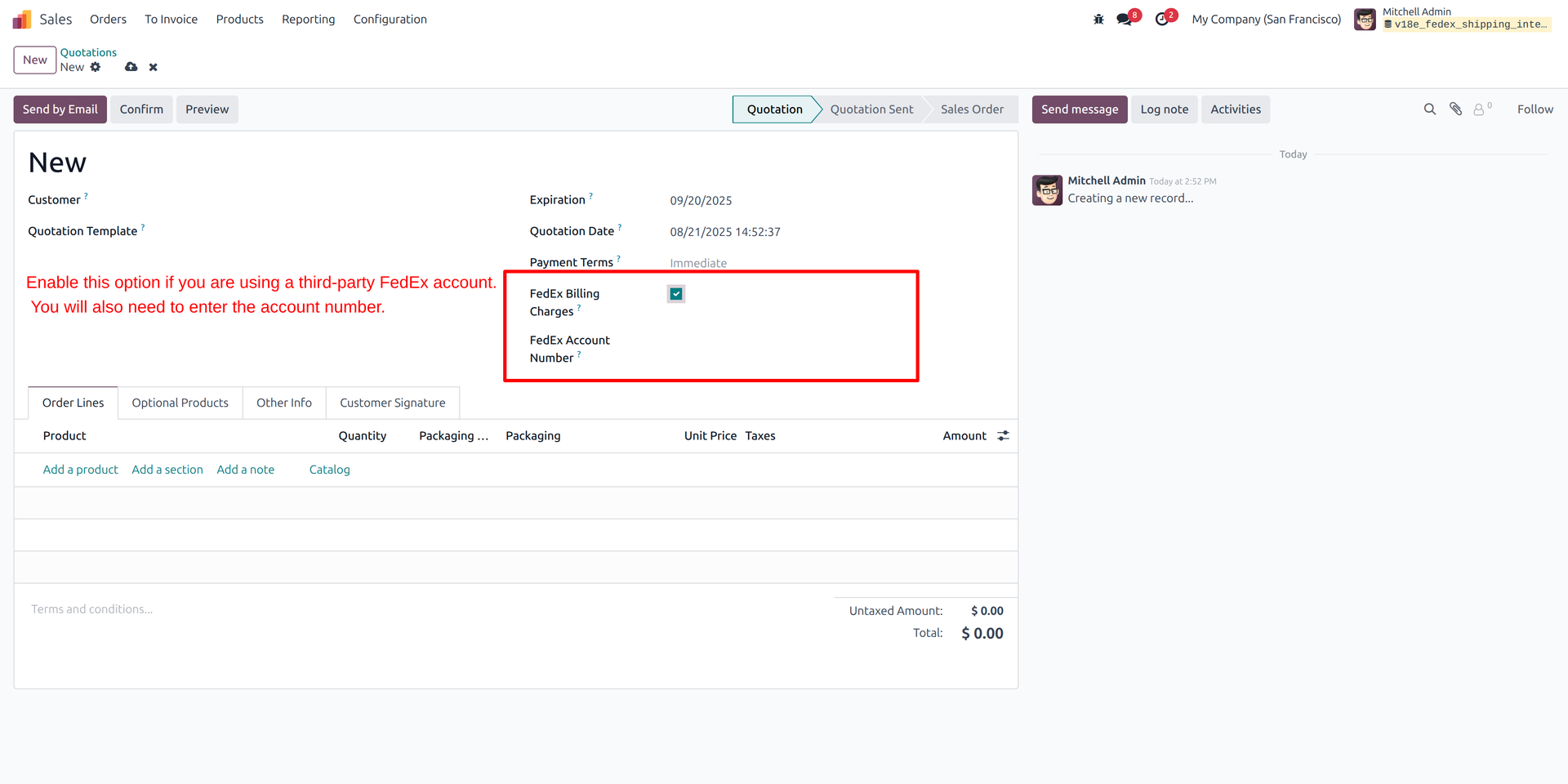
Create quotation and add Fedex billing charges
07
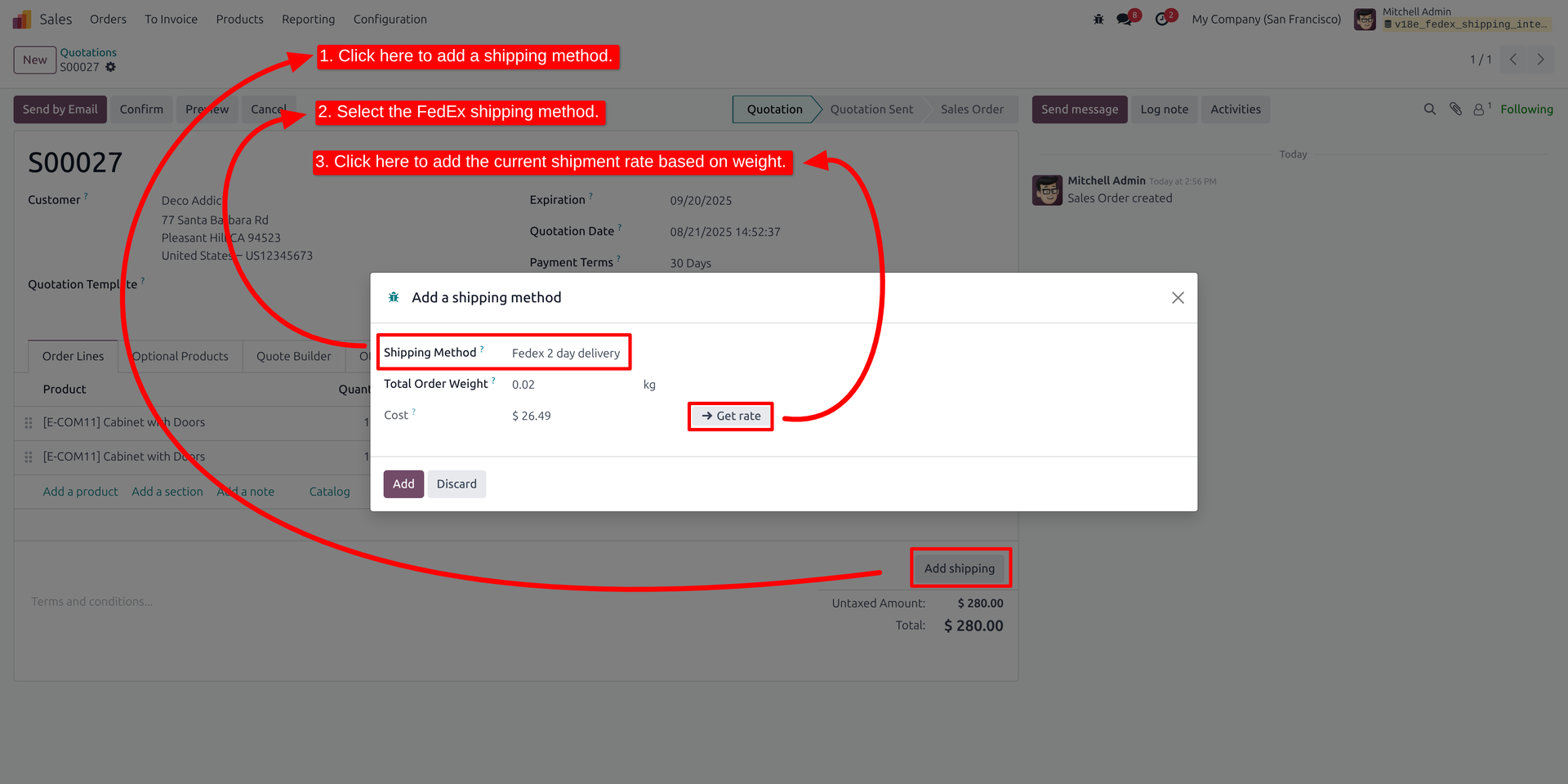
Add Shipping method
08
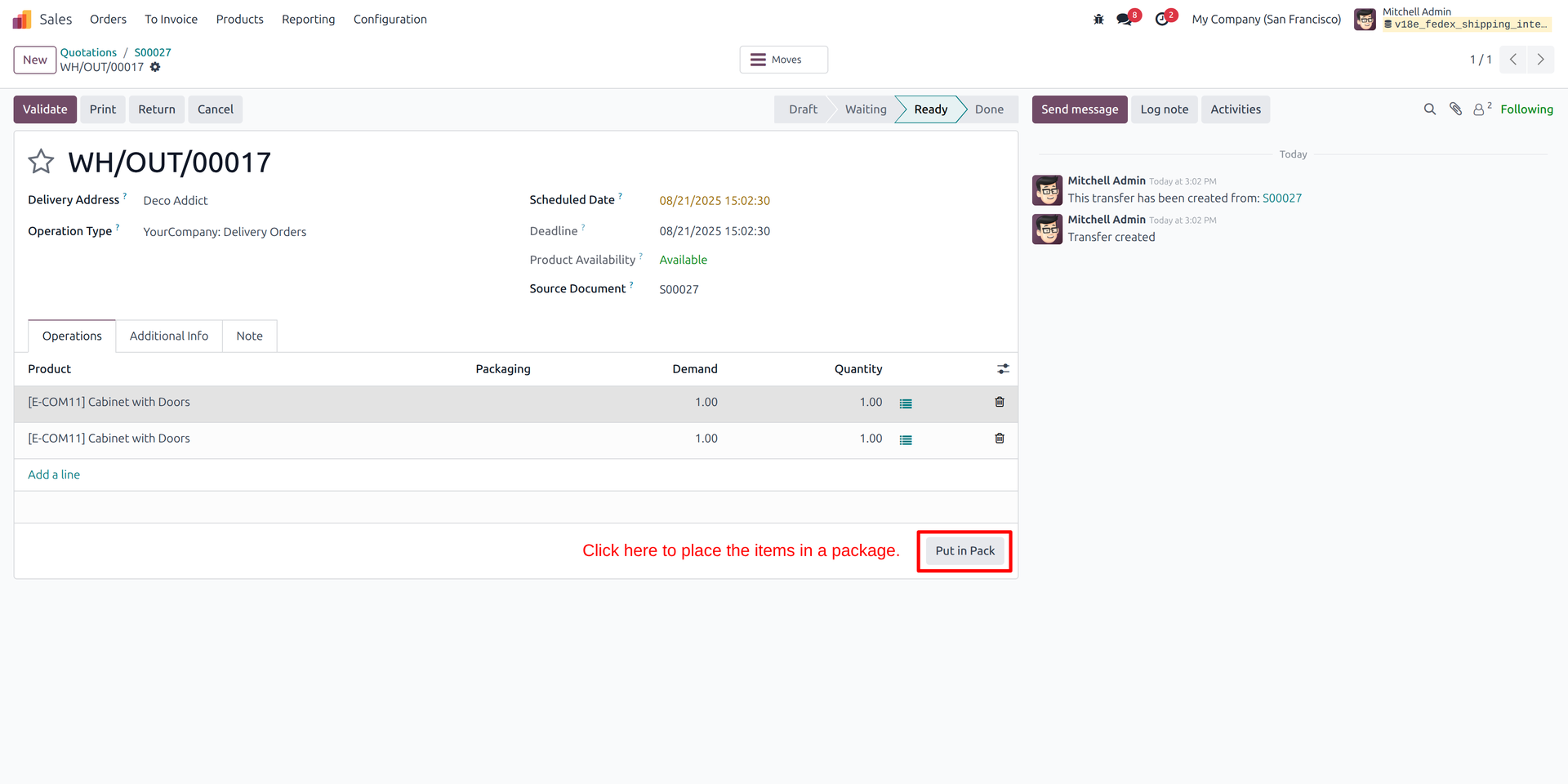
Product put in pack
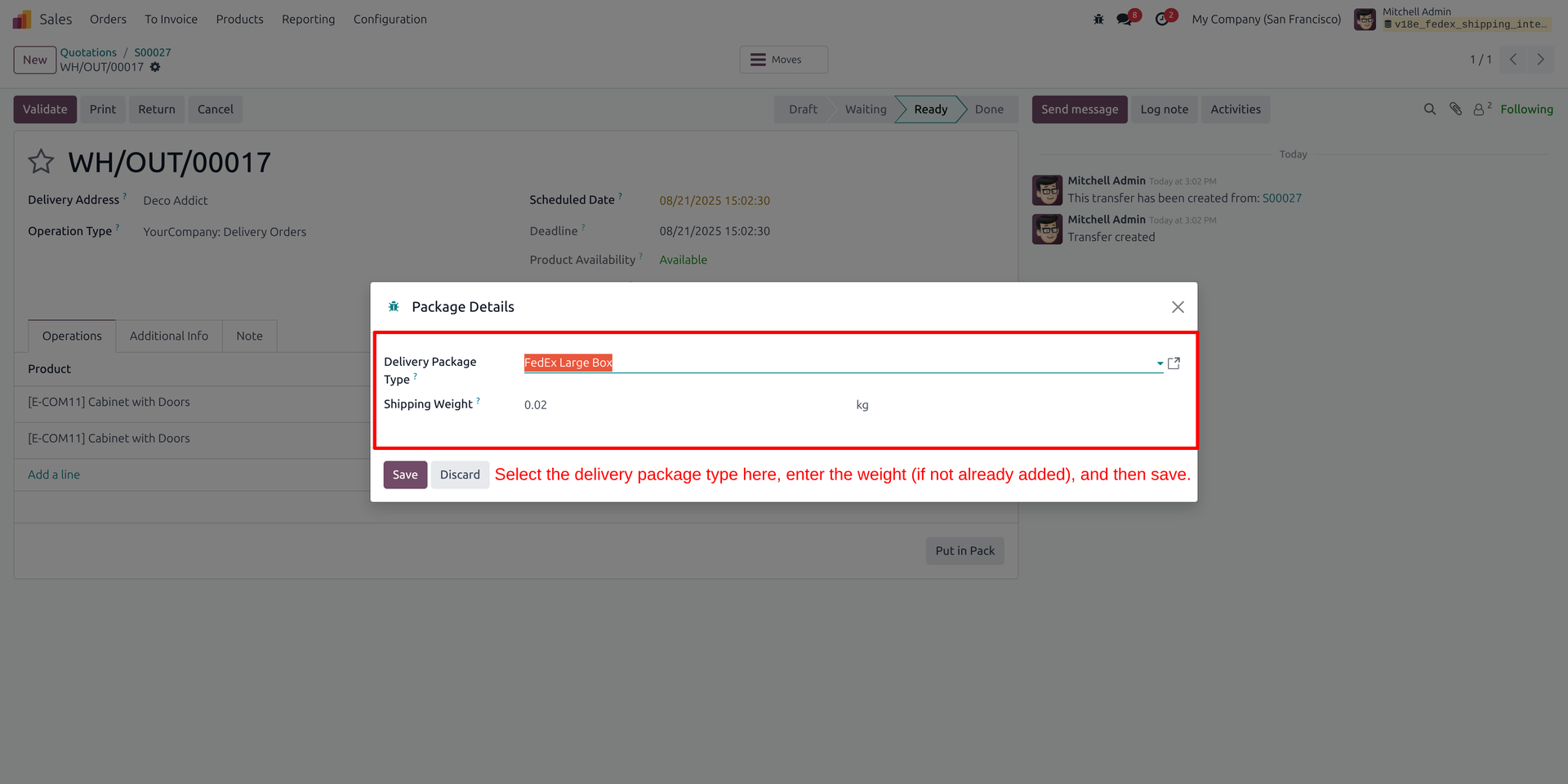
09
Add Package details
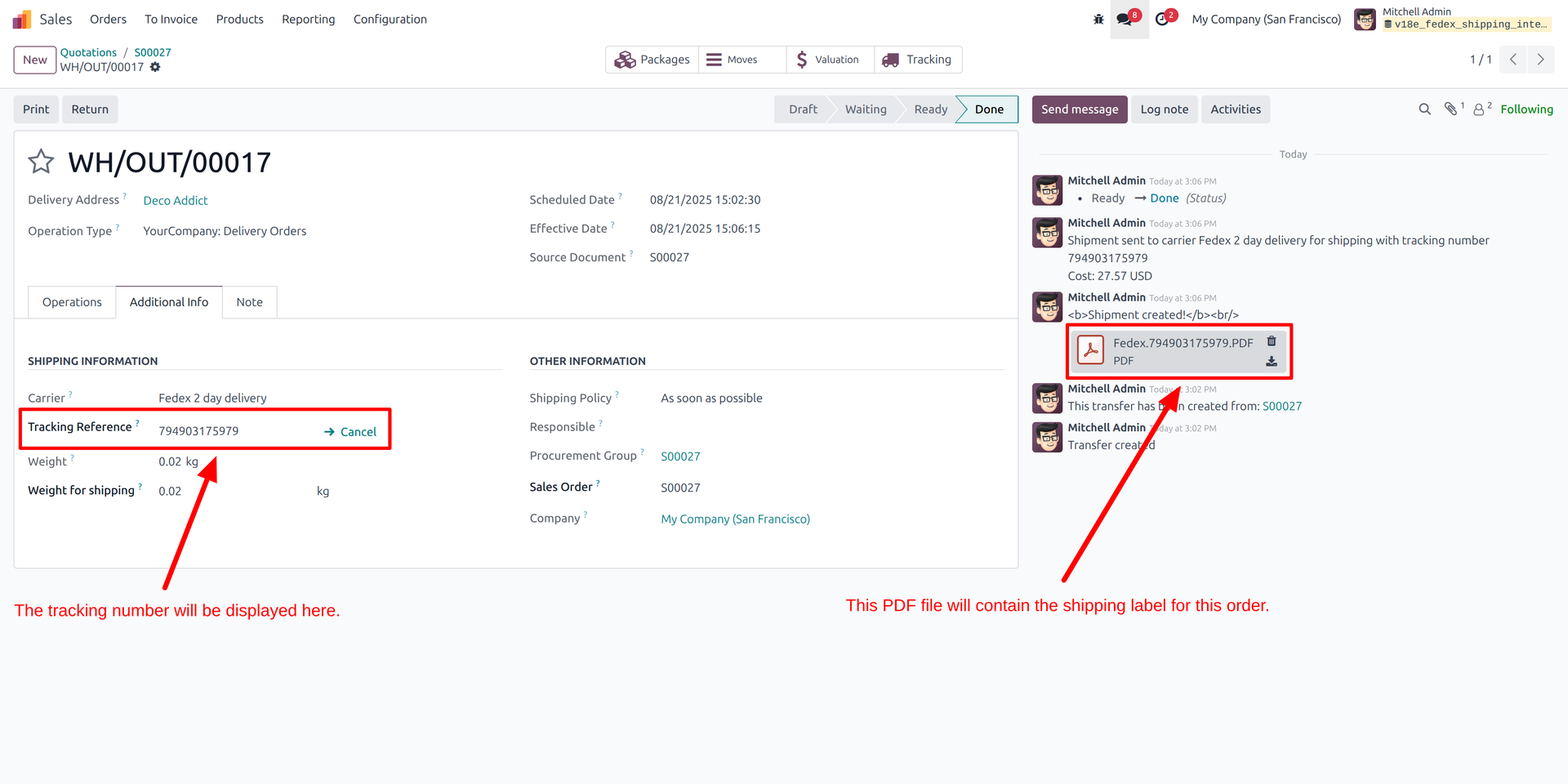
10
Delivery tracking number and shipping label of order
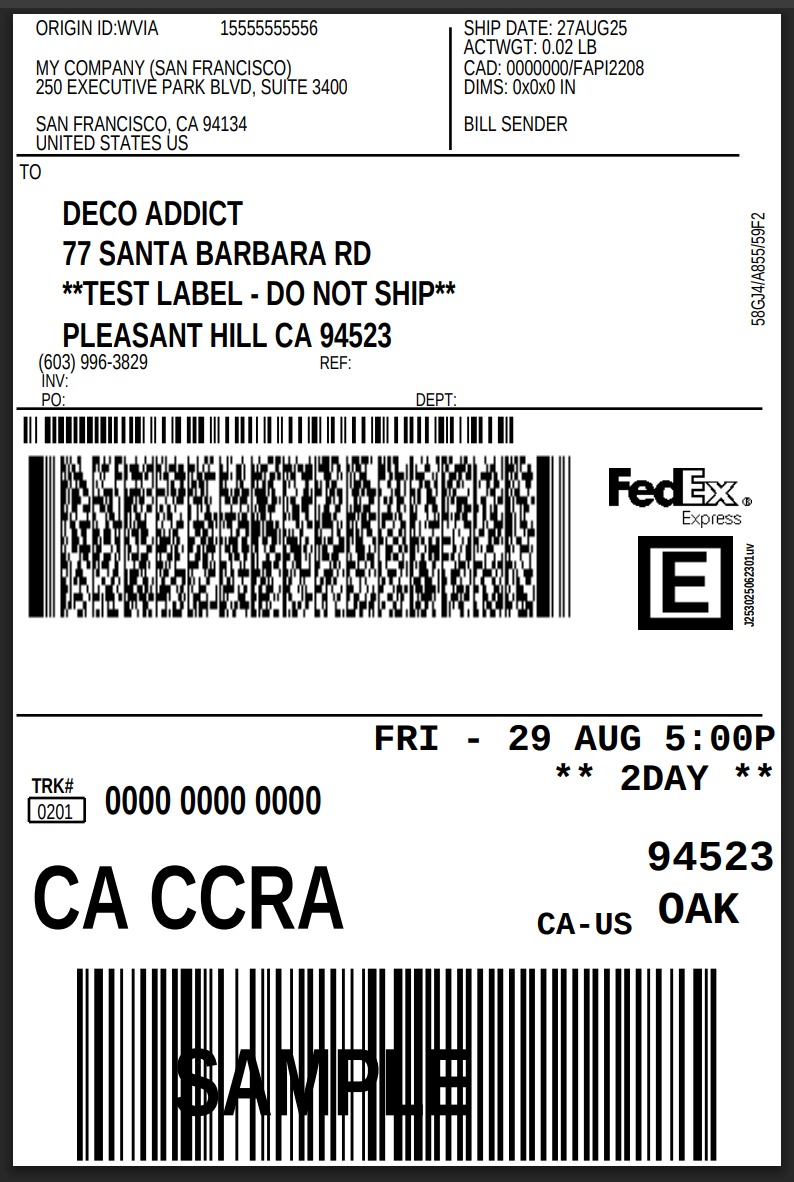
11
Shipping lable PDF overview.
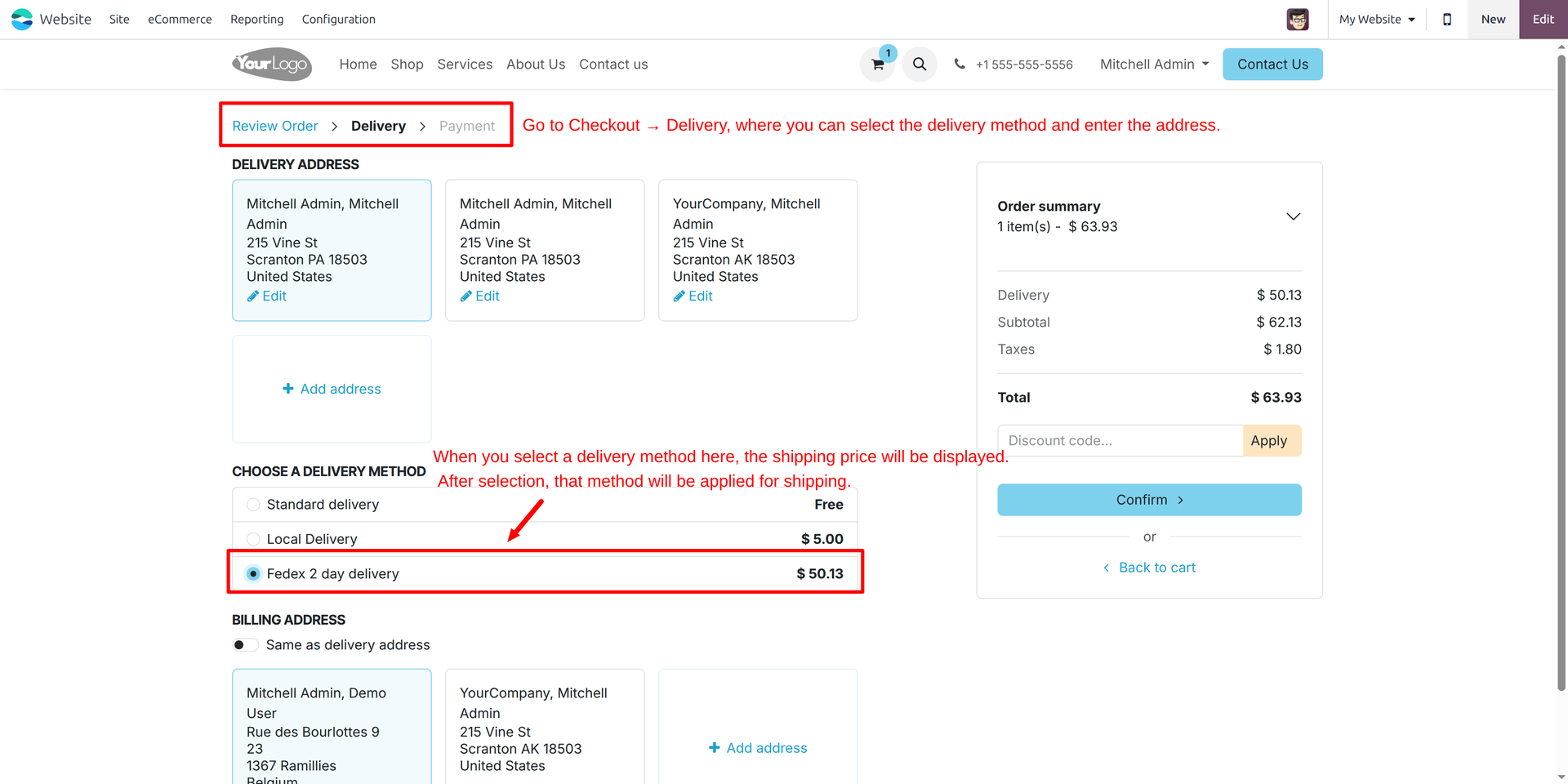
12
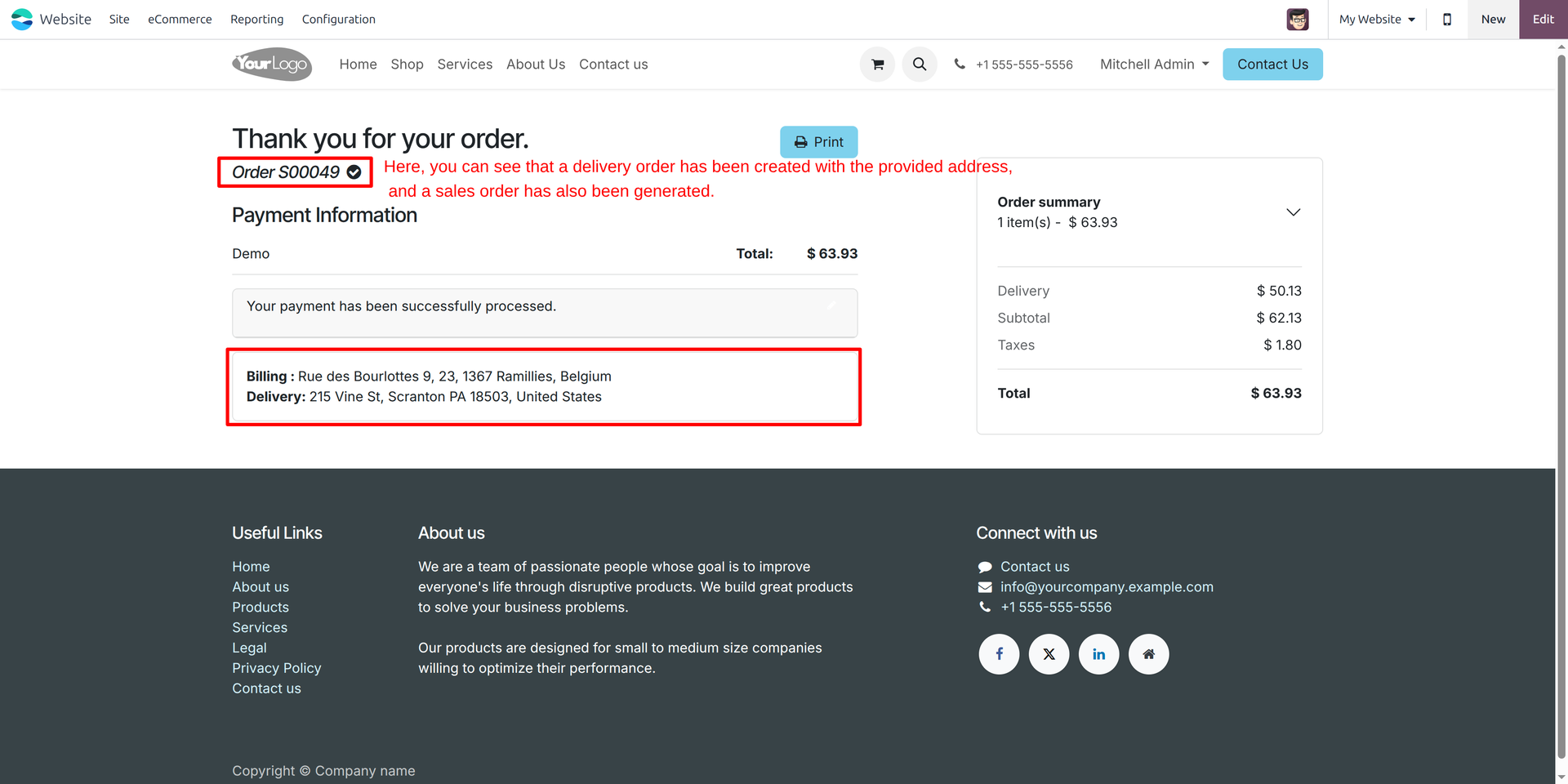
Website Delivery with Fedex shipping method.
13
View of Order Created
14
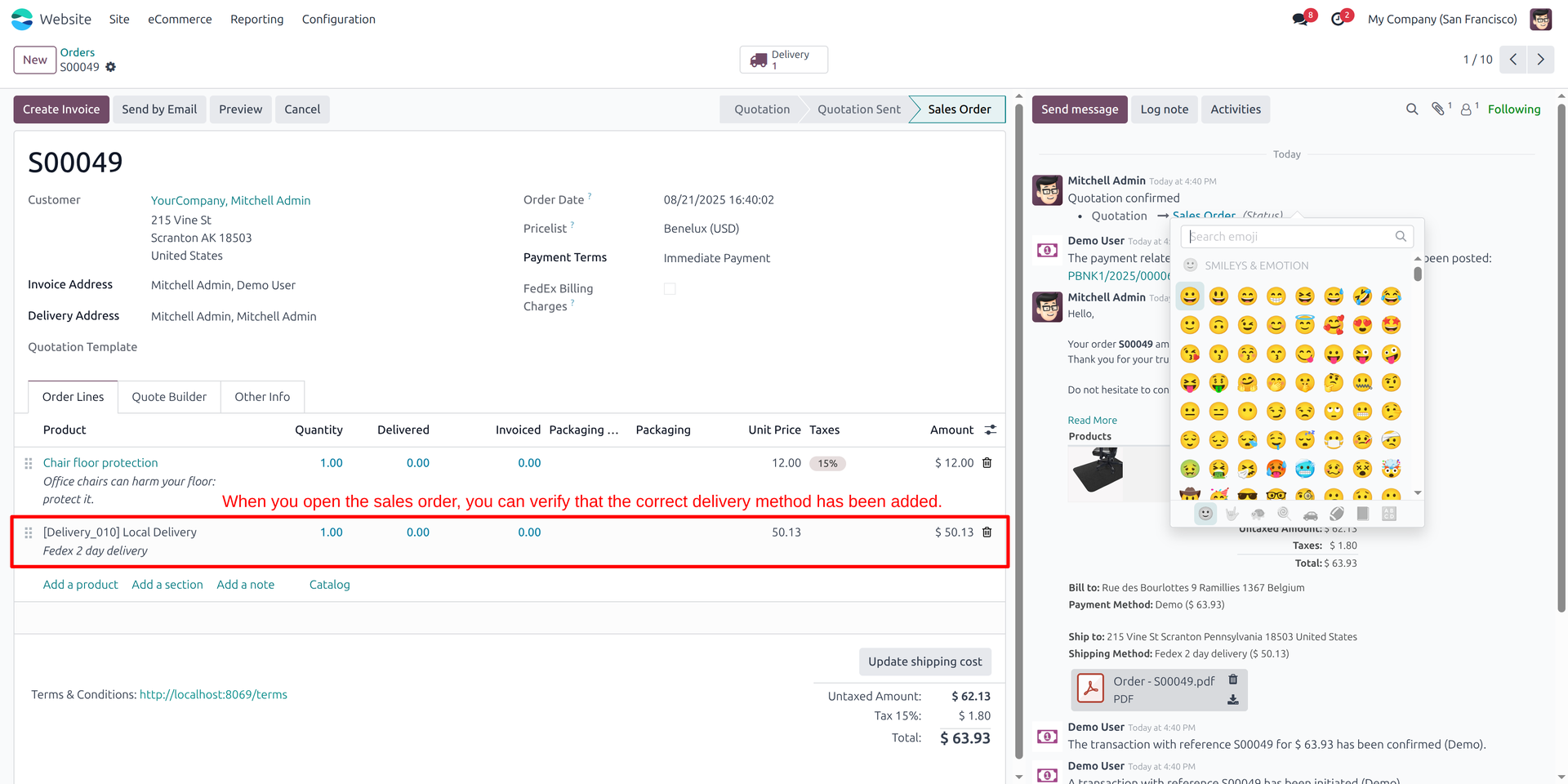
Website to Sales Flow > You can view sales Order and see shipping method
15
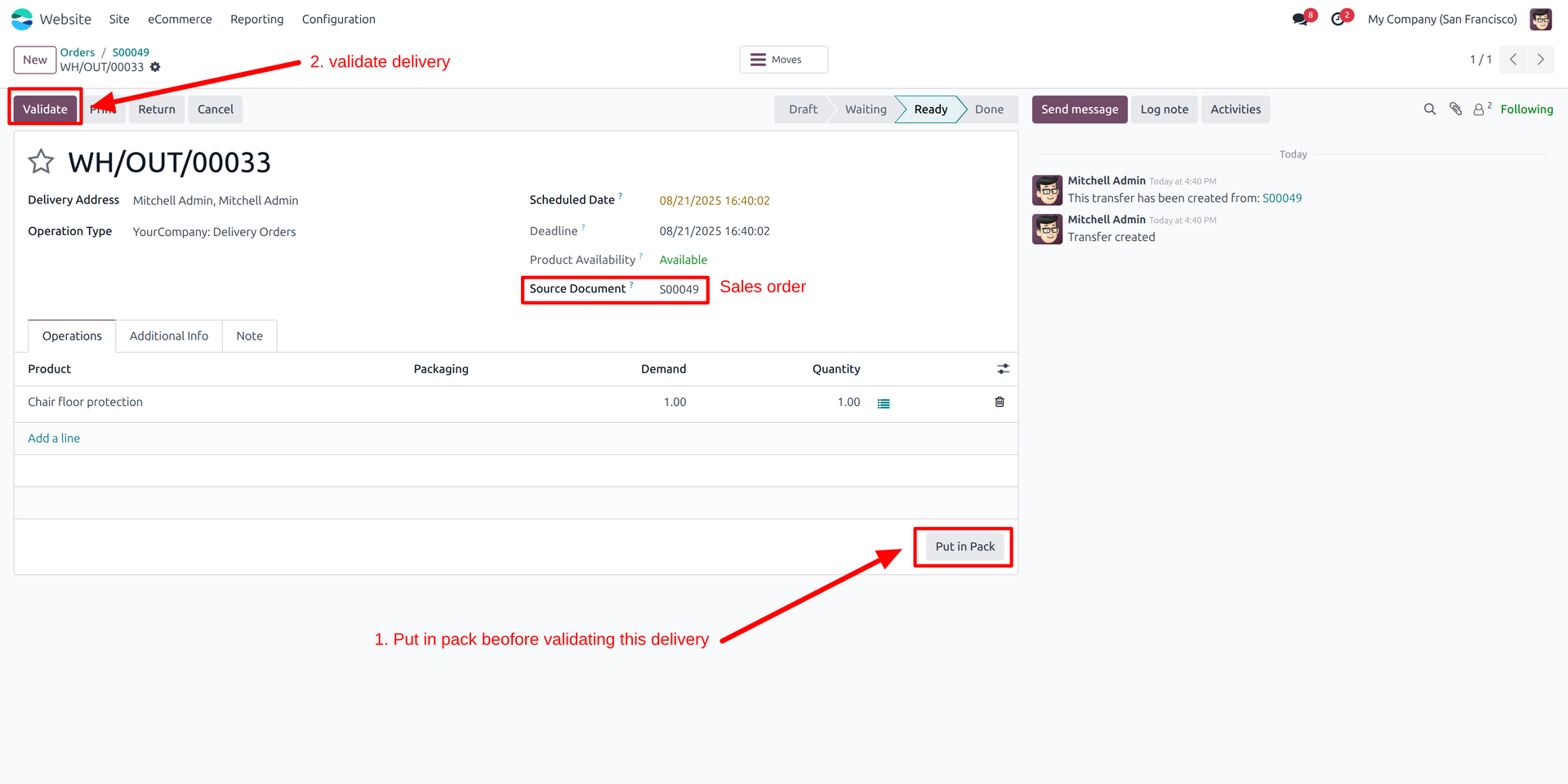
Validate delivery order and Put delivery put in pack
16
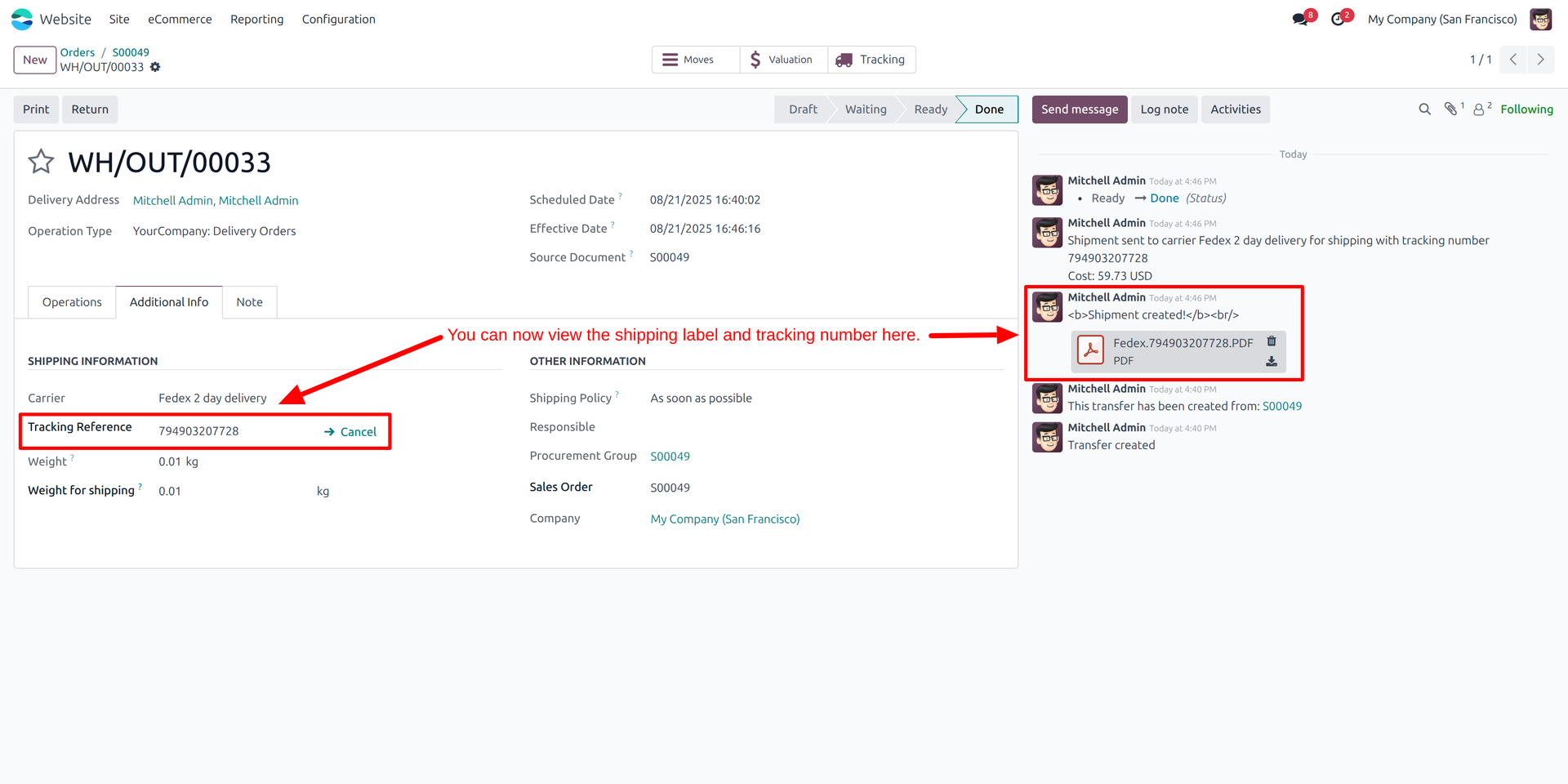
Check tracking reference in delivery order
Screenshots of Fedex Retunr order Management:
17
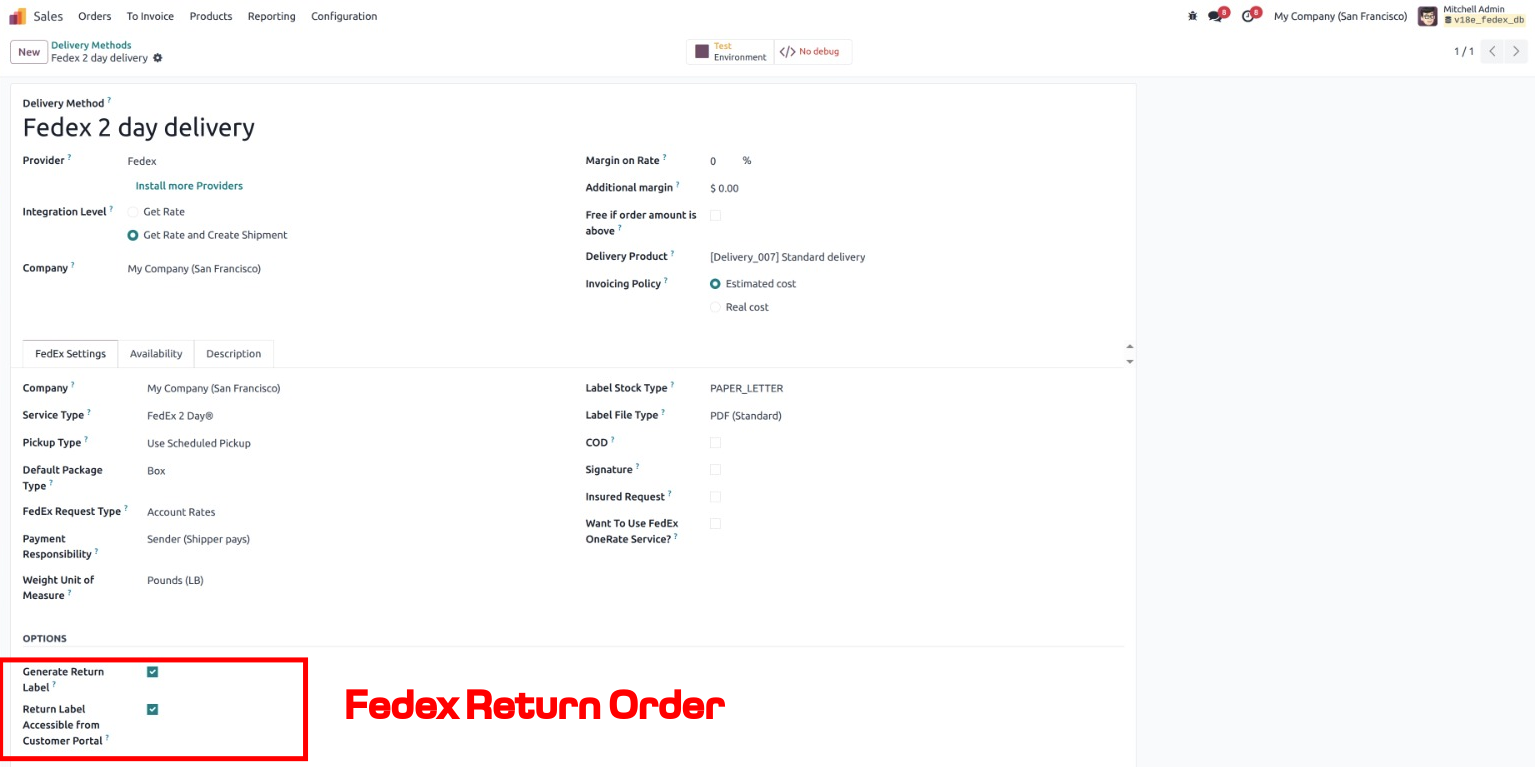
Create a return order and check the configuration for FedEx return order management.
18
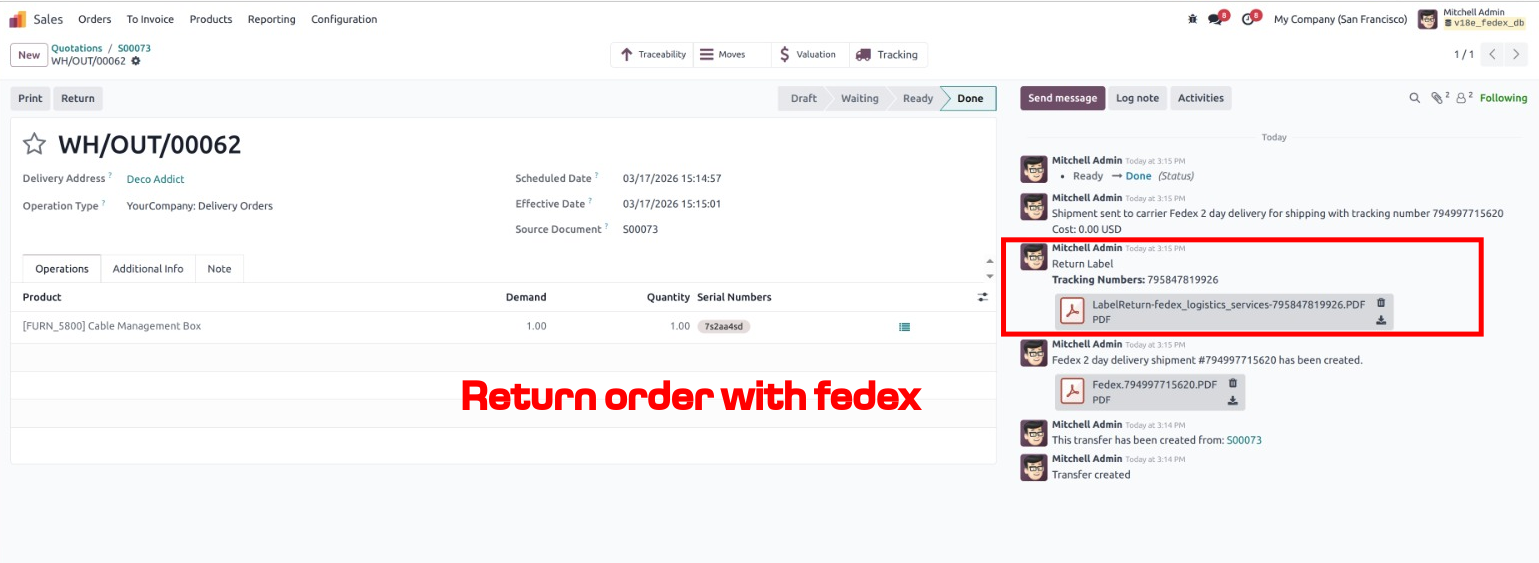
View of the created return order.
19
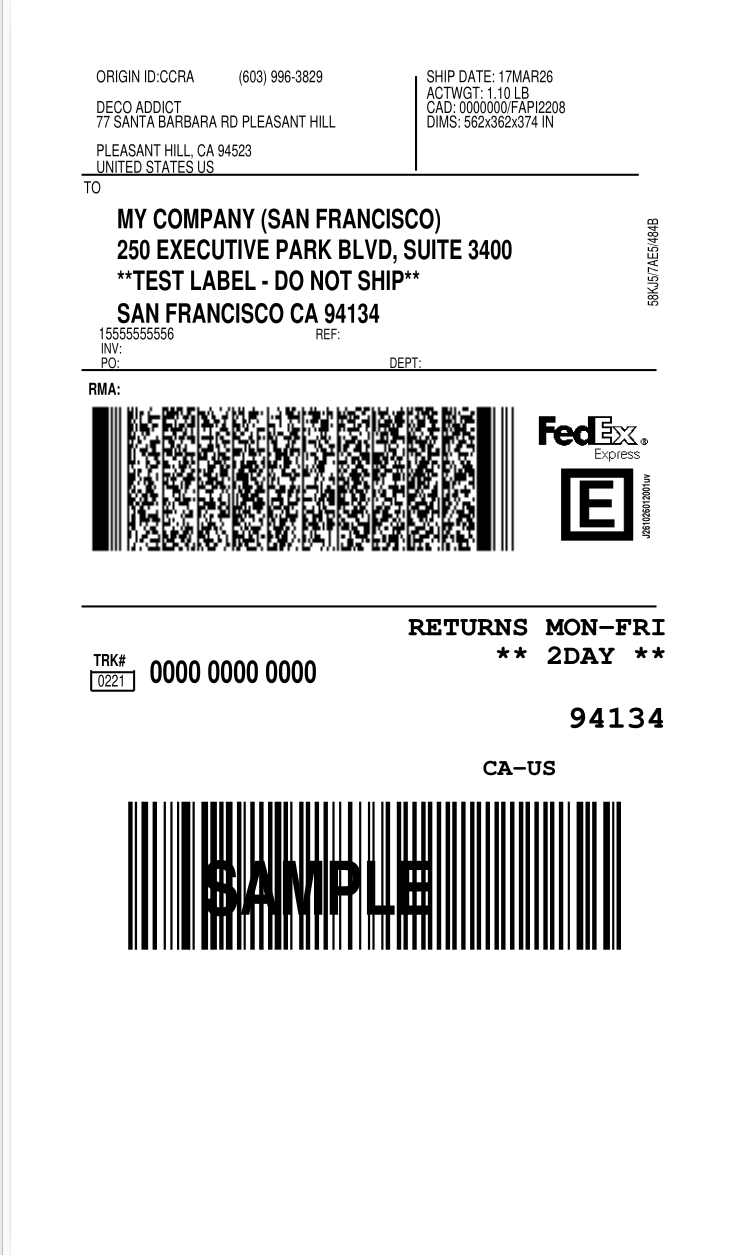
“Overview of FedEx return order label printing.”
Screenshots of Fedex Portal Overview
01
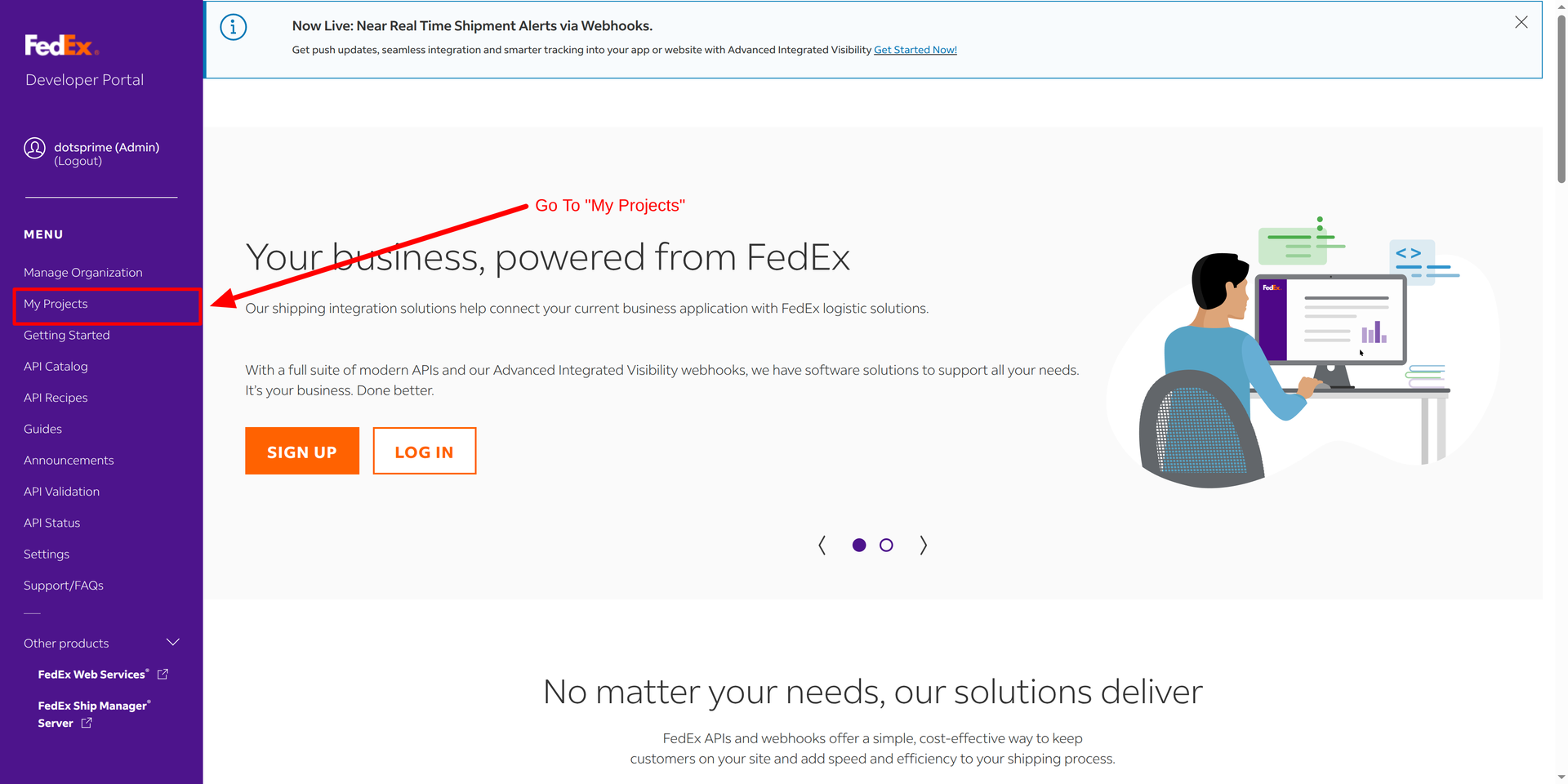
Goto the fedex developer portal and click on my project
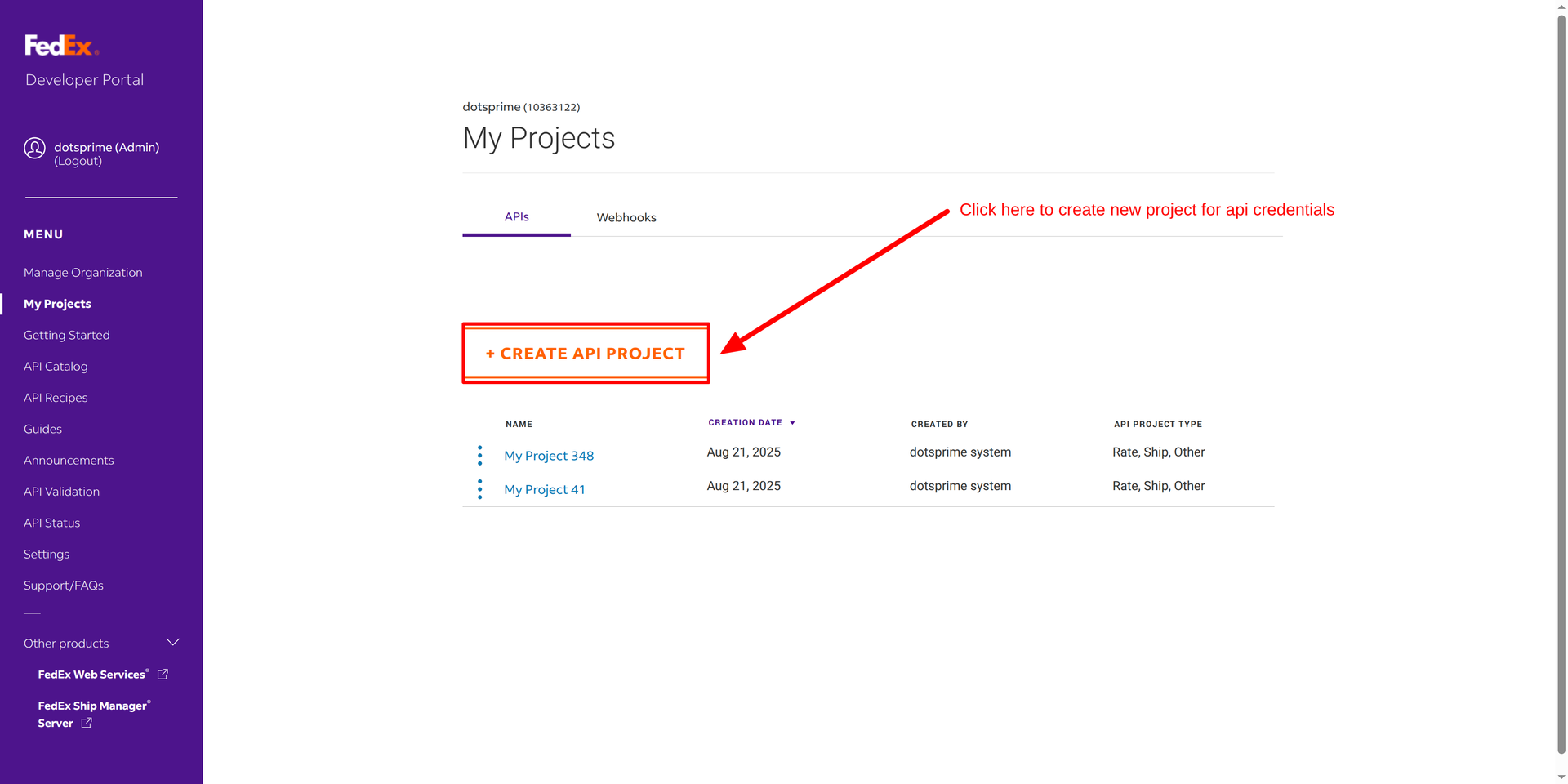
02
Click here to create project
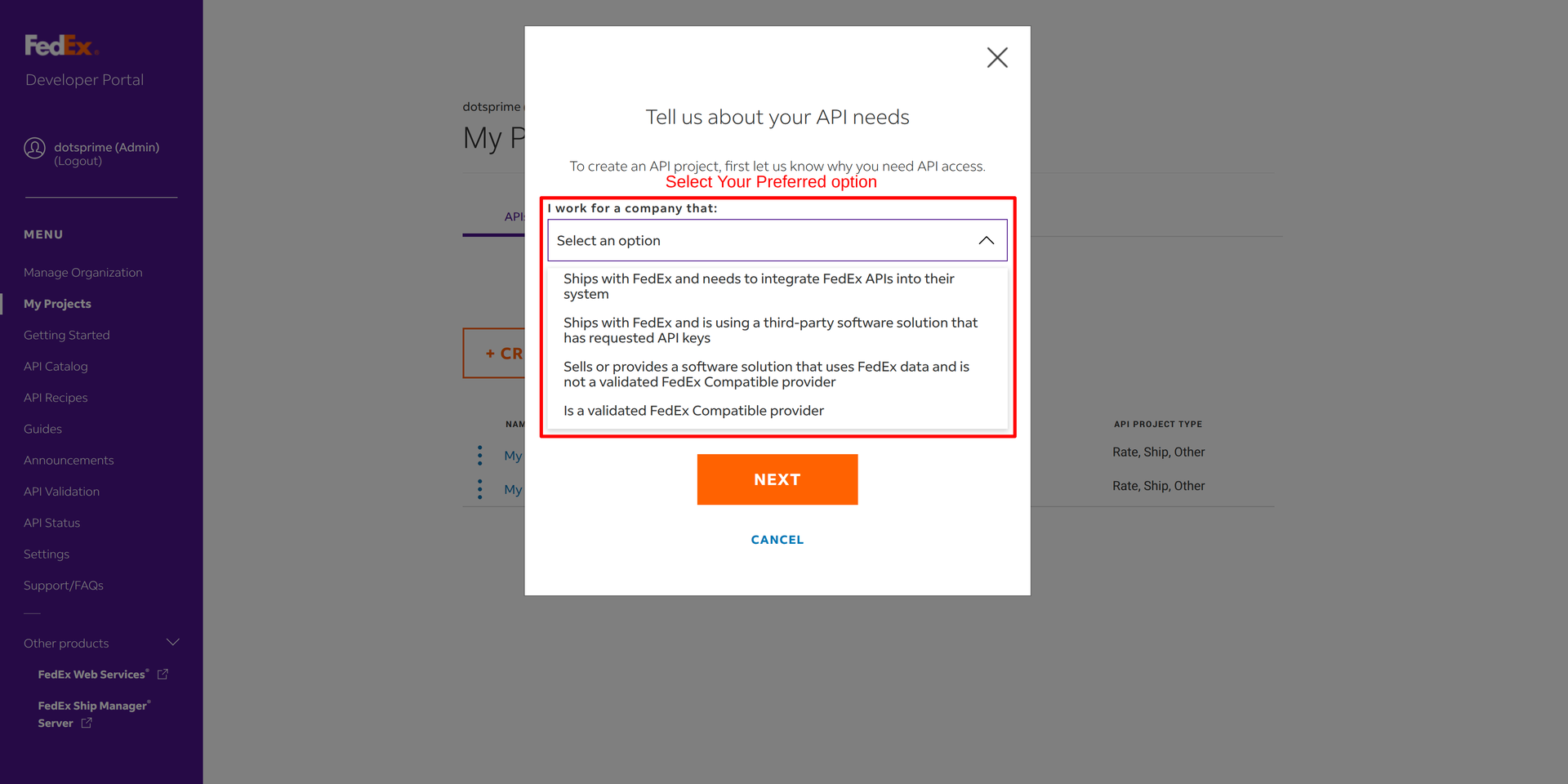
03
Select Preferred option
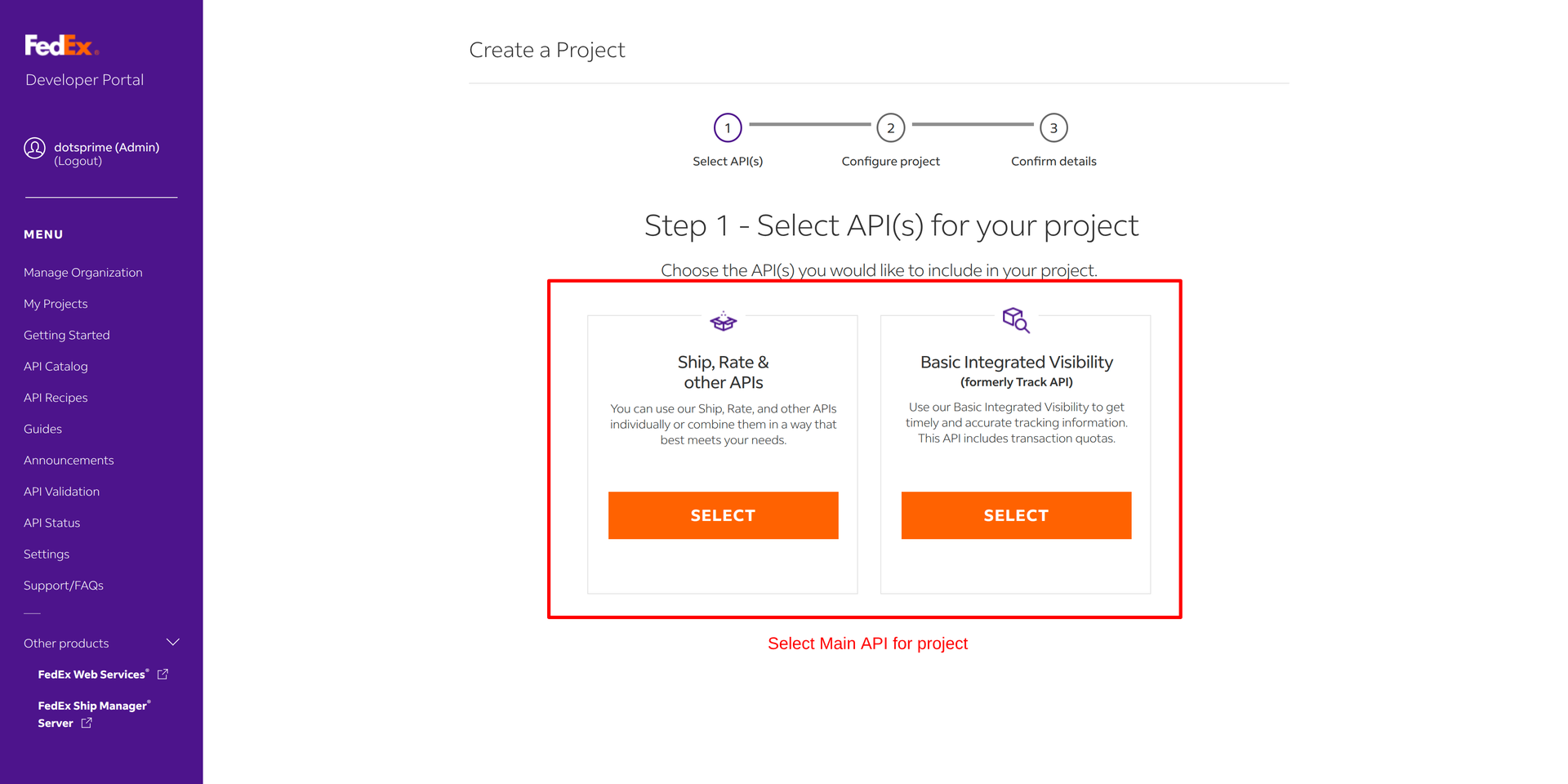
04
Select main API for Project
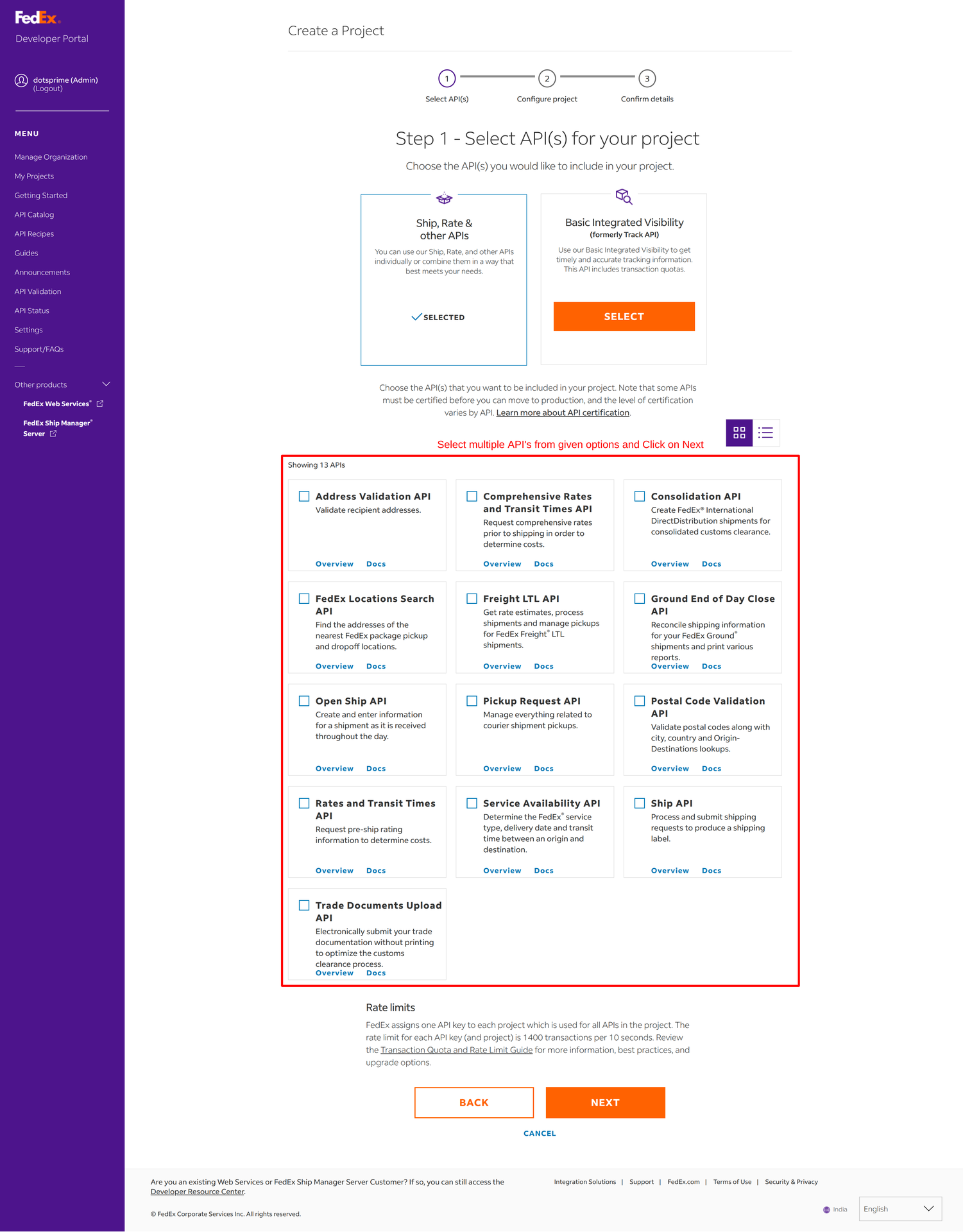
05
Select multiple API from given option and click on next
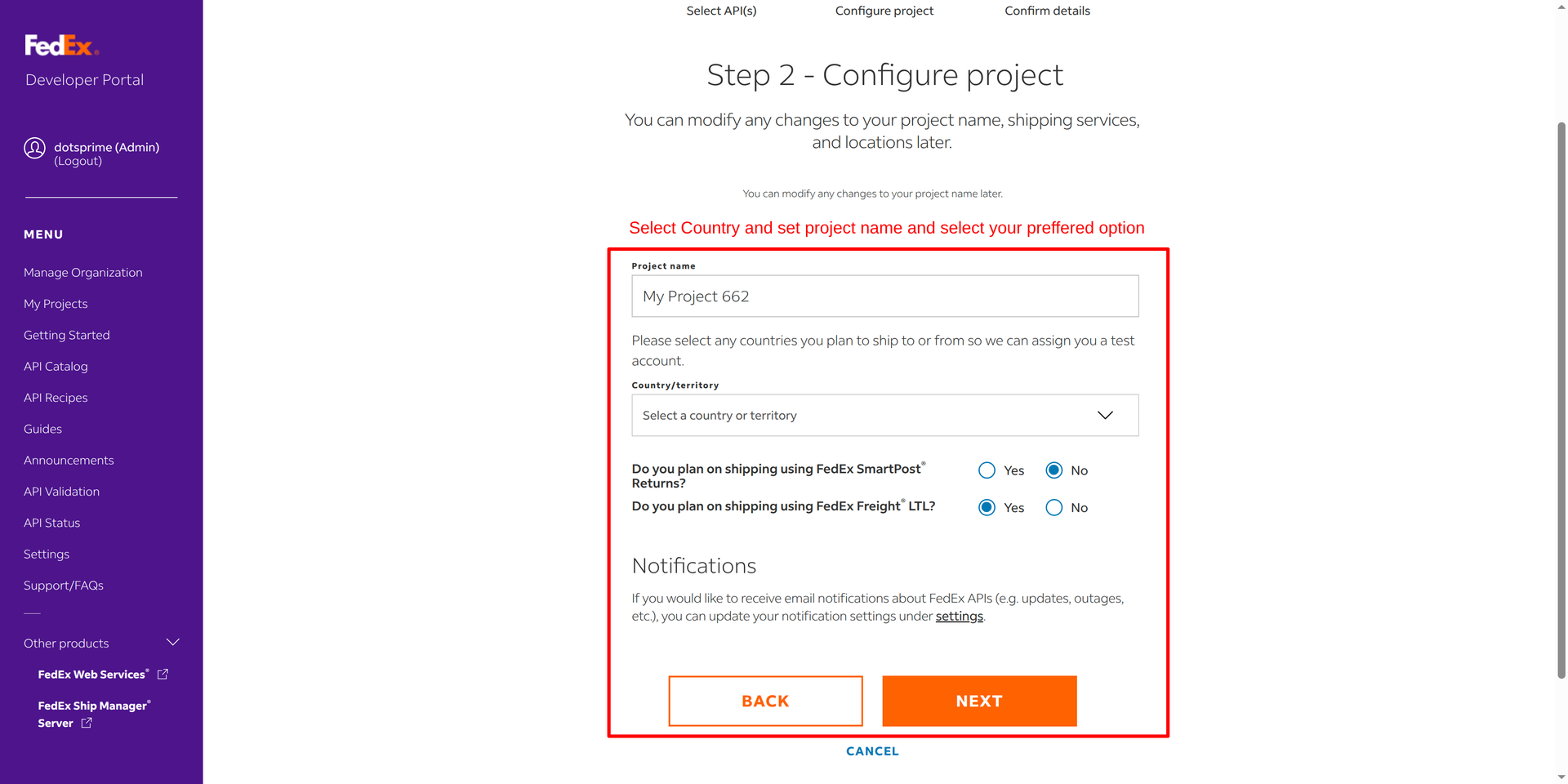
06
Select Country and Set Project name and preffered option
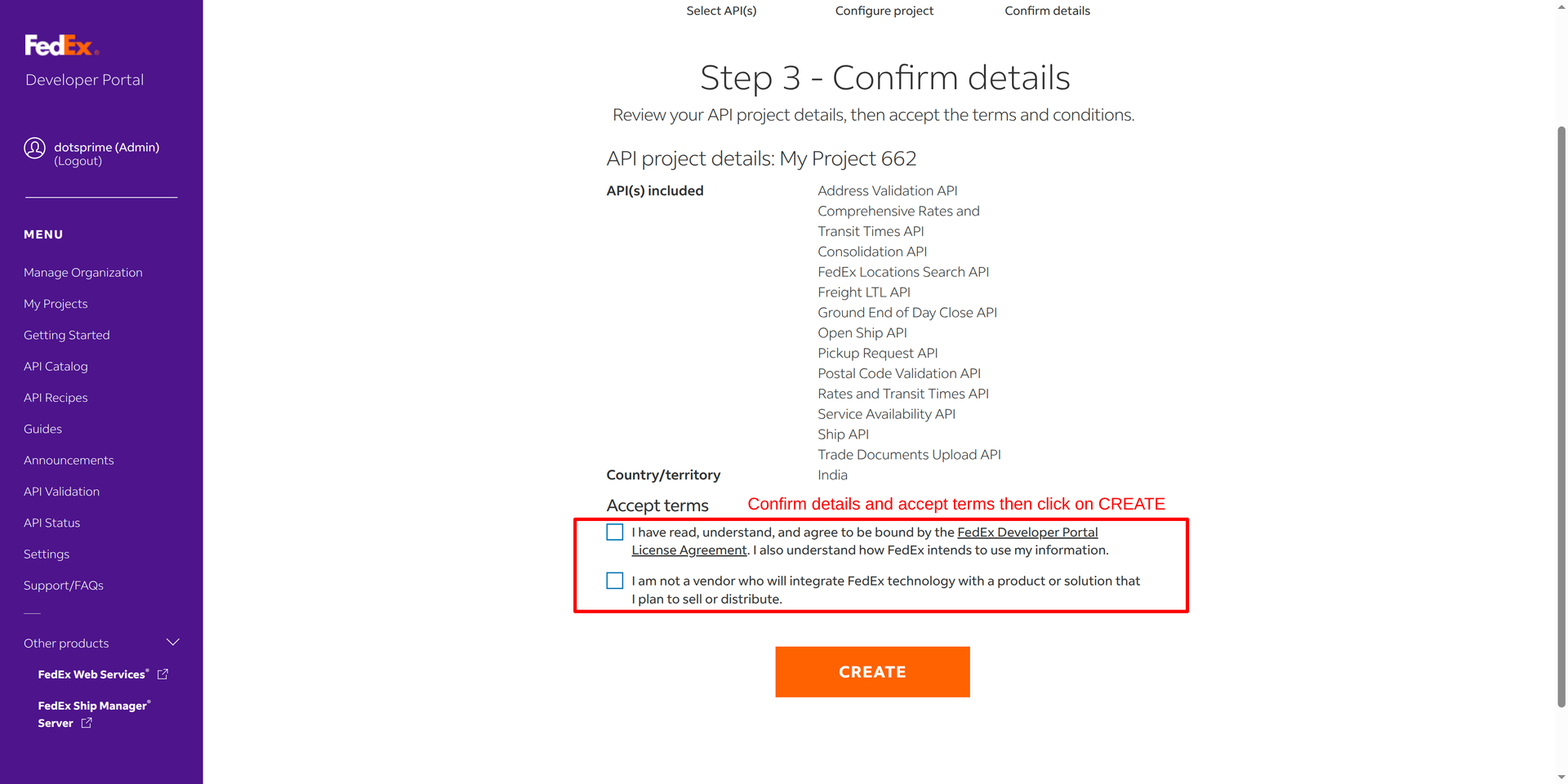
07
Confimr details and accept terms and click on create
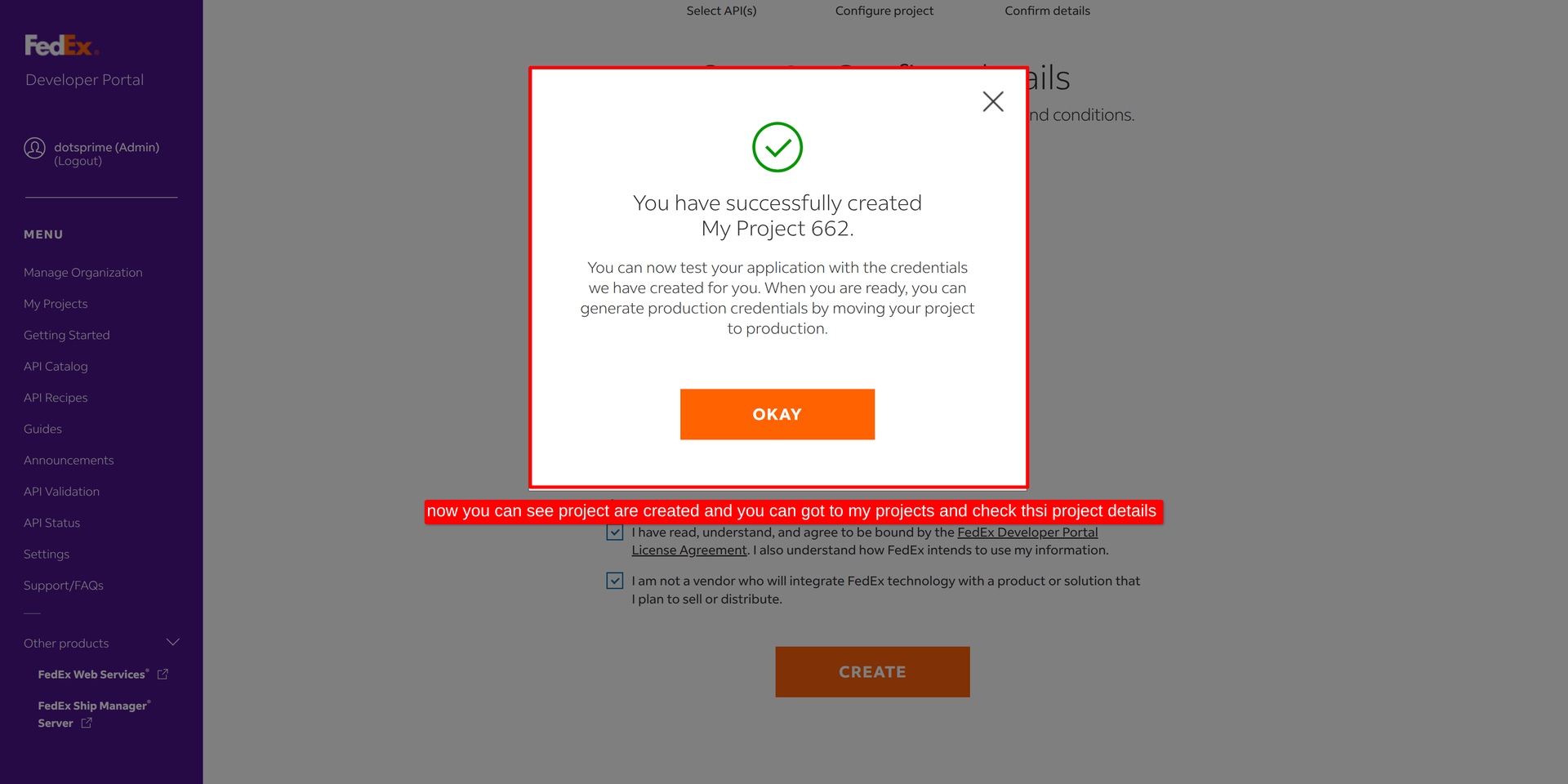
08
Now you can see project is created and view of created project
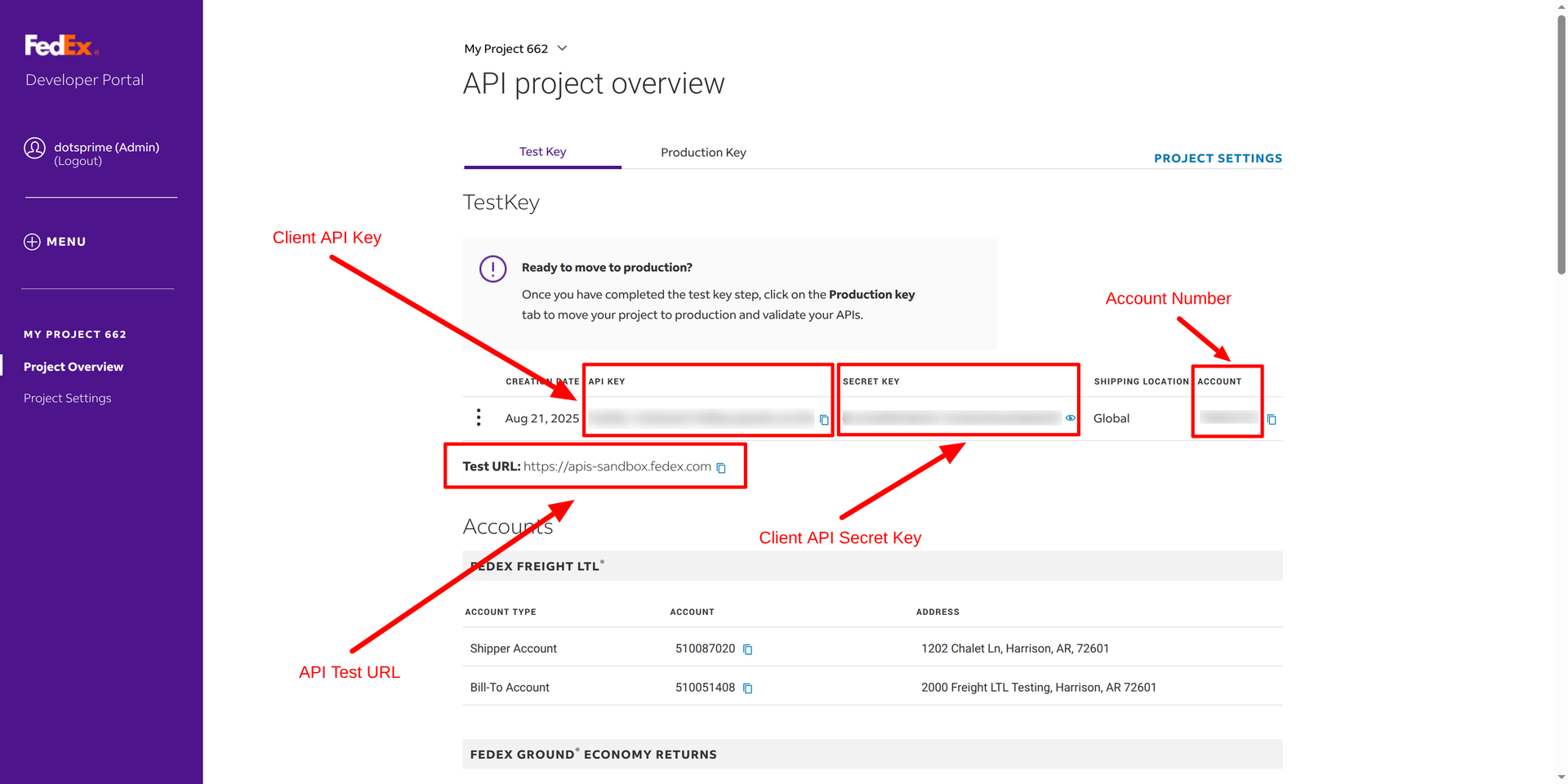
09
Add API Credential
NOTE: If you have any question after purchase apps you can contact us. If any functionality of powered by odoo misisng or you need help will be provide free help after purchase apps.
NOTE: If you have any question regarding this apps you can ask us. If you need to resolve error with any another apps it will take an extra changes for bug fixing and make compatible.
Our Service







If you are looking for any Customsation, Support, Implementation, Migration, Odoo Training (Technical-Functional), Odoo Version Migration, Odoo Database Migration, Odoo Support, Odoo Fixing, Odoo Bug fixing, Any query plz Contact us We are ready to help you.
Contact us for support


| Availability | Odoo Online Odoo.sh On Premise |
| Odoo Apps Dependencies | stock_delivery delivery stock sale |
| Technical Name | dps_fedex_odoo_integration |
| License | OPL-1 |
| Website | https://dotsprime.com/ |